The Ultimate Guide to Back to School for Teachers
 Kate Baker —
Looking for the best back-to-school activities, first-day lesson ideas, classroom management strategies, and ready-to-use teaching resources? This ultimate back-to-school guide brings together everything you need for a successful start to the school year. You'll find practical ideas for building classroom community, establishing routines, planning engaging lessons, creating meaningful assessments, and integrating technology with purpose.
Instead of jumping between dozens of websites, Pinterest boards, and blog posts, you'll find everything organized in one place. We've curated the best BookWidgets articles, classroom ideas, and ready-to-use lesson activities into one practical resource hub. Whether you're looking for a five-minute icebreaker, a first-day lesson, classroom management strategies, or technology integration ideas, you'll find resources you can use immediately.
This guide is built around a simple belief: technology should support great teaching, not replace it. You'll discover practical ways to blend face-to-face instruction with purposeful digital learning, helping you save time, provide meaningful feedback, and keep students actively engaged.
What You'll Find in This Guide
Explore practical ideas, ready-to-use lessons, and classroom resources organized by topic:
- Ice Breakers and Team-Building Activities
- Classroom Management and Organization
- Technology Integration and Student Engagement
- Assessment and Feedback
👋 New to BookWidgets?
BookWidgets is an all-in-one interactive lesson creation, assessment, and feedback platform built by teachers, for teachers. With 40+ interactive activity types, teachers can transform existing lessons into engaging quizzes, games, digital worksheets, webquests, flashcards, timelines, and many other interactive learning experiences from one platform.
BookWidgets integrates with Google Classroom, Microsoft Teams, Moodle, Canvas, and many other learning management systems, making it easy to share activities, monitor student progress with Live Widgets, and provide timely feedback. Throughout this guide, you'll discover ready-to-use BookWidgets lessons that you can copy, customize, and adapt for your own classroom.

🚀 Quick Start: Find the Right Resource for Your Classroom
Pressed for time? Start with the resource that best matches what you're working on right now. Each guide includes practical classroom ideas and ready-to-use BookWidgets lesson examples that you can adapt for your own students.
Ice Breakers and Team Building Activities
Looking for a quick icebreaker, a collaborative team-building activity, or a ready-to-use first-day lesson? These ideas work across grade levels and help students learn one another's names, build classroom community, and establish positive routines.
Explore More Back-to-School Resources
Seeking even more ideas? These collections include dozens of ready-to-use BookWidgets lesson plans, classroom activities, and teaching strategies to help you start the school year successfully.
| 🎯 If You Want To... | 🚀 Explore This Collection |
|---|---|
| Plan your first day of school | 20+ Ready-to-use Digital Lesson Activities for the First Day of School |
| Find even more first-day lesson ideas | 15 Creative Lesson Ideas for the First Day of School |
| Break the ice and learn students' names | 15+ Fun Back-to-School Icebreakers for the First Day of School |
| Build teamwork and classroom community | 15 Fun Team Building Activities and Trust Games for the Classroom |
| Boost energy and participation | 15 Fun Classroom Energizers for Students |
| Support social-emotional learning | 10 Creative Social Emotional Learning Activities to Use in Class |
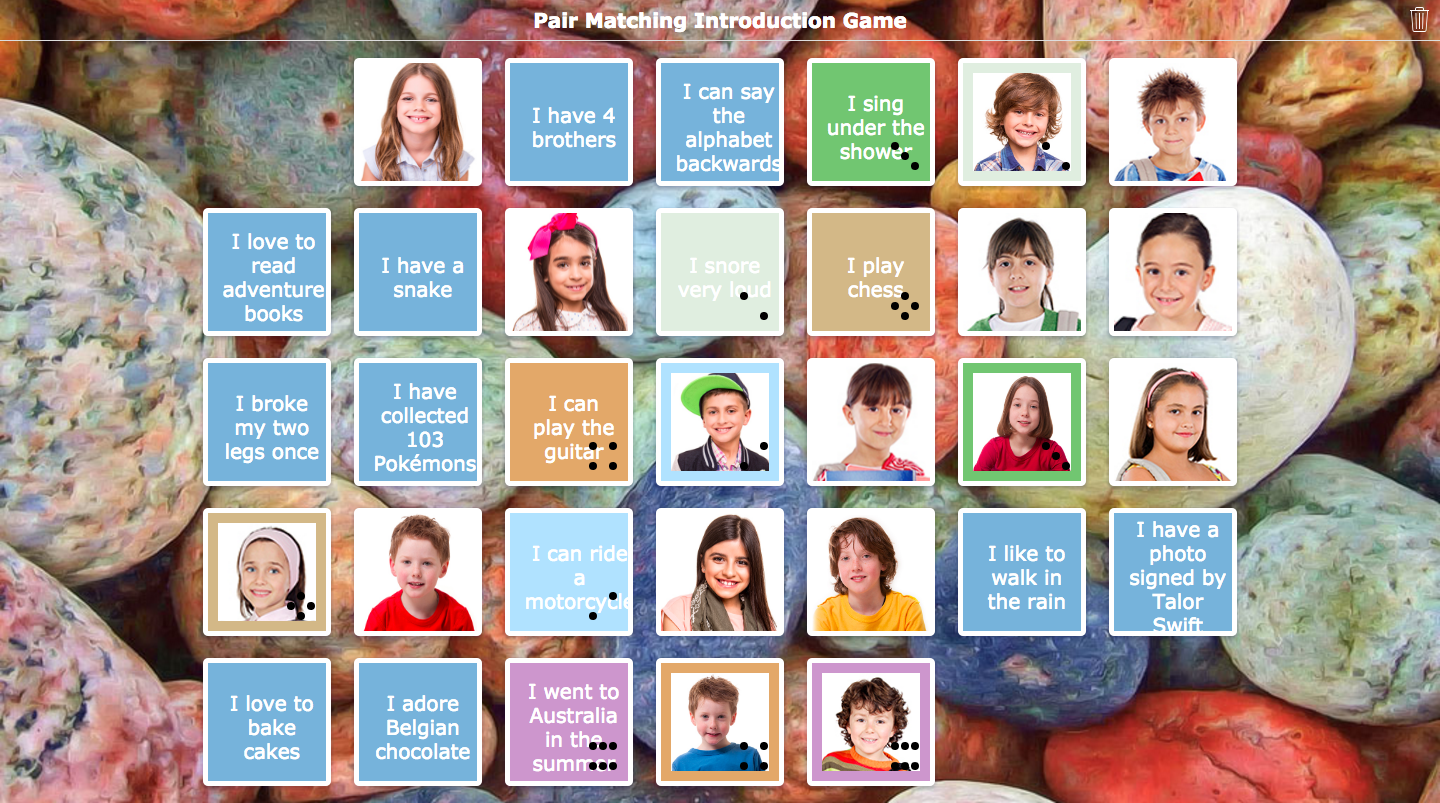
Featured Lesson: "One Word About Me" Pair Matching Icebreaker
This simple activity helps students learn one another's names while encouraging everyone to share something about themselves. To customize this activity for your classroom, ask each student to submit one word that describes them, then add each student's name (or photo) and their chosen word to a Pair Matching widget. Students work together to match every description with the correct classmate.
| Category | Details | |
|---|---|---|
| 🧩 | BookWidgets widget | Pair Matching |
| ⭐️ | Best for | Learning names and building classroom community |
| 🤝 | Interaction | Whole class or small groups |
| ⏱️ | Time needed | 10–15 minutes |
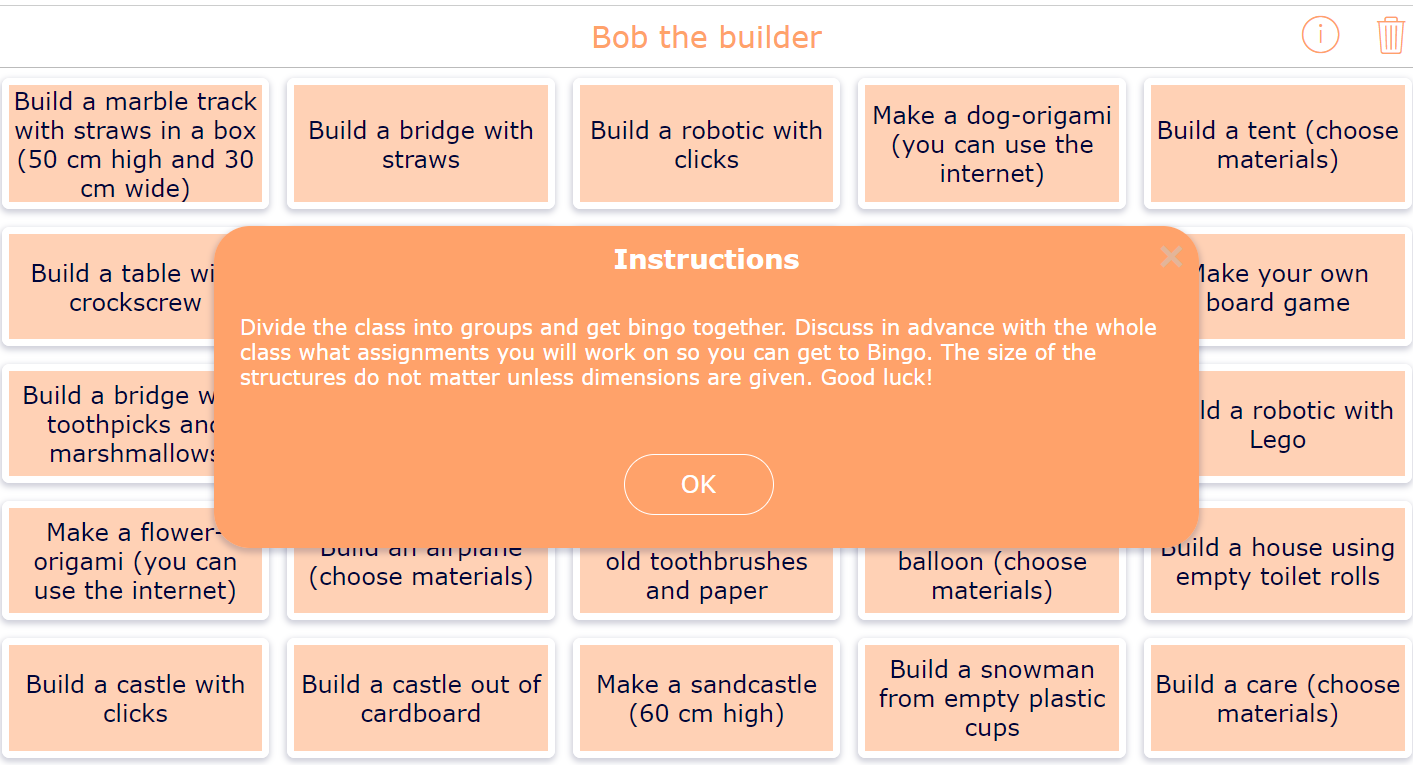
Featured Lesson: Team-Building Bingo
This interactive Bingo activity gets students moving, talking, and discovering shared interests. Students complete squares by finding classmates who match each prompt, making it an easy way to spark conversations and help everyone feel connected during the first week of school.
| Category | Details | |
|---|---|---|
| 🧩 | BookWidgets widget | Bingo |
| ⭐️ | Best for | Building classroom community and encouraging conversation |
| 🤝 | Interaction | Whole class |
| ⏱️ | Time needed | 15–20 minutes |
Classroom Management and Organization
From organizing your classroom to establishing expectations and building routines, these resources will help you create a positive learning environment from the first day of school onward.
Explore More Classroom Management Resources
| 🎯 If You Want To... | 🚀 Explore This Resource |
|---|---|
| Build a future-ready classroom | Build the Classroom of the Future with These 3 Key Pillars |
| Stay organized throughout the school year | 20 Helpful Tips to Become an Organized and Focused Teacher |
| Introduce classroom expectations | 36 Creative Ways to Introduce and Explain Classroom Rules to Students |
| Design an effective classroom layout | 19 Classroom Seating Arrangements Fit for Your Teaching |
| Encourage reflection and growth | How to Become a Reflective Teacher: The Complete Guide for Reflection in Teaching |
| Foster self-regulated learning | How to Encourage Self-Regulated Learning in School: An SRL Blueprint for Teachers |
Class Expectations
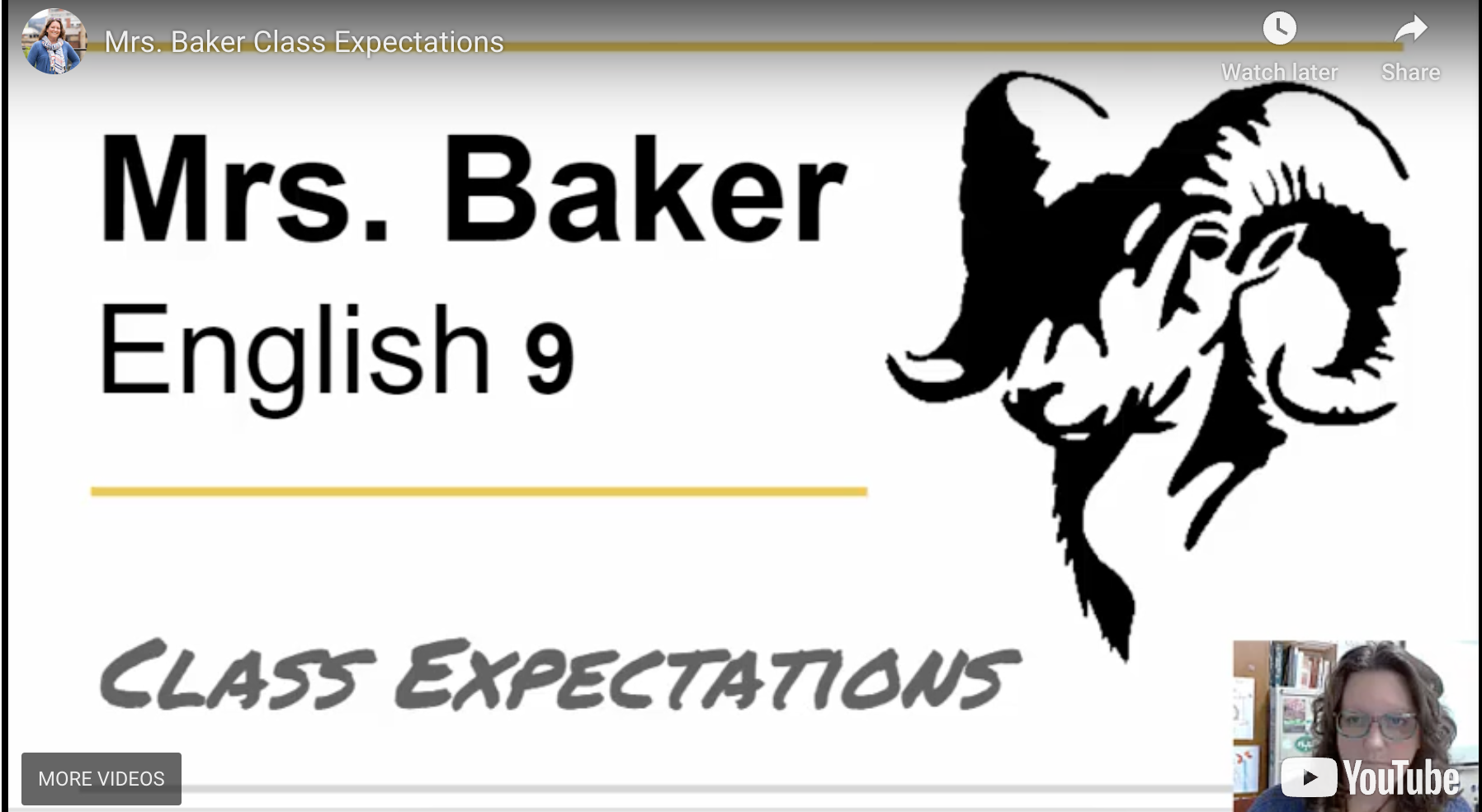
Introducing classroom expectations doesn't have to mean reading through a list of rules. These ready-to-use lessons help students explore classroom routines through interactive activities that encourage participation and discussion.
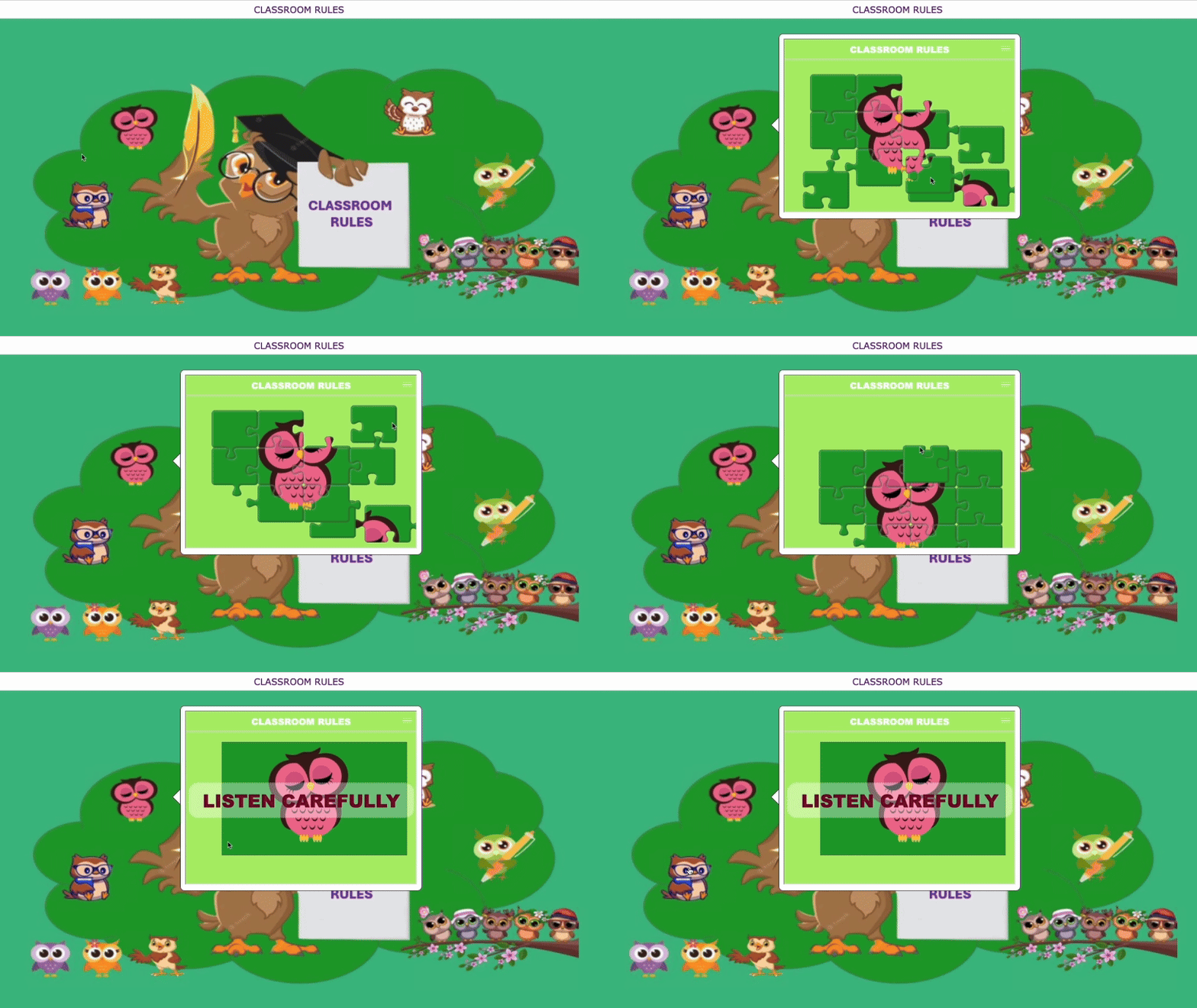
Featured Lesson: Interactive Classroom Rules Puzzle
Instead of reviewing classroom rules with a slideshow, invite students to uncover each expectation by solving interactive puzzles. This Hotspot Image lesson reveals classroom expectations as students complete embedded jigsaw puzzles, making the activity feel more like a game than a lecture. Created by BookWidgets Ambassador Ksenija Lekic, the lesson works well as a whole-class activity before students complete it independently.
| Category | Details | |
|---|---|---|
| 🧩 | BookWidgets widget | Hotspot Image + Jigsaw Puzzle |
| ⭐️ | Best for | Introducing classroom expectations |
| 🤝 | Interaction | Whole class followed by individual review |
| ⏱️ | Time needed | 15–20 minutes |
Featured Lesson: Flip Your Classroom Expectations
If you prefer introducing classroom expectations through video, this interactive Video Quiz lets students learn at their own pace while checking for understanding throughout the lesson. You can use it as a whole-class activity during the first week of school or assign it as homework for students to complete with a parent or guardian. I liked assigning this activity about two weeks before Back-to-School Night so families could learn about my classroom procedures, expectations, grading policies, and routines ahead of time. This way, Back-to-School Night became an opportunity for meaningful conversations instead of simply reviewing classroom rules.
| Category | Details | |
|---|---|---|
| 🎥 | BookWidgets widget | Video Quiz |
| ⭐️ | Best for | Introducing classroom procedures and expectations |
| 🤝 | Interaction | Individual or family |
| ⏱️ | Time needed | 10–15 minutes |
Seating Arrangements
The right seating arrangement depends on how you want students to learn. These resources will help you explore classroom layouts that support collaboration, discussion, independent work, and flexible learning.
Explore More Classroom Layout Ideas
| 🎯 If You Want To... | 🚀 Explore This Resource |
|---|---|
| Compare different classroom seating arrangements | 19 Classroom Seating Arrangements Fit for Your Teaching |
| Explore lesson ideas for teaching the UN Sustainable Development Goals | Understanding and Teaching the 17 Sustainable Development Goals (SDGs) |
Featured Lesson: Design Your Ideal Learning Space
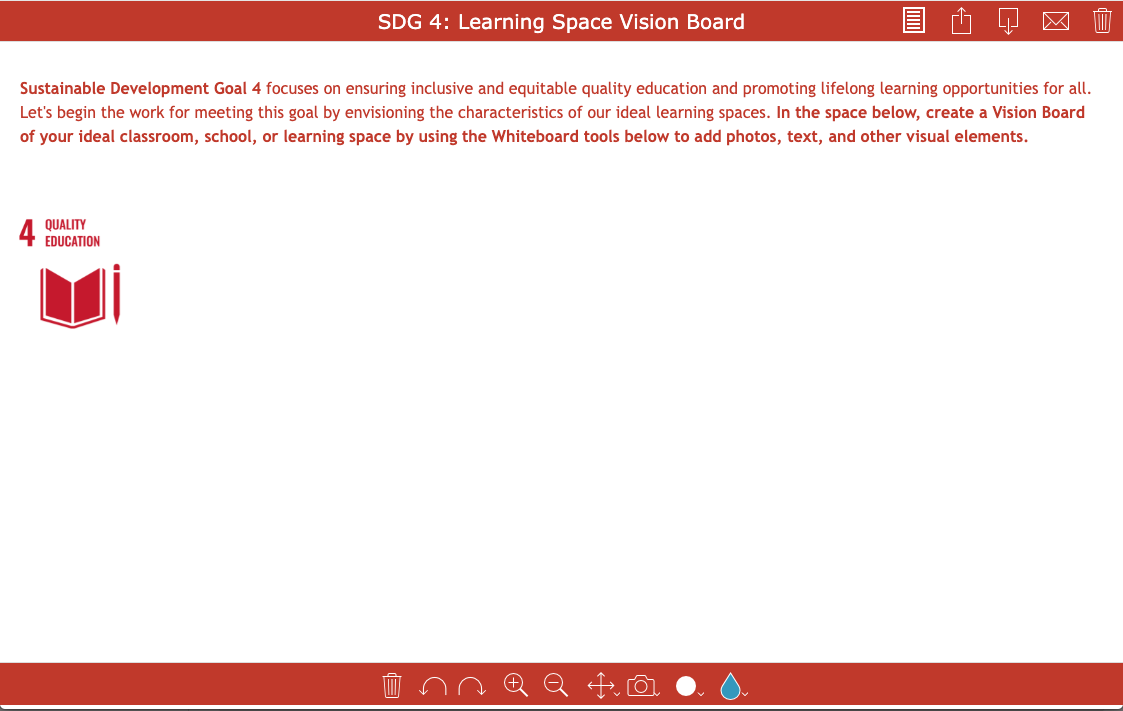
This Whiteboard lesson, inspired by United Nations Sustainable Development Goal #4: Quality Education, invites learners to reflect on what an ideal learning environment looks like. Whether you're using it during teacher professional development to spark conversations about classroom design or with students to envision their ideal classroom or school, the activity encourages thoughtful reflection about the spaces where learning happens.
| Category | Details | |
|---|---|---|
| 🖍️ | BookWidgets widget | Whiteboard |
| ⭐️ | Best for | Reflecting on learning environments and classroom design |
| 🤝 | Interaction | Individual |
| ⏱️ | Time needed | 15–20 minutes |
Featured Lesson: Classroom Seating Planner
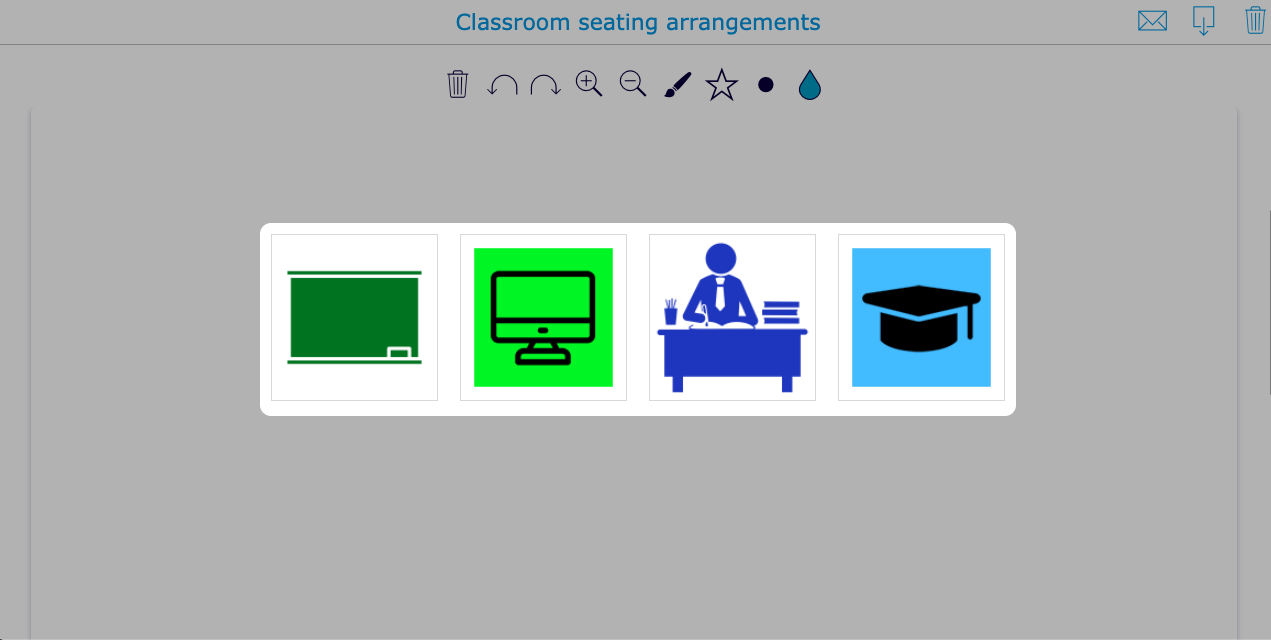
Planning seating charts can take time, especially when balancing collaboration, behavior, accessibility, and instructional needs. This interactive Worksheet helps you map out different seating configurations before students arrive and makes it easy to revisit your plan whenever your classroom needs a refresh.
| Category | Details | |
|---|---|---|
| 📄 | BookWidgets widget | Worksheet |
| ⭐️ | Best for | Planning classroom seating arrangements |
| 🤝 | Interaction | Teacher planning |
| ⏱️ | Time needed | 10–15 minutes |
Reflection, Growth Mindset, and Self-Regulated Learning
Reflection and self-regulated learning don't happen by accident. These resources provide practical strategies and ready-to-use activities that help students set goals, monitor their progress, and become more independent learners.
Explore More Reflection and Growth Mindset Resources
| 🎯 If You Want To... | 🚀 Explore This Resource |
|---|---|
| Become a more reflective teacher | How to Become a Reflective Teacher: The Complete Guide for Reflection in Teaching |
| Foster self-regulated learning | How to Encourage Self-Regulated Learning in School: An SRL Blueprint for Teachers |
Featured Lesson: Is Self-Regulated Learning Right for Your Classroom?
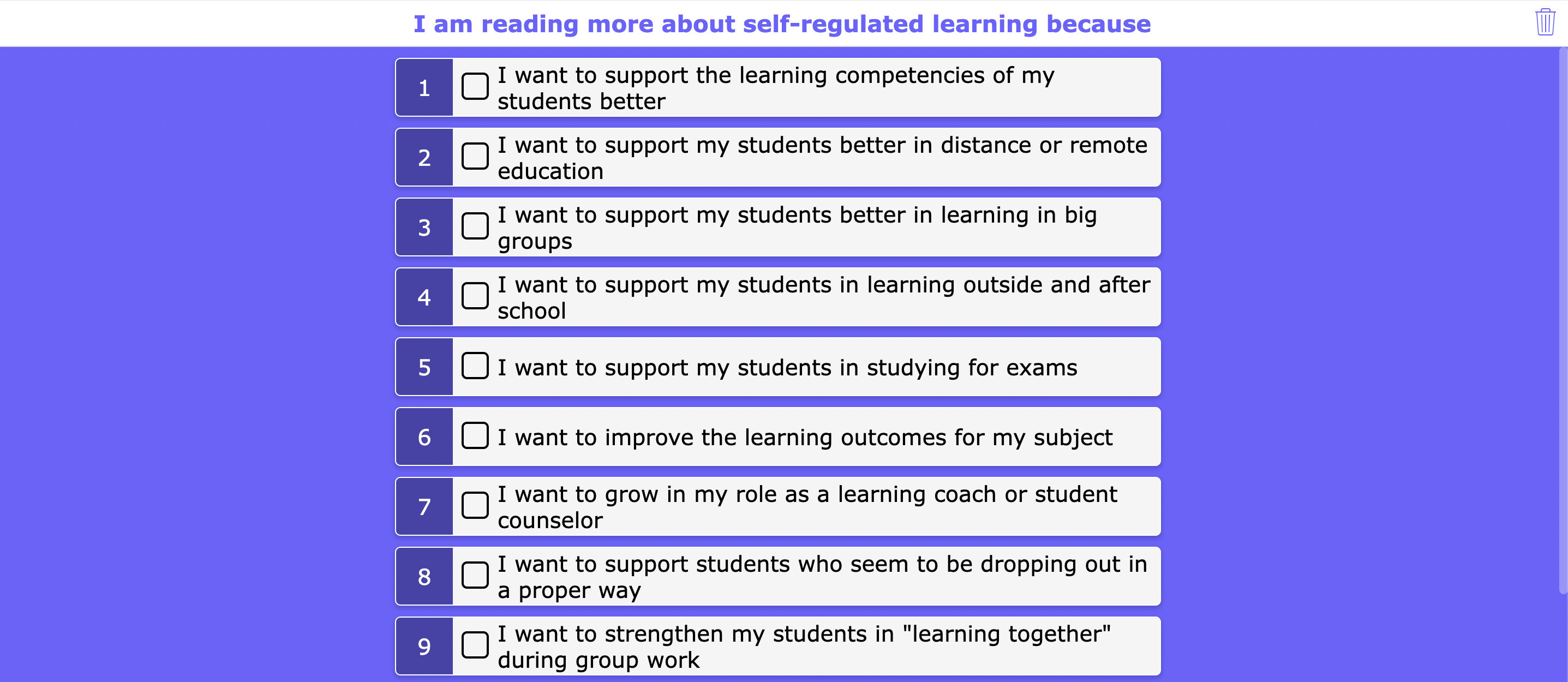
New to self-regulated learning (SRL)? This interactive checklist is a great place to start. It helps teachers reflect on their current instructional practices and identify opportunities to gradually introduce strategies that encourage student independence, reflection, and goal setting.
| Category | Details | |
|---|---|---|
| ✅ | BookWidgets widget | Checklist |
| ⭐️ | Best for | Introducing self-regulated learning |
| 🤝 | Interaction | Individual teacher reflection |
| ⏱️ | Time needed | 5–10 minutes |
Featured Lesson: Self-Regulated Learning Blueprint
Ready to go beyond the basics? This interactive WebQuest walks educators through a complete framework for designing lessons that promote self-regulated learning. You'll explore practical strategies, classroom examples, and planning tools that help students take greater ownership of their learning.
| Category | Details | |
|---|---|---|
| 🌐 | BookWidgets widget | WebQuest |
| ⭐️ | Best for | Professional learning and lesson planning |
| 🤝 | Interaction | Individual |
| ⏱️ | Time needed | 30–45 minutes |
Teacher Tip: You don't need to redesign every lesson to begin using self-regulated learning. Start by giving students regular opportunities to set goals, reflect on their progress, and identify their next steps. Small, consistent routines often have the greatest impact over time.
Technology Integration and Student Engagement
The best educational technology doesn't replace great teaching—it removes barriers so teachers can spend more time teaching. Use technology when it helps students think more deeply, gives you better information about learning, or makes effective instruction easier to deliver. Whether you're using digital activities to gather formative assessment data, differentiate instruction, provide timely feedback, increase accessibility, or simply make learning more interactive, technology should have a clear instructional purpose. The resources and ready-to-use lessons below will help you integrate technology in ways that enhance learning while keeping students actively engaged.
| 🎯 If You Want To... | 🚀 Explore This Resource |
|---|---|
| Choose new EdTech tools with confidence | 17 Important Considerations When Choosing New EdTech Tools |
| Apply proven pedagogical strategies with technology | The 10 Essential Pedagogical Concepts and How to Apply Them with EdTech Tools |
| Understand the SAMR Model | What is the SAMR Model of Technology Integration? |
| Differentiate digital instruction | 40+ Innovative Ways Teachers Can Digitally Differentiate Their Lessons with BookWidgets |
| Make lessons more accessible | 20+ Tips and Tools to Make Your Interactive Exercises Accessible to All Learners |
| Protect student data | 10 Best Practices for Seamless Data Protection and Cybersecurity in Your School |
Featured Lesson: Is This the Right EdTech Tool?
New educational technology appears almost daily. This interactive checklist helps you evaluate whether a tool aligns with your instructional goals, supports accessibility, protects student privacy, and adds value to student learning before introducing it in your classroom.
| Category | Details | |
|---|---|---|
| ✅ | BookWidgets widget | Checklist |
| ⭐️ | Best for | Evaluating new educational technology |
| 🤝 | Interaction | Individual teacher reflection |
| ⏱️ | Time needed | 10 minutes |
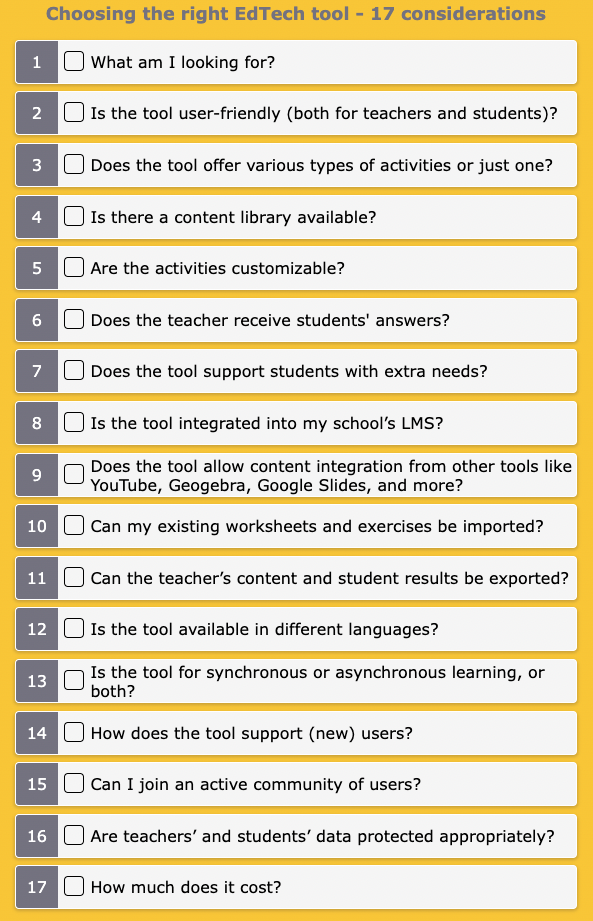
Teacher Tip: I revisit this checklist whenever a new AI or EdTech tool starts gaining popularity. It helps keep the focus on improving student learning instead of simply adopting the newest technology.
Featured Lesson: Explore the SAMR Model
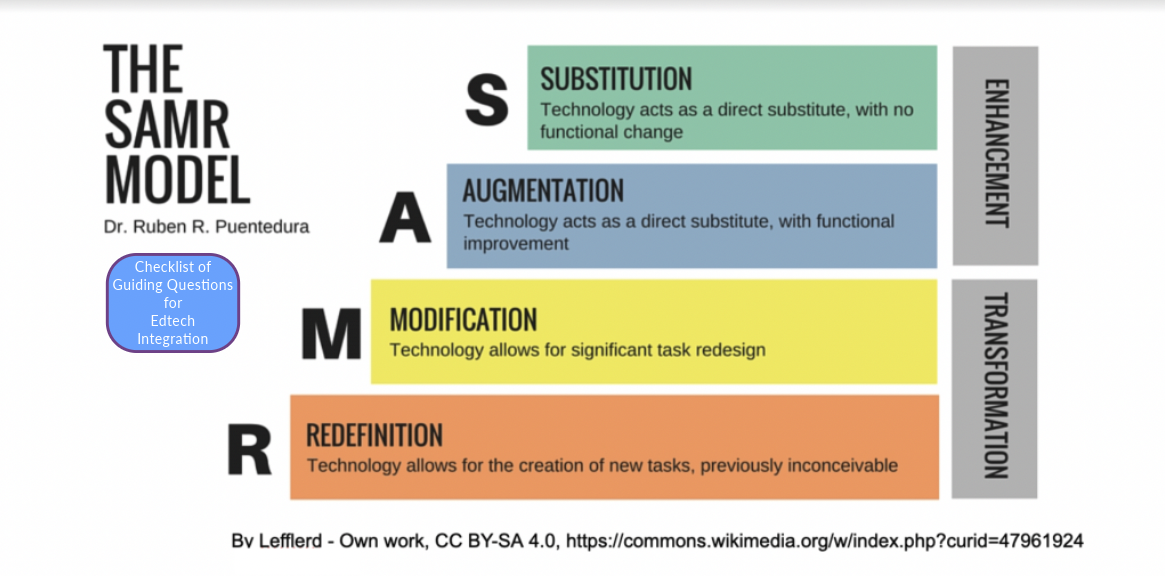
The SAMR Model provides a practical framework for thinking about how technology can enhance learning. This interactive Hotspot lesson includes classroom examples that illustrate each level of the model using BookWidgets activities.
| Category | Details | |
|---|---|---|
| 🧩 | BookWidgets widget | Hotspot Image |
| ⭐️ | Best for | Professional learning and lesson planning |
| 🤝 | Interaction | Individual |
| ⏱️ | Time needed | 15–20 minutes |
Use Interactive Activities Throughout Your Lessons
Interactive activities can support every stage of a lesson. Use them to spark curiosity at the beginning of class, introduce new concepts, encourage collaboration, check for understanding, provide independent practice, or review learning before an assessment. The examples below illustrate how a single widget can be adapted for different instructional purposes.
Featured Lesson: Word Search Bellringer
Instead of beginning class with students waiting while attendance is taken, use a Word Search to introduce the day's topic. Hidden vocabulary and visual clues encourage curiosity and naturally lead into the lesson.
| Category | Details | |
|---|---|---|
| 🔎 | BookWidgets widget | Word Search |
| ⭐️ | Best for | Bellringers and lesson introductions |
| 🤝 | Interaction | Individual |
| ⏱️ | Time needed | 5–10 minutes |
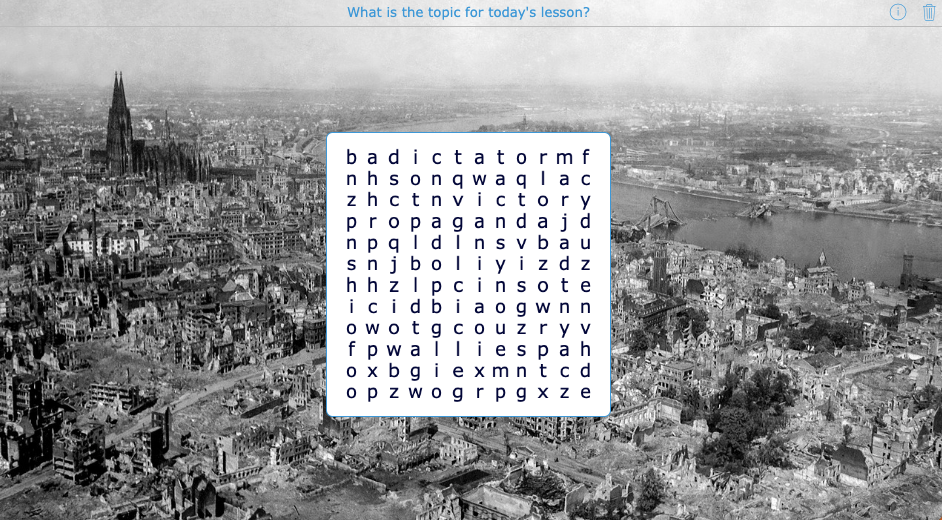
Teacher Tip: Hide the vocabulary list or allow diagonal and backward words to quickly adjust the level of challenge for different groups of students.
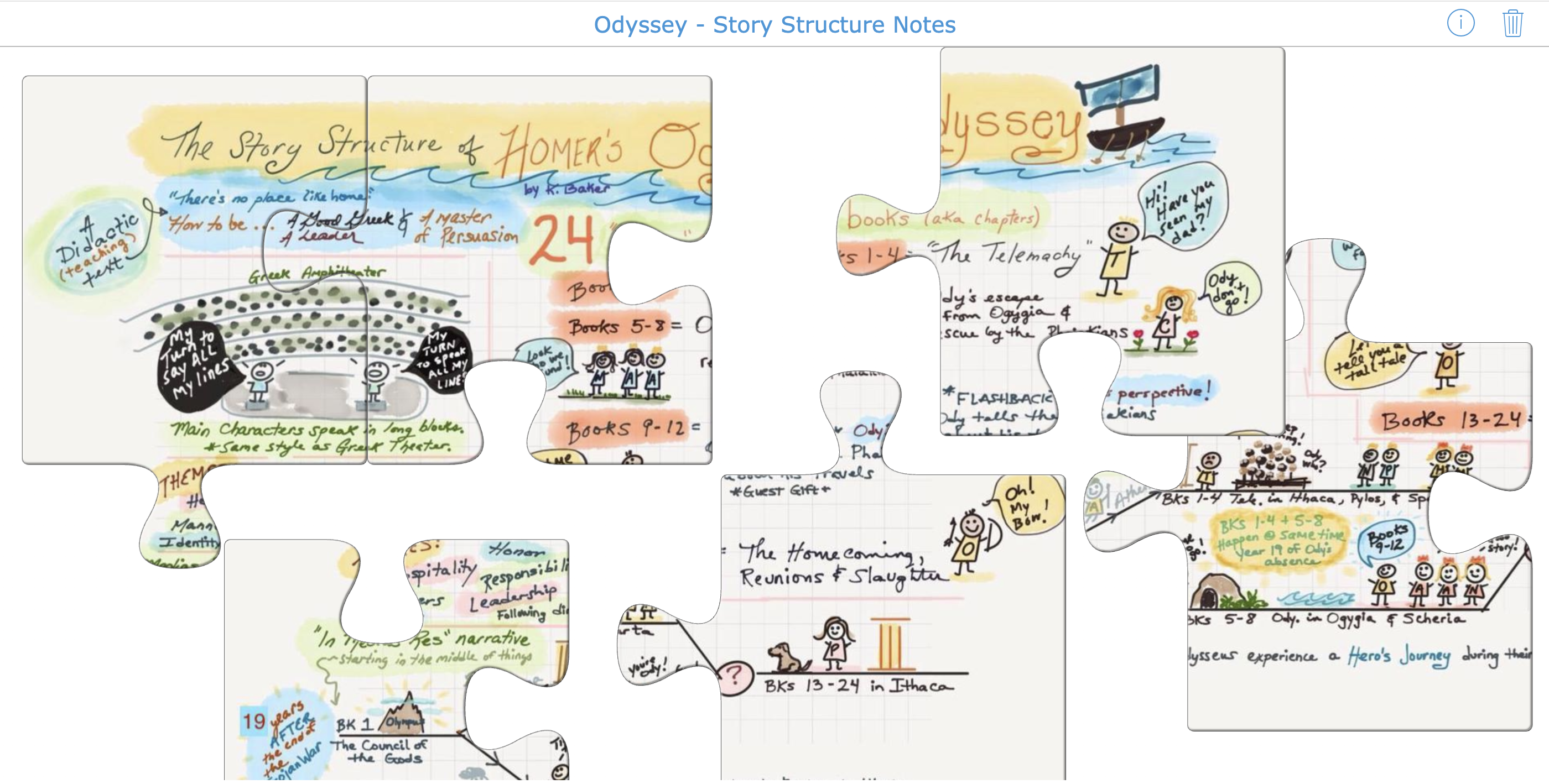
Featured Lesson: Interactive Jigsaw Notes
Turn diagrams, sketchnotes, or images into interactive puzzles that students complete before recording key ideas in their notebooks. This approach encourages active learning while slowing students down enough to carefully examine the content.
| Category | Details | |
|---|---|---|
| 🧩 | BookWidgets widget | Jigsaw Puzzle |
| ⭐️ | Best for | Introducing new concepts |
| 🤝 | Interaction | Individual |
| ⏱️ | Time needed | 10–15 minutes |
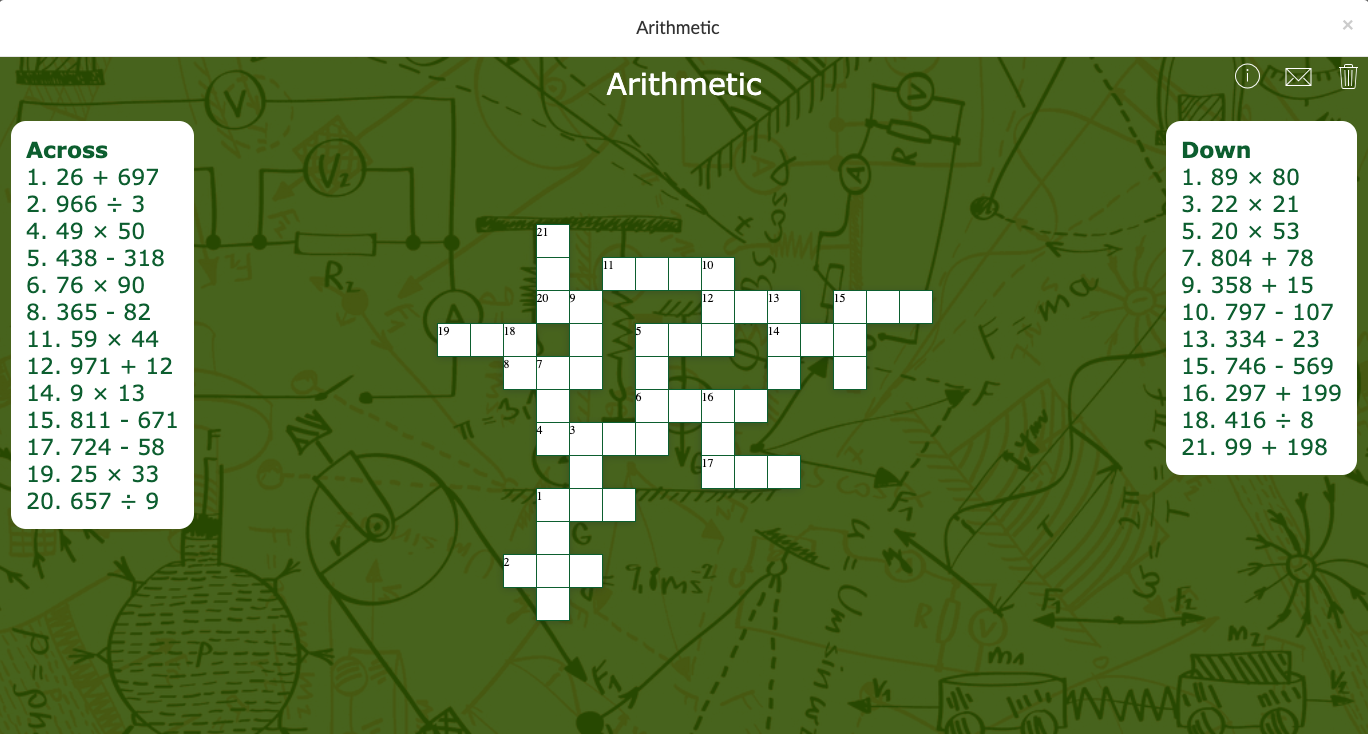
Featured Lesson: Arithmetic Crossword
Crossword puzzles aren't just for language arts. This example uses numbers instead of words, making it an engaging way to reinforce arithmetic skills. The same idea can easily be adapted for vocabulary, science, history, geography, or world languages.
| Category | Details | |
|---|---|---|
| ✏️ | BookWidgets widget | Crossword |
| ⭐️ | Best for | Review and independent practice |
| 🤝 | Interaction | Individual |
| ⏱️ | Time needed | 5–10 minutes |
Teacher Tip: Create several versions of the same crossword with different questions or levels of difficulty. You'll build a library of ready-to-use practice activities you can pull out whenever students need additional review.
Continue Exploring Technology Integration
| 🎯 If You Want To... | 🚀 Explore This Resource |
|---|---|
| Create more engaging lessons | 10 EduProtocols in BookWidgets to Boost Engagement and Feedback |
| Differentiate digital instruction | 40+ Innovative Ways Teachers Can Digitally Differentiate Their Lessons with BookWidgets |
| Make learning more accessible | 20+ Tips and Tools to Make Your Interactive Exercises Accessible to All Learners |
| Explore more game-based lesson ideas | Games, Gamification, and Game-Based Learning |
| Browse subject-specific lesson ideas | Interactive Teaching Ideas for Every Subject |
Assessment and Feedback
The best assessments do more than measure learning. They help teachers identify misconceptions, provide timely feedback, and make informed instructional decisions without creating unnecessary grading. The resources and ready-to-use lessons below focus on practical strategies that save time while giving students meaningful opportunities to demonstrate their understanding.
Explore More Assessment Resources
| 🎯 If You Want To... | 🚀 Explore This Resource |
|---|---|
| Master formative assessment | The Ultimate Formative Assessment Guide |
| Create better assessments and feedback | BookWidgets for Teachers Who Want to Give Better Feedback and Assessments |
| Build auto-graded questions | How to Add Automatically Graded Questions to Your Digital Assignments |
| Pre-assess English language learners | 5 Ready-to-Use ELL Pre-Assessment Activities |
| Encourage student reflection and self-assessment | 10 Creative Self-Assessment Ideas |
| Check understanding in minutes | 60 Digital Exit Tickets for Teachers – The Ultimate Exit Ticket Guide |
Featured Lesson: Reading Comprehension with a Split Worksheet
Keep reading materials and questions together in one place. This Split Worksheet displays the reading passage alongside the questions, allowing students to annotate, read, and respond without switching between tabs or printing multiple pages.
| Category | Details | |
|---|---|---|
| 📄 | BookWidgets widget | Split Worksheet |
| ⭐️ | Best for | Reading comprehension and close reading |
| 🤝 | Interaction | Individual |
| ⏱️ | Time needed | 20–30 minutes |
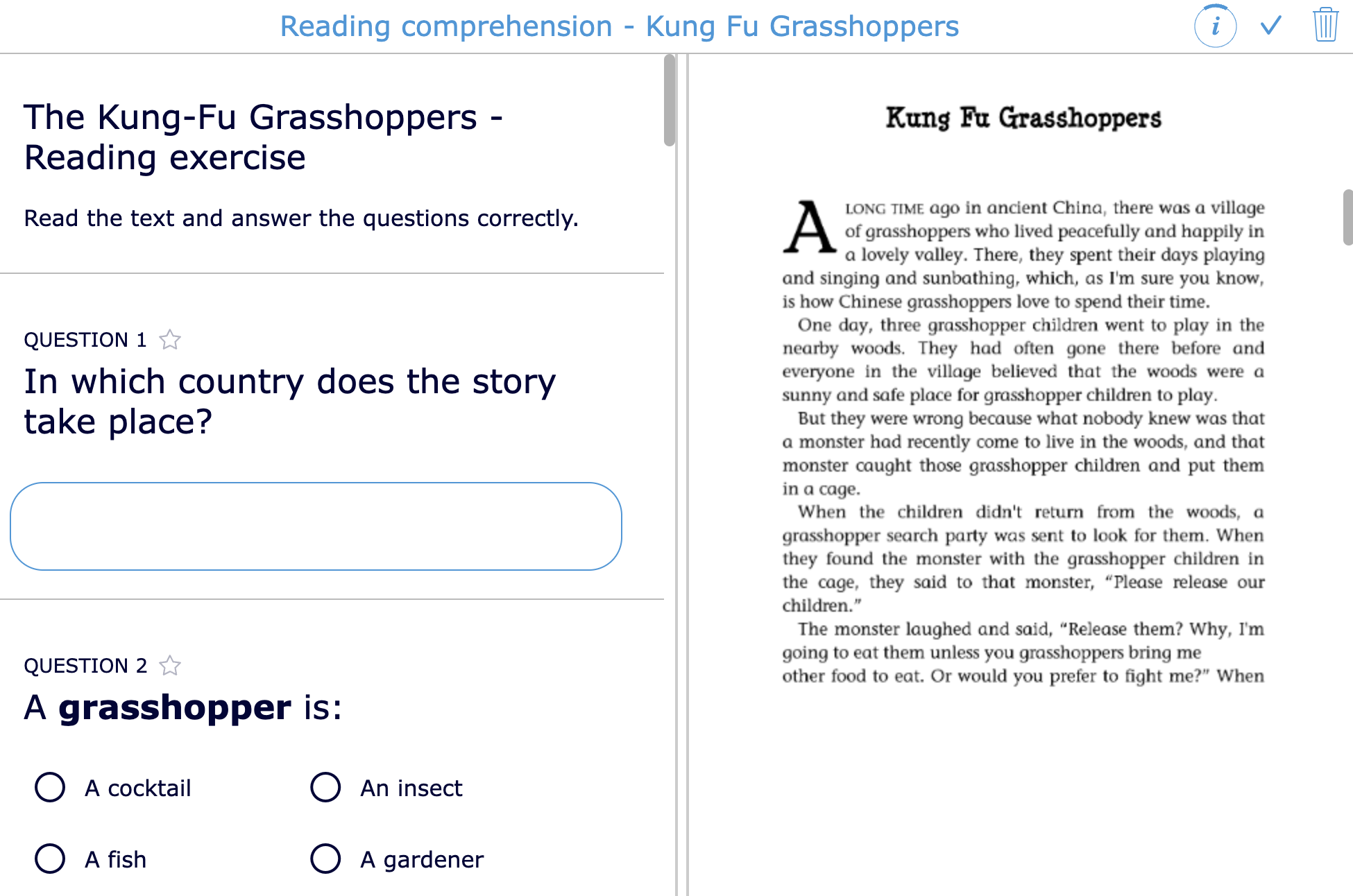
Teacher Tip: I especially like using Split Worksheets for lengthy articles or primary source documents because students can keep the text visible while answering questions. This setup is convenient for both teachers and students: teachers don't need to print the text, spending hours at the copier, and students can read the text and answer questions simultaneously without downloading the PDF or opening it in a new tab.
Featured Lesson: Formative Assessment with Automatic Feedback
One of the easiest ways to save grading time is by providing immediate feedback on automatically graded questions. Students receive guidance while the learning is still fresh, and you gain valuable insights into misconceptions before moving on to the next lesson.
| Category | Details | |
|---|---|---|
| ✔️ | BookWidgets widget | Worksheet with automatic feedback |
| ⭐️ | Best for | Formative assessment |
| 🤝 | Interaction | Individual |
| ⏱️ | Time needed | Any lesson |
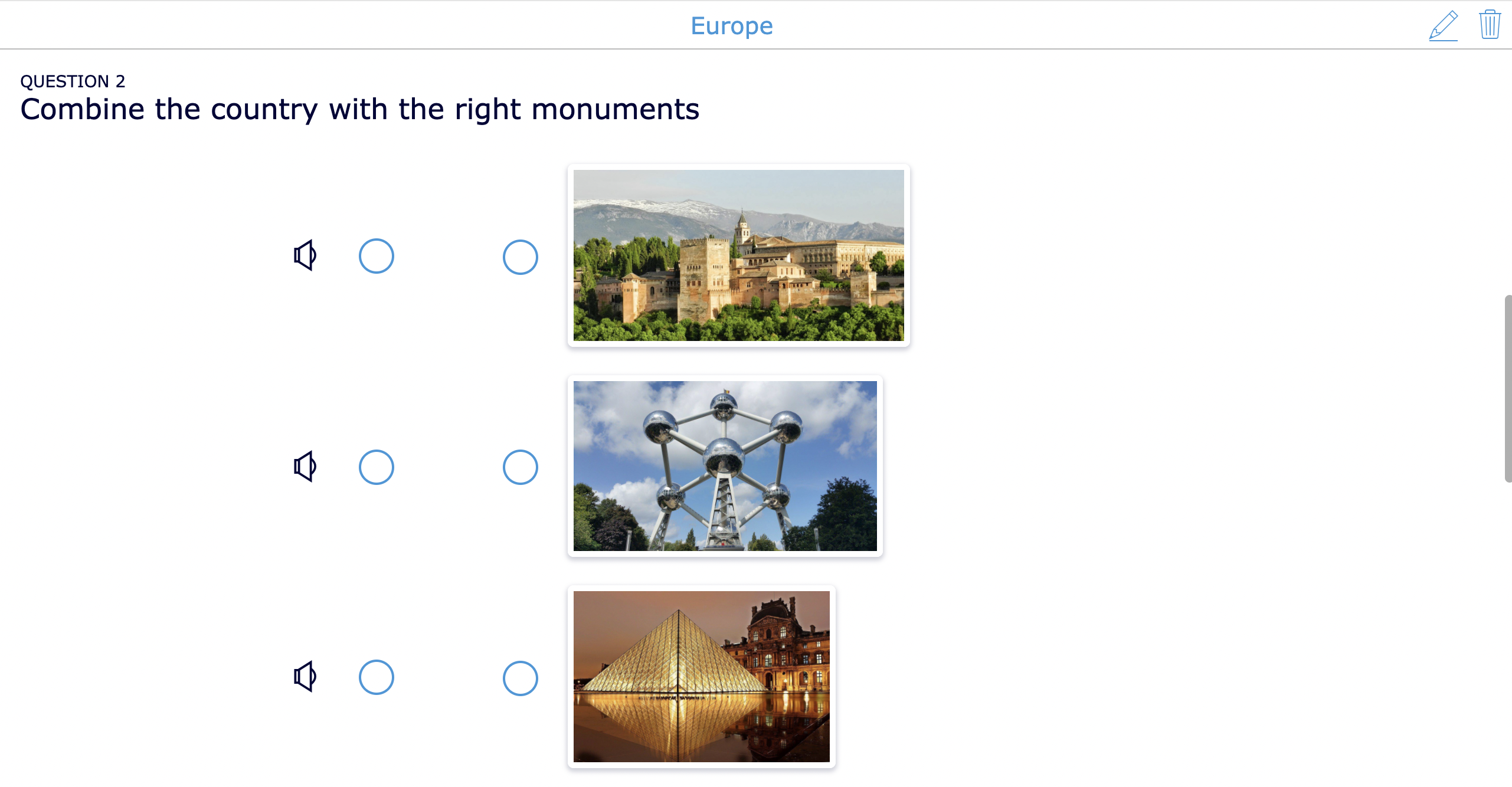
Teacher Tip: Don't wait until the end of an assignment to give feedback. Short, targeted feedback throughout an activity often has a greater impact on student learning.
Featured Lesson: Emoji Self-Assessment
Assessment isn't just about measuring student learning—it's also about helping students reflect on their own progress. Regular self-assessments encourage students to think about what they understand, identify areas where they need support, and take greater ownership of their learning.
If you're looking for more ways to build reflection into your classroom, explore 10 Creative Self-Assessment Ideas for Students.
| Category | Details | |
|---|---|---|
| 😀 | BookWidgets widget | Worksheet |
| ⭐️ | Best for | Student reflection and self-assessment |
| 🤝 | Interaction | Individual |
| ⏱️ | Time needed | 3–5 minutes |
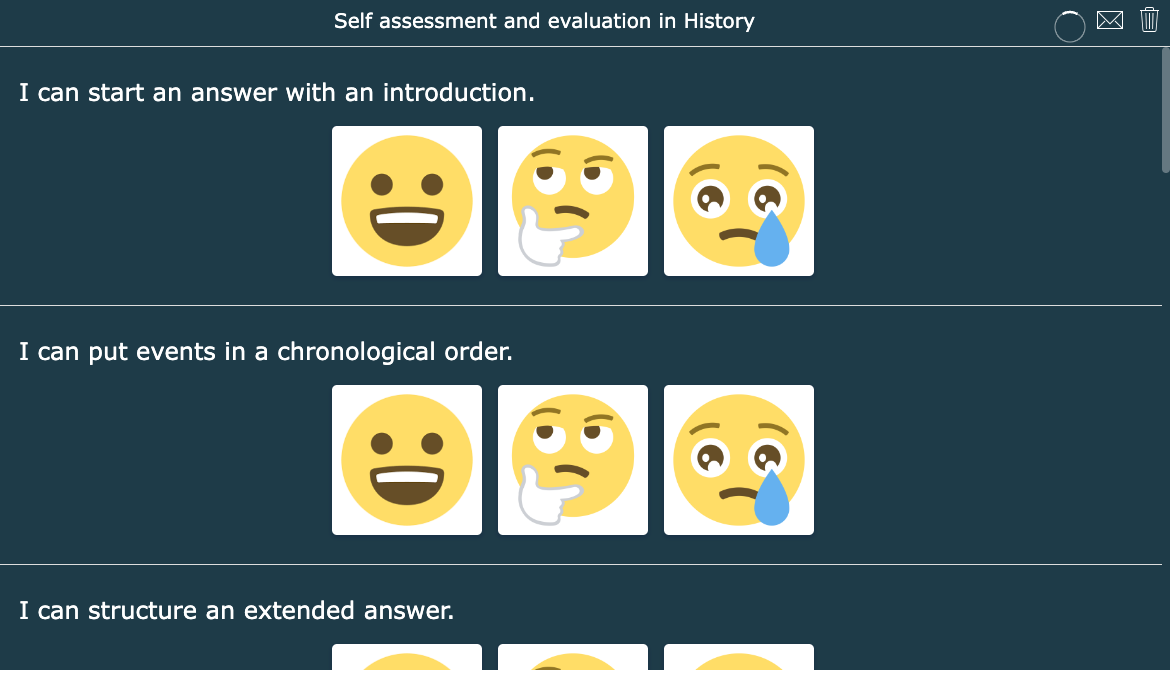
Teacher Tip: I like using quick self-assessments before students turn in an assignment or leave class. They take just a few minutes, encourage honest reflection, and often help students recognize misconceptions before I even begin grading.
Featured Lesson: ELL Listening Pre-Assessment
Before beginning instruction, it helps to know what students already understand. This listening assessment allows English language learners to replay audio as needed while demonstrating their comprehension through a variety of question types.
| Category | Details | |
|---|---|---|
| 🎧 | BookWidgets widget | Quiz |
| ⭐️ | Best for | Beginning-of-year diagnostic assessment |
| 🤝 | Interaction | Individual |
| ⏱️ | Time needed | 15–20 minutes |
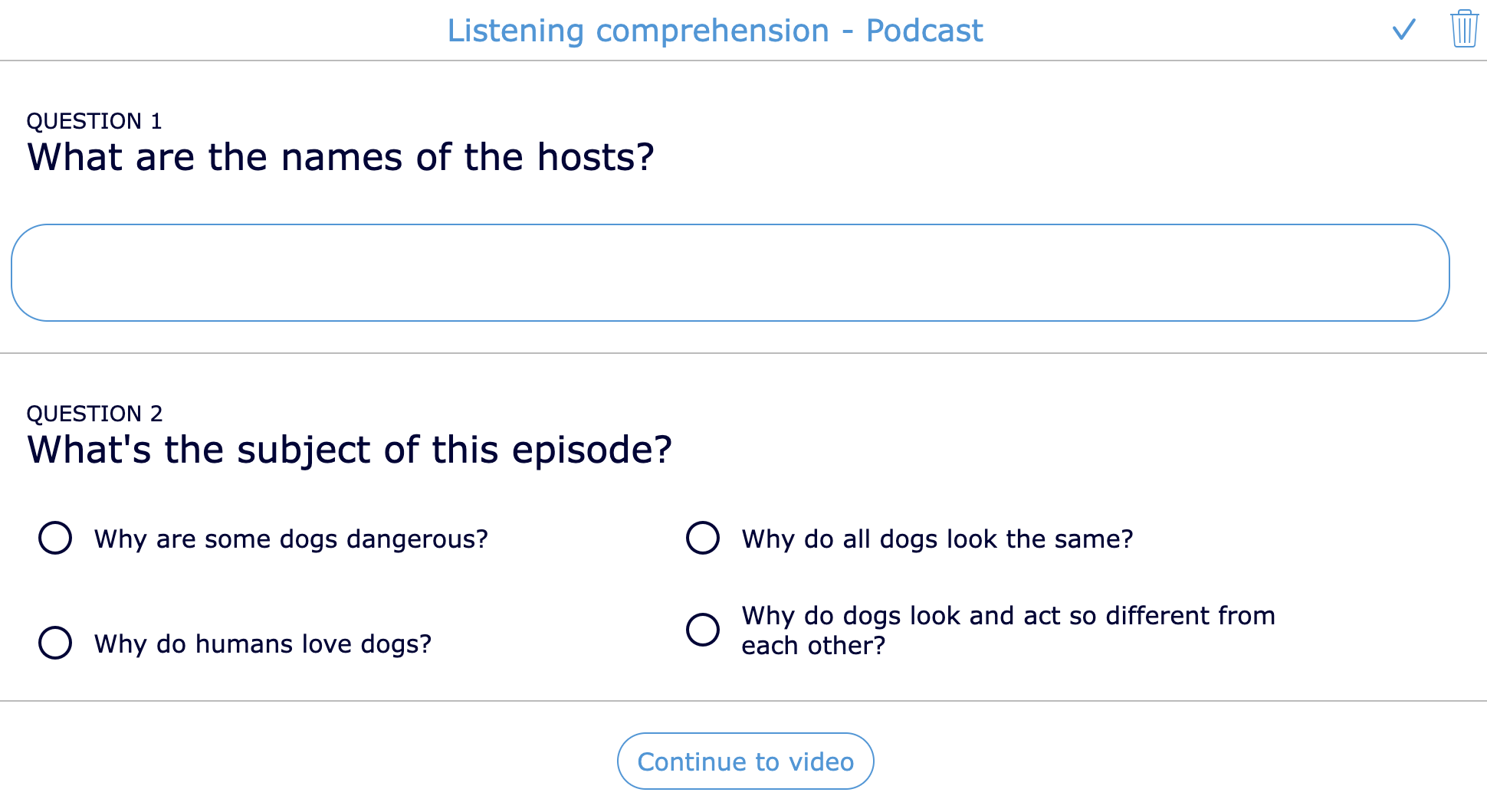
For a strong start to the school year, these 5 Ready-to-Use ELL Pre-Assessment Activities are perfect for gauging the initial language proficiency of English Language Learners (ELL).
Featured Lesson: Digital Exit Ticket
Exit tickets provide immediate insight into student understanding and help teachers adjust instruction before misconceptions become larger problems. This simple digital example can be completed in just a few minutes at the end of class or as a transition between activities.
| Category | Details | |
|---|---|---|
| 🚪 | BookWidgets widget | Exit Ticket |
| ⭐️ | Best for | Checking understanding |
| 🤝 | Interaction | Individual |
| ⏱️ | Time needed | 3–5 minutes |
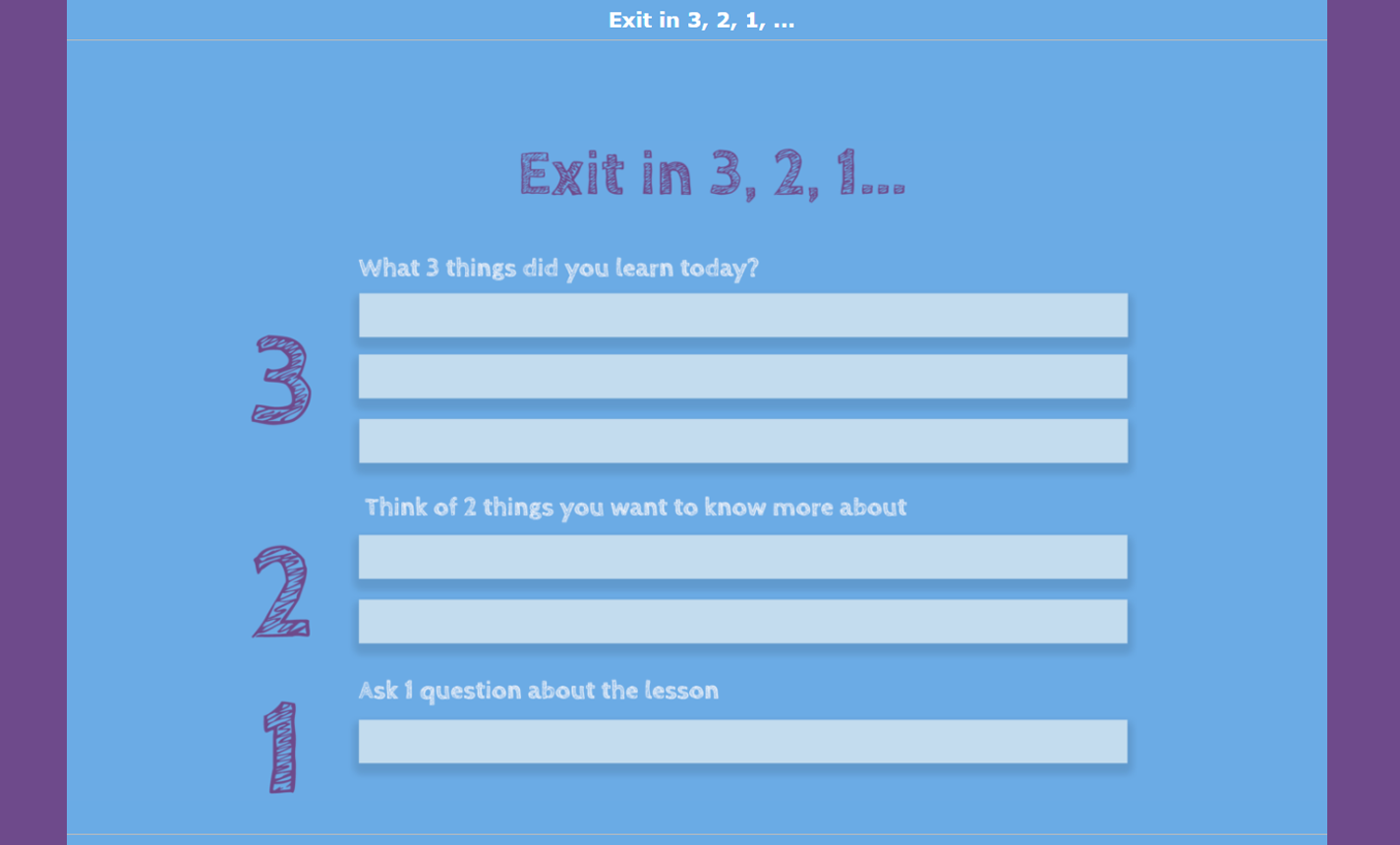
This Ultimate Exit Ticket Guide offers 60 innovative digital exit ticket ideas to help teachers gauge student understanding and gather feedback efficiently.
Assessment in Your LMS
Whether you're using Google Classroom, Microsoft Teams, Canvas, Moodle, or another learning management system, BookWidgets fits into your existing workflow, making it easy to distribute assignments, collect student work, provide feedback, and review results without asking students to learn another platform.
Getting started is easy: Every new BookWidgets account includes a 30-day free trial with integration for Google Classroom and Microsoft Teams. Schools and districts with a BookWidgets Group or School account can also connect BookWidgets to supported learning management systems such as Canvas, Moodle, Brightspace D2L, itslearning, and other LTI-compatible platforms.
| 🎯 If You Want To... | 🚀 Start Here |
|---|---|
| Teach with Google Classroom | 30+ Ready-to-use Lesson Activities that will Spice Up Your Google Classroom |
| Set up the Google Classroom Add-on | Google Classroom Add-on Tutorial |
| Teach with Microsoft Teams | How to Create Automatically Graded Assignments in Microsoft Teams for Education |
| Use Apps in Assignments with Microsoft Teams | Create Interactive BookWidgets Activities Using Microsoft Teams Apps in Assignments |
| Connect BookWidgets to Moodle | BookWidgets for Moodle |
| Connect BookWidgets to Canvas | BookWidgets for Canvas |
Google Classroom
Using Google Classroom? BookWidgets makes it easy to assign interactive lessons, collect student work, and review results without leaving Classroom. Students access their assignments through a familiar interface, making it easy to get started on the first day of school.
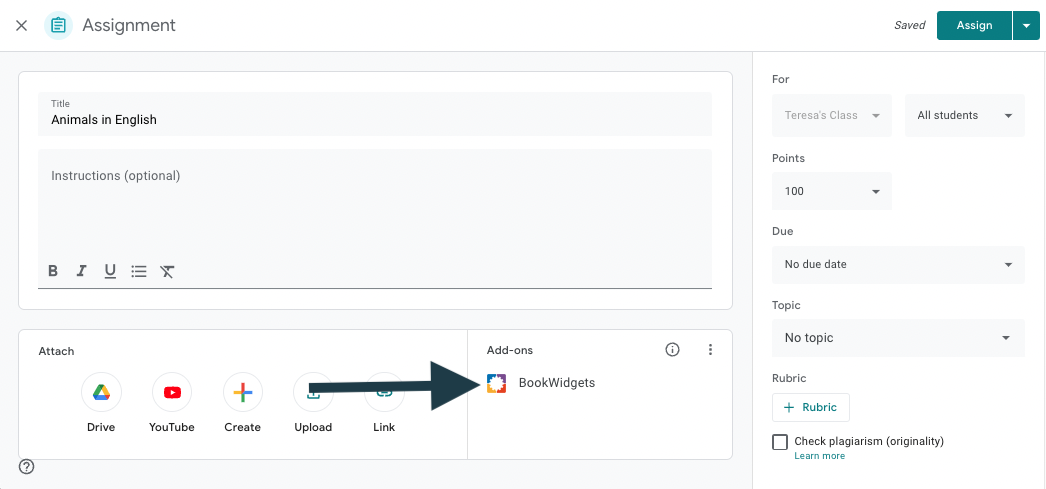
Teacher Tip: If you're new to BookWidgets, connecting it to Google Classroom is one of the fastest ways to get started. Students access activities from a platform they already know, allowing you to focus on teaching instead of explaining a new workflow.
Microsoft Teams
Microsoft Teams users can create interactive, automatically graded assignments using Apps in Assignments, giving students a seamless experience while helping teachers save time reviewing and providing feedback.
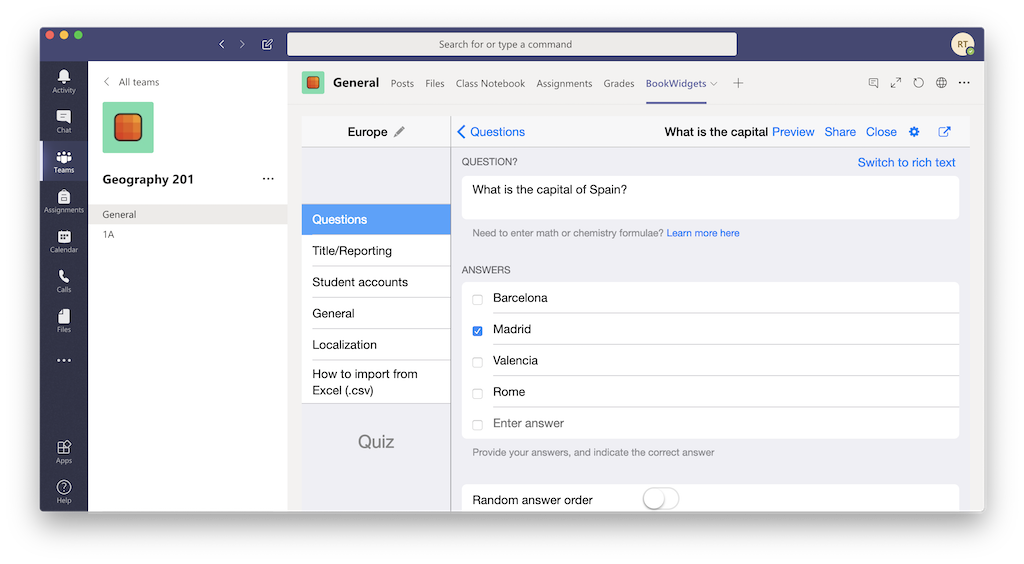
Teacher Tip: Whether you're using Google Classroom or Microsoft Teams, students can access BookWidgets activities without learning a new system. Keeping everything in your existing LMS helps streamline classroom routines and reduces technology friction during the busy first weeks of school.
Wrap Up
The start of the school year moves quickly, and no teacher has time to search dozens of websites for ideas, activities, and teaching strategies. Keep this guide bookmarked as a resource you can return to throughout the year whenever you need a new lesson idea, a classroom management strategy, an assessment technique, or a ready-to-use BookWidgets activity.
Throughout this guide, you've seen one consistent theme: technology should support great teaching, not replace it. Whether you're building classroom routines, introducing new concepts, checking for understanding, differentiating instruction, or providing feedback, the best digital tools help you spend less time managing technology and more time interacting with your students.
Want to learn even more about creating engaging lesson activities with BookWidgets?
✔️ New to BookWidgets? Start with Getting Started with BookWidgets to learn how to create interactive lessons, assessments, and digital activities in minutes.
✔️ Browse our growing collection of ready-to-use Back-to-School BookWidgets lesson activities that you can copy, customize, and share with your students.
✔️ Join upcoming live sessions or watch recordings in the BookWidgets Teacher Academy to discover new classroom ideas and teaching strategies.
✔️ Learn more about BookWidgets pricing for schools and groups of teachers if you're interested in bringing BookWidgets to your entire school.
✔️ Follow BookWidgets on X / Twitter, LinkedIn, and join our BookWidgets Teachers Facebook Community.
✔️ You can also connect with me on BlueSky, Facebook, and LinkedIn, where I regularly share classroom ideas, teaching strategies, and new BookWidgets resources.


