20 Creative Get-to-Know-Your-Students Activities for all Subjects
 Lucie Renard —
Getting to know your students does not have to be a separate “first-day-of-school activity” that disappears once the real lessons begin.
The best get-to-know-your-students activities help teachers learn about students while already connecting to the subject they teach. A math teacher can discover how students think through numbers. A language teacher can learn about students through storytelling. A history teacher can uncover students’ perspectives by asking them to connect personal timelines to historical thinking.
That is why this post shares 20 subject-specific student introduction activities: one primary school activity and one high school introduction activity for each subject area; languages, math, chemistry, physics, biology, geography, history, social studies, arts. I'm also explaining why these subject-specific introduction activities work and tips for creating strong get-to-know-your-students activities yourself. Click on the links to jump to the part you'd like to read first.
Ready-to-use BookWidgets lessons in this post
This part shares direct teacher links to the 20 subject-specific icebreaker activities. You can create each idea in BookWidgets as an interactive digital lesson. Teachers can copy and adapt the activities and share them with students through their LMS. Student answers appear in the BookWidgets reporting dashboard, making it easier to review responses, give feedback, and use what students share in future lessons. Find all ready-to-use activities listed in this group. Create a free BookWidgets account to get started.
Here's an overview of all the student introduction activities. Make sure to read on and learn more about the lesson idea and details behind each activity.
- Open this ready-to-use BookWidgets language portrait activity for primary students
- Copy this BookWidgets personal reading identity activity for high school students
- Use this BookWidgets math about me worksheet for primary students
- Open this BookWidgets math mindset survey for high school students
- Open this BookWidgets icebreaker activity for middle school students with a periodic table twist
- Copy this BookWidgets Chemistry Detective activity for primary students
- Open this BookWidgets push-and-pull classroom physics activity for primary students
- Copy this BookWidgets physics problem-solving profile for high school students
- Use this BookWidgets living things around me activity for primary biology students
- Open this BookWidgets biology research questions activity for high school students
- Copy this BookWidgets personal timeline history activity for primary students
- Use this BookWidgets historical perspective reflection for high school students
- Open this BookWidgets map my world geography introduction activity for primary students
- Copy this BookWidgets global connections quiz for high school geography students
- Use this BookWidgets classroom community rules pair matching activity for primary social studies students
- Open this BookWidgets civic identity and values survey for high school students
- Open this BookWidgets symbolic self-portrait art lesson for primary school students
- Use this BookWidgets visual identity gallery activity for high school art students
- Open this BookWidgets digital habits check-in for primary students
- Copy this BookWidgets digital footprint reflection for high school students
Why use subject-specific get-to-know-your-students activities?
Generic icebreakers can be fun, but subject-specific activities give teachers more useful information.
They help you learn:
- what students already know about your subject;
- how students feel about the subject;
- what interests, hobbies, and experiences connect to your curriculum;
- how students prefer to work, think, create, and solve problems;
- which students may need extra support, confidence-building, or challenge.
These activities are especially useful at the start of the school year, the beginning of a new semester, or the first lesson with a new class.
Introduction Activities for Languages
1. Language portrait
| Icon | Area | Explanation |
|---|---|---|
| 🎓 | Subject & Grade | Languages - Grade 5 to 8 |
| 🎯 | Learning goal | Students share the languages, words, sounds, and expressions that are part of their daily life. |
| 🧩 | BookWidgets widget type | Quiz |
| ⏱️ | Time needed | 15 minutes |
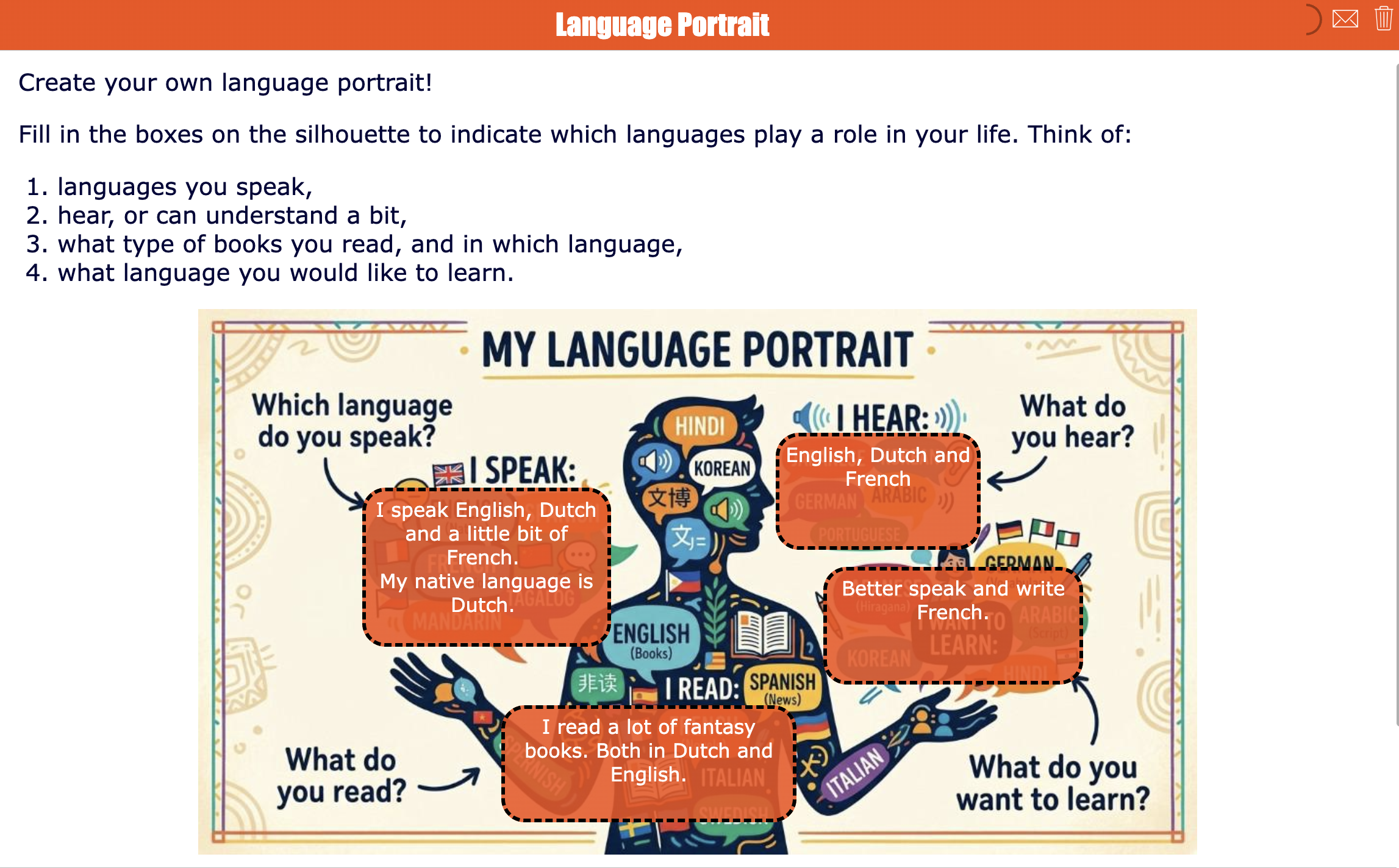
In this activity, students create a simple “language portrait”. They can show which languages they speak and read, hear at home, see online, or want to learn.
💡 BookWidgets Teacher Tip: Add a few starter prompts directly on the background, such as “A word I love,” “A language I hear,” and “A language I want to learn.” This makes the activity easier to start.
🚦 Differentiation idea: Let younger students use drawings, stickers, emojis, or audio instead of full written sentences. You can use the same background image, but add it to a whiteboard widget.
2. Language Profile Survey
| Icon | Area | Explanation |
|---|---|---|
| 🎓 | Subject & Grade | Languages - Grades 9 to 12 |
| 🎯 | Learning goal | Students reflect on their reading habits, writing confidence, favorite genres, and communication preferences. |
| 🧩 | BookWidgets widget type | Quiz |
| ⏱️ | Time needed | 15 minutes |
Students answer reflective questions about what they like to read, how they feel about writing, and which topics make them want to speak, debate, or create. The activity gives language teachers useful input for text choices, writing assignments, and discussion formats. Include one question asking students to share a book, article, podcast, song, video, or quote that says something about who they are.
💡 BookWidgets Teacher Tip: Introduce a Rubric question at the end. (Self)-evaluation rubrics are often used when teaching languages. This is the perfect activity to already introduce it to your students.
🚦 Differentiation idea: Vary question types: Multiple choice, Open-answer questions, or an Audio recording question. You'll quickly learn which students answer particular question types more elaborately. A student who is more talkative will thrive using an audio question; a student who loves writing will probably have a longer answer than other students in a Long-answer question type.

Introduction Activities for Math
3. Math About Me
| Icon | Area | Explanation |
|---|---|---|
| 🎓 | Subject & Grade | Math - Grades K-2 |
| 🎯 | Learning goal | Students introduce themselves using numbers and practice basic number sense. |
| 🧩 | BookWidgets widget type | Quiz |
| ⏱️ | Time needed | 15 minutes |
Students complete number-based prompts such as their age, number of people in their family, favorite number, number of pets, or a number that is important to them. The activity feels personal while still connecting directly to math.
💡 BookWidgets Teacher Tip: Use the newest BookWidgets question type, Picture count drag & drop. This allows students to reuse numbers when needed.
🚦 Differentiation idea : Use the Annotate picture question instead. This way, older students need to fill out the numbers by finding them on the keyboard.

4. Math Mindset Quiz
| Icon | Area | Explanation |
|---|---|---|
| 🎓 | Subject & Grade | Math - Grades 7 to 10 |
| 🎯 | Learning goal | Students reflect on their confidence, habits, and support needs in math. |
| 🧩 | BookWidgets widget type | Quiz |
| ⏱️ | Time needed | 15 minutes |
Students answer rubric questions about how they approach difficult problems, what makes math stressful, and what helps them feel successful. Teachers can use the results to plan support and build a more positive math culture from the start.
💡 BookWidgets Teacher Tip: Enable the Strict answering order option in a worksheet layout. This allows students to focus on each question before moving to the next, and keep an eye on their previous answers.
🚦 Differentiation idea: Add a private question: “What is one thing a math teacher can do that helps you learn?” This often gives very practical information you can use for differentiation purposes.

Introduction Activities for Chemistry
5. Chemistry Detectives
| Icon | Area | Explanation |
|---|---|---|
| 🎓 | Subject & Grade | Chemistry - Grades 3 to 6 |
| 🎯 | Learning goal | Students identify everyday materials and describe simple properties. |
| 🧩 | BookWidgets widget type | Quiz |
| ⏱️ | Time needed | 30 minutes |
Students choose everyday objects from their classroom, school bag, or home and describe what they are made of or indicate particular chemical processes they weren't aware of. They upload a picture in the Photo Question type and explain why they chose the picture for the task.
💡 BookWidgets Teacher Tip: Work with Question pages and combine 2 questions on each page: a Photo question and a Long answer question. It clearly indicates that both questions belong to the same task. When done, your students click the arrow to move to the next page and task.

6. Periodic Personality: An Elemental Icebreaker
| Icon | Area | Explanation |
|---|---|---|
| 🎓 | Subject & Grade | Chemistry - Grades 7 to 9 |
| 🎯 | Learning goal | Students connect chemistry to everyday products, routines, and interests. |
| 🧩 | BookWidgets widget type | Worksheet |
| ⏱️ | Time needed | 20 minutes |
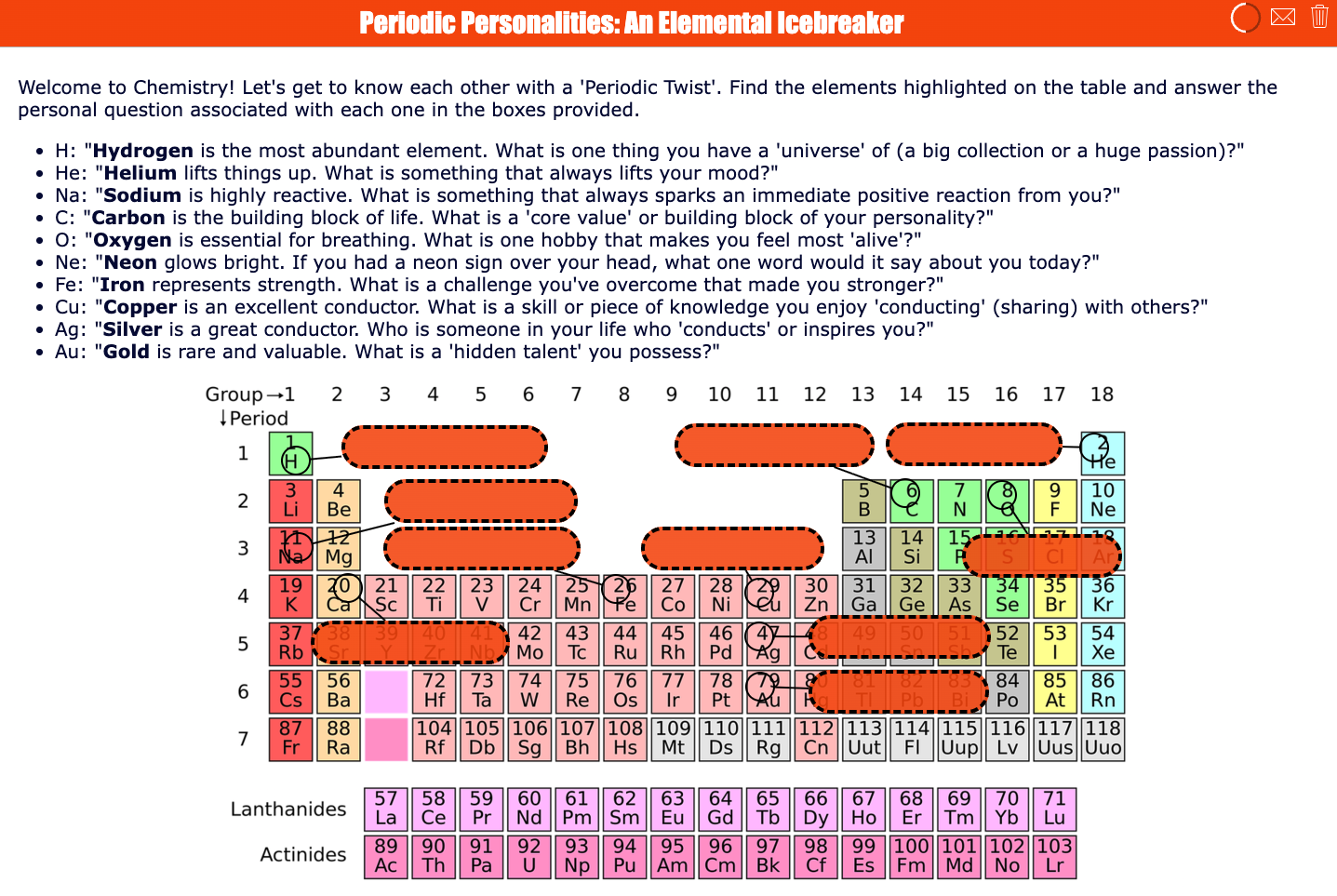
Get to know your students by letting them connect their personality, interests, or learning habits to elements from the periodic table. Ask them to link elements to themselves as a person. This chemistry-themed icebreaker helps students introduce themselves while activating curiosity about the periodic table, element properties, and scientific vocabulary.
💡 BookWidgets Teacher Tip: Use an Annotate picture question to let students fill out fields on the periodic table. You can even style the boxes in Preview mode > Design. Just click on the boxes and the design editor will take you to the linked layout section on the right of your screen.
🚦 Differentiation idea: Give younger or less confident students a short list of familiar elements to fill out, while advanced students can research a less common element and include more scientific reasoning.
Introduction Activities for Physics
7. Push & Pull
| Icon | Area | Explanation |
|---|---|---|
| 🎓 | Subject & Grade | Physics - Grades 3 to 6 |
| 🎯 | Learning goal | Students identify simple forces in everyday actions. |
| 🧩 | BookWidgets widget type | Worksheet |
| ⏱️ | Time needed | 20 minutes |
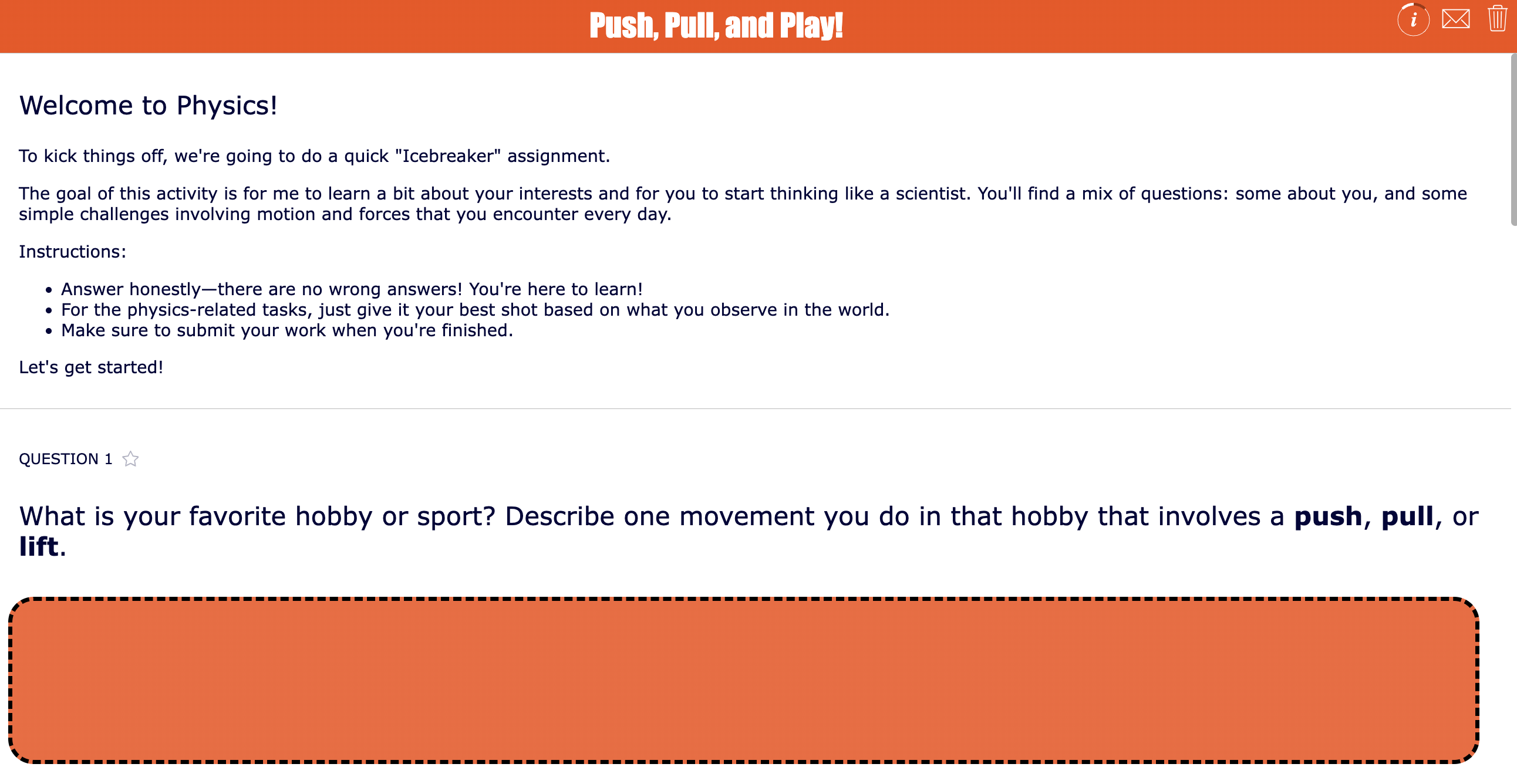
Students look for pushes, pulls, rolls, lifts, drops, and slides in their own day. They might describe opening a door, kicking a ball, pulling a zipper, riding a bike, or carrying a school bag.
💡 BookWidgets Teacher Tip: Looking for images that are uniform and to the point? Ask AI to generate them! Test schools can already use the BookWidgets AI Prototype to generate images like these and insert them right where you need them in your question.
🚦 Differentiation idea: Choose your question types carefully. When working with younger students, stick to drag and drop questions, multiple choice and selection question types.
8. My Physics Problem-Solving Profile
| Icon | Area | Explanation |
|---|---|---|
| 🎓 | Subject & Grade | Physics - Grades 9 to 12 |
| 🎯 | Learning goal | Students reflect on how they approach physics problems, formulas, diagrams, and experiments. |
| 🧩 | BookWidgets widget type | Quiz |
| ⏱️ | Time needed | 10–15 minutes |
Students indicate whether they prefer diagrams, formulas, experiments, real-life examples, step-by-step explanations, or group discussion. This helps the teacher understand how students think before starting complex problem-solving.
💡 BookWidgets Teacher Tip: Enable the collum layout in Multiple choice question types. It will take up less space, and students immediately see it as not another time-consuming survey.
🚦 Differentiation idea: Ask students to choose one physics topic they are curious about, such as space, sports, music, vehicles, electricity, or roller coasters.

Introduction activities for Biology
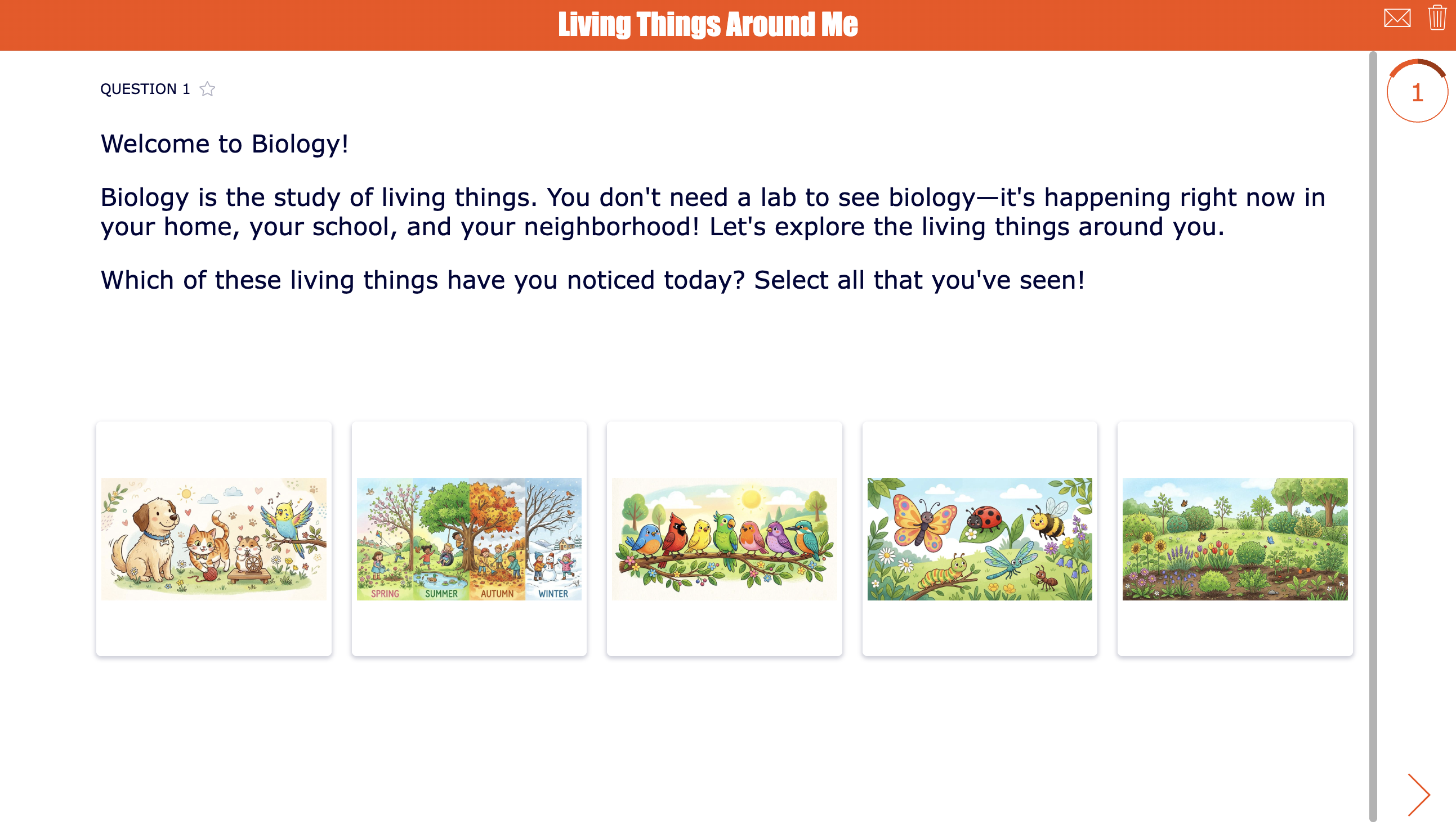
9. Living Things Around Me
| Icon | Area | Explanation |
|---|---|---|
| 🎓 | Subject & Grade | Biology - Grades 5 to 6 |
| 🎯 | Learning goal | Students notice living things in their own environment and explain why they matter. |
| 🧩 | BookWidgets widget type | Quiz |
| ⏱️ | Time needed | 15 minutes |
Students identify plants, animals, or other living things they see at home, at school, or in their neighborhood. This activity helps you introduce this year's biology concepts while getting to know your students.
💡 BookWidgets Teacher Tip: When images get too small or are not clear enough, students can zoom in on them by clicking once, or holding for about 3 seconds until the image enlarges.
🚦 Differentiation idea: Stick with the quiz layout, showing just one question at a time for primary school students. It allows younger students to solve one question before moving on to the next and provides them with a clear structure and a mind at peace.
10. Biology Research Questions
| Icon | Area | Explanation |
|---|---|---|
| 🎓 | Subject & Grade | Biology - Grades 10 to 12 |
| 🎯 | Learning goal | Students connect biology topics to personal interests. |
| 🧩 | BookWidgets widget type | Split Worksheet or Survey |
| ⏱️ | Time needed | 35 minutes |
Students begin the biology course by connecting the “science of life” to their own curiosity, body, habits, environment, and daily experiences. After reading a short introduction to biology, they explore themes such as the human body, genetics, nutrition, ecology, health, evolution, microbiology, neuroscience, environmental science, and cell biology. Then, they create 5 personal research questions they would like to investigate during the course.
This activity helps students see biology as more than textbook content. It shows them that biology is connected to who they are, how their body works, what they observe in nature, and the questions they have about life around them.
💡 BookWidgets Teacher Tip: Give students a few question starters, or instructions about composing research questions by adding Instructions. This is a pop up window that will show at the start of the widget, and students can recall it anytime by clicking the i-icon again in the upper right corner.
🚦 Differentiation idea: Encourage students to write questions that are curious and researchable, but not too private. For example, “How does sleep affect short-term memory?” works better than a question that asks students to share sensitive health information.

Introduction Activities for History
11. My Personal Timeline
| Icon | Area | Explanation |
|---|---|---|
| 🎓 | Subject & Grade | History - Grades 3 to 6 |
| 🎯 | Learning goal | Students understand chronology by placing personal events in order. |
| 🧩 | BookWidgets widget type | Timeline |
| ⏱️ | Time needed | 35 minutes |
Students create a simple timeline with important moments in their life, such as starting school, learning a skill, moving house, joining a club, or welcoming a sibling. This introduces historical thinking through a familiar context.
💡 BookWidgets Teacher Tip: Let students upload photos or drawings to make it both an activity for history and an art project!
🚦 Differentiation idea: For even younger students, you can already add the most important events in our lives and let the students rearrange them into chronological order. This way, students don't have to type and upload, but still practice chronological order and learn how to read a timeline.

12. Exploring Historical Perspectives
| Icon | Area | Explanation |
|---|---|---|
| 🎓 | Subject & Grade | History - Grades 9 to 12 |
| 🎯 | Learning goal | Students reflect on how interests, background knowledge, media, and values shape how people view the past. |
| 🧩 | BookWidgets widget type | Timeline |
| ⏱️ | Time needed | 35 minutes |
Students explore how history can look different depending on a person’s background, values, family stories, community, and experiences. In this interactive timeline activity, they move through reflection event cards about memory, heroes, multiple perspectives, family heritage, media, and community roots. For each card, students keep the original question in place and add their own personal response underneath.
💡 BookWidgets Teacher Tip: Make sure students can edit the timeline, so they can answer the questions inside the event boxes. Model one short reflection with a neutral example. Show them how to keep the question visible and add their response below it, so the timeline remains easy to review in the BookWidgets reporting dashboard.
🚦 Differentiation idea: Monitor student progress live in the Live Widgets dashboard. It allows you to see how students progress, and it will indicate students skipping certain event cards. Some student actions will alert you that students need help or bigger challenges.

Introduction Activities for Geography
13. Map My World
| Icon | Area | Explanation |
|---|---|---|
| 🎓 | Subject & Grade | Geography - Grades 3 to 6 |
| 🎯 | Learning goal | Students connect geography to places that are important in their own lives. |
| 🧩 | BookWidgets widget type | Whiteboard |
| ⏱️ | Time needed | 15–20 minutes |
Students create a personal geography map with home, school, and at least four other important places, such as a park, library, sports club, friend’s house, or family location. They label each place and explain why it matters.
💡 BookWidgets Teacher Tip: Allow students to upload an image to the whiteboard. This makes it easier for them to draw the map on paper and upload it to the digital whiteboard later.
🚦 Differentiation idea: Add instructions with an example image, so students understand better what is expected. For older students, you can decide not to show an example. It will show you immediately how students take in instructions by reading text, and it will point out your more visually creative students too.

14. The world in your pocket
| Icon | Area | Explanation |
|---|---|---|
| 🎓 | Subject & Grade | Geography - Grades 9 to 10 |
| 🎯 | Learning goal | Students discover how their daily life connects to global places, systems, and cultures. |
| 🧩 | BookWidgets widget type | WebQuest or Worksheet |
| ⏱️ | Time needed | 20 minutes |
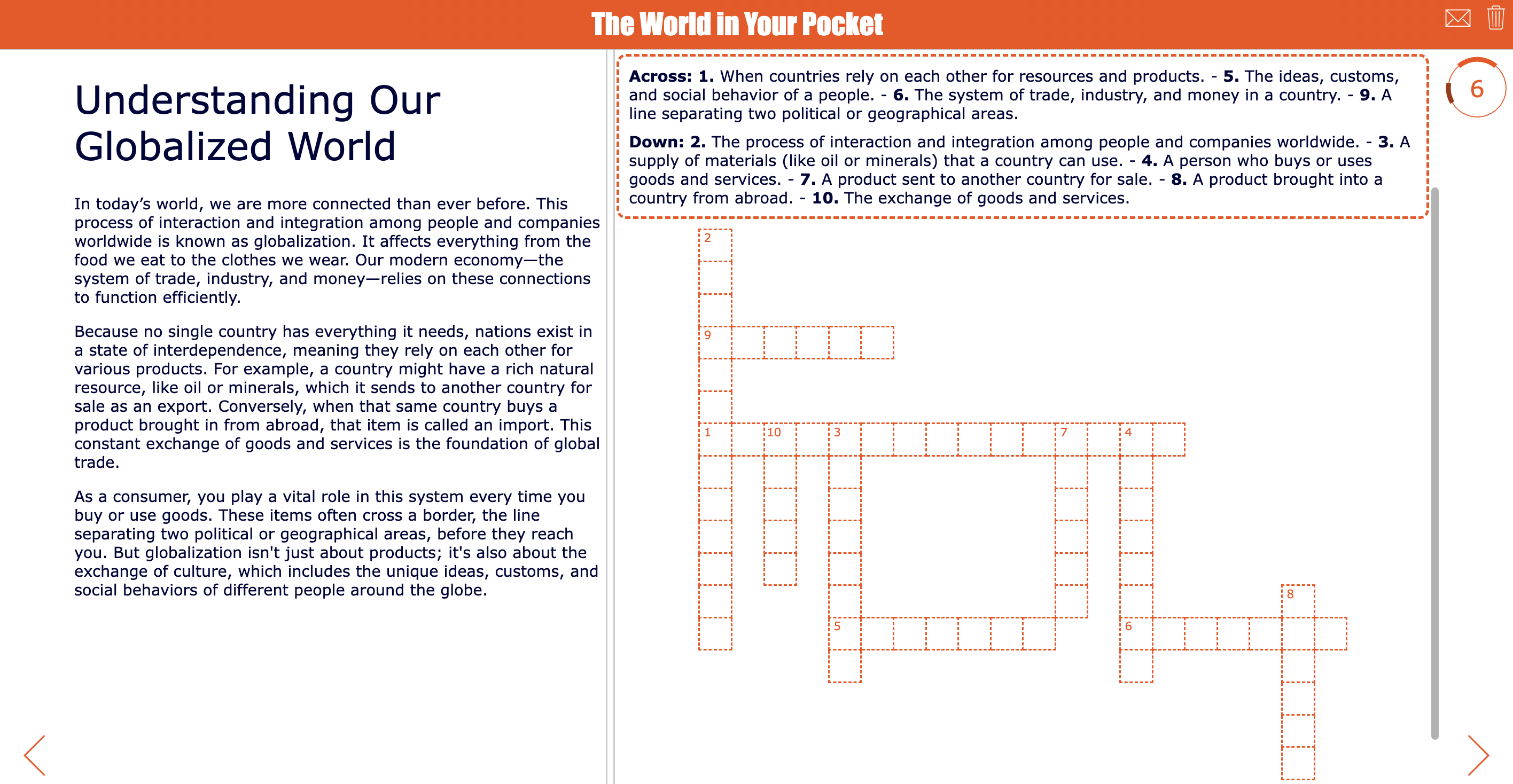
Students investigate how one everyday object in their pocket, school bag, or daily routine connects them to the wider world. They might choose a phone, pencil case, snack, hoodie, keychain, or other personal item, then explore where it was made, which materials it contains, how it traveled, and what places, people, and systems were involved before it reached them.
This activity helps students see geography as something close and personal. Instead of studying maps and global systems in isolation, they discover that trade, resources, transport, culture, labor, technology, and sustainability are connected to objects they use every day.
💡 BookWidgets Teacher Tip: Add a text resource or an article and combine it with a Crossword question to introduce new concepts and this year's geography topics in a fun and playful way!
🚦 Differentiation idea: Let students choose their level of depth: younger or less confident students can identify the object’s country of origin and one material, while advanced students can map the full supply chain and reflect on environmental or ethical questions.
Introduction activities for Social Studies
15. Our Classroom Community Rules
| Icon | Area | Explanation |
|---|---|---|
| 🎓 | Subject & Grade | Social studies - Grades K-2 |
| 🎯 | Learning goal | Students learn what makes a classroom community fair, kind, safe, and respectful. |
| 🧩 | BookWidgets widget type | Pair Matching |
| ⏱️ | Time needed | 15 minutes |
In this pair matching activity, students connect classroom rules such as listening, helping, taking turns, using kind words, solving conflicts, and caring for materials to the correct image. This activity helps primary students understand that classroom rules are not just things to obey. They are agreements that help everyone learn, feel welcome, and take responsibility for the group. Teachers can use the completed matches as a starting point for a short class discussion and then turn students’ ideas into a shared classroom agreement.
💡 BookWidgets Teacher Tip: Let AI (or the BookWidgets AI Prototype) generate the images, based on the classroom rules prompts. Don't forget to mention the image style: illustrated, and the audience: primary school students.
🚦 Differentiation idea: Enable text-to-speech for younger students so they can listen to the classroom rules, instead of reading them.

16. My Civic Identity
| Icon | Area | Explanation |
|---|---|---|
| 🎓 | Subject & Grade | Social studies - Grades 10 to 12 |
| 🎯 | Learning goal | Students reflect on values, community interests, and ways people can participate in society. |
| 🧩 | BookWidgets widget type | Quiz |
| ⏱️ | Time needed | 20 minutes |
In this high school worksheet, your students complete six reflection boxes: values that matter to me, issues I care about, my community interests, ways people can participate in society, what makes a community work well, and one action I could take. This activity helps students connect social studies to their own role in society. Instead of discussing citizenship only as a concept, students explore how people contribute to communities through values, voice, participation, responsibility, and action.
Use the completed worksheets to start a respectful class discussion about community, civic engagement, and the different ways young people can make a positive impact.
💡 BookWidgets Teacher Tip: Use an Annotate picture question to transform an image into a digital worksheet.
🚦 Differentiation idea: Add instructions for more confident students to also choose one box and turn their answer into a short action plan.

Introduction Activities for Arts
17. My Symbolic Self-Portrait
| Icon | Area | Explanation |
|---|---|---|
| 🎓 | Subject & Grade | Arts - Grades 4 to 6 |
| 🎯 | Learning goal | Students introduce themselves through colors, shapes, symbols, and images. |
| 🧩 | BookWidgets widget type | Whiteboard |
| ⏱️ | Time needed | 20 minutes |
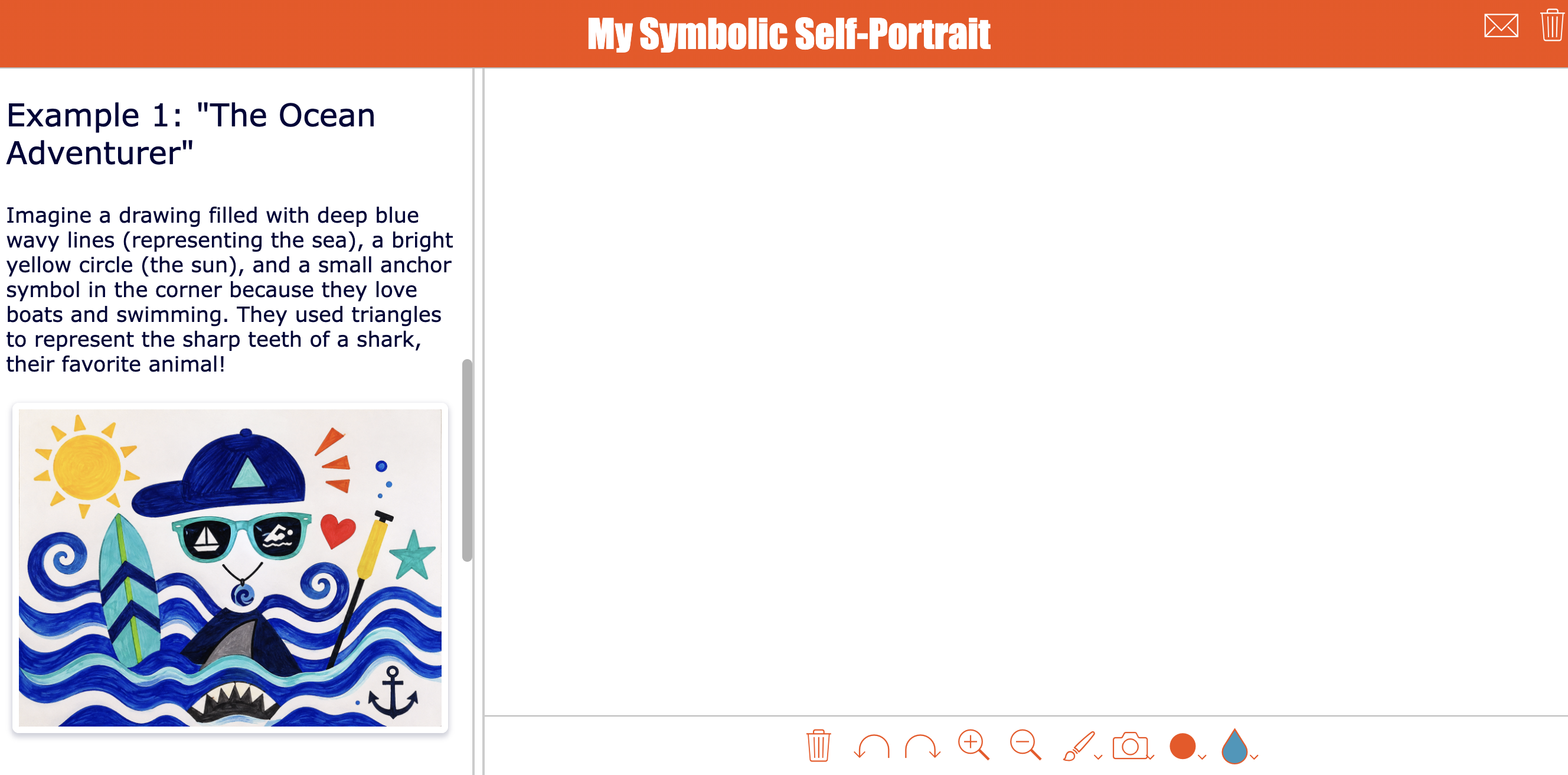
Students create a visual self-portrait using symbols instead of only drawing their face. They might include a favorite color, an object they love, a shape that fits their personality, or a symbol for something important to them.
💡 BookWidgets Teacher Tip: Allow students to upload an image to the whiteboard. This makes it easier for them to draw the map on paper and upload it to the digital whiteboard later.
🚦 Differentiation idea: Add examples as a resource so students can always access them next to the whiteboard. This way, students understand better what is expected. For older students, you can decide not to show an example. It will show you immediately how students take in instructions by reading text, and it will point out your more creative students.
18. Visual Identity Gallery
| Icon | Area | Explanation |
|---|---|---|
| 🎓 | Subject & Grade | Arts - Grades 10 to 12 |
| 🎯 | Learning goal | Students explore how visual choices communicate identity, culture, mood, and personal style. |
| 🧩 | BookWidgets widget type | Whiteboard |
| ⏱️ | Time needed | 20–25 minutes |
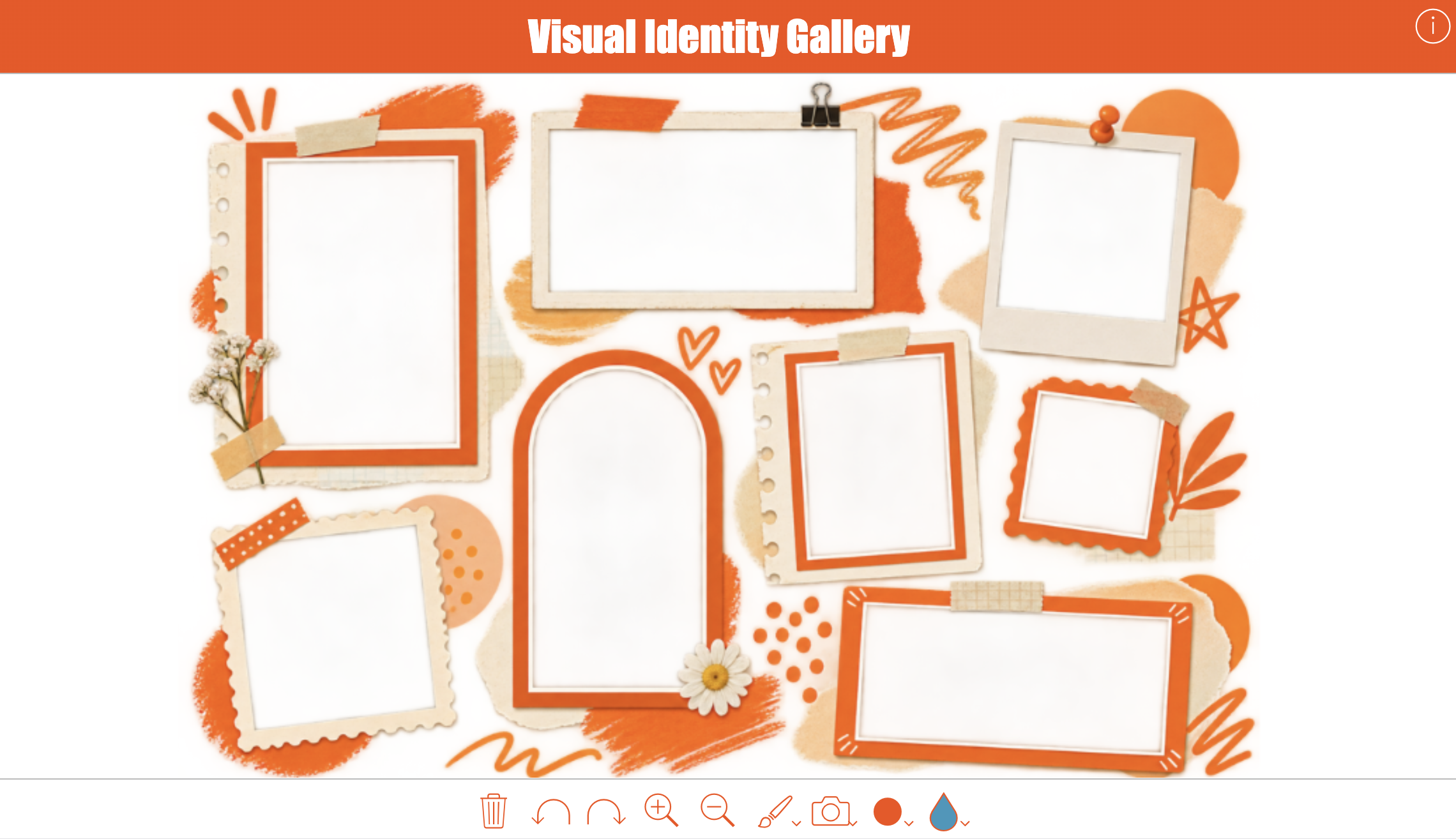
Students create a personal Visual Identity Gallery by building a digital collage with images, colors, textures, patterns, drawings, and words that represent who they are. In this high school art activity, students use the whiteboard tools to fill the frames with visual choices that reflect their identity, culture, interests, memories, mood, or personal style.
This activity helps students understand that visual elements can communicate meaning without a long written explanation. By choosing and arranging images intentionally, they explore how artists and designers use color, composition, symbolism, contrast, texture, and atmosphere to tell a story. Teachers can use the finished galleries as an introduction to visual communication, identity in art, collage, or personal symbolism.
💡 BookWidgets Teacher Tip: Ask AI to generate an image with frames with a transparant background. Choose to put the "image on top" within the BookWidgets whiteboard. This allows students to add images that will be placed behind the background image, so it will look like their images are framed.
🚦 Differentiation idea: Add instructions with an example image, so students understand better what is expected. For older students, you can decide not to show an example. It will show you immediately how students take in instructions by reading text, and it will point out your more creative students.
Introduction Activities for Digital Literacy / Computer Science
19. My Digital Habits Check-In
| Icon | Area | Explanation |
|---|---|---|
| 🎓 | Subject & Grade | Digital literacy or computer science - Grades 3 to 6 |
| 🎯 | Learning goal | Students reflect on how they use technology for learning, play, communication, and creativity. |
| 🧩 | BookWidgets widget type | Quiz |
| ⏱️ | Time needed | 15 minutes |
Students reflect on their digital habits by thinking about how they use technology for learning, play, communication, and creativity. In this primary school worksheet, they complete six sections: devices I use, how I use technology for learning, how I use technology for play, how I use technology to talk to others, how I use technology to create, and one healthy digital habit I want to practice.
This activity helps students become more aware of their everyday technology choices. Instead of only talking about screen time or rules, students explore the different ways devices can help them learn, connect, create, and relax. Teachers can use the responses to introduce digital citizenship topics such as device routines, online kindness, balance, creativity, privacy, and asking for help when something feels unsafe or confusing.
🚦 Differentiation idea: Monitor student progress live in the Live Widgets dashboard. It allows you to see how students progress, and it will indicate students skipping certain questions. Some student actions will alert you that students need help or bigger challenges.

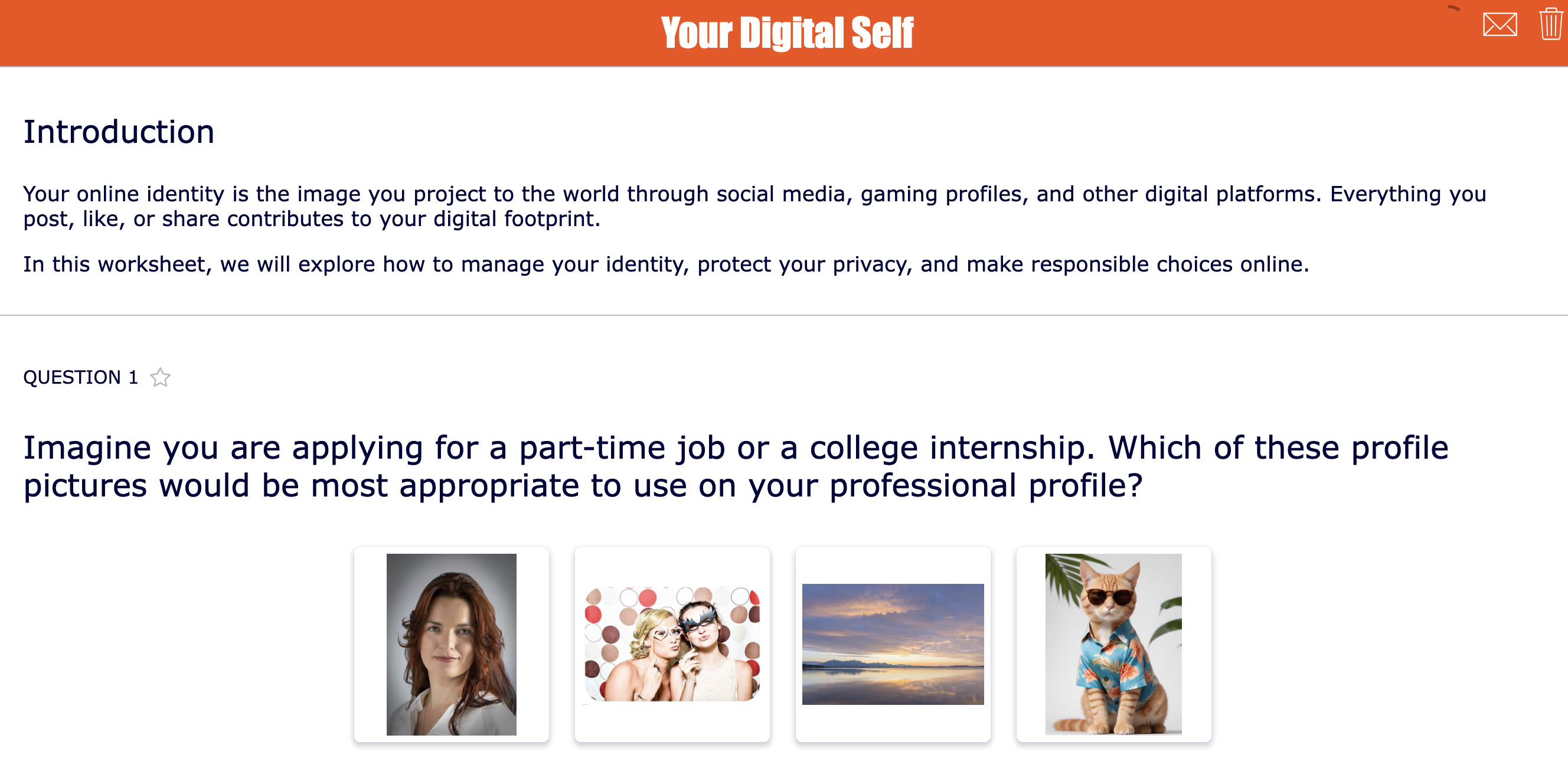
20. Your Digital Self
| Icon | Area | Explanation |
|---|---|---|
| 🎓 | Subject & Grade | Digital literacy or computer science - Grades 7 to 12 |
| 🎯 | Learning goal | Students reflect on online identity, privacy, digital choices, and responsible technology use. |
| 🧩 | BookWidgets widget type | Quiz |
| ⏱️ | Time needed | 15–20 minutes |
Students reflect on their digital self by thinking about how they present themselves online, what information they share, how they communicate, and what kind of digital footprint they want to build. In this activity, students consider the connection between online choices, identity, privacy, reputation, and responsible technology use.
This lesson helps high school students understand that their online presence is not separate from who they are. The posts they share, comments they write, accounts they follow, images they upload, and information they protect all contribute to how others may perceive them. Teachers can use this activity to start a meaningful discussion about digital citizenship, privacy, online behavior, and making thoughtful choices in digital spaces.
💡 BookWidgets Teacher Tip: Combine this lesson with a Flashcards widget! Give students scenario cards with different online situations, such as posting a photo, reacting to a comment, joining a group chat, or setting a profile to public or private. Start a classroom discussion about digital footprints and internet safety.
Tips for creating strong get-to-know-your-students activities
Keep the activity short, focused, and useful. Students should feel safe sharing, and teachers should be able to use the answers afterward.
Here are a few practical tips:
- Connect the activity to your subject. A get-to-know-you task becomes more valuable when it also introduces your course.
- Ask questions you will actually use. Do not collect personal information unless it helps you teach or support students.
- Offer choices. Let students answer with text, images, drawings, audio, or selected options when possible.
- Keep private topics optional. Students should never feel forced to share personal or sensitive information.
- Return to the responses later. Mention student interests in examples, group tasks, reading choices, projects, and feedback.
More back-to-school lesson ideas for the first weeks of class
Getting to know your students is only one part of a strong start to the school year. Once students have introduced themselves, teachers can keep building classroom community with first-day activities, icebreakers, classroom rules, exit tickets, energizers, seating ideas, and digital lesson routines. Use the related BookWidgets blog posts below to move from “getting to know you” activities to a complete first-week plan with ready-to-use interactive lessons you can copy, adapt, and share with your students.
| Subject / topic | Related BookWidgets blog post | Why teachers should read it |
|---|---|---|
| Back-to-school planning | The Ultimate Guide to Back to School for Teachers | A strong hub link for teachers who want a complete back-to-school resource with icebreakers, classroom management ideas, routines, assessment tips, and ready-to-use BookWidgets lessons. |
| First-day activities | 20+ ready-to-use digital lesson activities for the first day of school | Best follow-up for teachers who want ready-made first-day widgets they can copy, adapt, and share immediately. |
| Icebreakers | 15+ Fun back-to-school icebreakers for the first day of school | Closely matches the get-to-know-your-students theme and offers more introduction games for elementary, middle, and high school students. |
| Creative first lessons | 15 creative lesson ideas for the first day of school | Useful for teachers who want broader first-day ideas beyond subject-specific introductions. |
| Team building | 15 fun team building activities and trust games for the classroom | Helps teachers continue building classroom community after the first introduction activity. |
| Classroom rules | 36 Creative Ways to Introduce and Explain Classroom Rules to Students | Perfect next step after get-to-know-you activities: students learn classroom expectations in an interactive way. |
| Exit tickets | 60 Digital exit tickets for teachers - The ultimate exit ticket guide | Good for first-week reflection, checking student comfort levels, and gathering quick feedback after each lesson. |
| Classroom energizers | 15 Fun classroom energizers for students | Helpful for teachers who need short activities to boost energy, focus, and participation during the first weeks. |
| Seating arrangements | 19 Classroom seating arrangements fit for your teaching | Supports classroom setup and collaboration planning after teachers learn more about student personalities and working styles. |
| Lesson routines | 10 EduProtocols in BookWidgets to Boost Engagement and Feedback | Great for building repeatable lesson routines students can recognize and follow from the start of the year. |
Wrap up
That's it! Have fun with these interactive first-day-of-school lessons. Make sure to share this article with fellow teachers and give your favorite back-to-school introduction lesson a shoutout on our socials. If you have questions about using the activities, you can always contact support@bookwidgets.com
And remember... You can create all these exercises, or widgets, yourself with BookWidgets.
And me? I'm Lucie from BookWidgets. Follow me on LinkedIn 👋


