40+ Odyssey Activities to Engage Students Before, During, and After Reading
 Kate Baker —
Explore 40+ ready-to-use activities for teaching The Odyssey, including Greek mythology games, reading checks, Book 9 (Cyclops!) activities, film study, and more.
The Odyssey has been part of my teaching journey since I first taught it as a student teacher in 1999. More than 25 years later, it is still one of my favorite texts to teach. There are so many layers to explore: adventure and mythology, the hero's journey, leadership and loyalty, societal values and ideals, choices and consequences, and even questions about Odysseus himself as the storyteller controlling the narrative when he recounts tales from his journey.
With Christopher Nolan bringing his own vision of Homer's Odyssey to the screen, a new generation of students is encountering Odysseus, Penelope, Telemachus, the Cyclops, Circe, and the gods and monsters of Homer’s epic. Whether you pair the text with a film adaptation or stick with Homer's epic, there are plenty of opportunities to help students find their way into the story and dig deeper once they are there.
In this post, you'll find some of my favorite ways to teach with 40+ ready-to-use BookWidgets activities for teaching The Odyssey, organized for use before, during, and after reading. The collection includes game-based activities for building background knowledge, reusable reading checks, close-reading and analysis activities, and creative ways for students to extend their thinking. I'll highlight selected activities and teaching ideas throughout the post, but you'll get access to the complete—and growing—collection of 40+ Odyssey activities in the BookWidgets Blog Content Library. Choose the activities that best fit your students, your curriculum, and the way you teach The Odyssey.
Ready-to-Use BookWidgets Lessons in This Post
This article highlights 19 instructional ideas and gives you access to the complete—and growing—collection of 40+ ready-to-use digital activities for teaching The Odyssey epic. Some ideas combine several related widgets, while additional activities are available in the full collection. Teachers can use the activities immediately, copy them to their own BookWidgets account, adapt them to their students, and share them through their LMS.
Explore activities for:
- Pre-reading and Greek mythology — gods and goddesses, mythology games, a choice board, and Mythopoly
- During reading and literary analysis — reading checks, close reading, translation comparison, Book 9 (Cyclops!) activities, discussion, and creative writing
- Post-reading and film study — viewing checks, film comparison, literary analysis, AI essay critique, and reflection
Explore the complete collection of 40+ Odyssey activities in BookWidgets.
Before we begin: The Odyssey activities in this post are created with BookWidgets. If you're new to BookWidgets, here's what you need to know:
- BookWidgets is an all-in-one digital lesson creation tool that helps teachers design engaging digital activities using 40 widget types and over 35 interactive question types.
- Activities can be shared with a quick link, QR code, or through Google Classroom, Microsoft Teams, Canvas, Moodle, Schoology, and other learning management systems, making them easy to integrate into your existing classroom workflow.
- Student responses are automatically collected in a grading dashboard, where teachers can review work, provide feedback, monitor progress, and identify students who may need additional support.
You can open and explore all of the Odyssey activities for free and access the complete collection in the Odyssey folder in the BookWidgets Content Library. To copy, customize, and assign an activity, you'll need a BookWidgets teacher account. New users can start with a 30-day free trial. Students never log in to BookWidgets: they simply complete the activities shared by their teacher, and their submissions are collected in the teacher's BookWidgets account.
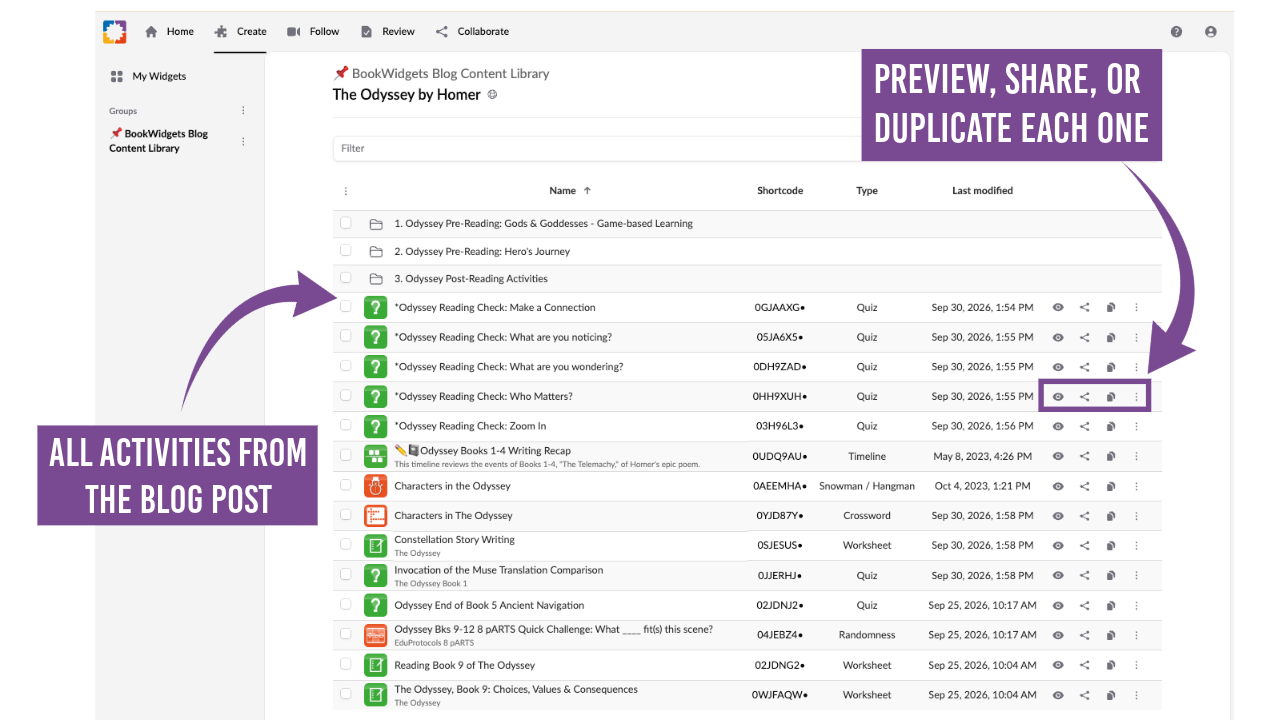
Explore all 40+ Odyssey Activities.
Pre-Reading Activities for The Odyssey
Before students begin reading The Odyssey, a little background knowledge can help them enter Homer’s world with greater confidence. These Odyssey pre-reading activities introduce students to the Greek gods and goddesses, myths, characters, vocabulary, and concepts that are most relevant to the epic, rather than trying to cover all of Greek mythology. Students can build their knowledge through Greek mythology games and interactive activities, explore the Hero’s Journey, and become familiar with ideas they will encounter as they read. Use the activities individually or combine them to create a gamified and engaging introduction to The Odyssey.
1. Meet the Gods and Goddesses of The Odyssey with a Jigsaw Puzzle
| Category | Details | |
|---|---|---|
| 🎓 | Grade level | Grades 7-12 |
| ⭐️ | Best for | The Odyssey pre-reading, bell ringer, or warm-up |
| 🤝 | Interaction | Individual or pairs |
| ⏱️ | Time needed | 5-10 minutes |
| 🧩 | BookWidgets widget | Jigsaw Puzzle |
This Jigsaw Puzzle reveals an illustrated guide to the key deities and divine figures in The Odyssey, including their attributes and domains. Use it as a quick pre-reading warm-up, or have students record the figures in their notebooks and later track how each helps, hinders, or influences Odysseus' journey.

2. Build Familiarity with Flash Cards and Matching Games
| Category | Details | |
|---|---|---|
| 🎓 | Grade level | Grades 7-12 |
| ⭐️ | Best for | The Odyssey pre-reading, mythology review, or bell ringers |
| 🤝 | Interaction | Individual or pairs |
| ⏱️ | Time needed | 5-10 minutes |
| 🧩 | BookWidgets widget | Flash Cards, Memory Game, Pair Matching |
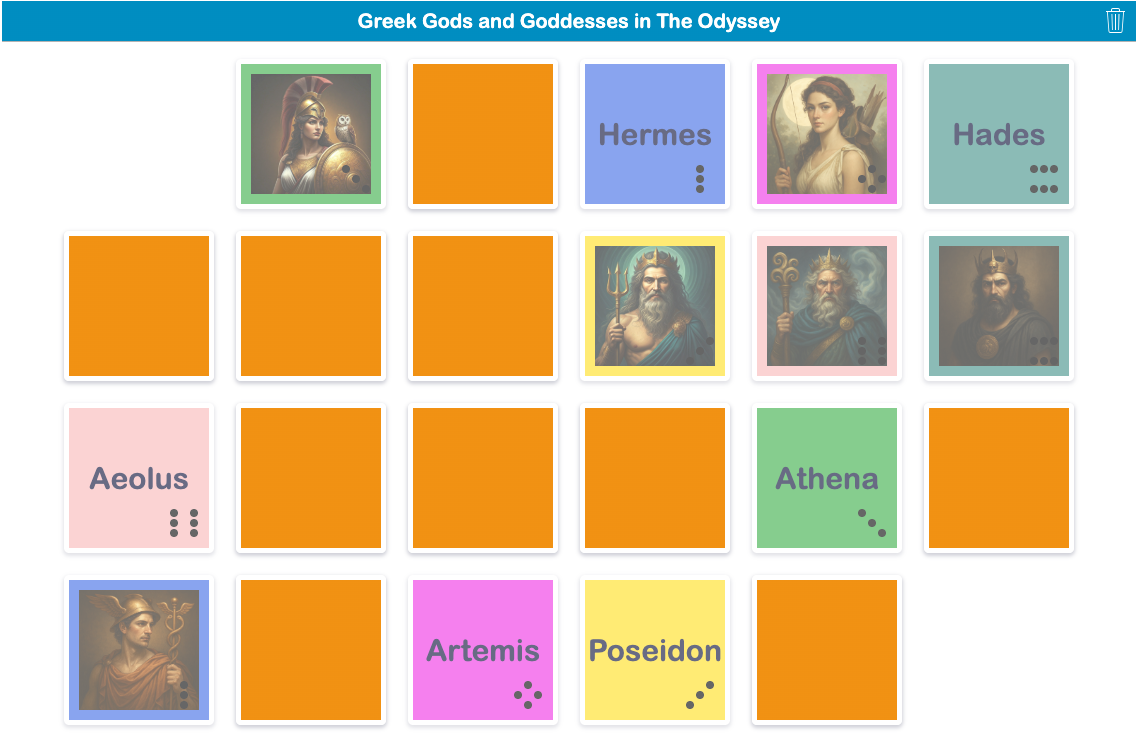
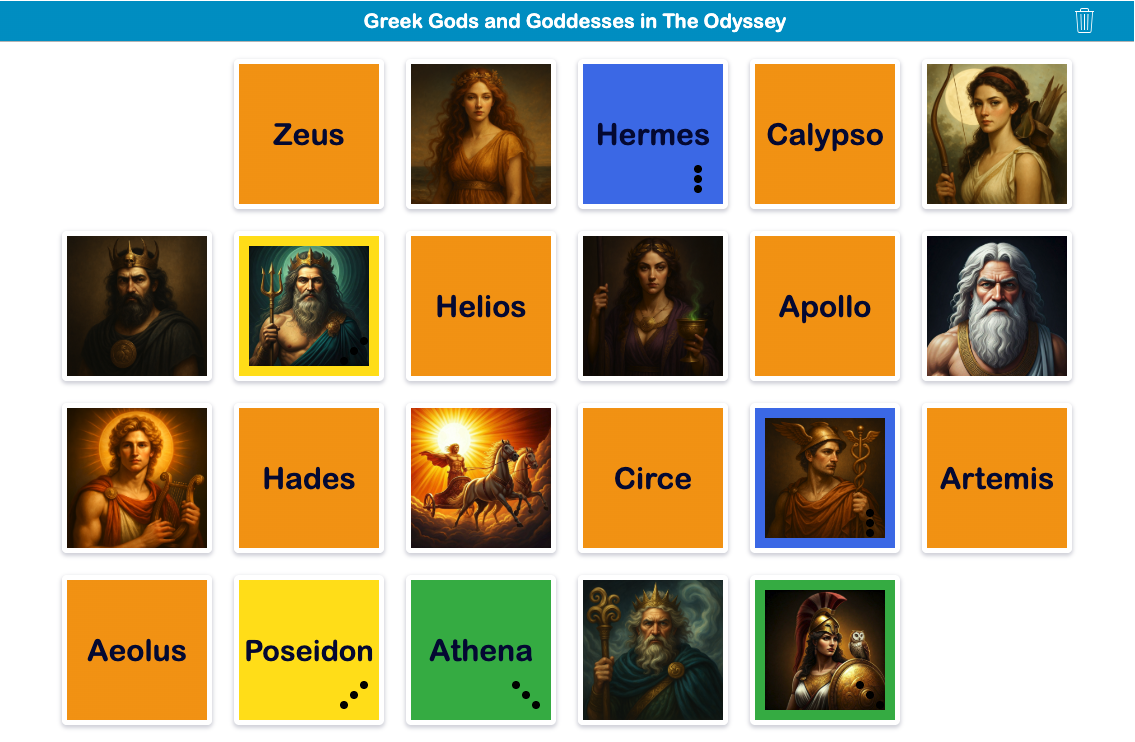
Build on the Jigsaw Puzzle with Flash Cards, a Memory Game, and Pair Matching that reuse the same images of the Greek gods and goddesses. Students can study the names and images with the Flash Cards, then practice recognizing the figures with either matching game.
Use the activities as a short sequence or let students choose how they practice. Reusing the same images across activities provides a consistent visual reference as students become familiar with the mythological figures in The Odyssey.
| Greek Gods Flash Cards |

|
|---|---|
| Greek Gods Memory Game |
|
| Greek Gods Pair Matching |
|
3. Practice the Same Content with Different Greek Mythology Games
| Category | Details | |
|---|---|---|
| 🎓 | Grade level | Grades 7-12 |
| ⭐️ | Best for | The Odyssey pre-reading, bell ringers, review, or learning stations |
| 🤝 | Interaction | Individual or pairs |
| ⏱️ | Time needed | 5-10 minutes per game |
| 🧩 | BookWidgets widget | Word Search, Crossword, Pair Matching |
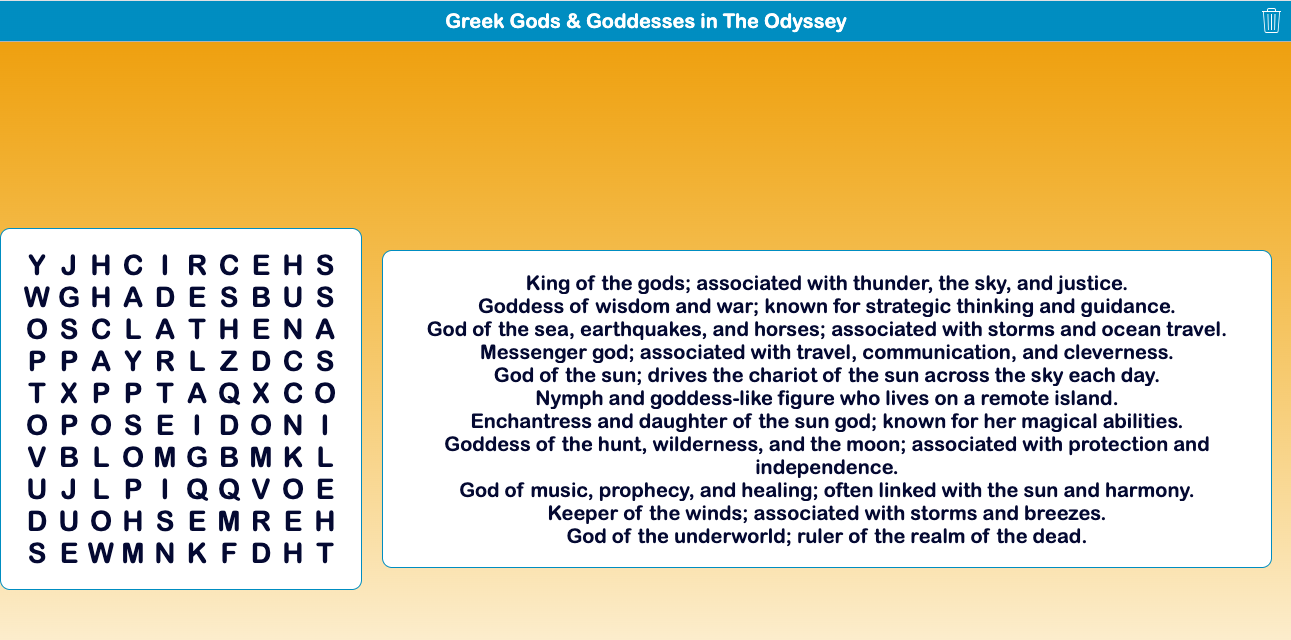
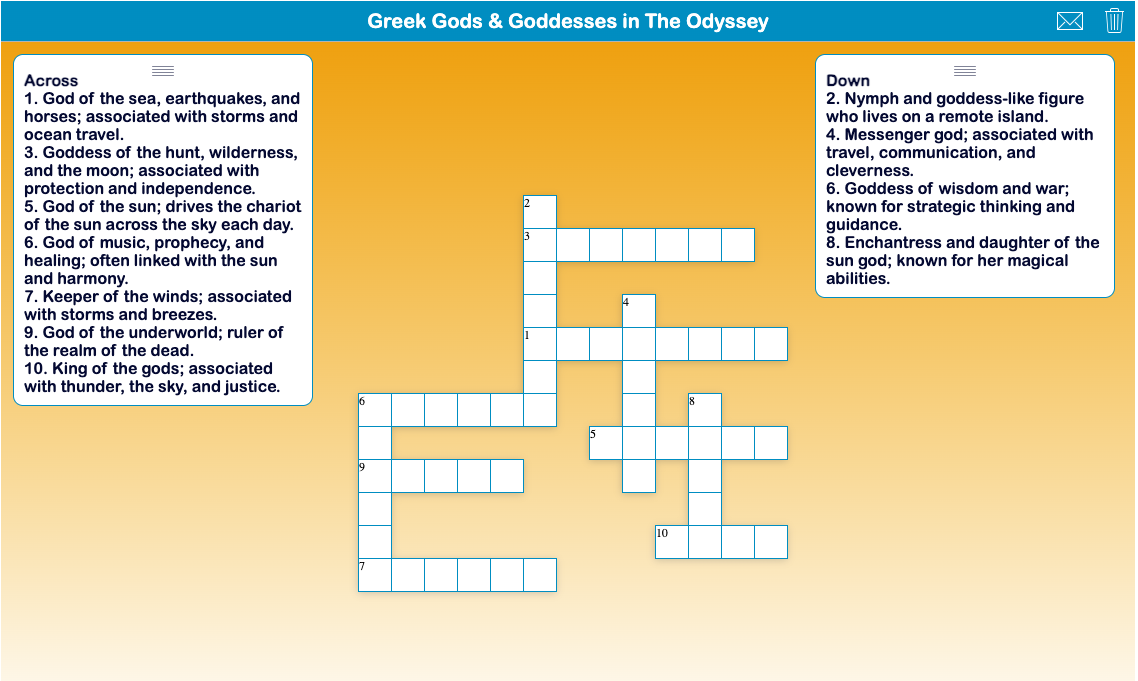
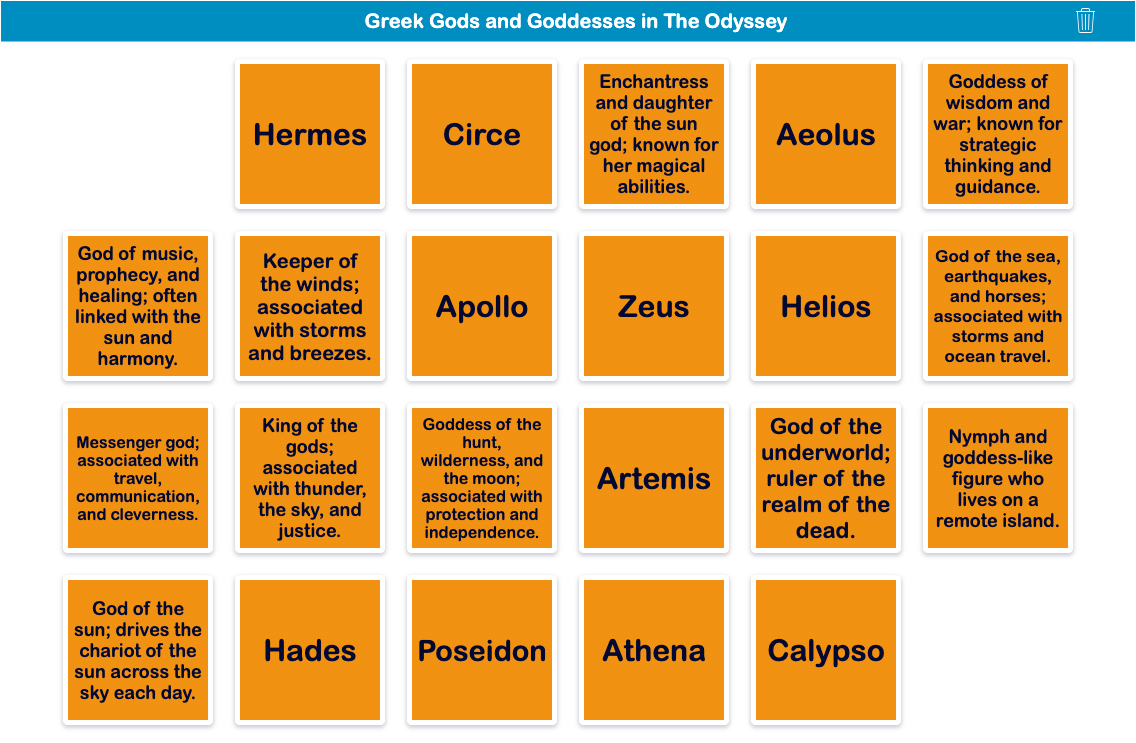
Once students recognize the gods and goddesses, move beyond names and images with games that reinforce their attributes and domains. The same content can be repurposed as a Word Search, Crossword, or Pair Matching game, giving students repeated practice in different formats.
Use the games as bell ringers, learning stations, quick review, or low-stakes practice. Students can complete one activity or revisit the content through several games over time.
| Word Search |
|
|---|---|
| Crossword |
|
| Pair Matching |
|
4. Build Background Knowledge with a Greek Gods and Goddesses Choice Board
| Category | Details | |
|---|---|---|
| 🎓 | Grade level | Grades 7-12 |
| ⭐️ | Best for | The Odyssey pre-reading and building mythology background knowledge |
| 🤝 | Interaction | Individual |
| ⏱️ | Time needed | 20-30 minutes |
| 🧩 | BookWidgets widget | Planner |
Bring the individual activities together in a Choice Board built with the BookWidgets Planner widget. Students begin with the required Flash Cards, then click the + icon to choose three additional activities, such as Pair Matching, Memory, Crossword, Word Search, Snowman, or creating a Greek God or Goddess Trading Card.
The Planner provides a structured learning path while giving students choice in how they practice.
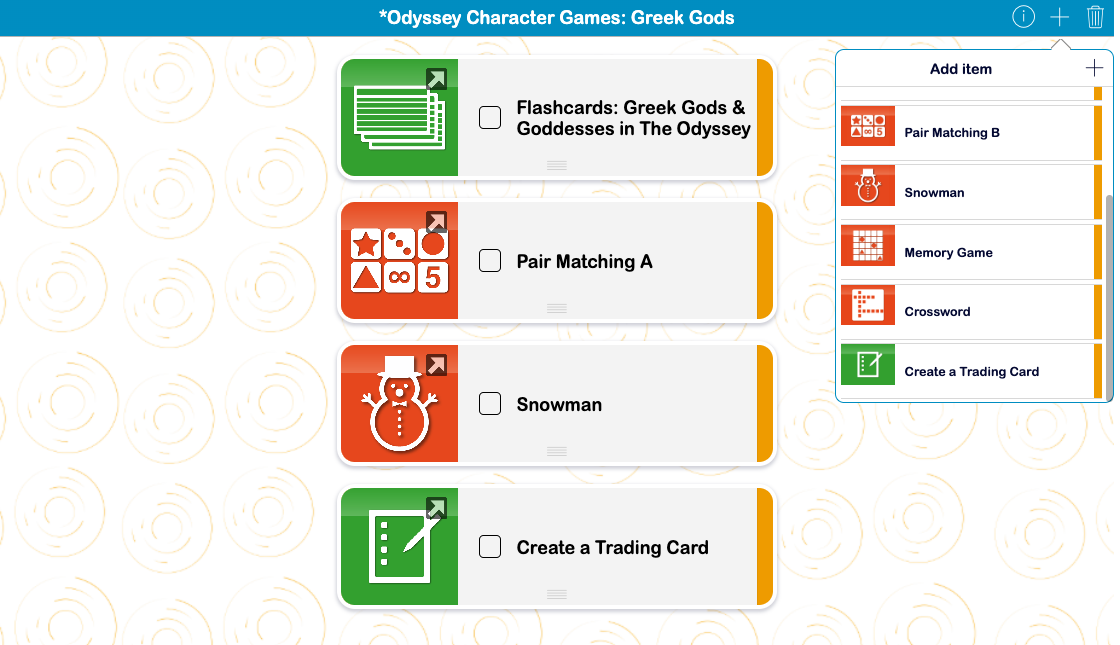
💡 Want to create your own choice board? The BookWidgets Planner can combine required activities with student-selected tasks, giving students choice while still providing structure. Find more ideas in 20+ Helpful Ways to Bring More Structure to Your Students' Thinking.
5. Turn the Same Activities into a Game with Mythopoly
| Category | Details | |
|---|---|---|
| 🎓 | Grade level | Grades 7-12 |
| ⭐️ | Best for | The Odyssey pre-reading, Greek mythology review, and game-based learning |
| 🤝 | Interaction | Individual, small group, or whole class |
| ⏱️ | Time needed | 15-30 minutes |
| 🧩 | BookWidgets widget | Hotspot Image |
Take the same activities one step further with Mythopoly, an interactive game board built with the Hotspot Image widget. Set a timer and let students explore independently, take turns choosing spaces in small groups, or project the board for whole-class play. As students move around the board, they complete activities that reinforce the gods and goddesses, their attributes and domains, and their connections to The Odyssey.
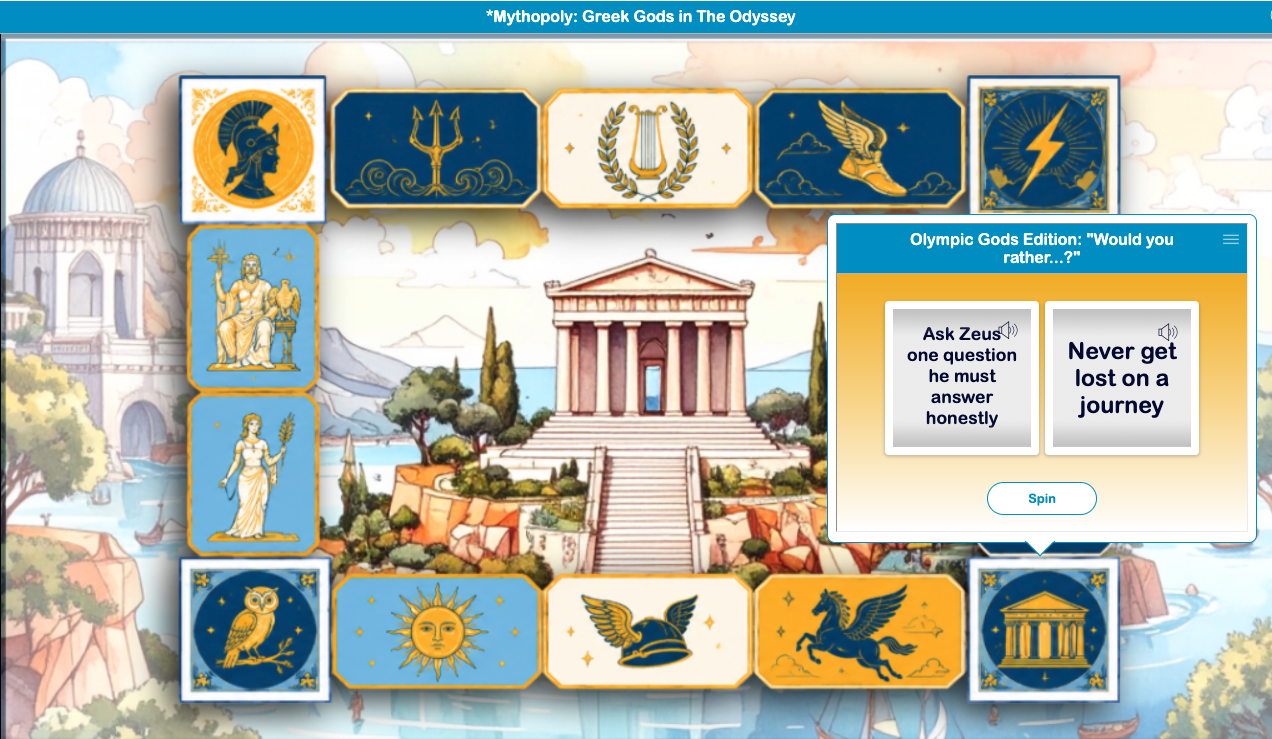
Mythopoly can also grow with your Odyssey unit. Reuse the game-board image later and swap the mythology activities for character review, vocabulary, reading challenges, or other Odyssey-focused tasks. You can create a new round of Mythopoly without rebuilding the board from scratch.
💡 Want to create your own interactive game board? Watch the Designing Interactive Digital Gameboards with BookWidgets webinar to learn how to use the Hotspot Image widget to create game paths, connect challenges and activities, and build your own game-based learning experiences.
During-Reading Activities for The Odyssey
Once students begin reading The Odyssey, activities can move beyond checking whether they completed the reading to making their thinking visible. These during-reading activities help students pause, reflect, gather evidence, notice patterns, and make meaning as they move through the epic.
6. Make Student Thinking Visible with Reusable Reading Checks
| Category | Details | |
|---|---|---|
| 🎓 | Grade level | Grades 7-12 |
| ⭐️ | Best for | Formative assessment, reading reflection, and discussion preparation |
| 🤝 | Interaction | Individual |
| ⏱️ | Time needed | 15-20 minutes |
| 🧩 | BookWidgets widget | Worksheet with Annotate Picture and Rubric questions |
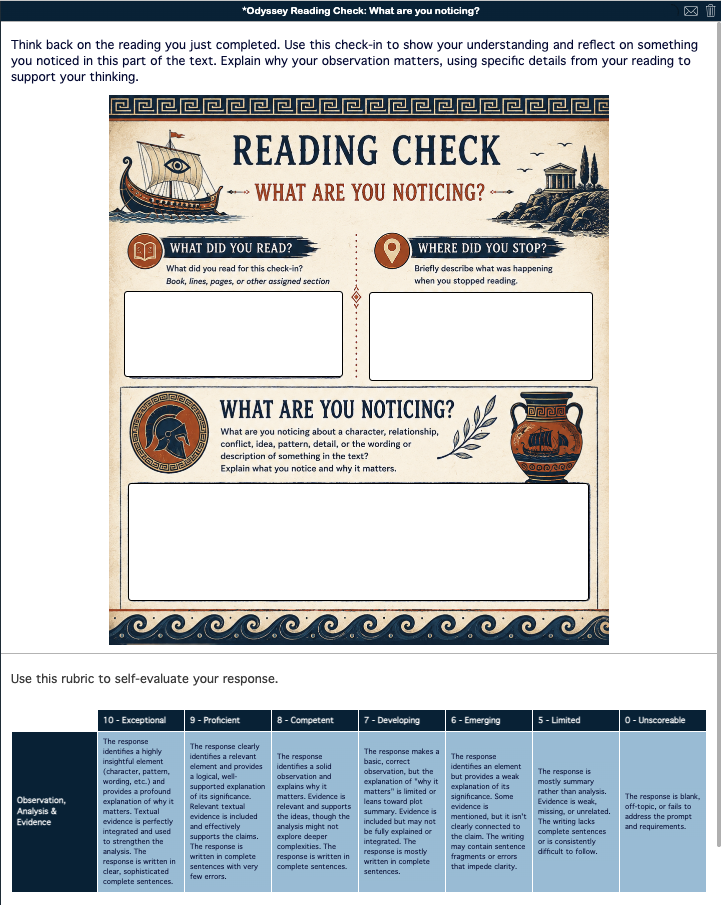
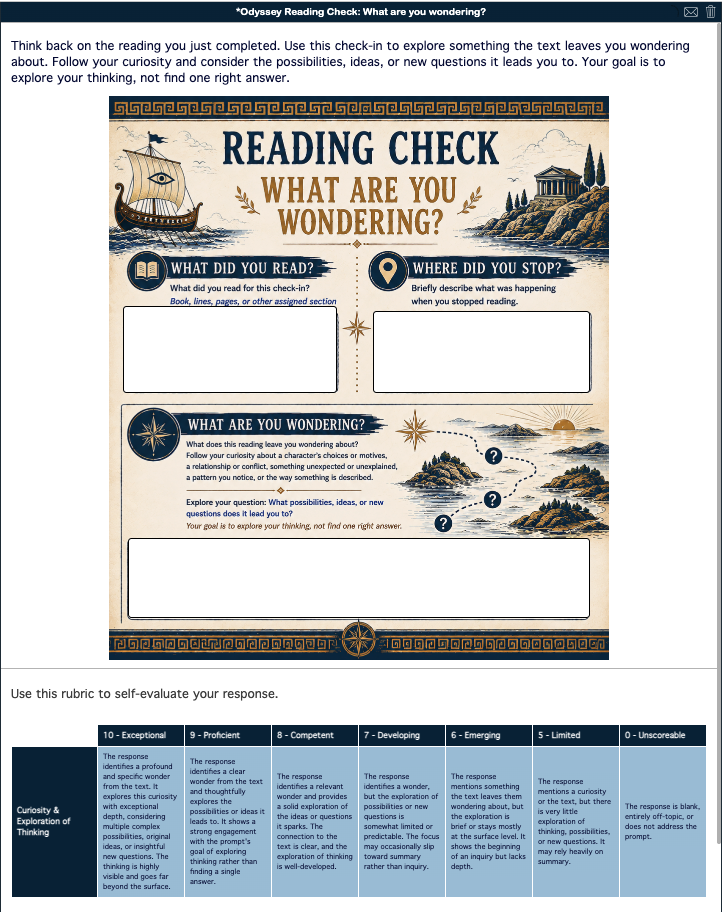
Instead of asking the same comprehension questions after every section of The Odyssey, use these reusable reading checks to focus students on different ways of thinking about the text. Each begins by asking students what they read and where they stopped, providing context for their response. The final prompt then shifts the focus: students identify who matters, notice something significant, explore a question the text raises, or make a meaningful connection.
Because the prompts are not tied to a particular book or episode, teachers can rotate them throughout The Odyssey or reuse them with other connected texts. Each check also includes a self-evaluation rubric, prompting students to consider the depth and support of their response before submitting it.
| Who Matters? | What Are You Noticing? |
|---|---|

|
|
| What Are You Wondering? | Make a Connection |
|

|
The responses provide qualitative formative data about how students are processing the reading, not just whether they completed it. Use what students notice, wonder about, connect to, or identify as significant to uncover misunderstandings, identify ideas worth revisiting, and shape the next class discussion.
7. Make Close Reading Visible with a Zoom In Annotation Activity
| Category | Details | |
|---|---|---|
| 🎓 | Grade level | Grades 7-12 |
| ⭐️ | Best for | Close reading, visible thinking, and formative assessment |
| 🤝 | Interaction | Individual |
| ⏱️ | Time needed | 15-20 minutes |
| 🧩 | BookWidgets widget | Worksheet with Whiteboard and Rubric questions |
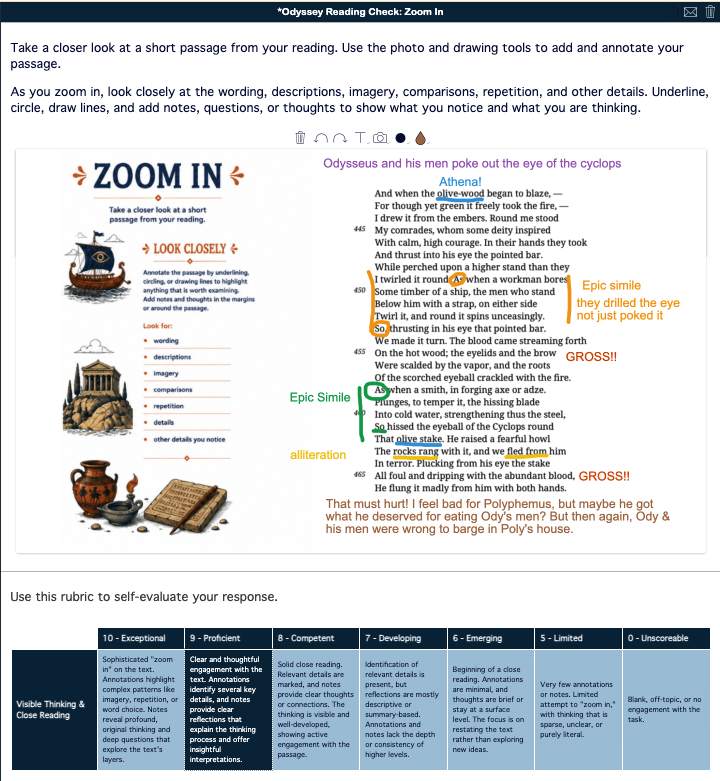
Move beyond written reading checks by asking students to show their thinking directly on the text. In this reusable Zoom In activity, students select a short passage from their reading, upload a screenshot or photo to the Whiteboard, and use the annotation tools to circle, underline, draw, and add notes. They can examine word choice, imagery, comparisons, repetition, patterns, or other details that catch their attention.
The activity makes the process of close reading visible. Teachers can see what students chose to focus on and how they interacted with specific textual evidence, while students practice both reading and digital literacy skills. A built-in rubric prompts students to self-evaluate the depth of their annotations before submitting their work.

Because students choose their own passages, Zoom In can be reused throughout The Odyssey or with almost any comparative text pair with the epic. Their annotations provide qualitative formative data about what students notice, question, and understand, giving teachers useful starting points for feedback and class discussion.
💡 Teaching tip: Encourage students to capture their developing thinking rather than hunt for a "perfect" analysis. Questions, uncertainties, patterns, and observations all have value. Even if students use AI as a resource, they still need to select a passage, examine the text, decide what matters, and use the Whiteboard tools to make their thinking visible.
See it in action: In the sample below, the student uses the Whiteboard tools to identify specific details directly on the passage, making both the textual evidence and their thinking visible.
Sample Student Response to the Zoom In Reading Check
8. Compare How Translators Shape the Opening of The Odyssey
| Category | Details | |
|---|---|---|
| 🎓 | Grade level | Grades 9-12 |
| ⭐️ | Best for | Close reading, comparative analysis, and introducing Book 1 |
| 🤝 | Interaction | Individual or pairs |
| ⏱️ | Time needed | 45-60 minutes |
| 🧩 | BookWidgets widget | Split Worksheet |
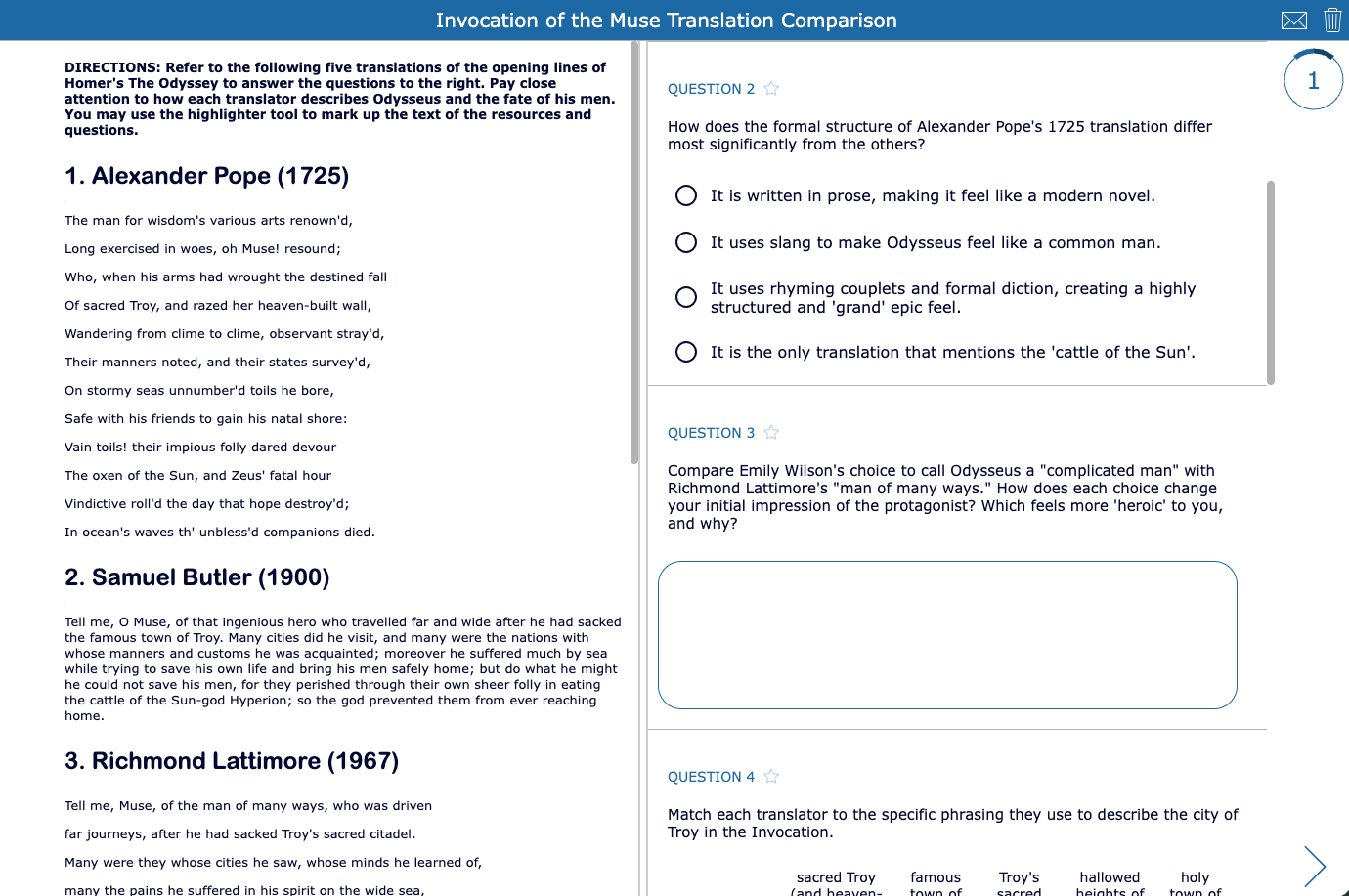
How much difference can a translator make? In this Split Worksheet, students compare five translations of the Invocation of the Muse by Alexander Pope, Samuel Butler, Richmond Lattimore, Robert Fagles, and Emily Wilson. Students examine differences in diction, syntax, poetic form, tone, and characterization to consider how translation becomes an act of literary interpretation.
The five excerpts remain visible in the resource pane while students answer questions alongside them. Students can highlight directly in the translations, making it easier to compare how each translator handles key words, descriptions, and narrative details. Questions guide students from noticing differences to analyzing how those choices shape their impressions of Odysseus, his crew, and the opening of the epic.
9. Explore Ancient Navigation Through a Structured Multimedia Activity
| Category | Details | |
|---|---|---|
| 🎓 | Grade level | Grades 9-12 |
| ⭐️ | Best for | Book 5, cross-curricular connections, and multimodal learning |
| 🤝 | Interaction | Individual or pairs |
| ⏱️ | Time needed | 45-90 minutes |
| 🧩 | BookWidgets widget | Quiz with Resource and Question pages |
How did Odysseus navigate the Mediterranean without a compass, GPS, or modern maps? This structured multimedia activity connects Book 5 of The Odyssey with ancient navigation, astronomy, mythology, and science. Students explore how sailors used constellations such as Ursa Major, Boötes, Orion, and the Pleiades, along with wind patterns, to navigate the open sea.
Built with the Quiz widget, the activity alternates between informational Resource pages and interactive Question pages to guide students through the content. Students read and highlight resources, examine excerpts from The Odyssey, answer auto-scored questions, categorize winds and celestial markers, record an audio Navigator's Log from Odysseus' perspective, and finish with an analytical response connecting mythology, navigation, and Homer's epic.

The sequence moves students from building background knowledge to applying and synthesizing what they learn, while varying how they interact with the content. It can be completed independently, with partners, or asynchronously, and the combination of auto-scored and open-ended questions gives teachers both immediate results and qualitative evidence of student thinking.
💡 Want to build your own structured multimedia activity? Resource and Question pages can be combined to provide information exactly when students need it and then give them opportunities to interact with and apply what they learn. Learn how to structure the experience in How to Create Structured Multimedia Quizzes for the Classroom.
10. Take a Creative Break with a Constellation Story
| Category | Details | |
|---|---|---|
| 🎓 | Grade level | Grades 6-10 |
| ⭐️ | Best for | Creative writing, a mid-unit change of pace, and extending the Ancient Navigation activity |
| 🤝 | Interaction | Individual or small groups |
| ⏱️ | Time needed | 45-90 minutes |
| 🧩 | BookWidgets widget | Worksheet with Whiteboard and Rubric questions |
After several days of reading and analyzing The Odyssey, give students a creative break from the text while keeping them connected to its world. This constellation activity works well in the middle of the epic as a change of pace from close reading and analysis. Building on their exploration of ancient navigation, students shift from studying how the Greeks used the stars to becoming mythmakers themselves.
Students begin with a Whiteboard showing the stars of Ursa Major. Instead of finding the familiar Great Bear, they connect the same stars in a new way to create their own constellation. Their visual creation then becomes the starting point for writing. Students brainstorm their constellation's name, characters, setting, conflict, and meaning before writing a 150-400 word origin myth explaining how their figure came to be placed among the stars. An embedded rubric helps students evaluate their narrative organization, descriptive writing, task completion, and conventions before submitting.

The same star field can produce completely different constellations and stories, making the activity easy to repeat or use collaboratively. For an added Odyssey connection, challenge students to incorporate an epithet, epic simile, heroic figure, monster, or invocation to the Muse into their myth.
💡 Teaching tip: Turn the activity into a creative writing sprint. Give pairs or small groups the same star field and a limited amount of time to create different constellations and origin stories. Comparing the results shows how the same set of stars can inspire many different stories depending on who is connecting them. For more ideas for supporting student writing with technology, explore 5 Ways to Encourage Students to Write Using Digital Tools.
11. Chunk Book 9 into Manageable Reading and Comprehension Checks
| Category | Details | |
|---|---|---|
| 🎓 | Grade level | Grades 9-12 |
| ⭐️ | Best for | Guided reading, close reading, and comprehension checks |
| 🤝 | Interaction | Individual or pairs |
| ⏱️ | Time needed | 50-60 minutes or spread across multiple lessons |
| 🧩 | BookWidgets widget | Quiz with Resource and Question pages |
Book 9 contains some of the most memorable episodes in The Odyssey, but it also asks students to navigate a substantial amount of text. This structured reading activity breaks the book into manageable sections and pairs each section with questions students complete while the relevant text is still fresh.
Students move through Odysseus' encounters with the Cicones, Lotus-Eaters, and Cyclops Polyphemus, answering questions that check comprehension and prompt closer analysis of character, leadership, Greek values, literary devices, and choices and consequences. Resource pages keep the reading within the activity, while Question pages give students opportunities to pause and process before continuing.

💡 Teaching tip: The activity uses an adapted public-domain translation, but the structure is easy to customize. Replace the text in the Resource pages with the translation your students are reading while keeping or adapting the accompanying questions. This allows teachers to use the same approach with the edition already part of their curriculum.
12. Revisit Book 9 to Analyze Choices, Values & Consequences
| Category | Details | |
|---|---|---|
| 🎓 | Grade level | Grades 9-12 |
| ⭐️ | Best for | Close reading, character analysis, Greek values, and textual evidence |
| 🤝 | Interaction | Individual with optional partner or small-group review |
| ⏱️ | Time needed | 45-90 minutes |
| 🧩 | BookWidgets widget | Split Worksheet with Annotate Picture and Rubric questions |
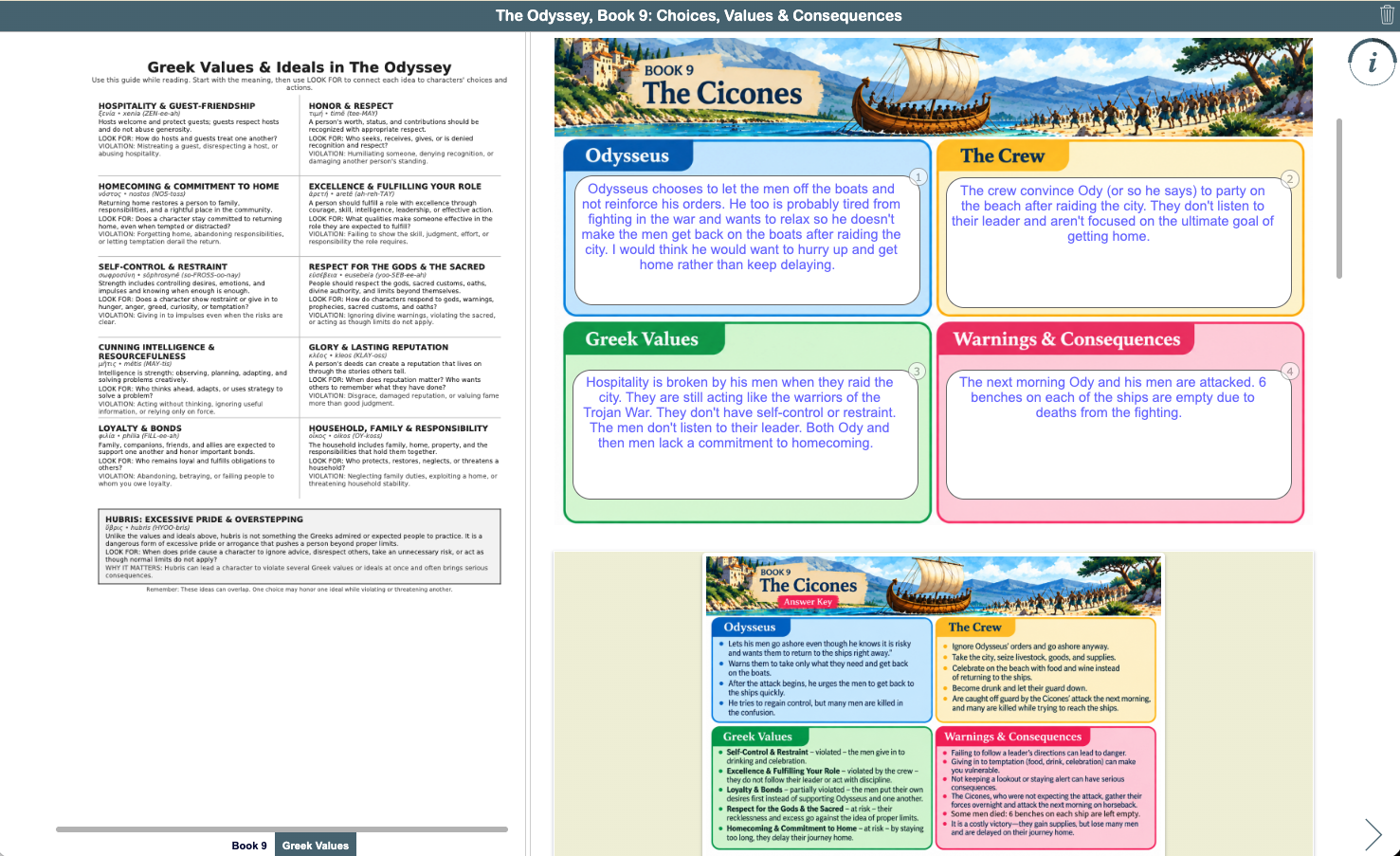
After students have read Book 9 and understand what happens in the Cicones, Lotus-Eaters, and Cyclops episodes, send them back into the text for a closer look. Rather than focusing on basic comprehension, this activity asks students to examine choices, values, and consequences and look for patterns across Odysseus' stories.
Students re-read Book 9 using a consistent color-coded highlighting system: blue for Odysseus' choices and actions, yellow for the crew's choices and actions, green for Greek values and ideals, and pink for warnings and consequences. They then use their highlighted evidence to complete a graphic organizer for each episode, moving from identifying evidence in the text to explaining what that evidence reveals.

The activity culminates by asking students to look across all three episodes. First, they identify patterns they notice in their completed organizers. Then they consider those patterns as they respond to a larger interpretive question: What impression has Odysseus created of himself and his crew through the stories he has told so far? This progression moves students from gathering evidence to organizing it, recognizing patterns, and ultimately developing an interpretation.
💡 Build student self-checking into the activity: The graphic organizers use the Annotate Picture question type, so these responses require interpretation rather than a single correct answer. To give students a way to check their work, an answer key image is included in the rationale for each organizer. After submitting, students can compare their analysis with the completed example.
Students can compare their analysis with the answer key provided in the question rationale. Make the comparison part of the learning. Students can review the answer key independently or work with a partner or small group to discuss where their responses align, where they differ, and whether the textual evidence supports their interpretations. Encourage students to record important ideas they missed in their notebooks rather than simply copying the answer key.
This structure also makes reviewing the activity more manageable for the teacher. When checking the graphic organizers, quickly determine whether students made a reasonable attempt in each section and award completion points. Then use the culminating rubric to evaluate the quality of students' textual evidence and analysis.
Teachers can quickly review the graphic organizers for completion before evaluating the culminating analysis via the rubric. Rather than spending the same amount of grading time on every response, this approach lets you focus your attention on the parts of the activity that reveal deeper student thinking. For more ways to streamline review and feedback in BookWidgets, explore 5 Pro Grading Tips That Will Save Teachers Time.

13. Spark Discussion with an Odyssey "Would You Rather...?" Game
| Category | Details | |
|---|---|---|
| 🎓 | Grade level | Grades 9-12 |
| ⭐️ | Best for | Discussion, review, character analysis, and speaking & listening |
| 🤝 | Interaction | Pairs, small groups, or whole class |
| ⏱️ | Time needed | 10-40 minutes |
| 🧩 | BookWidgets widget | Randomness |
Give students another break from written analysis with an Odyssey-themed "Would You Rather...?" discussion game. Instead of simply recalling what happened in the epic, students put themselves into its situations and consider which trials, temptations, or dilemmas they would rather face.
Built with the Randomness widget, two spinning wheels generate different combinations of Odyssey-inspired choices. Students spin, choose between the two options, and explain their reasoning. Ask them to go beyond simply stating a preference by considering what they know about the characters, events, risks, and consequences in the epic.
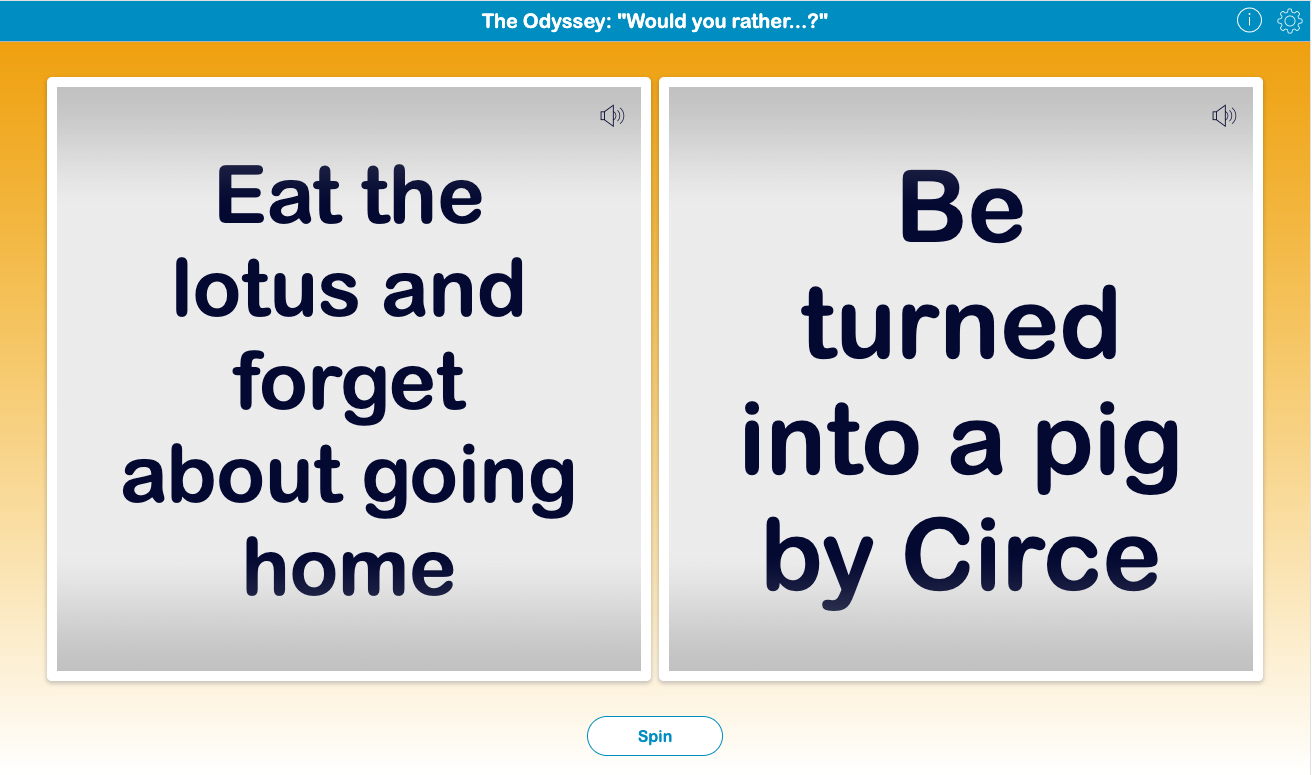
The activity can be as quick or as structured as you need. Use one spin as a bell ringer, have partners complete several rounds, or turn it into a movement activity by having students move to different sides of the room based on their choices and defend their positions. It can also lead into writing by asking students to choose one dilemma and explain their decision using details from The Odyssey.
💡 Teaching tip: Random prompts can make repeated discussion practice feel different each time. For more ways to use the Randomness widget, explore 25 Creative Lesson Ideas to Use Spinner Activities and Randomness in Class. Looking for more ways to get students talking? Find additional strategies in Exciting Conversation Activities That Will Boost Student Participation.
14. Combine Literature and Language Practice with an 8 pARTS Quick Challenge
| Category | Details | |
|---|---|---|
| 🎓 | Grade level | Grades 9-10 |
| ⭐️ | Best for | Review, grammar, figurative language, and quick formative practice |
| 🤝 | Interaction | Individual, pairs, or whole class |
| ⏱️ | Time needed | 15-25 minutes |
| 🧩 | BookWidgets widget | Randomness |
Put another spin on Odyssey review with an 8 pARTS EduProtocol Quick Challenge for Books 9-12. Instead of answering traditional review questions, students use what they know about the epic to practice grammar, word choice, and figurative language through a series of fast-paced challenges.
Two Randomness wheels work in tandem. One selects a part of speech or literary device, while the other displays artwork representing an episode from Books 9-12. Students might need to generate adjectives for Circe, verbs for Polyphemus, alliteration for the Sirens, or a three-word sentence inspired by the Lotus-Eaters. Each new spin creates a different combination.
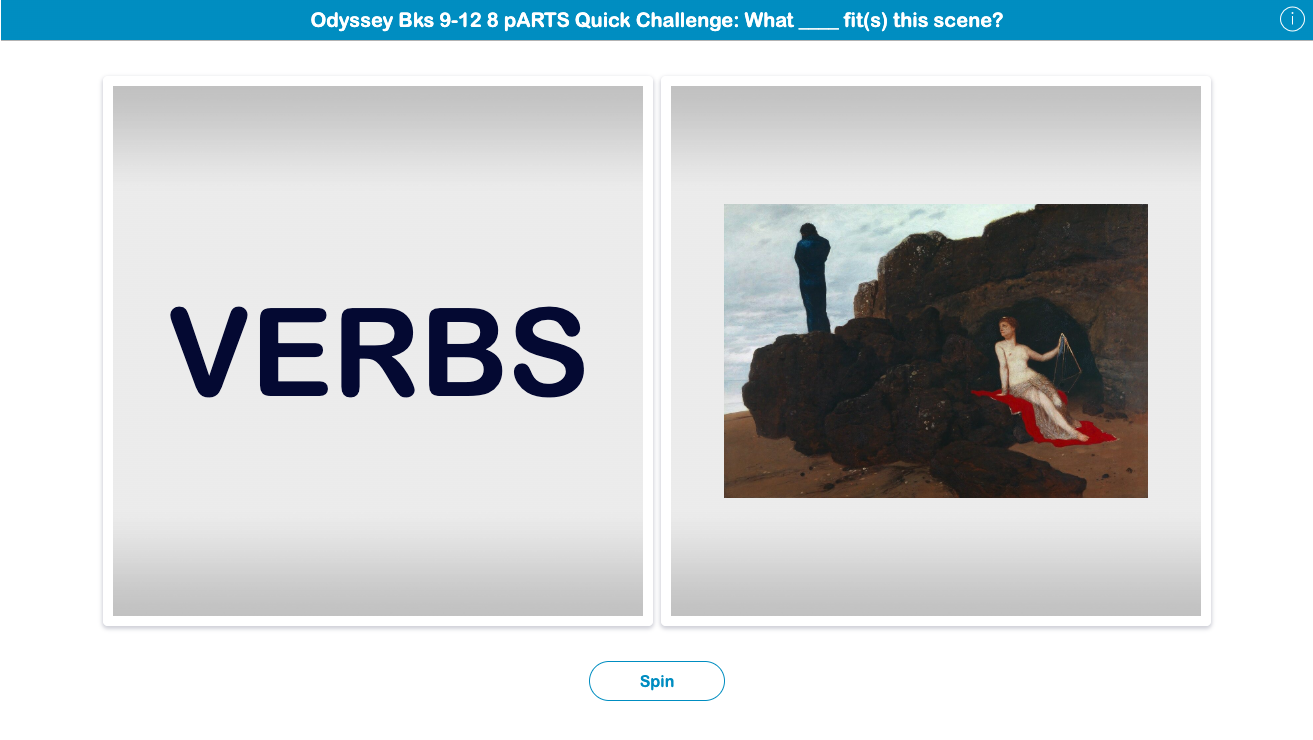
Keep the rounds quick. Give students 45-60 seconds to respond on mini-whiteboards, paper, or a digital template before sharing their answers with a partner or the class. Because the content changes with every spin, the same activity can be revisited throughout Books 9-12 as a bell ringer, brain break, or quick formative review.
💡 Try an EduProtocol: 8 pARTS is one example of an EduProtocol, a repeatable instructional routine that can be used with different content. Once students know the routine, you can change the Odyssey scenes, vocabulary, or language challenges without having to teach a completely new activity. Explore 8 pARTS and other examples in 10 EduProtocols in BookWidgets to Boost Engagement and Feedback.
Post-Reading Activities for The Odyssey
Finishing the epic doesn't have to mean finishing the thinking. These post-reading activities for The Odyssey epic give students opportunities to synthesize what they have learned, revisit important characters and themes, compare the text with a film adaptation, and apply their understanding in new contexts.
Use these activities as culminating assessments, extension activities, or alternatives to a traditional final test or essay. Students can demonstrate their understanding through film analysis, writing and critique, literary evaluation, and personal reflection, providing different ways to bring their study of The Odyssey to a meaningful conclusion.
15. Make Film Viewing Active with Reusable Viewing Checks
| Category | Details | |
|---|---|---|
| 🎓 | Grade level | Grades 9-12 |
| ⭐️ | Best for | Film study, formative assessment, reflection, and text-to-film analysis |
| 🤝 | Interaction | Individual |
| ⏱️ | Time needed | 5-10 minutes per check |
| 🧩 | BookWidgets widget | Worksheet with Annotate Picture and Rubric questions |
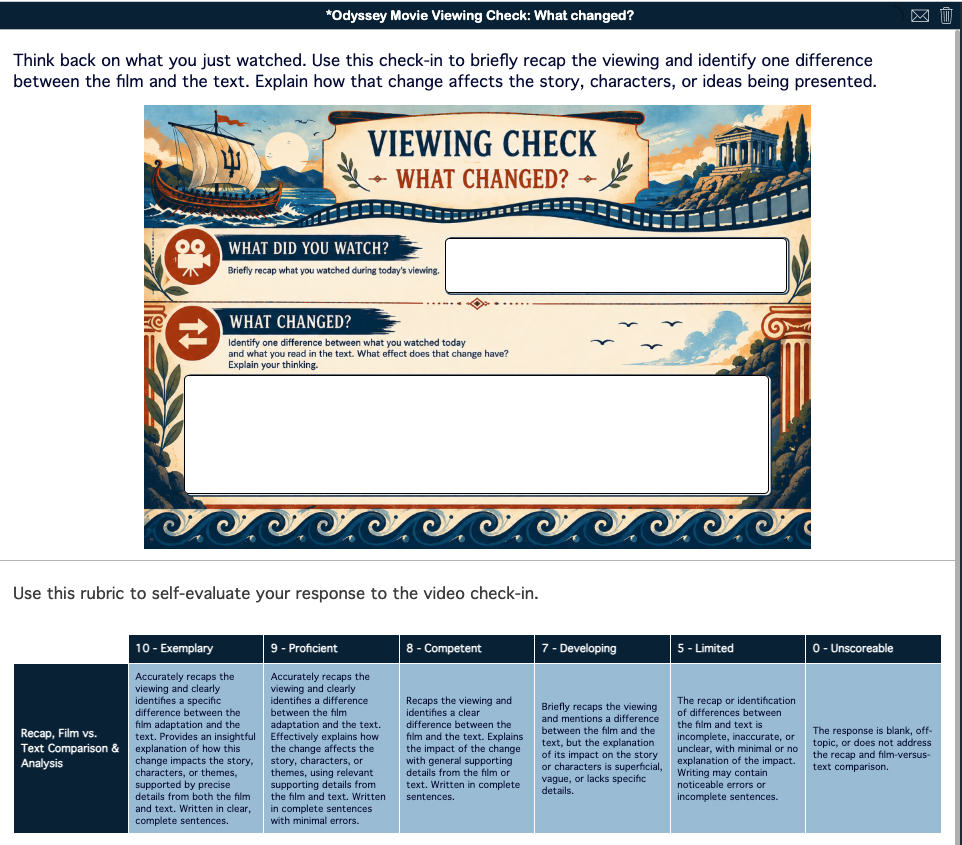
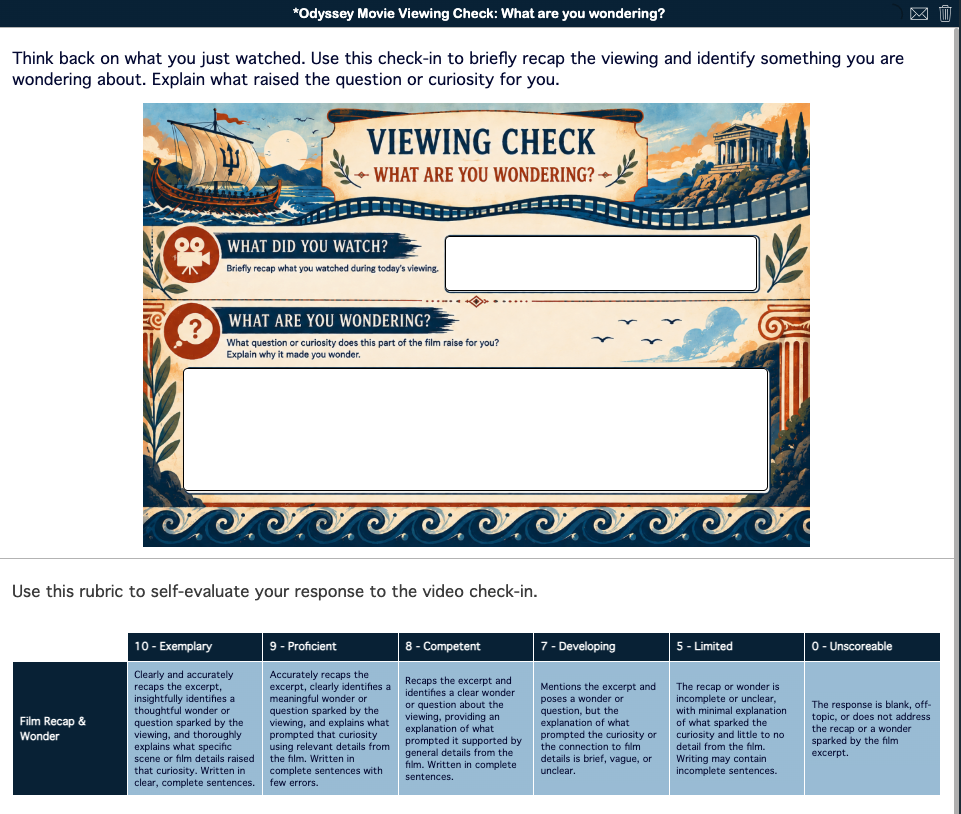
If you used the Reading Checks earlier in the unit, carry that familiar routine into your film study with a set of Viewing Checks. When a film takes several class periods to watch, these short exit tickets give students a purpose for reflecting on each day's viewing without turning the experience into a lengthy viewing guide.
Each check begins with What Did You Watch?, asking students for a brief recap that provides context for their response. The second prompt changes the thinking focus: students can identify what they noticed, consider what changed from the text, explain who mattered, or share what they are wondering. A simple rubric gives students an opportunity to evaluate the quality of their response before submitting it.
| What Did You Notice? | What Changed? |
|---|---|

|
|
| Who Matters? | What Are You Wondering? |

|
|
Rotate the checks rather than assigning the same prompt after every viewing session. Over several days, students build a collection of observations about characters, adaptation choices, cinematic details, and questions, while the consistent format keeps the routine familiar. Their responses also provide quick formative data teachers can use to identify misconceptions, surface different interpretations, or choose ideas to revisit when viewing resumes.
Although these Viewing Checks are designed with an *Odyssey*-themed visual style, the prompts are not tied to a particular adaptation. Use them with the 1997 miniseries, Christopher Nolan's 2026 film, or another screen adaptation of The Odyssey epic.
💡 Teaching tip: Don't feel like you need to discuss every Viewing Check immediately. Quickly scan students' responses after class and look for a misconception, interesting observation, disagreement, or question worth bringing back to the group. Open the next day's lesson with one or two of those ideas before pressing play again. This turns the Viewing Checks into a bridge between viewing sessions rather than simply an exit ticket. Looking for more ways to check student thinking at the end of a lesson? Explore 60 Digital Exit Tickets for Teachers: The Ultimate Exit Ticket Guide.
16. Check Viewing Comprehension with an Odyssey 1997 Movie Quiz
| Category | Details | |
|---|---|---|
| 🎓 | Grade level | Grades 9-12 |
| ⭐️ | Best for | Post-viewing assessment, review, and text-to-film comparison |
| 🤝 | Interaction | Individual |
| ⏱️ | Time needed | 20-30 minutes |
| 🧩 | BookWidgets widget | Quiz |
After reading The Odyssey, watching a film adaptation gives students an opportunity to experience the epic in a different medium and consider how the story changes when it moves from page to screen. I use the 1997 Odyssey television miniseries as a culminating experience, followed by this interactive quiz to check students' viewing comprehension and revisit important connections to Homer's text.
The quiz asks students to recall and sequence major events, identify characters and mythological figures, and distinguish details from the miniseries from those in the epic. A variety of question types, including multiple choice, matching, drag-and-drop sequencing, and a crossword, provides different ways for students to demonstrate what they remember and understand.

Use students' results as a springboard for discussion rather than stopping with the quiz score. Revisit questions that reveal differences between the text and screen adaptation, then ask students to consider what was changed, condensed, emphasized, or omitted and how those choices affect their understanding of the story and its characters.
💡 Teaching tip: A movie doesn't have to be a passive end-of-unit reward. Pair viewing with purposeful activities that ask students to notice, recall, compare, and analyze what they see. Find more strategies and ready-to-use examples in Film Study Made Easy: Interactive Movie Activities for the Classroom.
17. Analyze How The Odyssey Changes from Text to Screen
| Category | Details | |
|---|---|---|
| 🎓 | Grade level | Grades 9-12 |
| ⭐️ | Best for | Comparative analysis, adaptation study, and literary analysis |
| 🤝 | Interaction | Individual |
| ⏱️ | Time needed | 45-60 minutes |
| 🧩 | BookWidgets widget | Worksheet |
After students have watched the 1997 miniseries and completed the viewing quiz, move from what changed to why those changes matter. This written comparative analysis asks students to examine how The Odyssey is represented across two different mediums and consider the choices involved in adapting an ancient epic for a modern screen audience.
Students begin by identifying the translation of The Odyssey they read, acknowledging that translations themselves can differ. From there, prompts guide them through comparisons of characterization, Greek values such as xenia, narrative additions and omissions, and literary versus cinematic techniques. Rather than simply listing differences between the text and film, students explain how those choices influence characterization, themes, storytelling, and the audience's experience.

The final prompt asks students to bring those observations together and evaluate how effectively the adaptation captures the epic. Their responses can serve as a culminating assessment on their own or as prewriting for a longer comparative essay, giving students a foundation of claims and evidence they can develop further.
💡 Teaching tip: Push text-to-film comparison beyond "What did the movie change?" Ask students to consider why an adaptation might make a change and what is gained, lost, emphasized, or altered as a result. Film can provide a powerful starting point for discussions about characters' choices, values, and ethical dilemmas as well. Find more ideas in 20 Powerful Short Films That Teach Students About Ethics and Morality.
18. Critique an AI-Generated Essay about Odysseus
| Category | Details | |
|---|---|---|
| 🎓 | Grade level | Grades 9-12 |
| ⭐️ | Best for | Literary analysis, writing revision, textual evidence, and AI literacy |
| 🤝 | Interaction | Individual or pairs |
| ⏱️ | Time needed | 40-50 minutes |
| 🧩 | BookWidgets widget | Split Worksheet |
After finishing The Odyssey, turn the traditional literary analysis essay around. Instead of immediately asking students to write an essay themselves, give them one to critique, fact-check, and improve. In this Split Worksheet, students evaluate an AI-generated essay about Odysseus' leadership and use their knowledge of the epic to determine where the writing succeeds and where it falls short.
The AI-generated essay remains visible in the resource pane while students work through a series of guided questions. They examine its organization and thesis, identify vague or superficial analysis, check claims against events in The Odyssey epic, and revise a weak thesis. Finally, students choose one body paragraph and rewrite it with stronger textual evidence and analytical commentary.

The activity puts students in the role of critical readers rather than passive consumers of AI-generated writing. Because they already know the text, they can recognize when an essay sounds convincing without being adequately supported, distinguish accurate claims from factual errors, and decide what stronger literary analysis requires. Revising part of the essay then asks students to apply those observations to their own writing decisions.
💡 Teaching tip: Don't limit AI literacy to teaching students how to prompt a chatbot. Give students opportunities to question, verify, critique, and revise AI-generated content using their own subject knowledge. Find more classroom examples in Ready-to-Use Lesson Plans to Teach Students About Artificial Intelligence. For assessment ideas that incorporate AI while maintaining teacher control over how students access and use it, explore How to Create Secure AI-Enhanced Digital Exams with BookWidgets.
19. Connect Odysseus' Journey to Students' Own with an Odyssey Life Plan
| Category | Details | |
|---|---|---|
| 🎓 | Grade level | Grades 9-12 |
| ⭐️ | Best for | Personal reflection, goal setting, SEL, and thematic connections |
| 🤝 | Interaction | Individual with optional small-group reflection |
| ⏱️ | Time needed | 50-90 minutes |
| 🧩 | BookWidgets widget | Worksheet |
End your study of The Odyssey by turning the idea of an odyssey toward students' own lives. Odysseus' journey is filled with unexpected turns, competing paths, difficult choices, and circumstances beyond his control. In this reflective activity, students use those larger ideas as a starting point for considering where their own journeys might lead.
Students create three possible five-year paths: the direction they are currently heading, an alternative if that path were no longer available, and a "wild card" possibility without the usual financial or social constraints. Rather than choosing one "correct" future, students explore multiple possibilities and consider what each might offer.
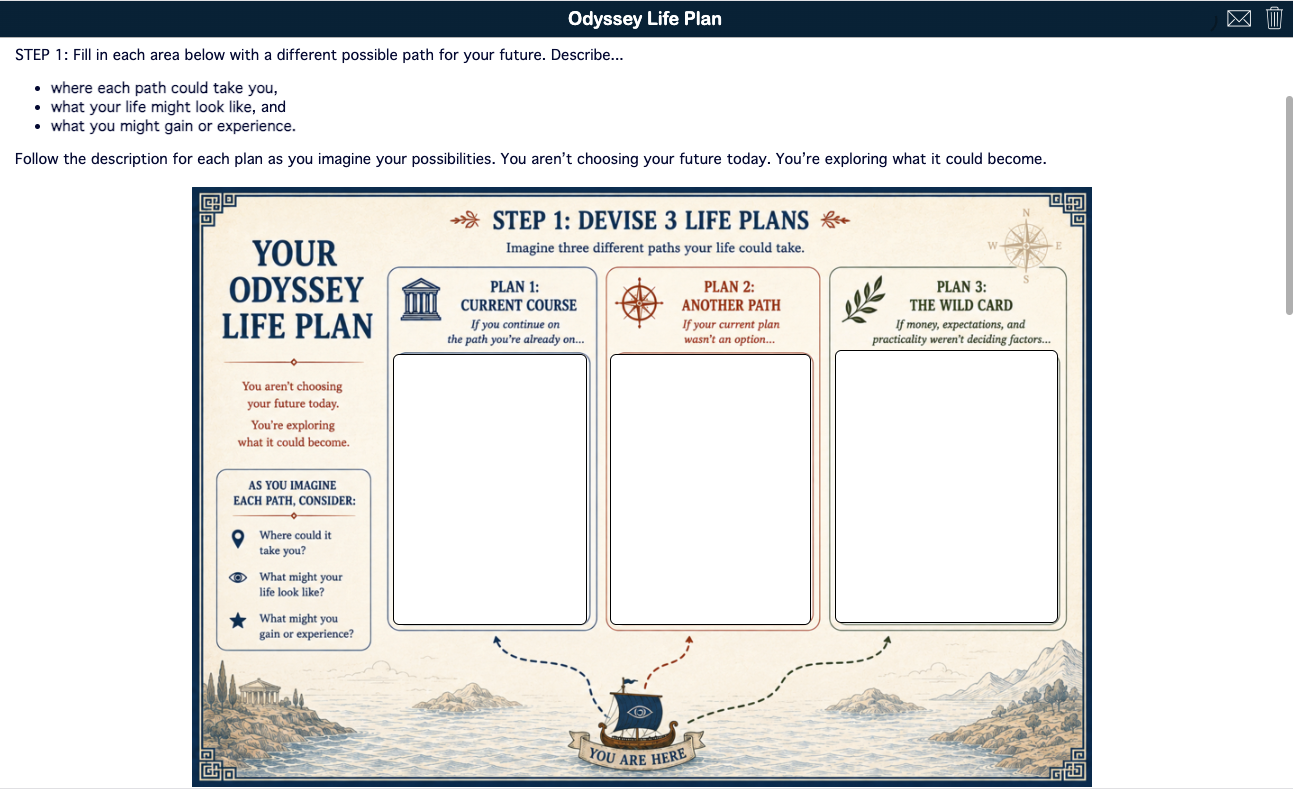
Students then evaluate each path by considering Resources, Likability, Confidence, and Coherence before choosing one possibility to investigate further. They identify what they still need to learn, devise a low-stakes way to "test drive" the idea, and determine one possible next step. The activity connects the literary theme of the journey with self-awareness, decision-making, and goal setting without asking students to commit to a particular future.
💡 Teaching tip: Frame the Life Plan as an exercise in exploring possibilities rather than making permanent decisions. Students don't need to know exactly where they are going yet. Invite them to consider how interests, opportunities, choices, setbacks, and unexpected detours can change a journey. To reconnect the reflection to The Odyssey, end by asking: What can Odysseus' journey teach us about planning for a future we cannot completely predict?
Build the Odyssey Unit That Works for Your Students
With 40+ activities to choose from, there is no expectation that every teacher will use every activity. Think of this collection as a toolbox for teaching The Odyssey epic poem. Choose the activities that fit your students, your curriculum, your schedule, and the parts of the epic you want to emphasize.
Use a mythology game to build background knowledge, rotate reusable reading checks as students work through the text, dig deeper into a particular episode, add a creative break, or select a culminating activity that gives students a different way to demonstrate what they have learned. You can use the activities as they are, duplicate and adapt them, or use the ideas as inspiration for creating your own.
Most importantly, the technology should support the learning rather than determine it. Whether students are reading, discussing, highlighting, writing, creating, playing, or reflecting, the goal is to give them meaningful ways to engage with a story that has invited readers to think about journeys, choices, challenges, and what it means to find your way home for thousands of years.
Frequently Asked Questions About Teaching The Odyssey
What are some good activities for teaching The Odyssey?
Good activities for teaching The Odyssey include Greek mythology games, pre-reading activities, reusable reading checks, close-reading and annotation activities, Book 9 comprehension and analysis, creative writing, discussion games, film study, and post-reading reflection. This post highlights 19 instructional ideas and provides access to a growing collection of 40+ ready-to-use BookWidgets activities for teaching The Odyssey epic poem.
What are good pre-reading activities for The Odyssey?
Before reading The Odyssey, students can build background knowledge about the Greek gods and goddesses, mythology, characters, vocabulary, and concepts they will encounter in the epic. Ready-to-use activities in this collection include a Greek gods and goddesses jigsaw puzzle, flash cards, matching games, a word search, a crossword, a mythology choice board, and an interactive Mythopoly game.
How can I make The Odyssey more interactive for students?
Make The Odyssey more interactive by giving students different ways to engage with the text instead of relying only on comprehension questions. Students can annotate passages, complete reading checks, compare translations, play mythology and discussion games, explore ancient navigation, create constellation myths, analyze choices and consequences in Book 9, and compare the epic with a film adaptation.
What are good post-reading activities for The Odyssey?
Post-reading activities for The Odyssey can ask students to synthesize, analyze, create, and reflect rather than simply take a final test. The activities in this collection include reusable film viewing checks, a movie comprehension quiz, text-to-film comparative analysis, an AI-generated essay critique about Odysseus' leadership, and an Odyssey Life Plan connecting the idea of a journey to students' own possible futures.
Are these BookWidgets Odyssey activities ready to use?
Yes. Teachers can open and explore the Odyssey activities and access the complete collection of 40+ ready-to-use digital activities in the BookWidgets Content Library. Teachers with a BookWidgets account can copy activities to their own account, customize them for their students, and assign them. The collection is growing, so additional Odyssey activities may be added over time.
Can I use these Odyssey activities in Google Classroom or another LMS?
Yes. BookWidgets activities can be shared with students through Google Classroom, Microsoft Teams, Canvas, Moodle, Schoology, and other learning management systems. Teachers can also share activities with a link or QR code. Student submissions are collected in the BookWidgets grading dashboard, where teachers can review work and provide feedback.
Explore More with BookWidgets
Want to keep exploring what you can do with BookWidgets?
✔️ Sign up for upcoming free webinars and view recordings on the BookWidgets Teacher Academy.
✔️ Follow BookWidgets on BlueSky and LinkedIn, and join our Facebook teacher community to exchange ideas and connect with educators from around the world.
✔️ I'd also love to connect with you! Follow me on BlueSky, Facebook, or LinkedIn for more classroom ideas and BookWidgets inspiration.


