
20+ Helpful ways to bring more structure to your students' thinking
 Chelsey Both —
Creating structure in your mind is so important. It helps students become more aware of their thinking processes, making learning less stressful. Besides factual knowledge and skills, one of the most important things students learn in school is how to think. Learning how to approach problems and apply structured problem-solving strategies is an essential life skill.
Teachers can support this by guiding students’ thinking in the classroom and helping them organize their thinking. That is why BookWidgets created three widget types to support structured thinking: the Checklist widget, the Planner widget, and the Mind Map widget.
In the following parts of this post, you’ll discover how these widgets help bring more structure to your students’ thinking through practical lesson ideas. You’ll also find additional ways to support structured thinking. 👇
- What is structural thinking?
- 23 ways to bring more structure to your students:
- 5 more ways to bring structure to your students’ thinking
Let's get started! 👏
What is structural thinking?
Structured thinking is the process of helping your students create a clear framework to approach problems or learn complex information. It enables them to organize their thoughts, break large tasks or topics into smaller, manageable pieces, and develop strong problem-solving and learning skills. Whether your students are tackling a challenging problem or studying a complex concept, structured thinking helps them analyze information, understand relationships, and retain key ideas more effectively.
23 ways to bring more structure to your students' thinking
BookWidgets offers three widget types to support structured thinking in your classroom: Checklist, Planner, and Mind Map. Each widget lets you add your own content and provides students with a clear framework to organize their thinking. These widgets help students focus, understand concepts more deeply, and retain information effectively.
💡 Before we begin: The example activities in this blog post are made with BookWidgets. You can use them for free or design your own fun lesson ideas. Click this group link, log into your BookWidgets account (or create one), and you'll find all the activities listed in the group. After duplicating, you can make changes to the activity to customize it for your students.
Structure thinking with a digital Checklist
 The first widget you can use to bring more structure to your students' thinking is the Checklist widget. As the name suggests, it is a digital tool to create checklists. Add all the different tasks or steps into your widget. so students can see a clear overview of everything they need to do. This helps students organize their thinking, stay focused, and complete tasks step by step.
Get ready for some lesson examples showing how the Checklist widget can support structured thinking in your classroom 👇
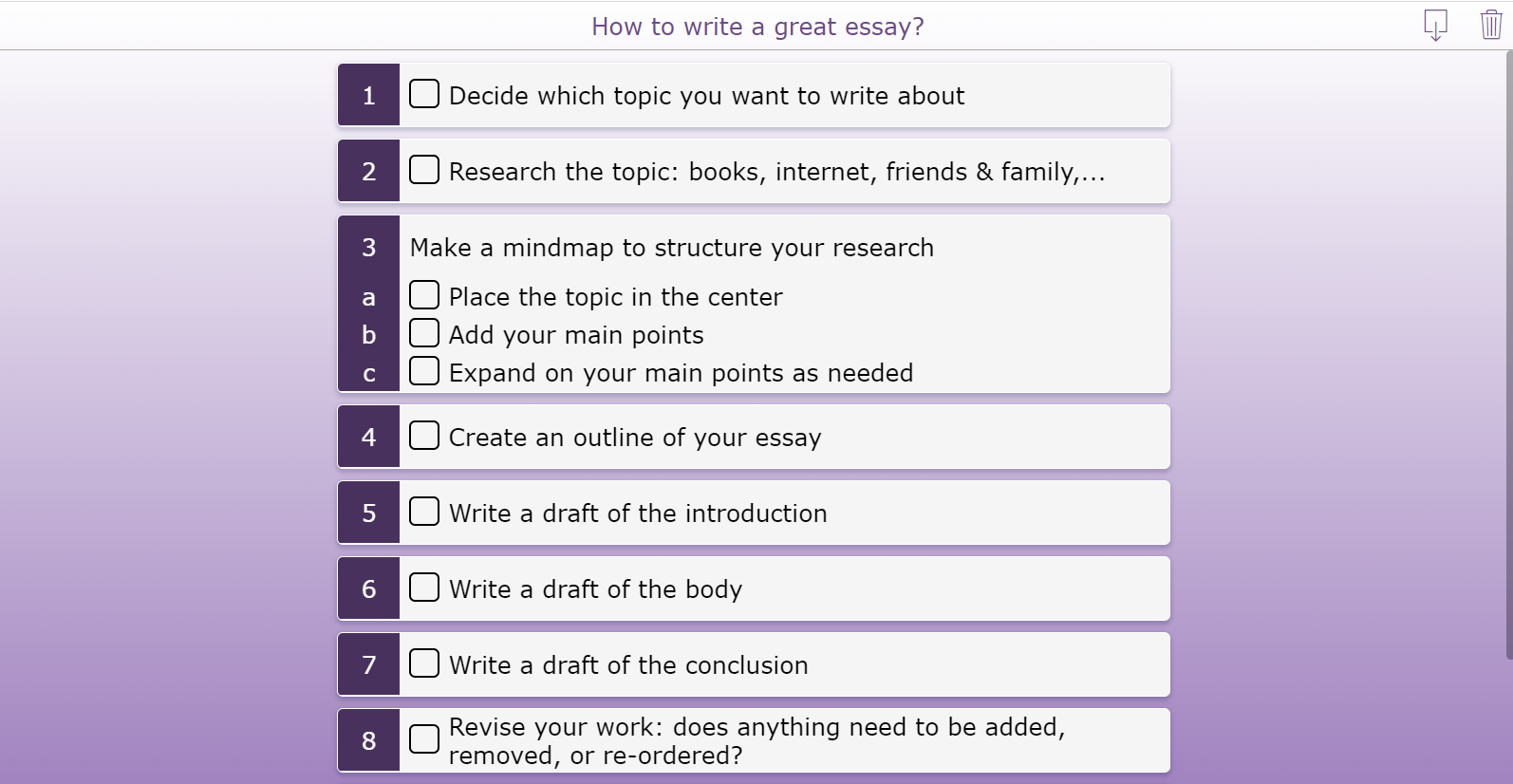
1. Essay structure checklist
This checklist helps students organize their essay writing process step by step. Many students find essay writing challenging, but this widget provides a clear roadmap. Students can preview all the steps required to write a strong essay, start with the first step, and check off each item as they progress. This encourages planning, organization, and structured thinking throughout the writing process.
💡Pro Tip! When you share a checklist with students through your LMS, it automatically saves their progress. When they reopen the checklist, they’ll see which items they’ve already completed and what’s still left to do.
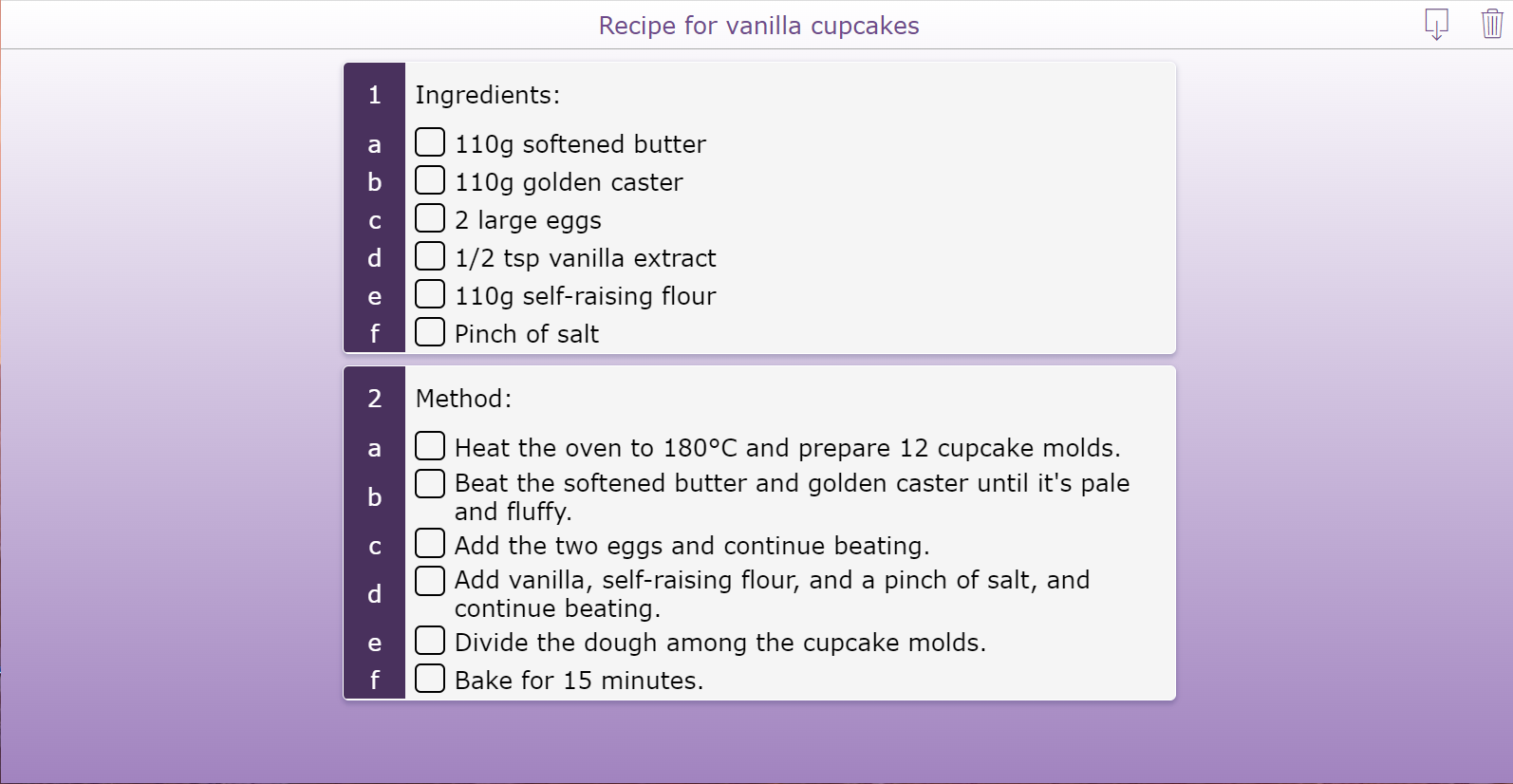
2. Baking vanilla cupcakes checklist
Are you looking for a fun activity to do with your students? Check out this Baking Vanilla Cupcakes widget. This checklist helps students follow a step-by-step process to complete a baking activity. Students can clearly see each stage of making vanilla cupcakes and work independently. Following instructions step by step is an important skill that supports structured thinking and planning. This checklist guides students through all the necessary steps to successfully bake cupcakes and prepares them to tackle other tasks using step-by-step problem-solving strategies.
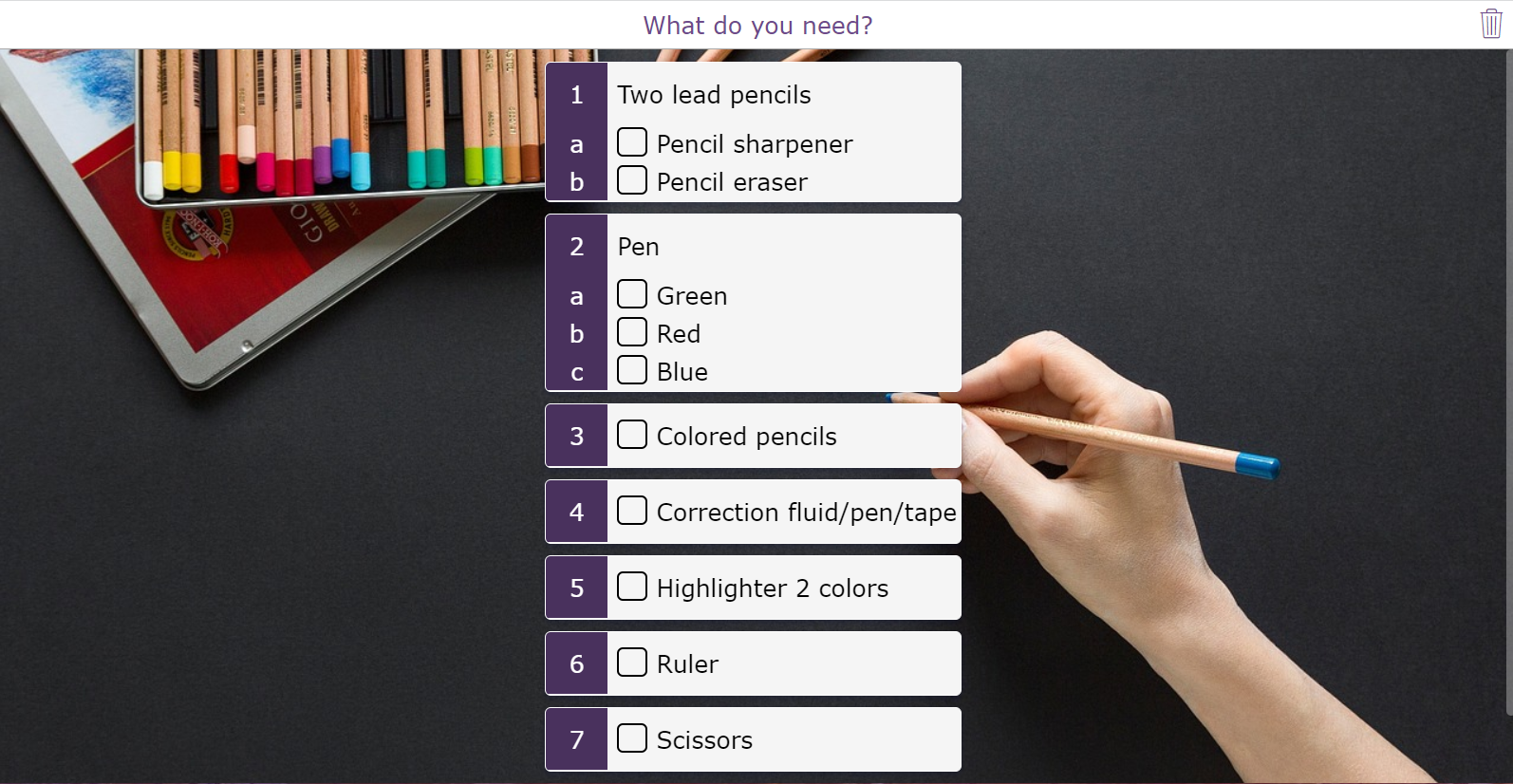
3. What to put in your pencil case checklist
Do you have students who forget their school supplies, or maybe that one student who always overpacks? This widget helps students organize their materials and develop good daily habits. Students can check if they have all the necessary tools for success in class each day and leave any items that don’t belong at home. You can apply the same approach to school bags to help students stay organized and maintain a clear overview of their materials.
4. Craft plan checklist
Is it time for some crafting? This activity guides students step by step on how to create an origami elephant. Students can follow each instruction and check off the steps as they complete them, helping them stay organized and focused throughout the activity. They can work independently, in groups, or follow your direction, giving you flexibility in how you structure the lesson.
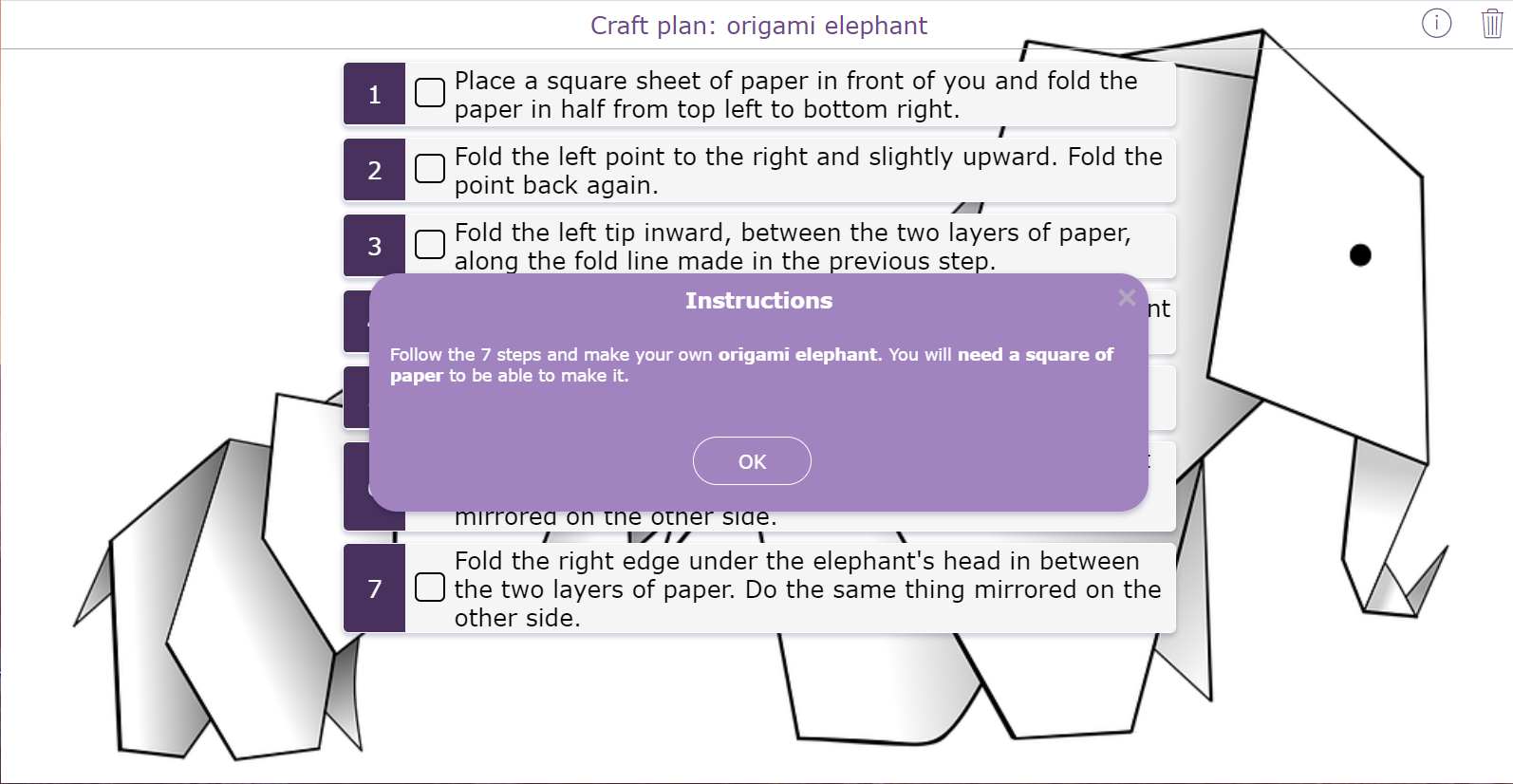
💡Pro Tip! Add a background image to the checklist so students can see the desired result and know what goal they are working toward.
5. Science experiment checklist
Most students know how to make slime, but few understand the science behind it. This lesson idea provides a step-by-step checklist for a fun slime experiment, allowing you to teach students about fluids, viscosity, and the properties of different materials. Simply start the experiment with your students, and they can follow each step, check them off as they go, and stay organized throughout the activity. This hands-on approach helps students explore scientific concepts.
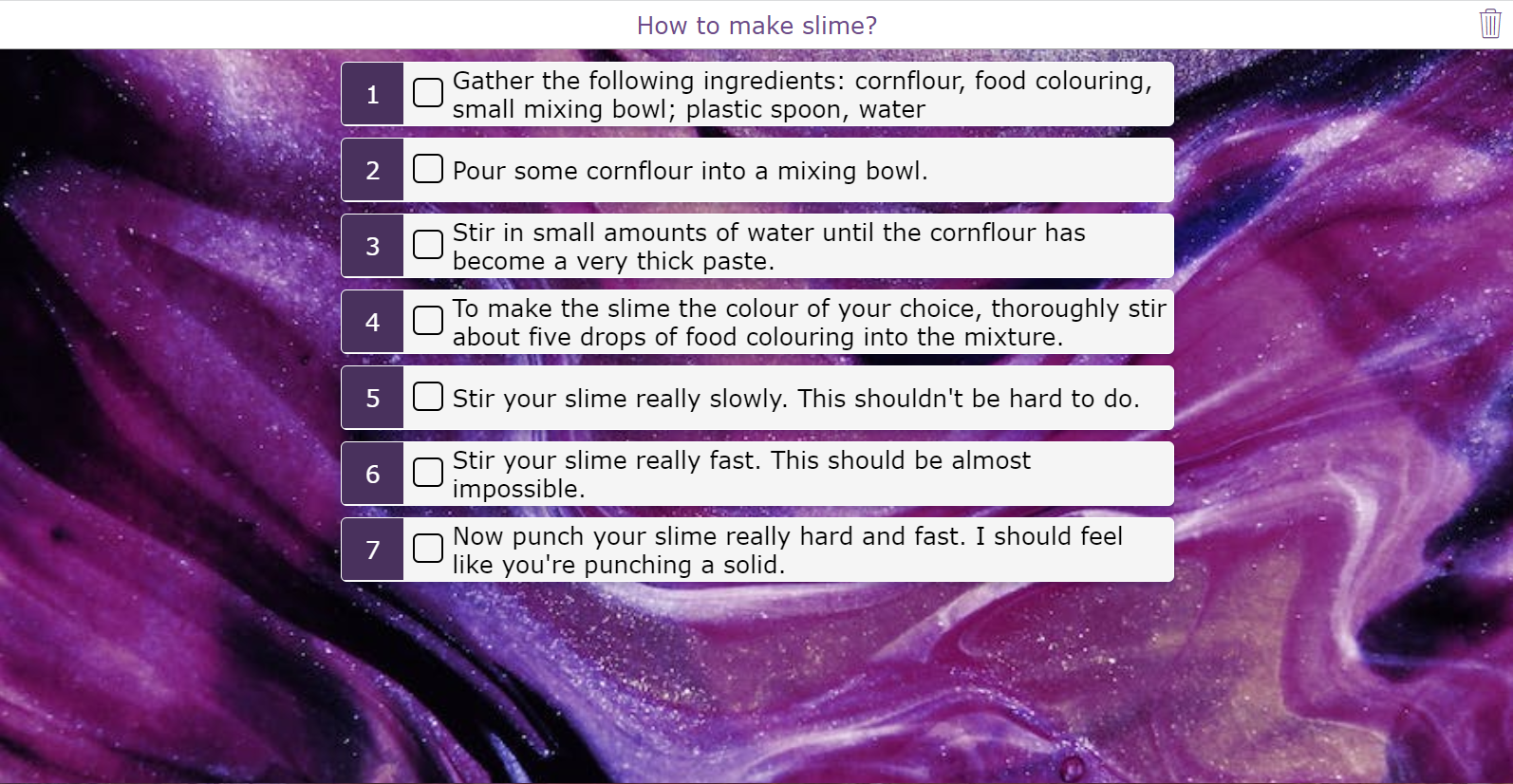
💡Pro Tip! For messy experiments, avoid having students check boxes digitally or with dirty hands. Instead, print the checklist so they can mark completed items with a pen or marker.
6. Fieldtrip checklist
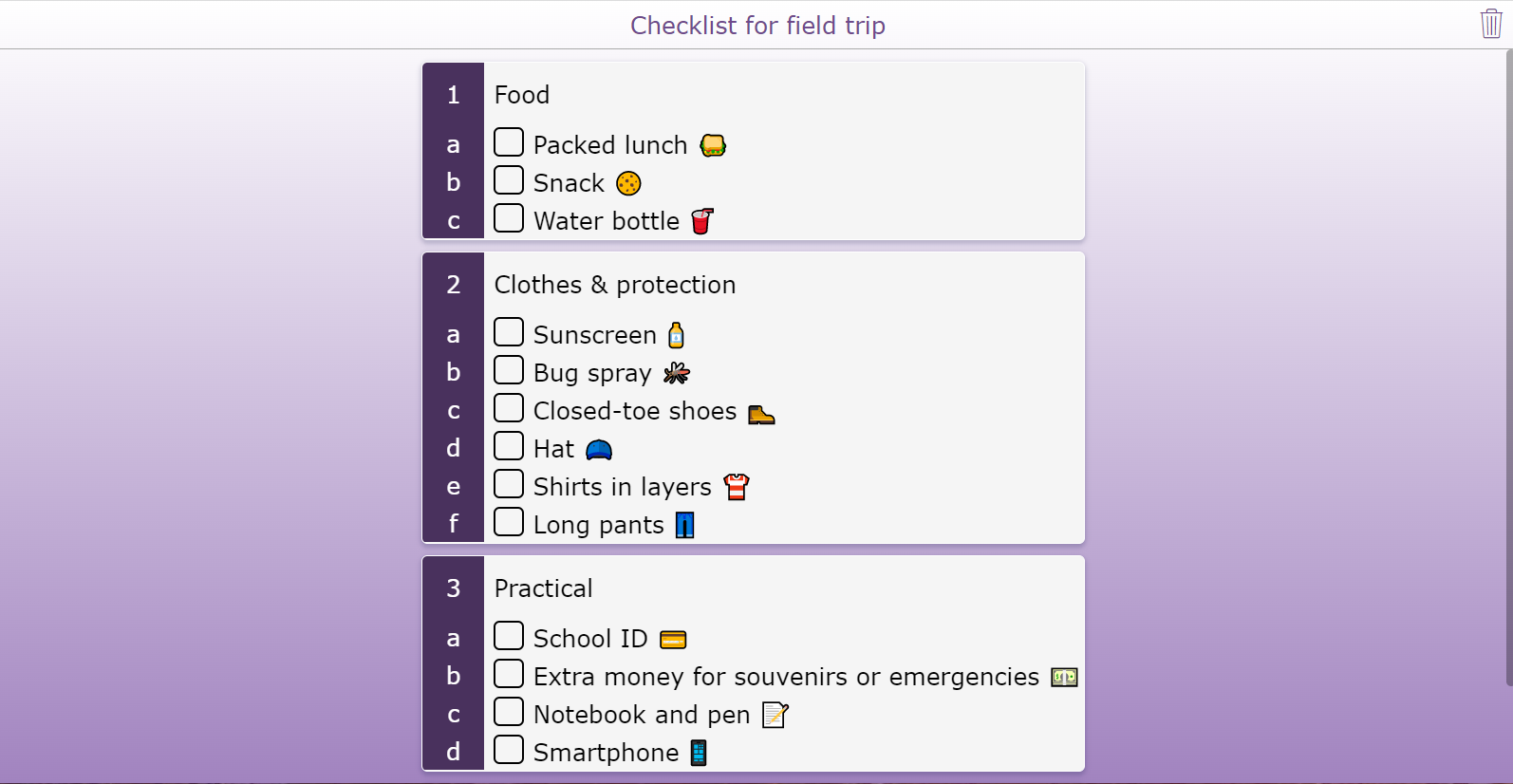
Everyone loves a field trip 🚌, but planning one can be stressful. With this checklist widget, you can create a step-by-step list of all the essentials so students know exactly what to bring and don’t have to worry about forgetting anything. As they pack their bags, students can check off each item, helping them stay organized and develop good planning habits.
7. Password checklist
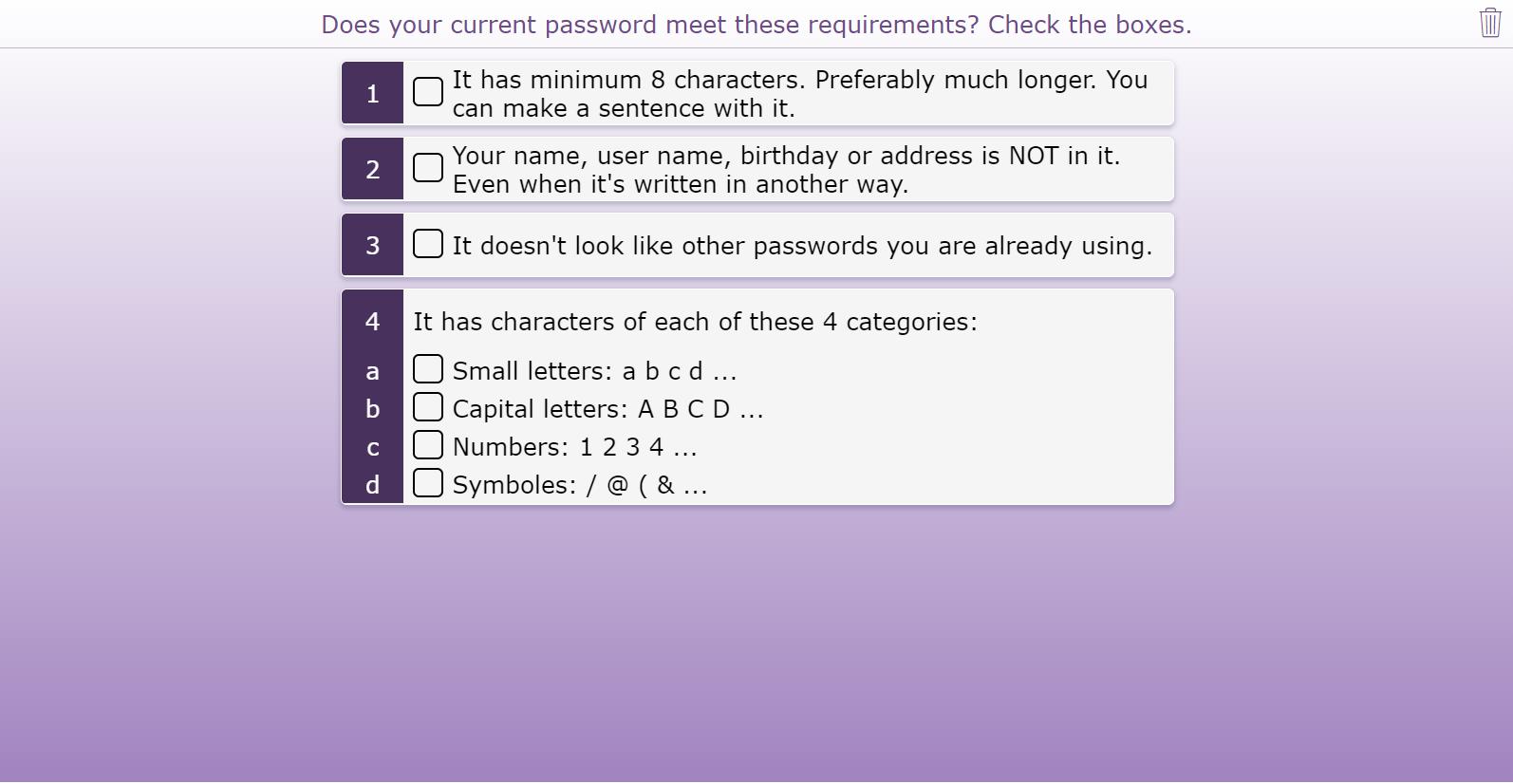
This activity guides students through a checklist for creating strong passwords. You can review each item together and ask students to check off every box to ensure their passwords meet the criteria. This not only helps students build good digital security habits but also sparks a structured discussion about online safety, passwords, and responsible use of technology.
Structure thinking with a Planner activity
 A planner is a document or tool that makes it easier for people to manage their plans. Using this digital planner activity, students can reorder tasks, remove tasks, choose new tasks from a fixed set and even come up with their own tasks. Using a planner online has never been easier. For each task, you can add an icon on the left and a colored bar on the right for the tasks. It can be used to give a sense of grouping or additional meaning.
💡Pro Tip! Watch this webinar to learn how to create your own digital planner, just like the examples below.
8. School morning routine planner
Help your students plan their ideal school morning routine and encourage them to try it out the next day. This digital planner activity teaches students how to prepare effectively by showing which tasks take more time and how to prioritize them. For students with special needs, having a clear morning routine can be especially helpful.
You can also use this activity to compare and discuss the morning routines of different students, promoting reflection, planning skills, and independent thinking.
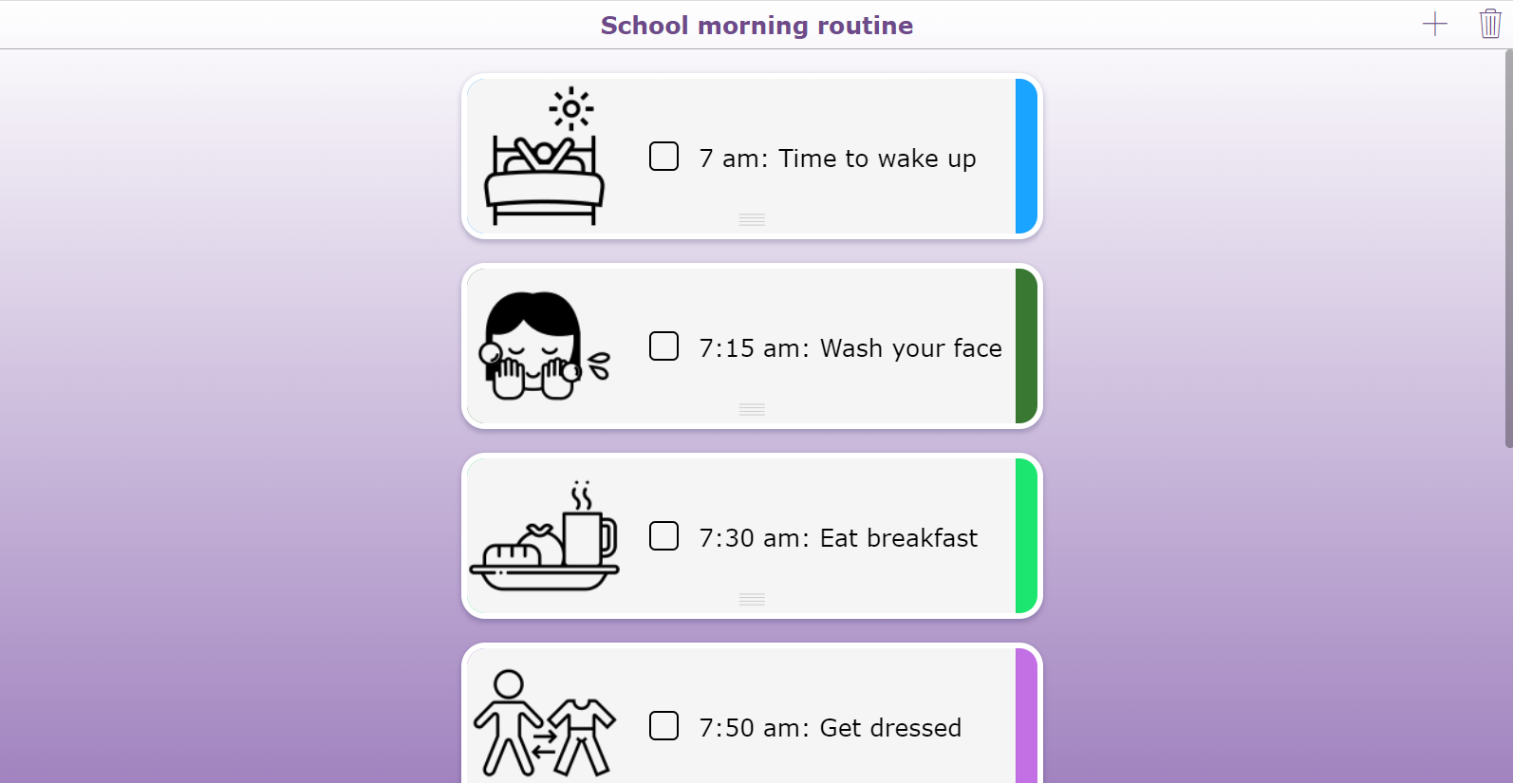
💡Pro Tip! Start with an empty planner and let students choose from the tasks in the + menu. This makes the planners even more personal to your students, and they have to structure their own thinking instead of you doing it for them.
9. Schoolday planner
Starting the school day is easier when students know what to expect. This schoolday planner helps provide structure for students, especially those who benefit from a clear routine. The example shown is designed for kindergarten but can be adapted for any age group. When you open the widget, you’ll notice the use of colors 🌈, which give students a clear overview of morning and afternoon activities.
In kindergarten, projecting the planner on a big screen throughout the day helps toddlers understand what is happening, what they have already done, and allows you, the teacher, to check off tasks in real time.
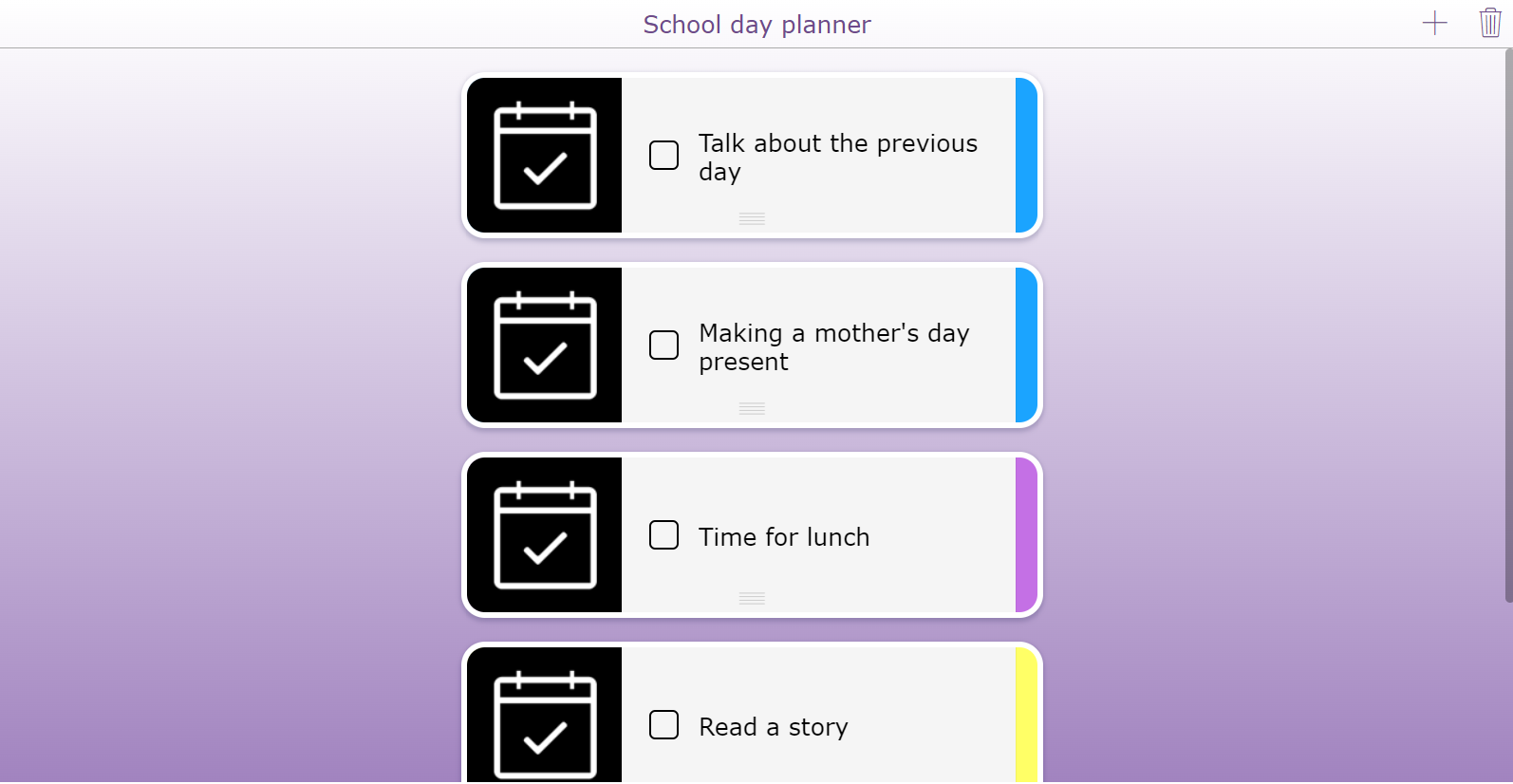
💡Pro Tip! Use consistent colors and familiar icons to represent different categories of tasks or activities.
10. Choice board planner
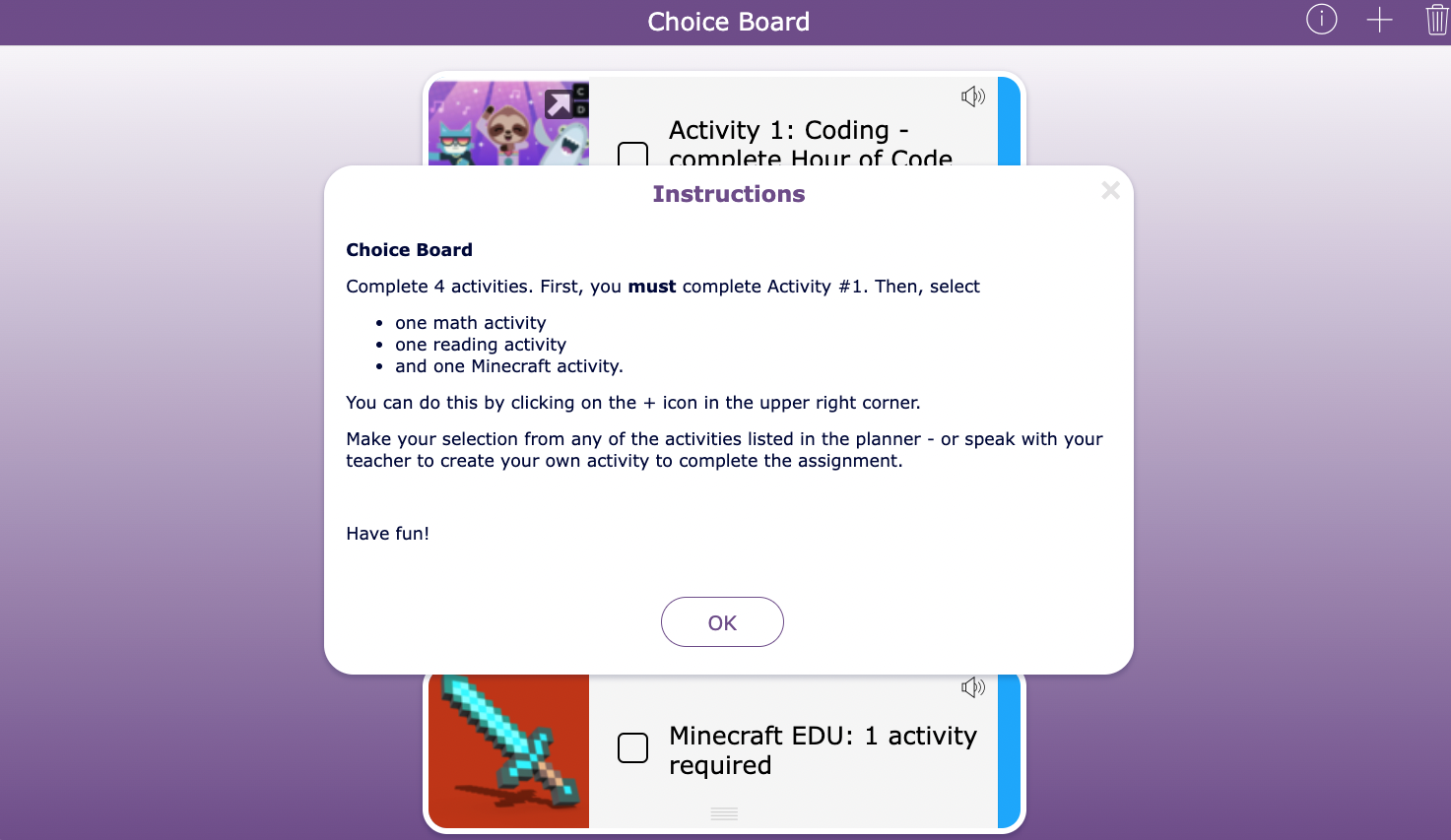
Let students take control of their learning by choosing the activities they want to complete. This planner increases engagement and motivation by allowing students to explore tasks based on their interests, a method known as differentiating instruction. You can “freeze” essential tasks that all students must complete, while giving them the freedom to select other activities themselves. This approach encourages decision-making, planning, and independent thinking, while still providing structure and guidance from you, the teacher.
11. Study planner - Spaced practicing
Help your students study effectively by planning and organizing their topics. When preparing for finals or a major exam, even a single course can have a lot of material to cover. This study planner allows students to schedule topics and distribute their practice over time, using a method called spaced practice. Spaced practice is a proven learning technique that improves memory retention and helps students study more efficiently. By planning their study sessions, students can manage their workload, stay organized, and make the most of their study time.
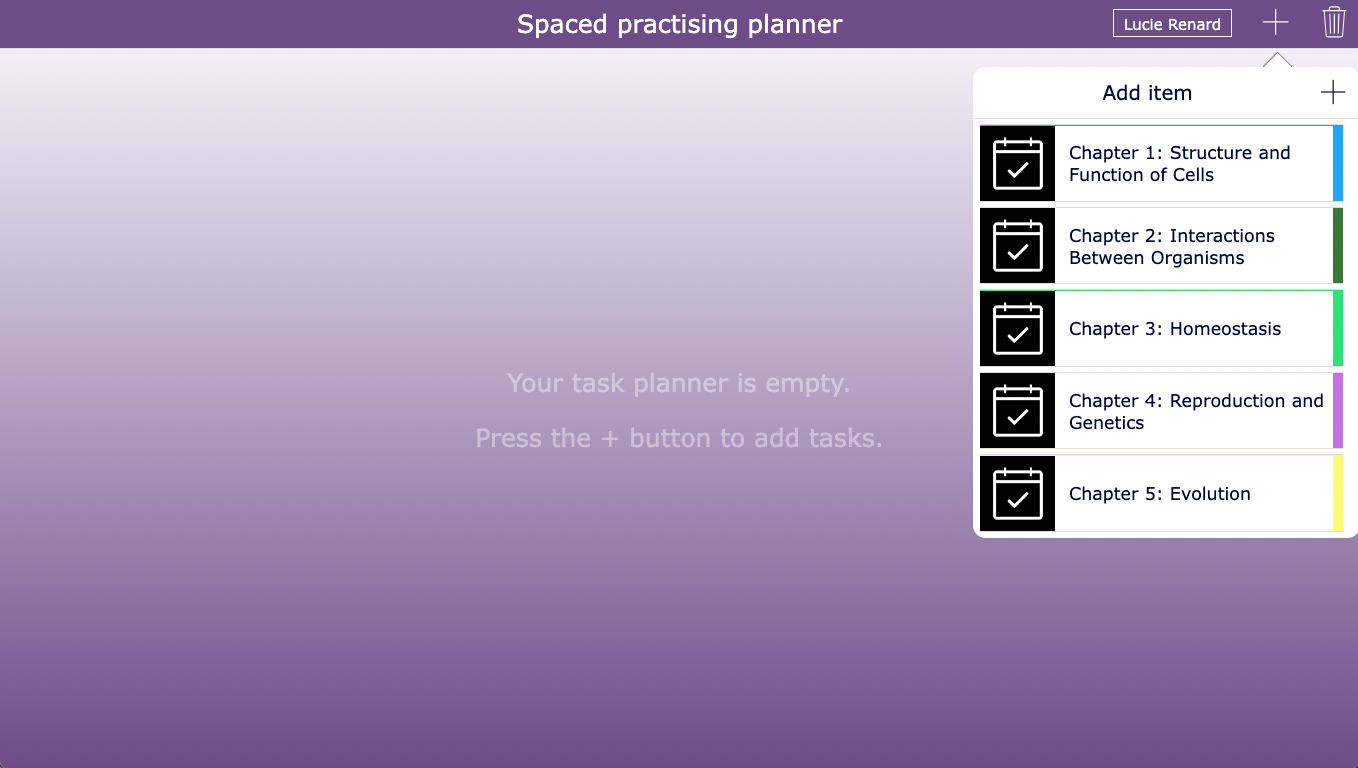
💡Pro Tip! In this planner, students can add additional study materials to the topics you have set for your course. Using the + menu, they can expand their study plan and create a personalized schedule.
12. Reading comprehension planner
Make book reports more engaging with this reading comprehension planner. With clear instructions, students can choose assignments that match their interests, increasing motivation and ownership of their learning. As they complete each task, students can tick them off in their planner, helping them track their progress.
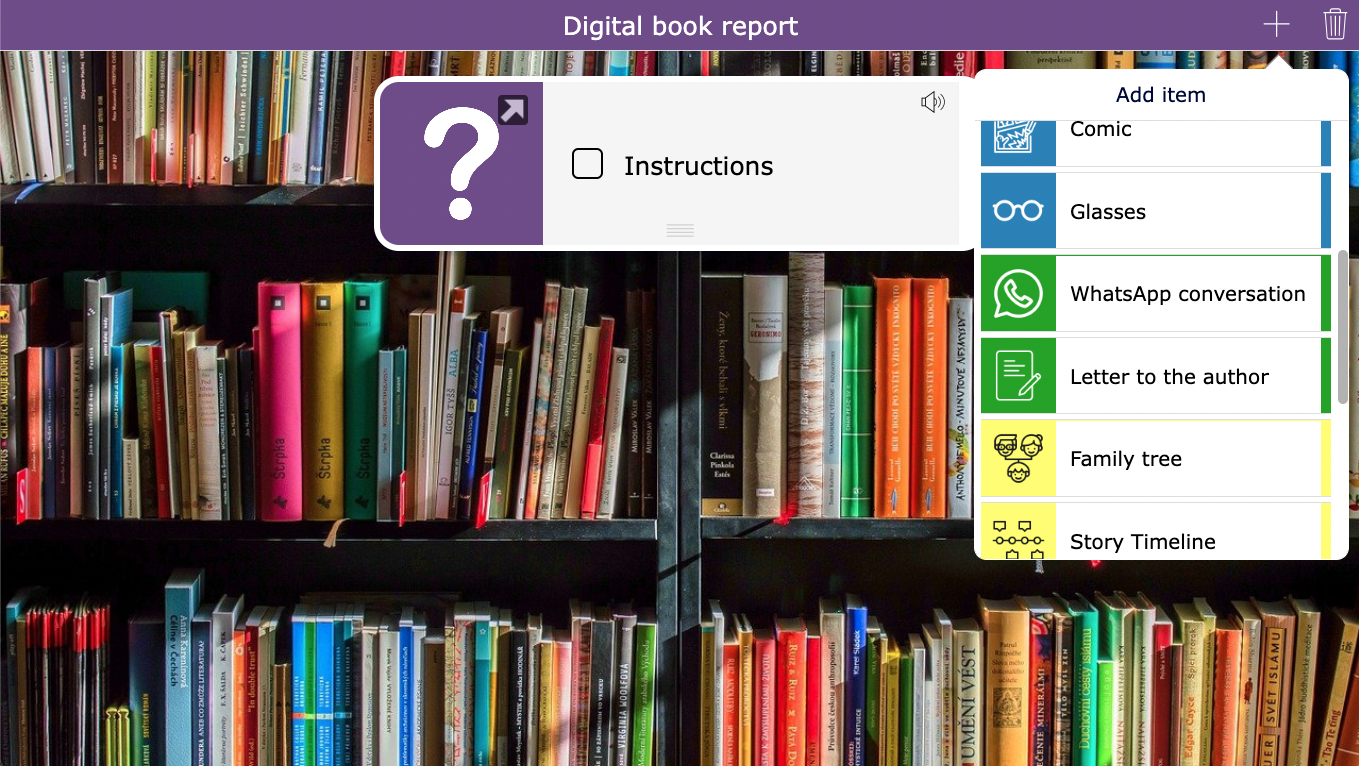
💡Pro Tip! Link each task to an interactive assignment or BookWidgets widget to keep everything in one digital place. Students can return to their planner at any time using the “Go back” button, which you can enable via the “Go back label” setting.
13. Personalized learning plan
Every student learns at their own pace, and personalized planners can help meet their individual needs. With this activity, you can create customized learning plans for each student, allowing them to focus on the exercises most relevant to their level and interests. For example, in this math learning plan, links to other widgets are included to make it easy for students to find exercises and practice independently. While you don’t need to indicate each student’s level, this example demonstrates how a personalized learning plan can support differentiated instruction, student engagement, and independent learning.
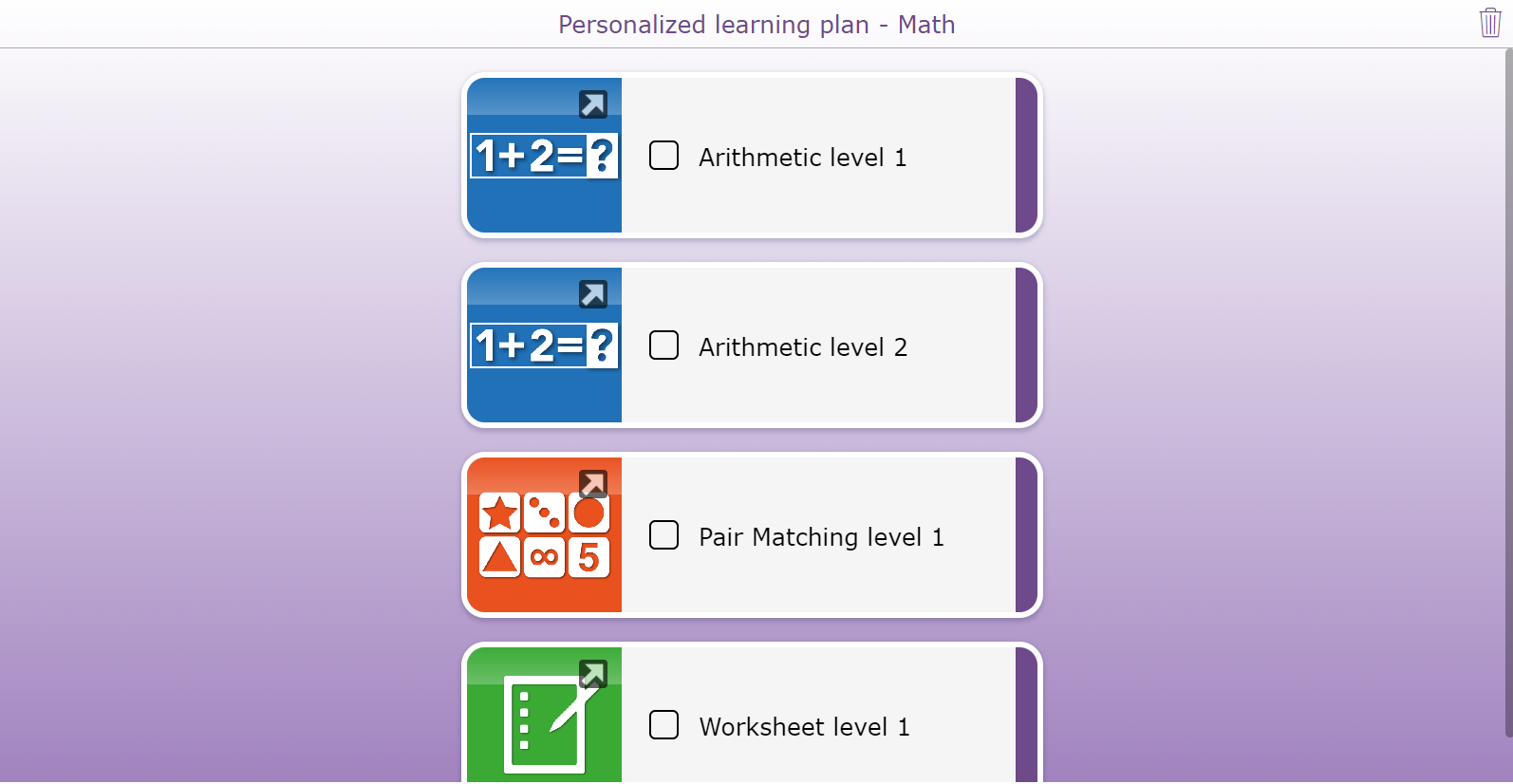
💡Pro Tip! It’s easy to duplicate a planner in BookWidgets and adjust the tasks for different levels. This allows you to quickly create personalized versions of the same planner for differentiated learning.
14. Awareness days planner
Teach your students about important awareness days, like World Oceans Day, in an engaging way. Instead of a traditional presentation, use this planner widget to combine providing information with keeping students active and involved. In this example, we’ve included links to other widgets to make it easy for students to explore related content.
Open the widget to see our interactive World Oceans Day planner and get ideas for how to make learning about awareness days hands-on and meaningful. 👇
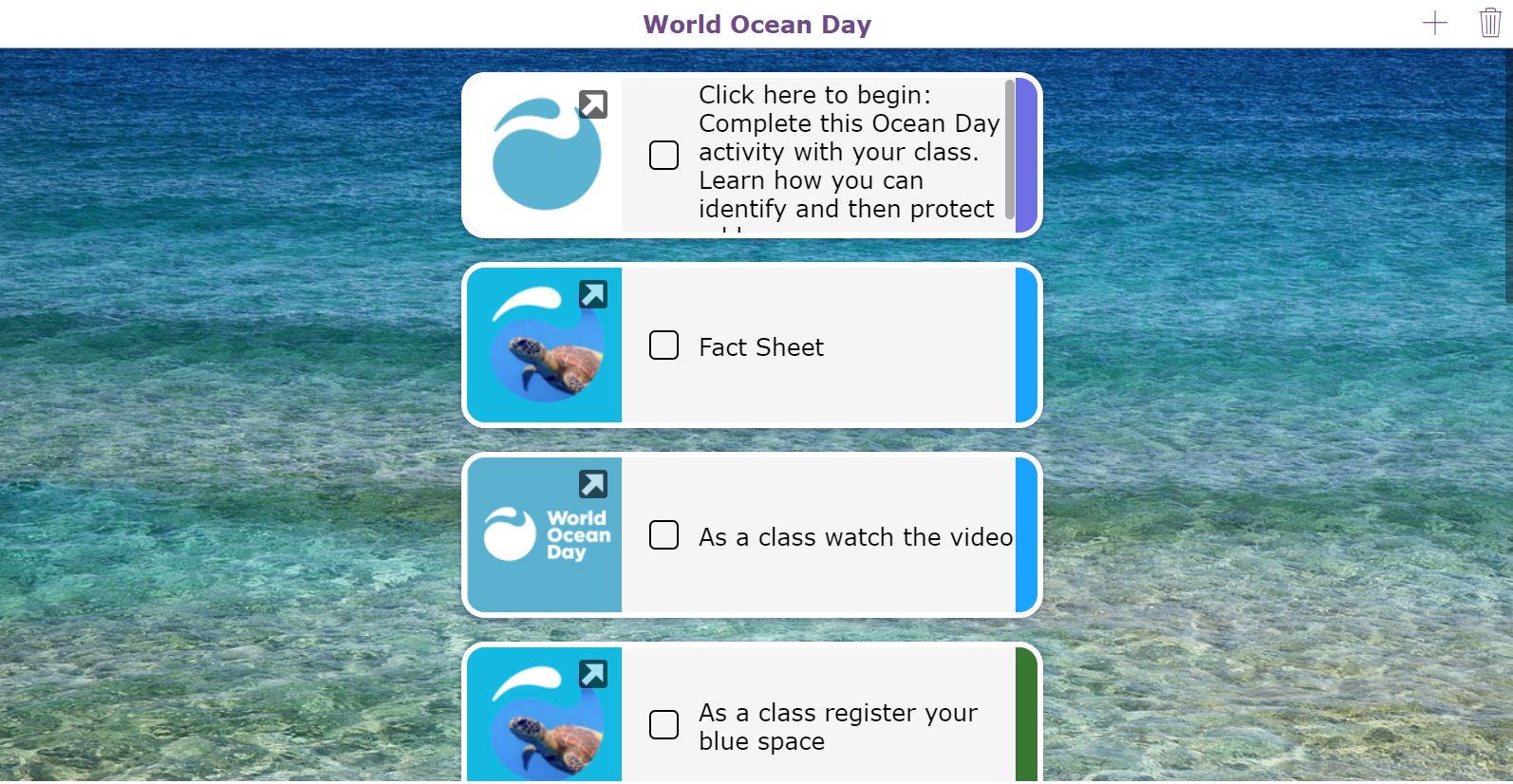
💡Pro Tip! Freeze your planner to disable the + menu and keep the activity fully structured. Students then follow the lesson step by step and check off each completed part.
15. Digital bucket list - Holiday planner
Help students make the most of their breaks with this digital bucket list planner. Students can plan how they will spend their free time by choosing five activities from a pre-set task list using the "+" icon in the upper right corner. Encourage students to take pictures while completing activities so you can see evidence of their learning.
Using a digital holiday planner has several benefits:
- It inspires students to try activities they might not have considered.
- It supports parents in finding fun, structured ways to spend time with their children.
- You can assign meaningful activities that teach new skills or lessons (without the students even realizing it 😄)
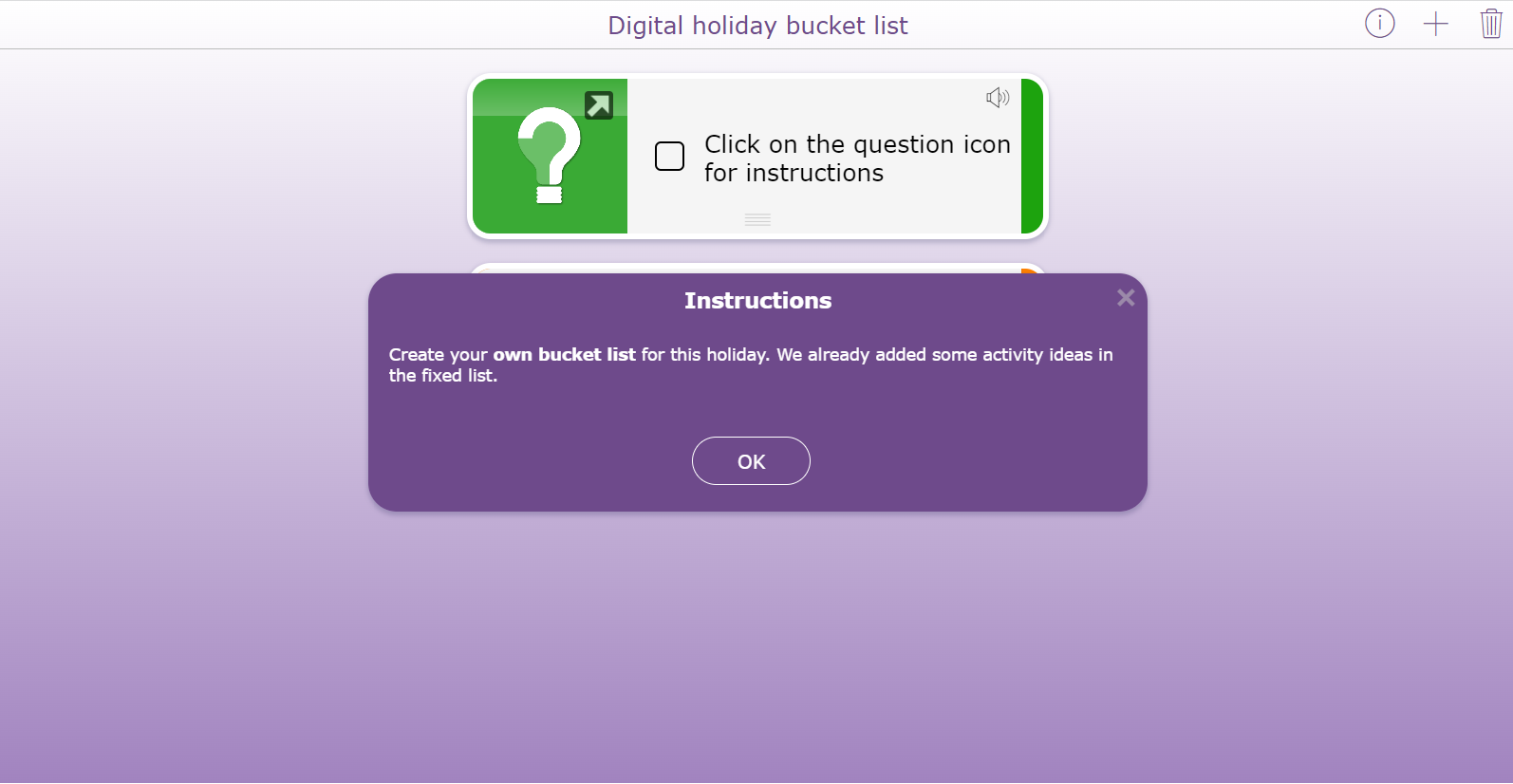
💡Pro Tip! In the example above, we used a text question type from a Quiz widget behind an instructions task in the planner. This allows you to provide more detailed instructions and also gives you the option to add audio for additional support.
Structure thinking with a Mind Map
 The Mind Map widget helps students organize their thinking visually. Students can use it to take notes, brainstorm ideas, and solve problems. With flexible design options such as colors, shapes, and connections, they can structure their thoughts around any topic in a way that makes sense to them. The best part? It’s very easy for students to use and takes teachers only about a minute to set up.
Check out these mind map examples to see how it can support structured thinking in your classroom.
16. My hobbies mind map
Kick off the school year with a fun icebreaker activity using the Mind Map widget. Every student has a hobby, and it doesn’t need to be a sport. They can share any activity they enjoy in their free time. Students can add information to the Mind Map widget and explain why they love that activity. Encourage them to find classmates who share the same interests, which can help them connect and build friendships.
I’ve created a small example for this idea, which you can see in the image below. 👇
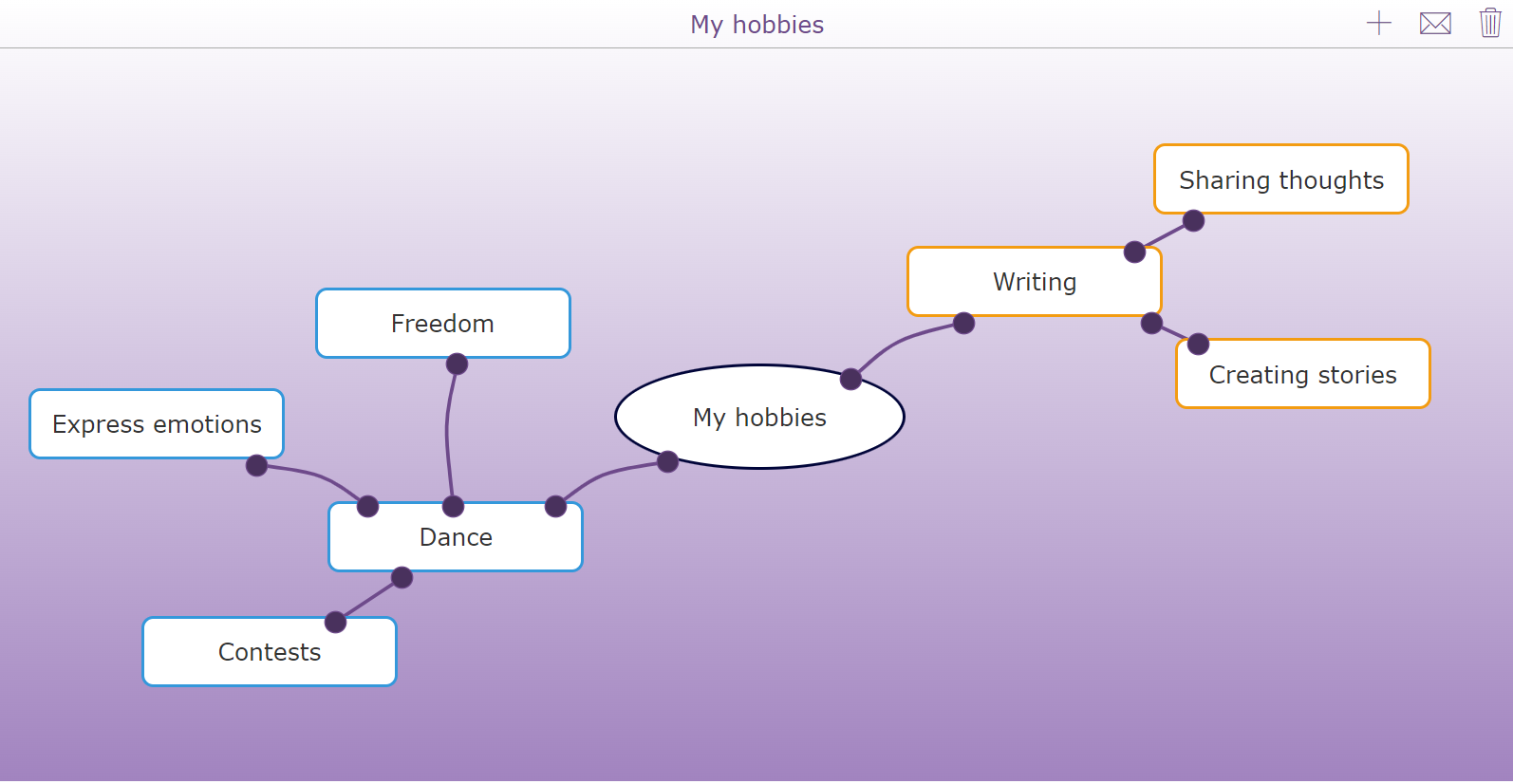
💡Pro Tip! If you want your students to save their mind map, enable the "Download" option. When your students are done, they can download their finished brainstorming mind map and keep it for later.
17. Word association mind map
Instead of teaching a topic, let students demonstrate what they already know with a word association activity using the Mind Map widget. Give them a word and ask them to write down everything they associate with it. For example, in the mind map activity below, the word “winter” ❄️ was used. When students receive this activity, they start with a blank mind map.
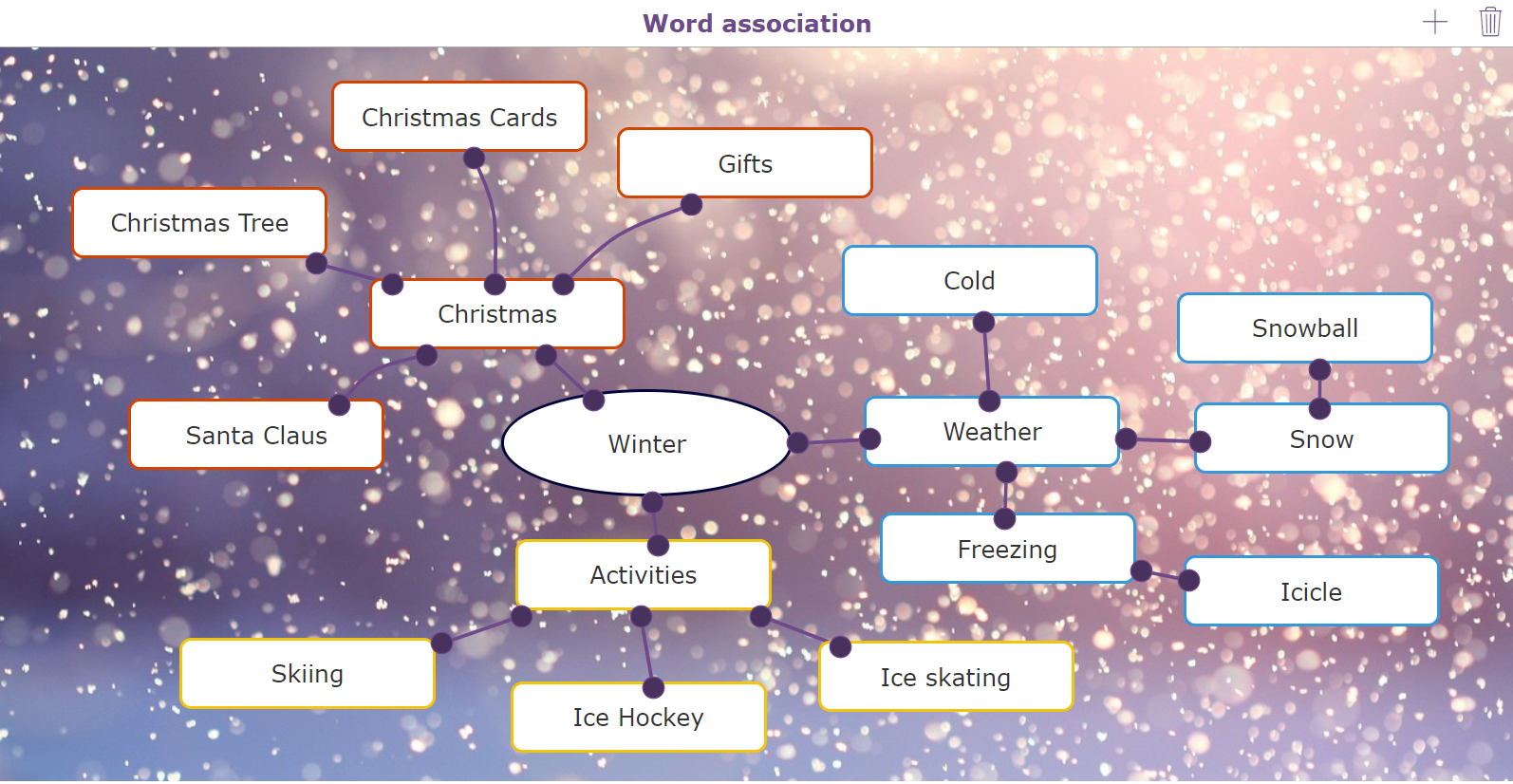
💡Pro Tip! There are two ways for students to add items to the Mind Map. They can click the + icon in the upper right corner or double-click anywhere on the Mind Map.
18. Brainstorm mind map
Prepare your students for presentations by letting them brainstorm. Give students a topic to research and have them add the most important points into the Mind Map widget. They can break the main idea into smaller subtopics and explore each in more detail. Later, creating a presentation becomes much easier because students already have an organized outline in their mind map. This activity supports their research process.
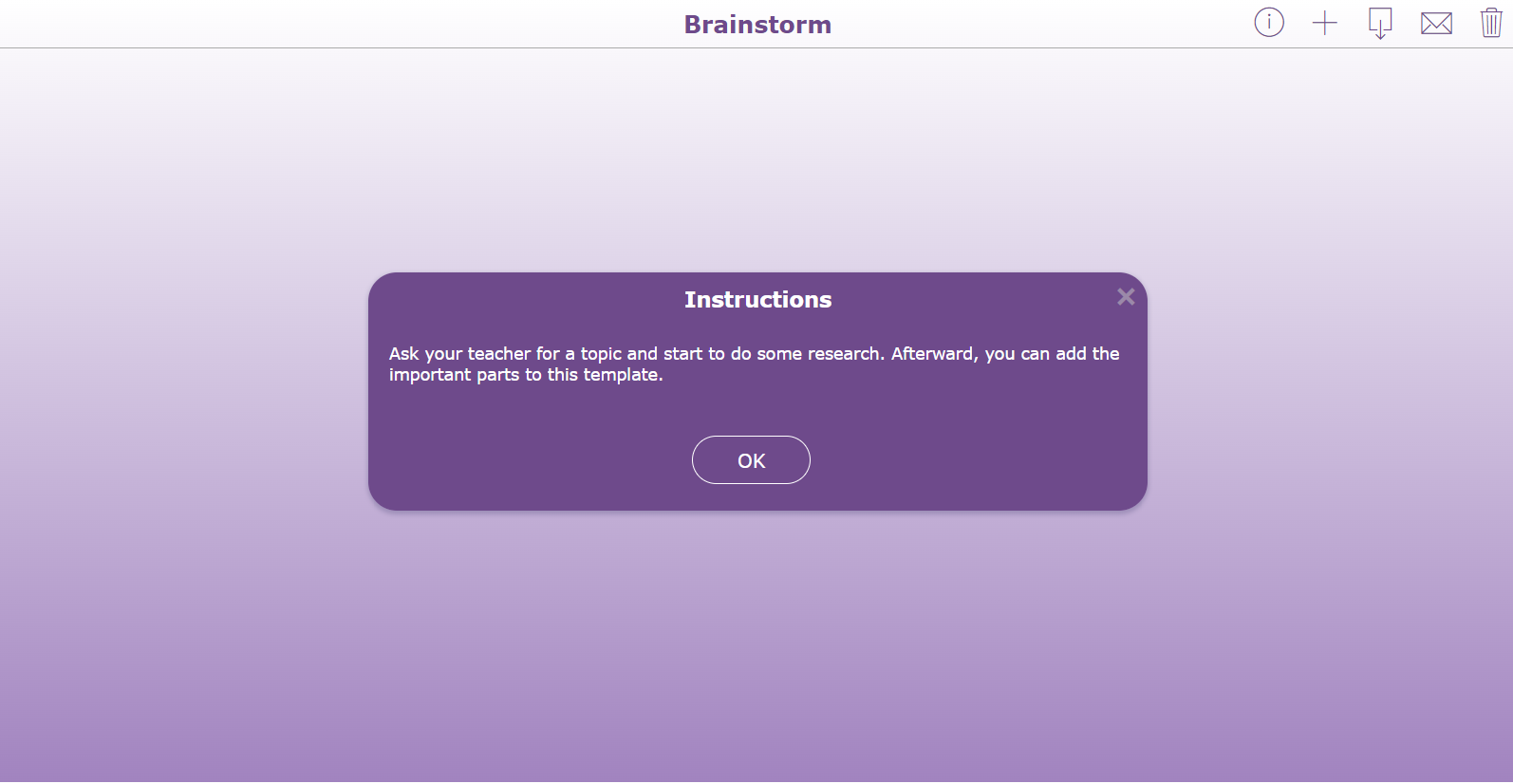
💡Pro Tip! In this activity, students choose their own topic to start the Mind Map. You can leave it blank so they can fill it in themselves or add instructions like in this example to clearly guide their work.
19. Book review mind map
Memorizing key parts of a story before writing a book report can be challenging, but this digital mind map allows students to jot down essential plot elements, such as characterization, rising action, climax, or their opinions about events in the story. When students finish the book, they can refer back to their mind map to quickly recall the most important elements.
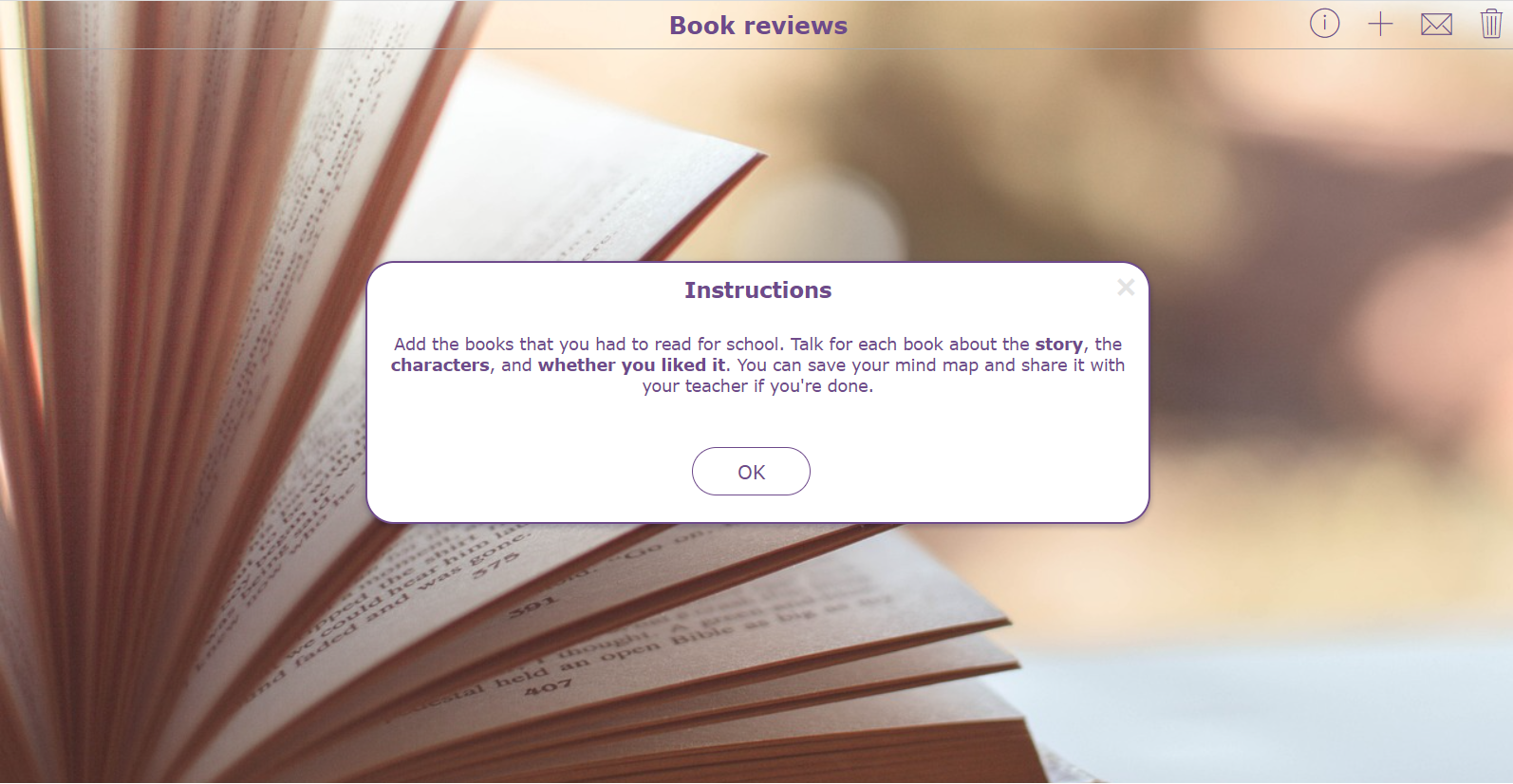
💡Pro Tip! Add clear instructions so students know exactly what to do. If your Mind Map does not follow a familiar structure, it can also help to include an example image of the exercise so students understand it more easily.
20. Introduction game mind map
Start the school year with a fun and interactive introduction activity using this Mind Map. Add as many topics as you like, and have students write keywords with information about themselves. They can even personalize their mind maps with their favorite colors. Once everyone is ready, students can present their mind maps to the class, promoting engagement, self-expression, and a fun way to get to know one another.
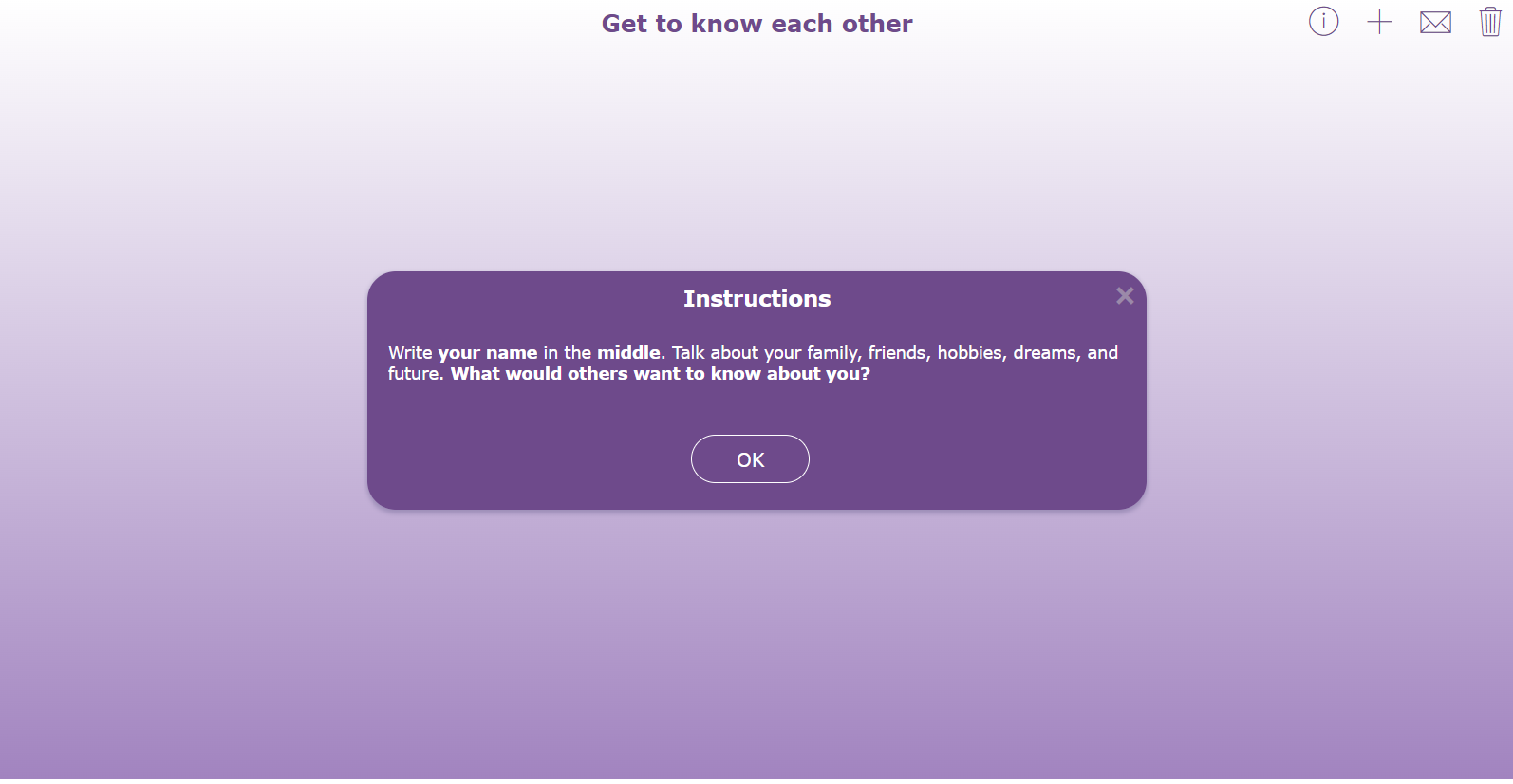
💡Pro Tip! When you share a Mind Map widget through an LMS, you can track student progress in real time. This allows you to monitor how students are working through the activity and quickly identify those who may need extra help or inspiration.
21. Classroom rules mind map
Engage your students in creating classroom rules using a Mind Map. Ask students to write down what they like about the current rules, what could be improved, and what they think doesn’t work. Encourage them to add new ideas, even if they seem unconventional. Once finished, students can submit their mind maps, and you can review them. Then, create a final Mind Map with all the classroom rules based on their input. Print and display it in your classroom as a clear, shared reference that reminds everyone of the agreed-upon rules.
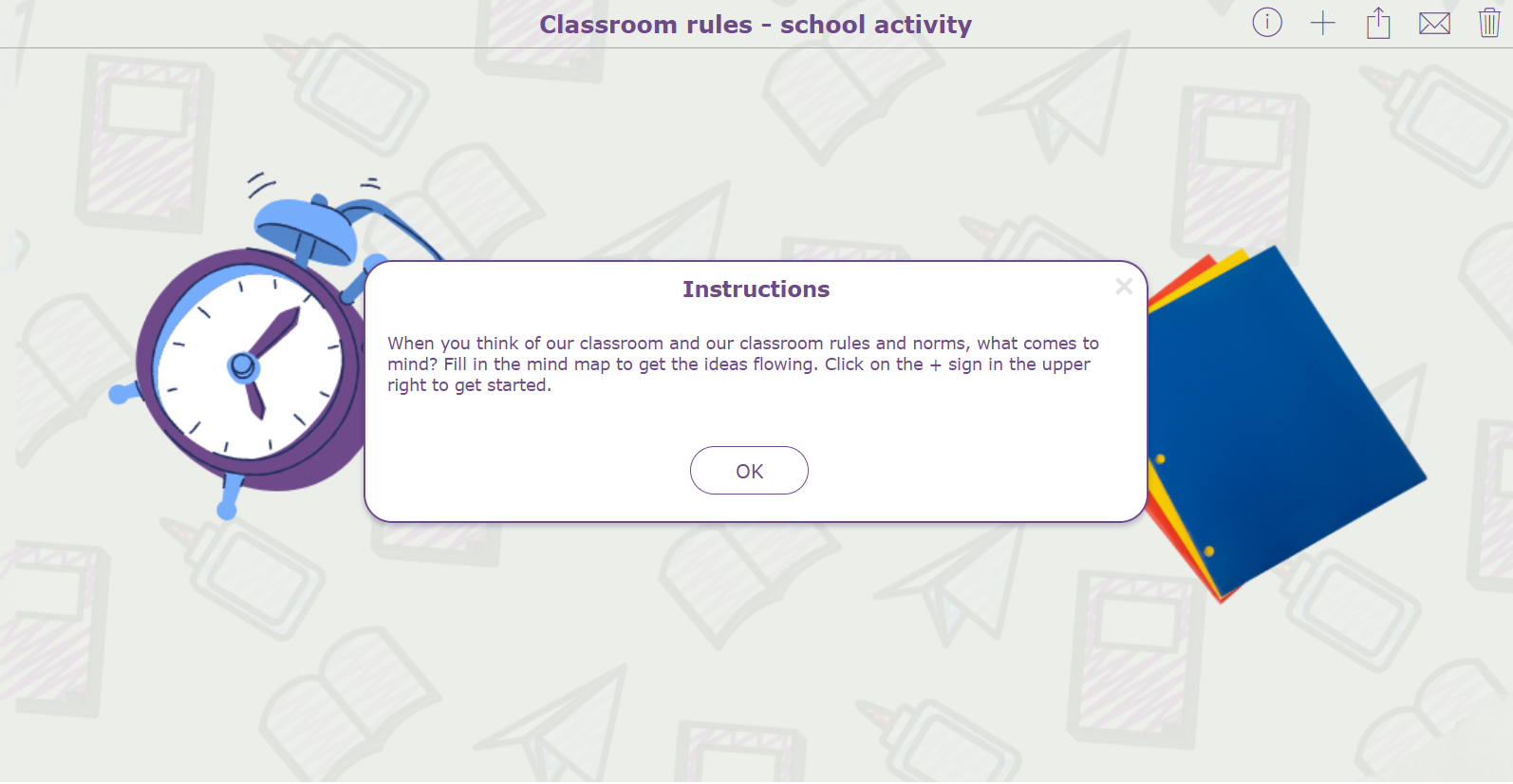
💡Pro Tip! In the Mind Map widget, you can enable the “Submit” option so students can send their work to the teacher. This allows you to collect all answers in one place and provide feedback afterwards.
22. Start the conversation
Foster meaningful classroom discussions with this activity. As a teacher, it’s important to create a safe environment where students feel encouraged to share their thoughts. Use this Mind Map idea to guide discussions on topics like bullying or respect. Students can take turns sharing verbally or writing down what the topic means to them. As a next step, collaborate as a class to create rules or agreements related to the topic. For example, when discussing respect, ask students how they can make others feel respected in their daily interactions.
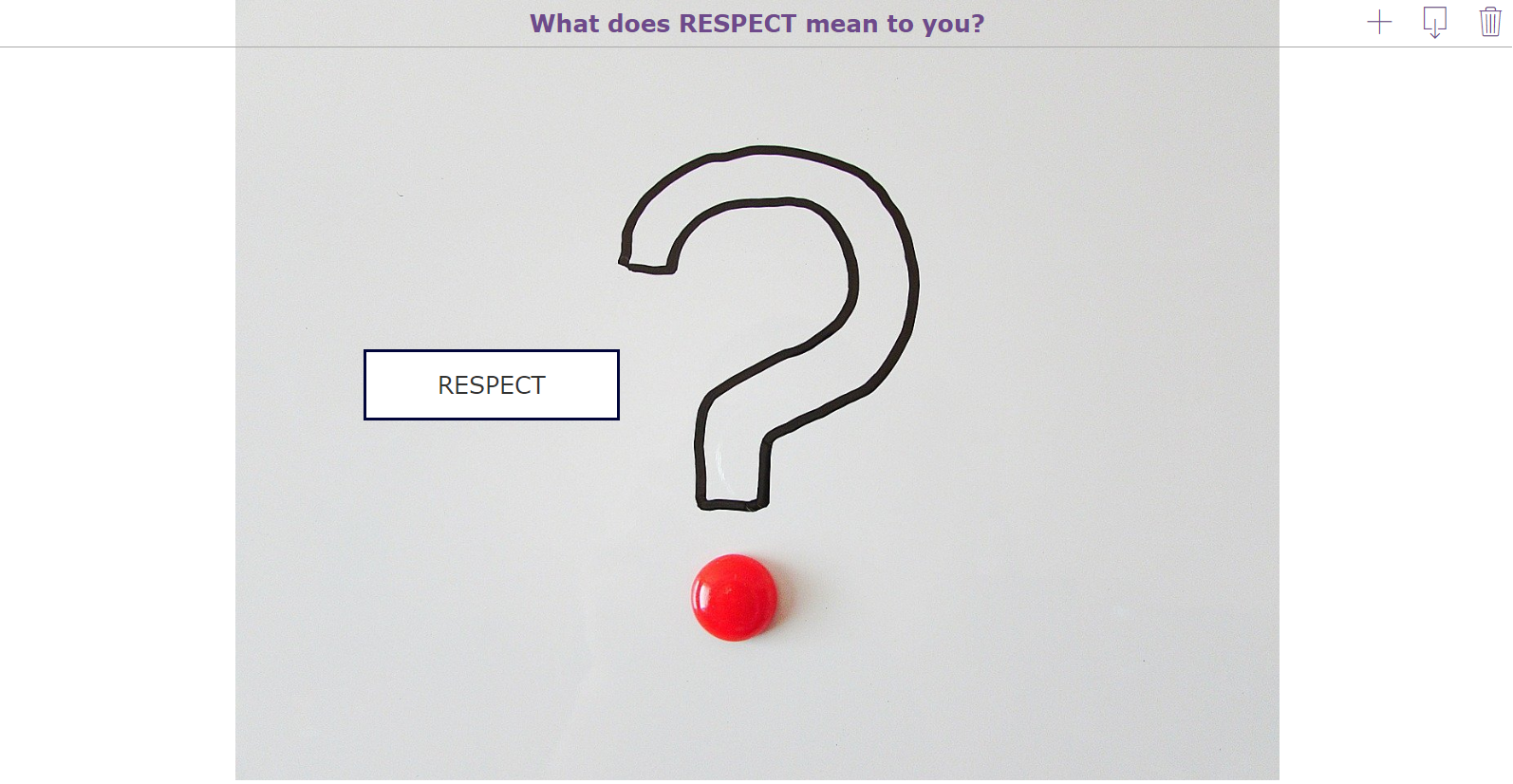
💡Pro Tip! Instead of sharing a Mind Map with students individually, you can project it on your interactive classroom board. Let students come to the front of the class to add new connections and words to the Mind Map.
23. Summarize the lesson
Help students consolidate their learning with a Mind Map to summarize the lesson. At the end of class, give students a few minutes to reflect on what they’ve learned by adding key points, ideas, or concepts from the lesson into a Mind Map. This reflection helps students process the material, retain information longer, and visually organize their understanding of the topic.
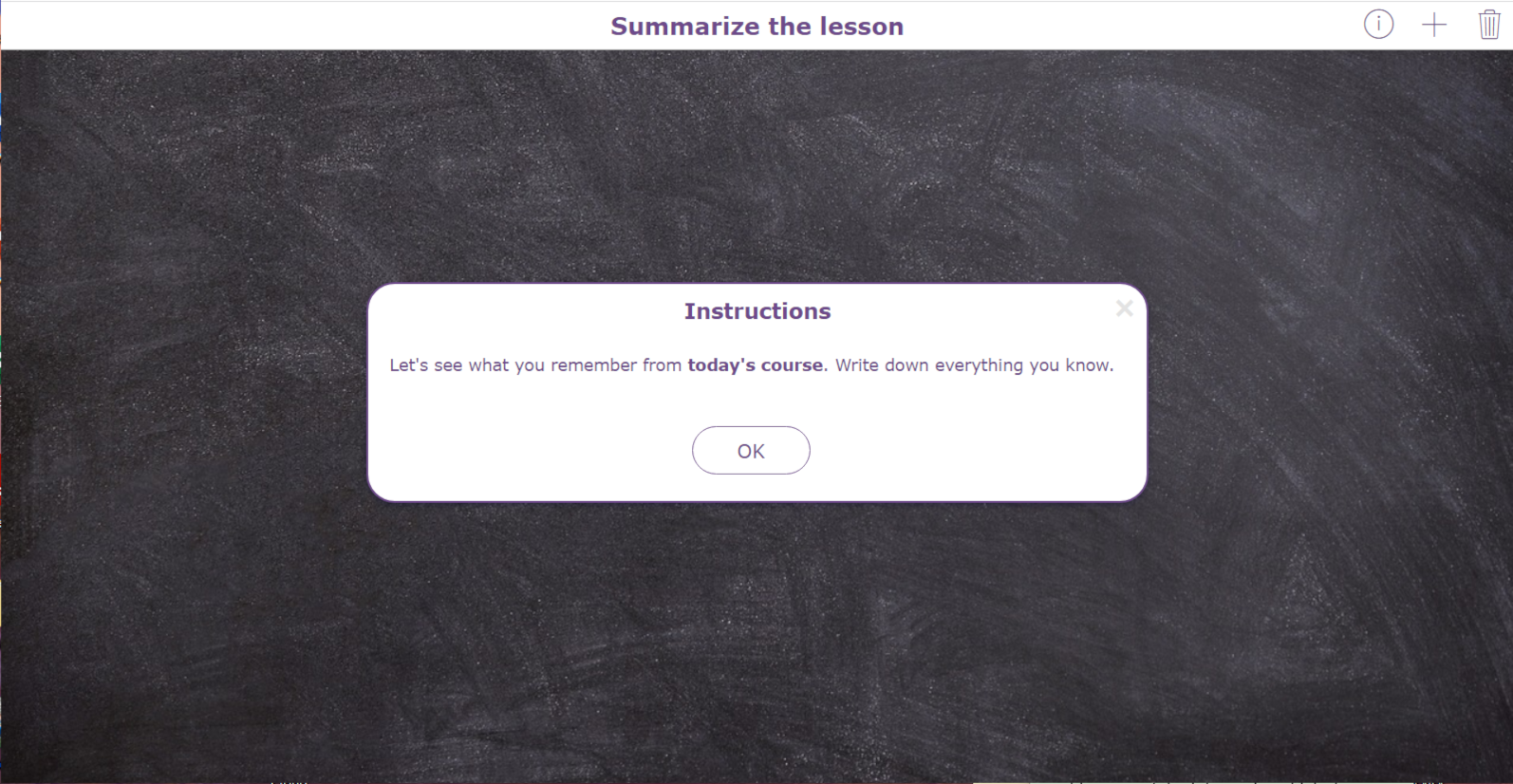
💡 Pro Tip! Once everyone has finished, share your version of the Mind Map. This helps students identify key points, compare ideas, and reinforce the most important concepts.
5 more ways to bring structure to your students’ thinking
Structured thinking is not only important for solving problems. It also helps students stay calm and maintain a clear overview while working on assignments. Earlier, we explored three types of widgets that support structured thinking. BookWidgets offers many more widget types, and within these additional widgets, you will find even more ways to guide and organize your students’ thinking.
1. Text highlighting to track important words and concepts
With the Text Highlighting feature, students can engage directly with content by marking important parts of texts within widgets. This works in resources as well as in questions or instruction text, allowing students to identify key sentences, unfamiliar words, or essential details and maintain a clear overview as they work.
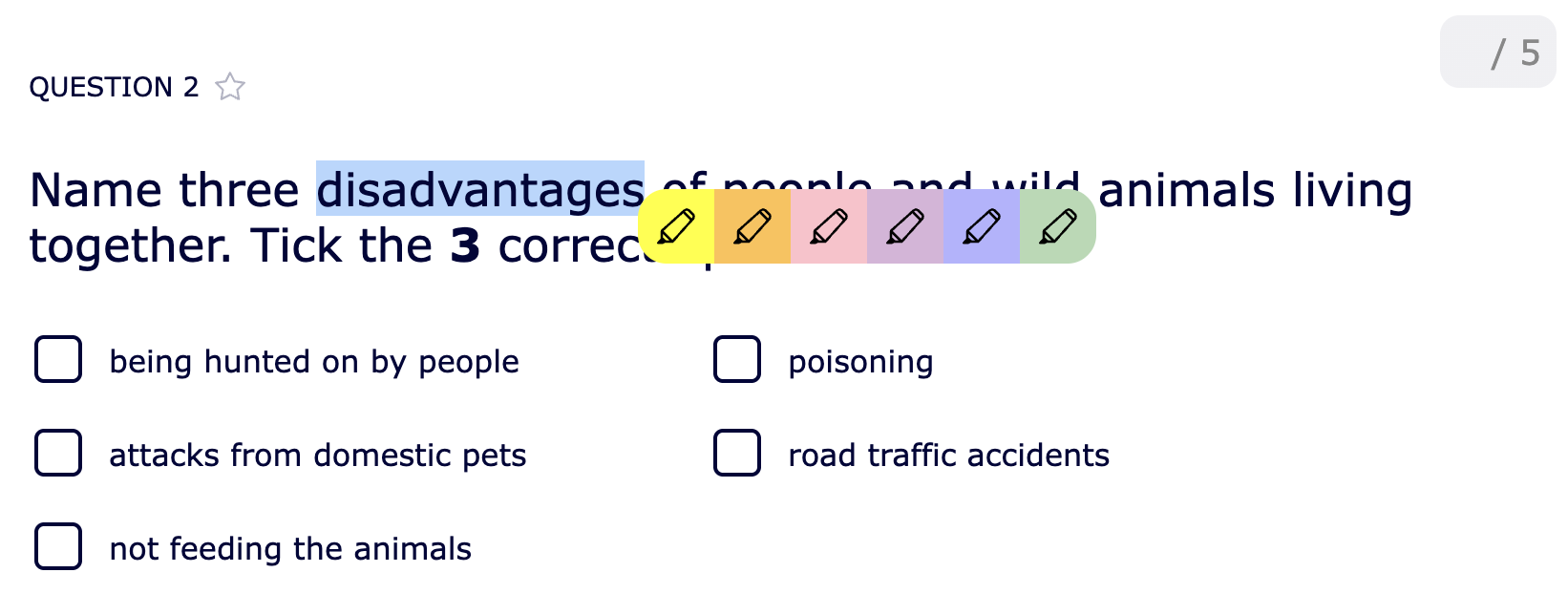
💡 Pro Tip! Text Highlighting can be turned on for every (Video) Quiz and (Split) Worksheet in the General tab > Text selection, highlighting, and text-to-speech.
2. Star questions to prioritize or review later
The “Star Questions” feature helps students stay organized and manage their thinking during quizzes or worksheets. By clicking the star icon next to a question, students can mark items they want to revisit later. This allows them to prioritize difficult or important questions and maintain a clear overview of their work.
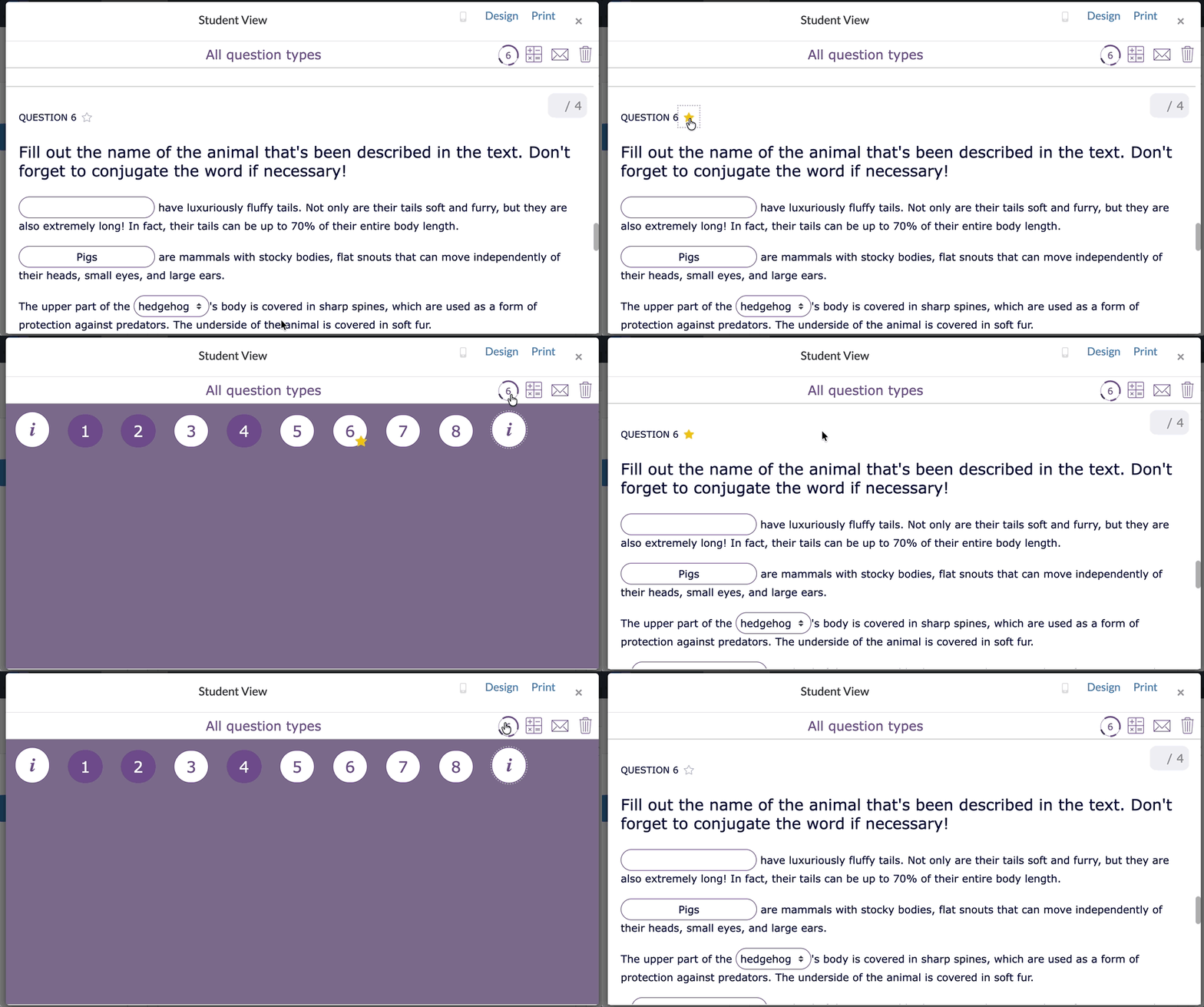
💡 Pro Tip! In every (video) quiz and (split) worksheet, the star questions feature is on by default and ready to use.
3. Scratchpad to capture student ideas and knowledge
The Scratchpad feature allows you to give students a space within a widget to organize their thoughts. Students can use it to write down the steps needed to solve a problem or to note everything they know about a topic. You can choose to enable the scratchpad for specific questions or for all the questions. This helps students plan their approach, structure their thinking, and maintain a clear overview as they work.

💡 Pro Tip! The Scratchpad is not graded, but it helps students record their thinking process and allows you to see it after submission. You can enable the Scratchpad in the General tab > Scratchpad.
4. Instructions to guide and support student learning
Each widget allows you to provide instructions that guide students through the activity. Instructions can be displayed as text, audio, video, or links to external resources. Students can revisit these instructions at any time by clicking the i‑icon in the top-right corner, helping them stay on track and maintain a clear overview as they work.

5. Question pages to organize your quiz and worksheet activities
With Question Pages, you can structure your quiz or (split) worksheet into sections. This helps you guide students step by step through the activity and creates more structure for your students while they are learning. You can group related questions on the same page and add multimedia resources such as text, images, audio, or video. These resources can be linked to specific question pages so they appear when students need them.

💡 Pro Tip! Learn more about question pages in this blog post, where you’ll discover how to create a structured multimedia quiz and explore ready-to-use example lessons. Prefer watching instead? You can follow a step-by-step video tutorial.
Wrap up
That’s a wrap! Structured thinking helps students stay focused, organized, and confident while learning. With BookWidgets, you can easily guide students through complex tasks and support their learning step by step using interactive and engaging activities.
Want to discover more ways to use BookWidgets in your classroom? Explore our blog post on student tools that are designed to boost learning and accessibility.
Follow us on Instagram, LinkedIn, X or Bluesky for inspiration and updates. You can also join the BookWidgets community on Facebook to connect with fellow BookWidgets users, share your ideas, and get inspired by other teachers.
And if you’d like to stay connected, feel free to follow me, Chelsey, on LinkedIn ! 👋


