
Frankenstein Classroom Activities: Gothic Novel Study + Creative Halloween Ideas for Students
 Kate Baker —
Explore 10 ready-to-use Frankenstein classroom activities, from an interactive novel study and film analysis to Halloween games and Gothic writing ideas.
Mary Shelley never described a green, bolt-necked monster, but more than 200 years later, her Creature has taken on a life of his own. Frankenstein has become both a Gothic literary classic and a fixture of Halloween pop culture, giving teachers plenty of ways to bring the story, its themes, and its monstrous legacy into the classroom.
This Halloween, bring Frankenstein to life with activities that range from a complete interactive novel study to creative monster and Gothic writing challenges. Explore the 1831 novel with digital reading and viewing checks, character activities, and game-based review, or tap into the pop-culture side of Frankenstein with monster matching, creature creation, six-word ghost stories, and a Gothic story generator.
Whether you're teaching Frankenstein the novel, exploring Gothic literature, or looking for Halloween classroom activities with more substance than another seasonal worksheet, you'll find ideas you can adapt for students from elementary through high school.
Before we begin: The Frankenstein activities in this post are created with BookWidgets. If you're new to BookWidgets, here's what you need to know:
- BookWidgets is an all-in-one digital lesson creation tool that helps teachers design engaging digital activities using 40 widget types and over 35 interactive question types.
- Activities can be shared with a quick link, QR code, or through Google Classroom, Microsoft Teams, Canvas, Moodle, Schoology, and other learning management systems, making them easy to integrate into your existing classroom workflow.
- Student responses are automatically collected in a grading dashboard, where teachers can review work, provide feedback, monitor progress, and identify students who may need additional support.
You can open and explore all of the Frankenstein activities for free and access the complete collection in the Frankenstein folder in the BookWidgets Content Library. To copy, customize, and assign an activity, you'll need a BookWidgets teacher account. New users can start with a 30-day free trial. Students don't need a BookWidgets account or login. They simply complete the activities shared by their teacher, and their submissions are collected in the teacher's BookWidgets account.
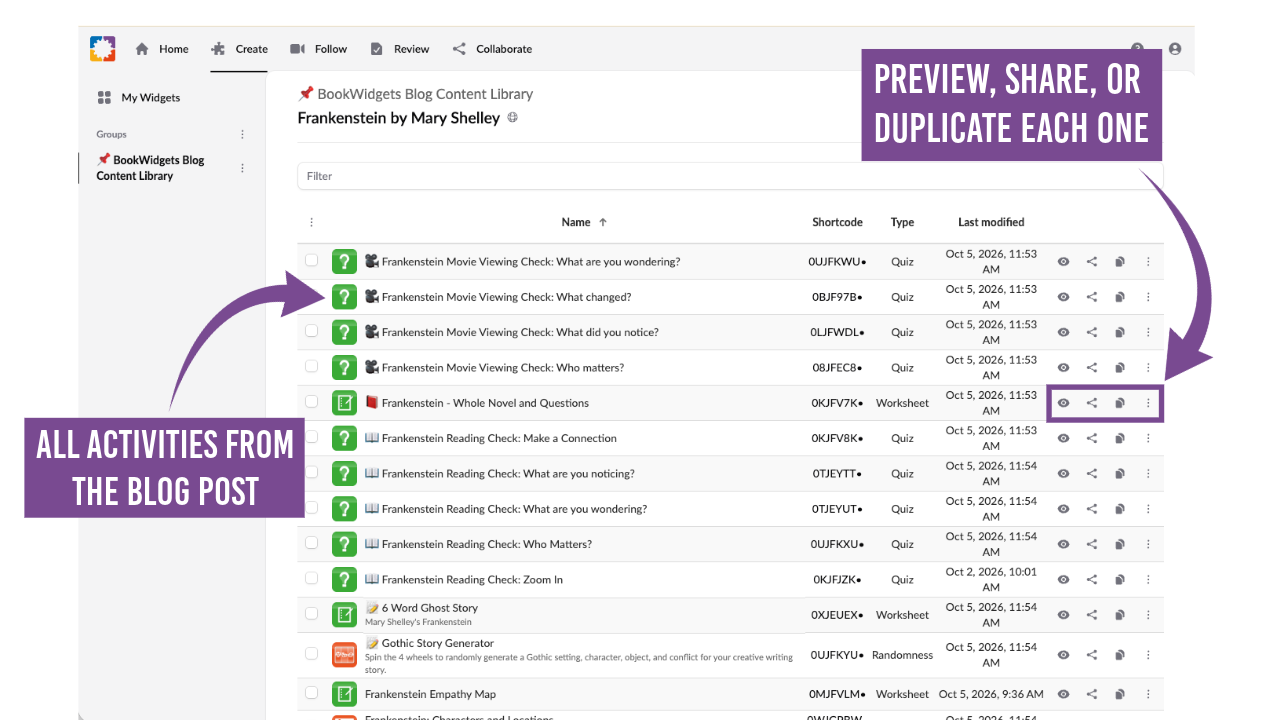
Explore all Frankenstein Activities.
10 Frankenstein classroom activities for every kind of lesson
This collection of interactive activities offers flexible ways to explore Frankenstein in the classroom, whether you're planning a complete novel study, looking for a quick reading or viewing check, or adding a little Gothic fun to your Halloween lessons. The activities can be used across different grade levels, time frames, and learning goals.
Use a digital activity on its own, pair a few together, or combine several into a larger Frankenstein unit. Some dig directly into Mary Shelley's novel and its film adaptations, while others draw on the monsters, mystery, and Gothic atmosphere that have grown around Frankenstein in popular culture.
Jump to an activity:
- Read Frankenstein with interactive questions
- Make student thinking visible with reusable reading checks
- Zoom in on a passage for close reading
- Review Frankenstein characters and locations through game-based learning
- Turn Frankenstein movie viewing into active thinking
- Connect Frankenstein with Romantic poetry
- Match Frankenstein with Pair Matching and Memory Games
- Create a creature for Halloween
- Write a six-word ghost story
- Spin a Gothic story with a Gothic story Generator
1. Read Frankenstein with interactive questions
| Category | Details | |
|---|---|---|
| 🎓 | Grade level | Grades 9-12 |
| ⭐️ | Best for | Frankenstein novel study, close reading, and comprehension |
| 🤝 | Interaction | Individual |
| ⏱️ | Time needed | Throughout the novel |
| 🧩 | BookWidgets widget | Split Worksheet with Question Pages |
Put the complete 1831 edition of Mary Shelley’s *Frankenstein* and an interactive novel study right at students’ fingertips. No class set of novels is needed. Students can access the text anywhere they have an internet connection and work through 8 manageable reading sections at their own pace.
The digital format lets students highlight the text, use text-to-speech, and refer back to passages while answering questions about characters, vocabulary, perspective, key events, and themes. Auto-scored questions provide immediate feedback while giving teachers insight into student understanding.
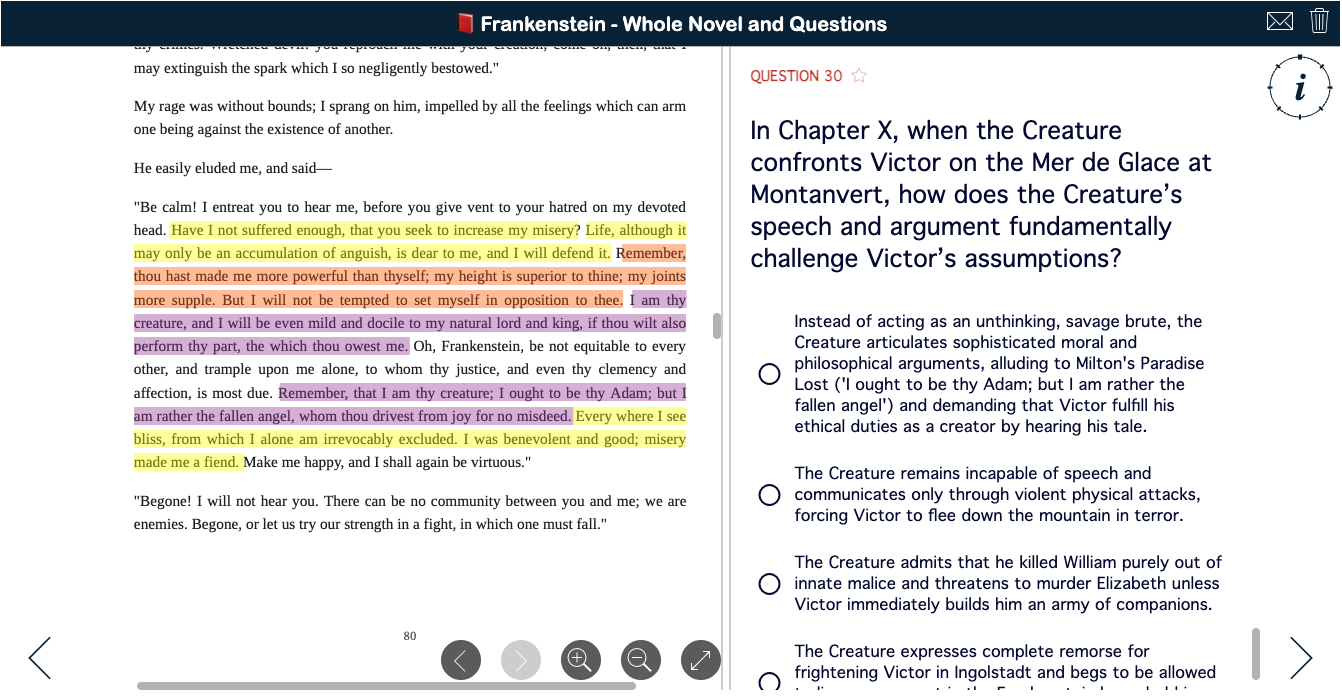
💡 Teaching tip: Use the activity as a complete digital reader and novel study, or pair it with print copies and select the questions that best fit your students and learning goals. Want to build a similar experience with your own text? Explore how to create structured multimedia quizzes that combine resources, questions, and interactive elements in one activity.
2. Make student thinking visible with reusable Frankenstein reading checks
| Category | Details | |
|---|---|---|
| 🎓 | Grade level | Grades 9-12 |
| ⭐️ | Best for | Formative assessment, reading reflection, and visible thinking |
| 🤝 | Interaction | Individual |
| ⏱️ | Time needed | 5-10 minutes |
| 🧩 | BookWidgets widget | Quiz with Annotate Picture and Rubric questions |
Not every reading check needs to be a quiz. These four reusable activities help students pause, process, and reflect on any assigned section of Frankenstein while giving teachers a window into how students are actually engaging with the novel.
Students record what they read and where they stopped before responding to one of four prompts: What Did You Notice?, What Are You Wondering?, Who Matters?, or Make a Connection. The open-ended graphic organizers ask students to notice significant details, raise authentic questions, consider characters, and connect the novel to their own experiences, other texts, the world, or larger ideas.
This approach also makes it harder to rely on a quick search or simple AI prompt for an answer. Unlike standard comprehension questions with readily available responses, these prompts ask students to make specific, individualized observations and connections based on the particular section they just read.
Each reading check includes a self-evaluation rubric, encouraging students to reflect on the depth and quality of their response. Teachers can use the submitted responses as formative data to spot misunderstandings, identify interesting interpretations, and find natural starting points for discussion.
Because the activities aren't tied to specific chapters, you can reuse and rotate them throughout the novel to vary the thinking students do as they read.


Explore all four reading checks: What Are You Noticing? · What Are You Wondering? · Who Matters? · Make a Connection
💡 Teaching tip: Rotate these reading checks throughout the novel, or assign different prompts to different students or groups to bring a variety of observations, questions, character insights, and connections into class discussion. Want to create your own interactive reading activities? Explore 4 reading lesson ideas and step-by-step tips for building digital reading assignments with BookWidgets.
3. Zoom in on a passage for close reading
| Category | Details | |
|---|---|---|
| 🎓 | Grade level | Grades 9-12 |
| ⭐️ | Best for | Close reading, annotation, and visible thinking |
| 🤝 | Interaction | Individual |
| ⏱️ | Time needed | 15-20 minutes |
| 🧩 | BookWidgets widget | Quiz with Whiteboard and Rubric questions |
Sometimes the most revealing reading check is the passage a student chooses to examine. With the Zoom In Reading Check, students select a short passage from their assigned reading that sparked a question, connection, realization, or simply made them stop and think.
Students take a photo or screenshot of the passage and add it to the digital whiteboard. Then they literally zoom in on the text, using drawing and text tools to circle key words, underline imagery, identify patterns, and add their own questions, observations, and connections directly to the passage.
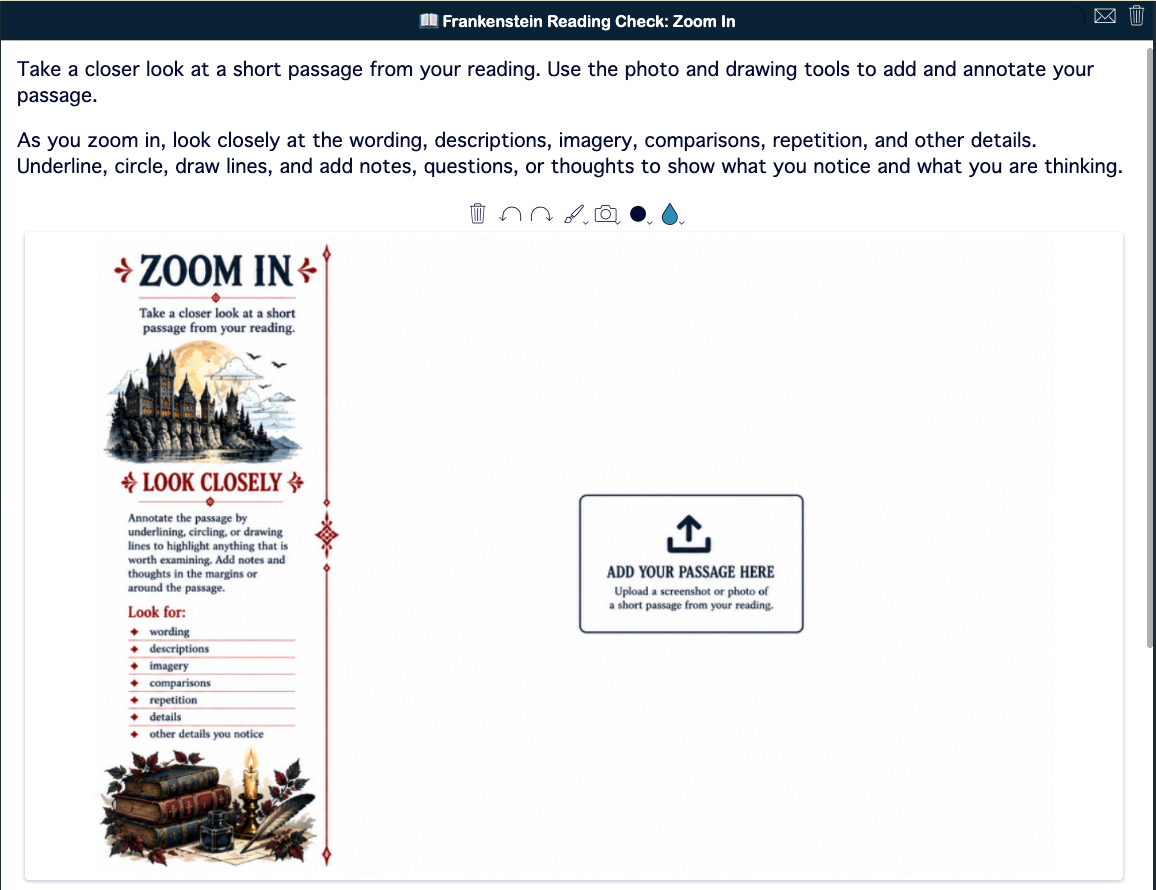
Because students decide what deserves a closer look and what they notice about it, their annotations make the process of close reading visible. Teachers can quickly see which details students are attending to, what questions are emerging, where students are making connections, and where they may be confused.

The activity also includes a self-evaluation rubric so students can reflect on the depth of their annotations before submitting their work.
💡 Teaching tip: Look across student submissions for patterns rather than reviewing each one in isolation. If several students highlight the same word, image, or idea, or raise similar questions, use those observations as the starting point for your next class discussion.
4. Review Frankenstein characters and locations through game-based learning
| Category | Details | |
|---|---|---|
| 🎓 | Grade level | Grades 9-12 |
| ⭐️ | Best for | Frankenstein review, retrieval practice, and formative assessment |
| 🤝 | Interaction | Individual or pairs |
| ⏱️ | Time needed | 10-15 minutes |
| 🧩 | BookWidgets widget | Crossword & Word Search |
With multiple narrators, interconnected characters, and settings that stretch from Geneva to the Arctic, Frankenstein gives students a lot to keep track of. Turn that review into a game with a digital crossword and word search focused on key characters and locations from the novel.
These quick activities use retrieval practice to help students recall names, relationships, and places without another traditional comprehension quiz. The crossword adds an extra layer of thinking by requiring students to use clues to identify the correct character or location, while the word search provides a lighter way to reinforce important names and vocabulary from the text.
Use them as bellringers, review activities, brain breaks, partner challenges, or quick formative checks. Because they're digital, students receive the satisfaction of actively solving the puzzles while teachers can turn difficult clues or commonly missed answers into opportunities for discussion.
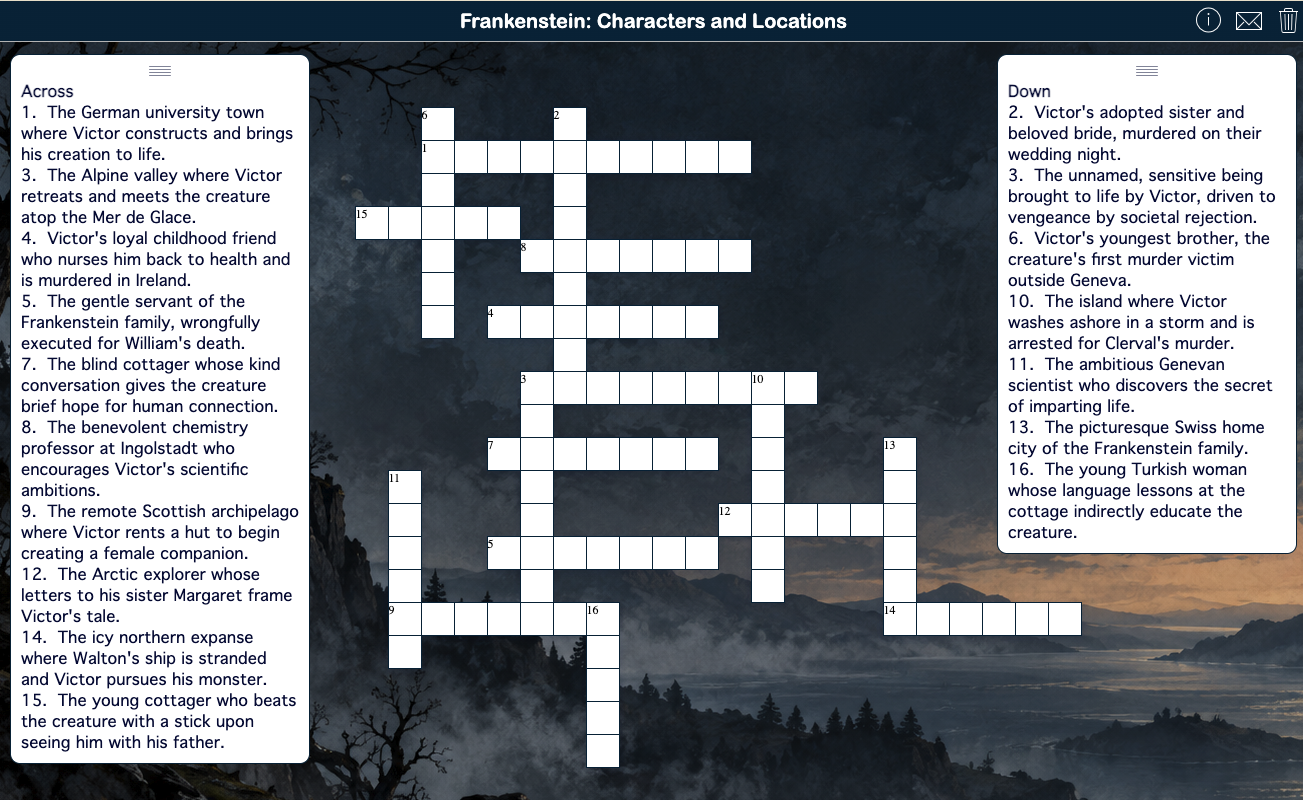
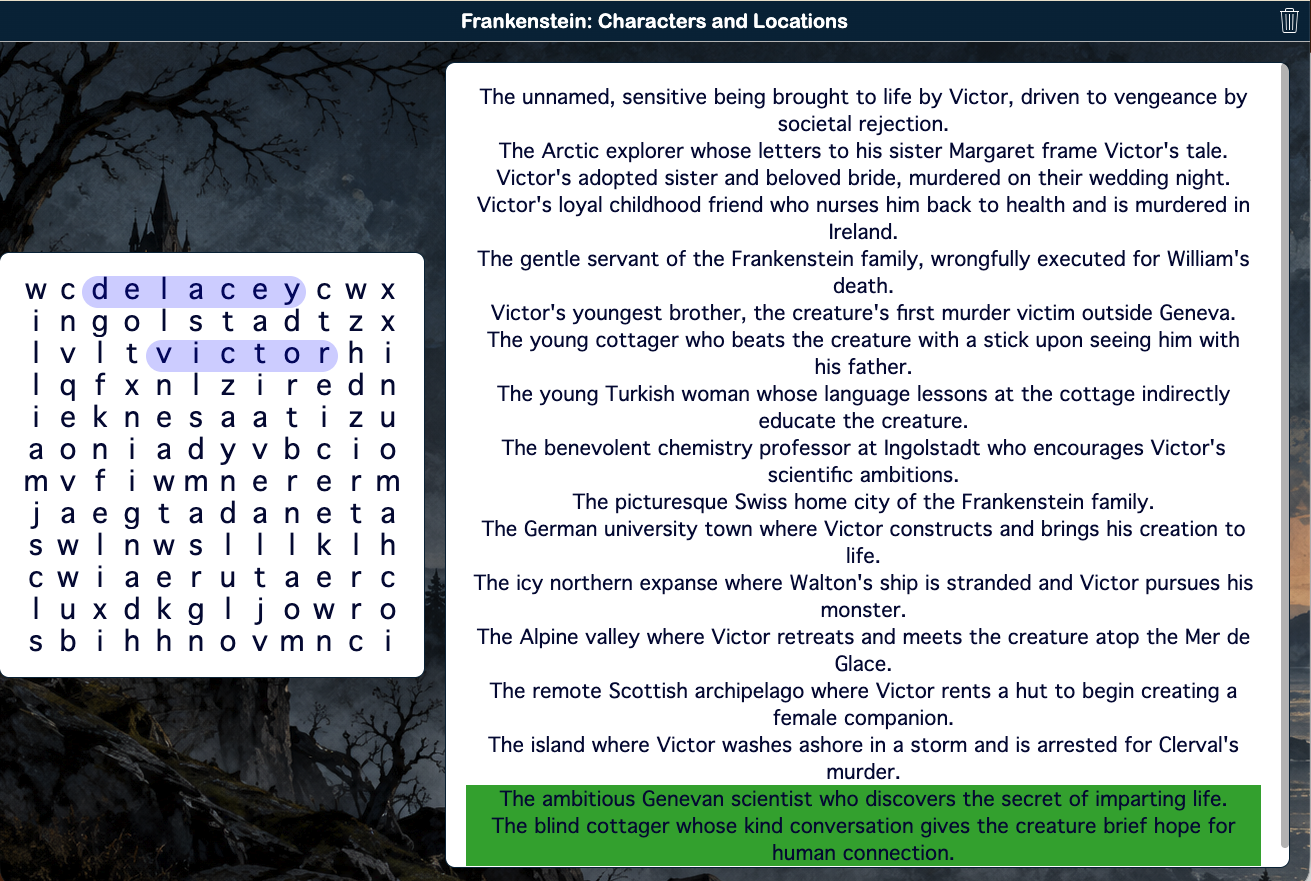
💡 Teaching tip: After the puzzle, choose one or two characters or locations and ask students why they matter. A quick game can become a bridge to deeper discussion about character relationships, setting, conflict, or theme. For more ideas, watch our webinar on game-based learning with BookWidgets and discover more ways to use digital games for learning, review, and student engagement.
5. Turn Frankenstein movie viewing into active thinking
| Category | Details | |
|---|---|---|
| 🎓 | Grade level | Grades 9-12 |
| ⭐️ | Best for | Film analysis, viewing reflection, and text-to-film comparison |
| 🤝 | Interaction | Individual |
| ⏱️ | Time needed | 5-10 minutes after viewing |
| 🧩 | BookWidgets widget | Quiz with Annotate Picture and Rubric questions |
Watching a film adaptation of Frankenstein can be more than pressing play. These four reusable viewing checks help students process what they just watched, pay attention to cinematic choices, and capture their thinking after any scene or viewing segment.
Choose from What Did You Notice?, What Are You Wondering?, Who Matters?, or What Changed? Students briefly identify what they watched before responding to the featured prompt. They might notice a revealing camera angle or musical cue, pose a question about a director's choice, consider which character mattered most in a scene, or identify something the adaptation changed from Shelley's novel.
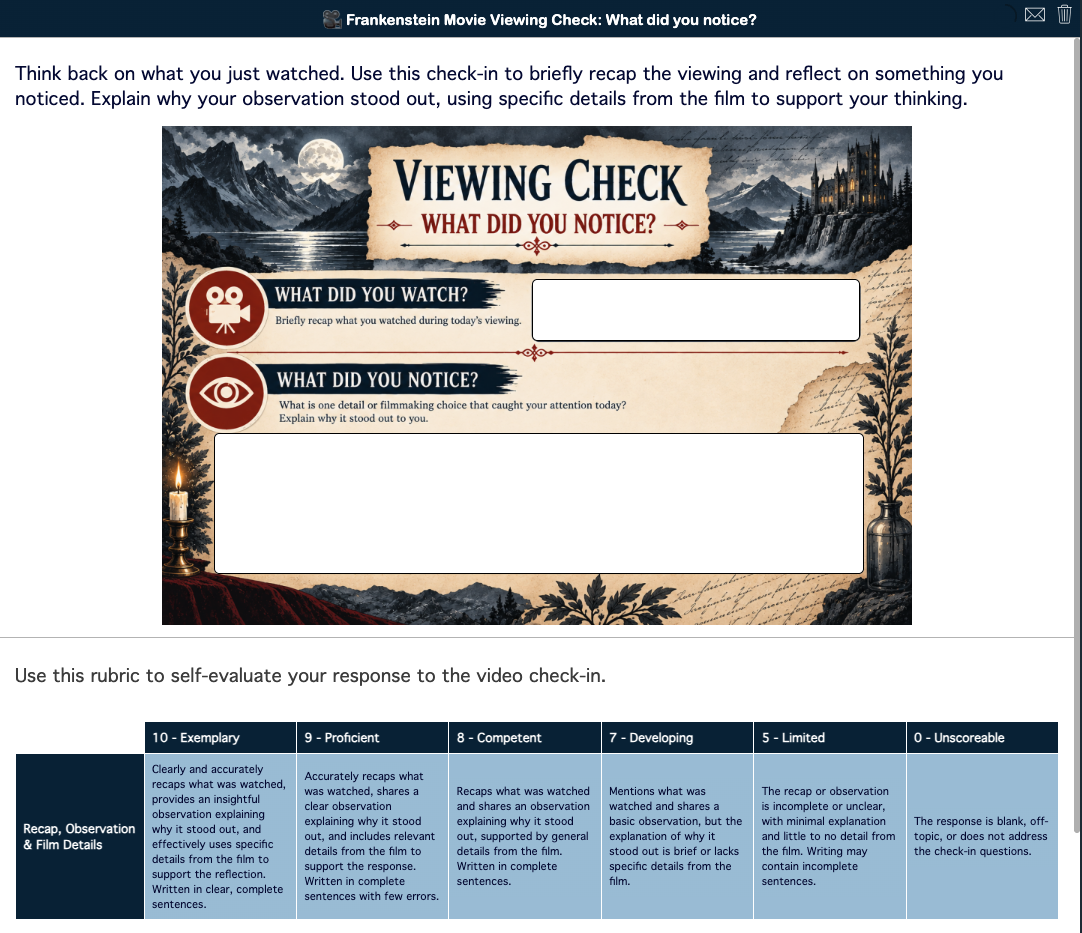

Explore all four viewing checks: What Did You Notice? · What Are You Wondering? · Who Matters? · What Changed?
🎬 Choose your Frankenstein adaptation
These viewing checks work with any film adaptation or selected clips. Consider Frankenstein (1931), Bride of Frankenstein (1935), The Curse of Frankenstein (1957), Mary Shelley's Frankenstein (1994), Frankenweenie (2012), Victor Frankenstein (2015), or Guillermo del Toro's Frankenstein (2025). You can also compare the same scene across adaptations to explore how different filmmakers interpret Shelley's characters, themes, and story.
Because students complete the checks after viewing rather than while watching, they can give the film their full attention and then reflect on the details that stood out to them. Each activity also includes a self-evaluation rubric that asks students to consider the completeness and depth of their response before submitting it.
For teachers, the responses provide quick formative data about comprehension, interpretation, student curiosity, and text-to-film connections. They can also surface observations and questions to use as discussion starters or launch a deeper comparison of the novel and its adaptation.
💡 Teaching tip: Rotate the four viewing checks throughout the film. When students know they may be asked what they noticed, wondered, saw change, or considered important, they have different lenses through which to watch and analyze the adaptation. For more ways to turn movie viewing into active learning, explore interactive movie activities for film study, visual literacy, character analysis, and more.
6. Connect Frankenstein with Romantic poetry
| Category | Details | |
|---|---|---|
| 🎓 | Grade level | Grades 11-12 |
| ⭐️ | Best for | Comparative literature, Romantic poetry, and thematic analysis |
| 🤝 | Interaction | Individual or pairs |
| ⏱️ | Time needed | 45-60 minutes |
| 🧩 | BookWidgets widget | Split Worksheet with Question Pages |
Place Frankenstein in conversation with the poetry of the Romantic era. In this comparative literature activity, students explore four public-domain poems: Percy Bysshe Shelley's "Ozymandias" and "Mutability," Lord Byron's "Prometheus," and William Blake's "The Tyger." Each offers a different lens for considering ideas that run through Mary Shelley's novel, including ambition, creation, responsibility, human limitations, suffering, and change.
The activity begins with a First Impressions Whiteboard. As students read the four poems, they add a few words or short phrases showing the ideas, characters, events, images, or themes from Frankenstein that each poem brings to mind. These initial connections don't need to be fully developed; the goal is to get students noticing relationships between the texts before moving into more structured analysis.
Students then work through 10 auto-scored questions examining the poems and their connections to Frankenstein. The poems remain available in a side-by-side resource panel, so students can refer directly to the texts as they answer. Built-in highlighting and text-to-speech tools provide additional support as needed. The progression from first impressions to text-based questions gives students space to make their own connections before the activity directs their attention toward specific elements of the poems and novel.
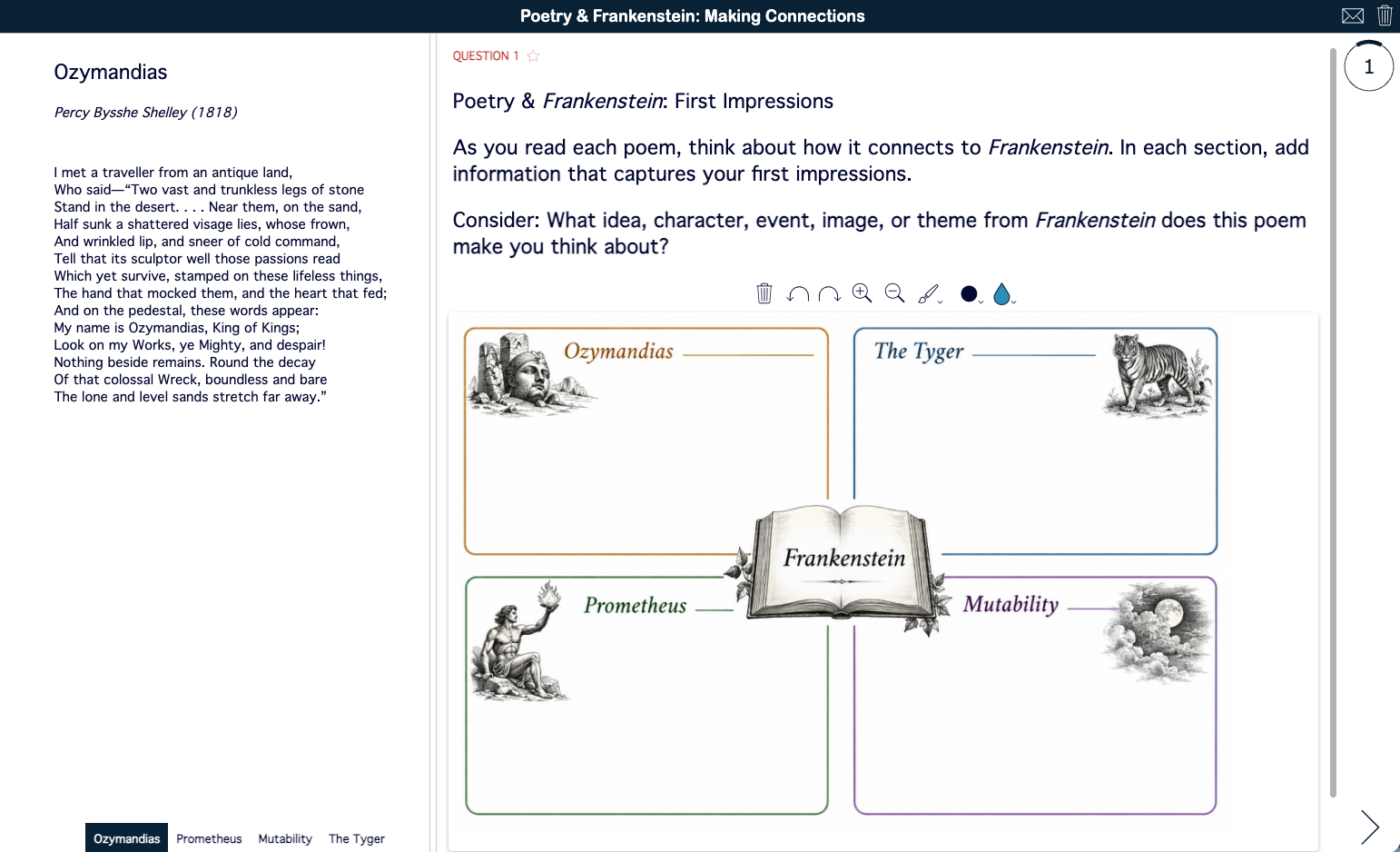
💡 Teaching tip: Divide the poems among pairs or small groups and have students become the "experts" on one poem before sharing their connections with the class. After completing the questions, return to the First Impressions board and ask students to revisit one of their original connections: Would they add to it, revise it, or make a different connection now? For more ways to explore poetry with students, check out 30 creative poetry classroom activities.
7. Match Frankenstein with Pair Matching and Memory Games
| Category | Details | |
|---|---|---|
| 🎓 | Grade level | Grades K-12 |
| ⭐️ | Best for | Halloween fun, brain breaks, memory, SEL, and literary connections |
| 🤝 | Interaction | Individual or pairs |
| ⏱️ | Time needed | 5-10 minutes |
| 🧩 | BookWidgets widget | Pair Matching and Memory Game |
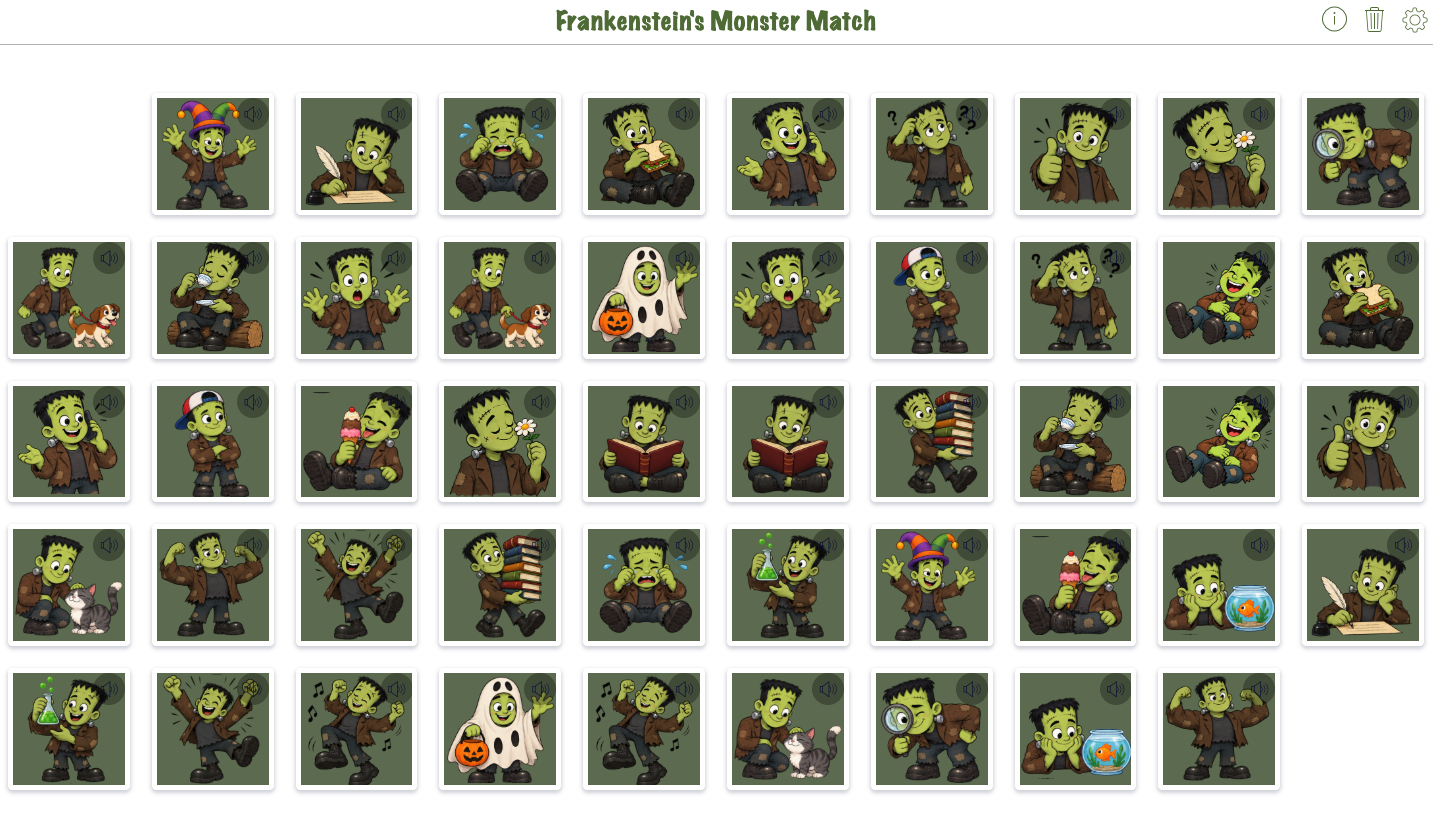
Give a classic matching game a Frankenstein twist with two sets of images that can be used across grade levels. Frankenstein's Monster Match features the familiar green, bolt-necked monster of Halloween pop culture dancing, laughing, reading, playing with pets, making silly expressions, and more. Frankenstein's Monster Reads Frankenstein the novel shows the monster engrossed in Mary Shelley's story with reactions ranging from curious and delighted to shocked, frightened, and sorrowful.
Adjust the challenge by changing how students match and how many pairs they need to find. In Pair Matching, students can see the images as they search for matches. Switch to the Memory Game to hide the images and add working memory and visual recall to the challenge. For Monster Match, choose 12 or 24 pairs to further increase or decrease the difficulty.
Use the games as Halloween bellringers, brain breaks, transition activities, partner challenges, or quick additions to a Frankenstein novel study. The Monster Match images are especially accessible for younger learners, but don't count them out for older students who could use a lighthearted break from Gothic horror and literary analysis.
|
|
Choose your challenge: Pair Matching: 24 pairs · Set 1 · 12 pairs · Set 2 · 12 pairs Memory Game: 24 pairs · Set 1 · 12 pairs · Set 2 · 12 pairs |

|
|
Choose your challenge: Pair Matching · Memory Game |
The images can also become prompts for SEL, inference, and text-based discussion. Younger students can choose a Monster Match image and describe what the character might be doing or feeling. With Frankenstein Reads Frankenstein, ask older students to choose one of the monster's reading reactions and infer which scene from Mary Shelley's novel he might be reading. What could have made him look shocked, confused, delighted, frightened, or sorrowful? Students can identify a moment from the novel and support their interpretation with details from the text.
💡 Teaching tip: Matching games don't have to be just for younger students or just for review. Try them as bellringers, brain breaks, partner challenges, or starting points for discussion and writing. You can also adjust the cognitive challenge by switching from Pair Matching to Memory or changing the number of pairs. For even more possibilities, explore 10+ activities to boost learning with Pair Matching and Memory Games.
8. Create a creature for Halloween
| Category | Details | |
|---|---|---|
| 🎓 | Grade level | Grades 2-8 |
| ⭐️ | Best for | Halloween creativity, character creation, and writing inspiration |
| 🤝 | Interaction | Individual |
| ⏱️ | Time needed | 15-30 minutes |
| 🧩 | BookWidgets widget | Whiteboard with Digital Stickers |
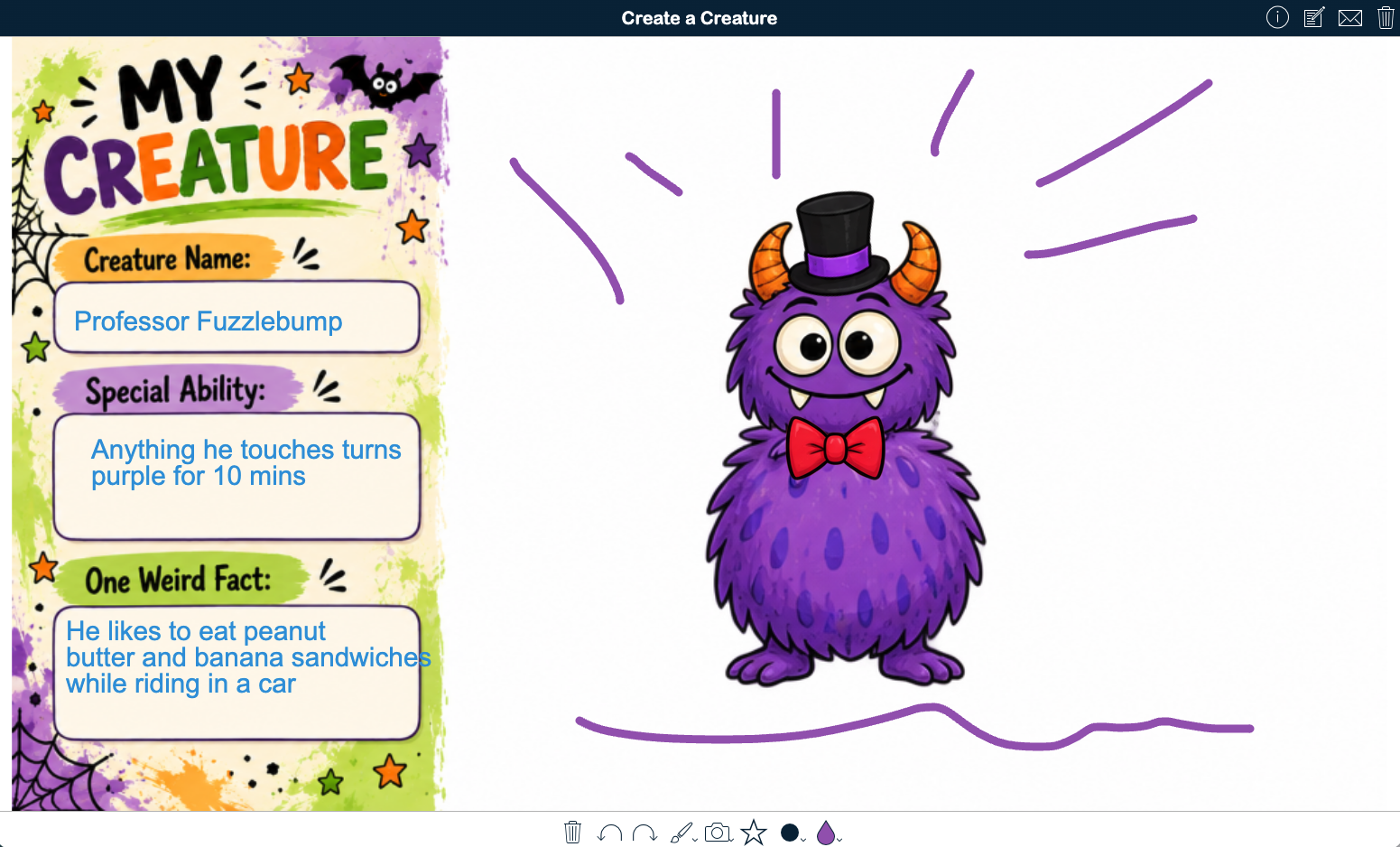
Let students bring their own monster to life with this Create a Creature digital whiteboard activity. Students can mix and match draggable monster parts, draw directly on the canvas, or even create a creature on paper and upload a photo of their artwork. They can also combine these approaches to make something completely their own.
Once their creature takes shape, students give it a name, special ability, and one weird fact using the spaces built into the activity. The digital scratchpad provides another place to brainstorm ideas or make a rough sketch before beginning.
The activity combines creativity, visual expression, writing, and digital literacy, making it easy to adapt for elementary through middle school learners. Keep it as a quick Halloween creation challenge or extend it into descriptive and narrative writing by having students develop their creature's appearance, habitat, personality, origin story, or adventures.
💡 Teaching tip: Finish with a creature gallery walk! Have students share their creations with classmates, then use the creatures as inspiration for stories, character descriptions, field-guide entries, or other creative writing. For more ways to get students creating with digital whiteboards, explore 30 ready-to-use digital whiteboard lesson plans for the classroom.
9. Write a six-word ghost story
| Category | Details | |
|---|---|---|
| 🎓 | Grade level | Grades 4-12 |
| ⭐️ | Best for | Creative writing, word choice, mood, and Halloween bell ringers |
| 🤝 | Interaction | Individual or pairs |
| ⏱️ | Time needed | 5-15 minutes |
| 🧩 | BookWidgets widget | Worksheet with Annotate Picture Question |
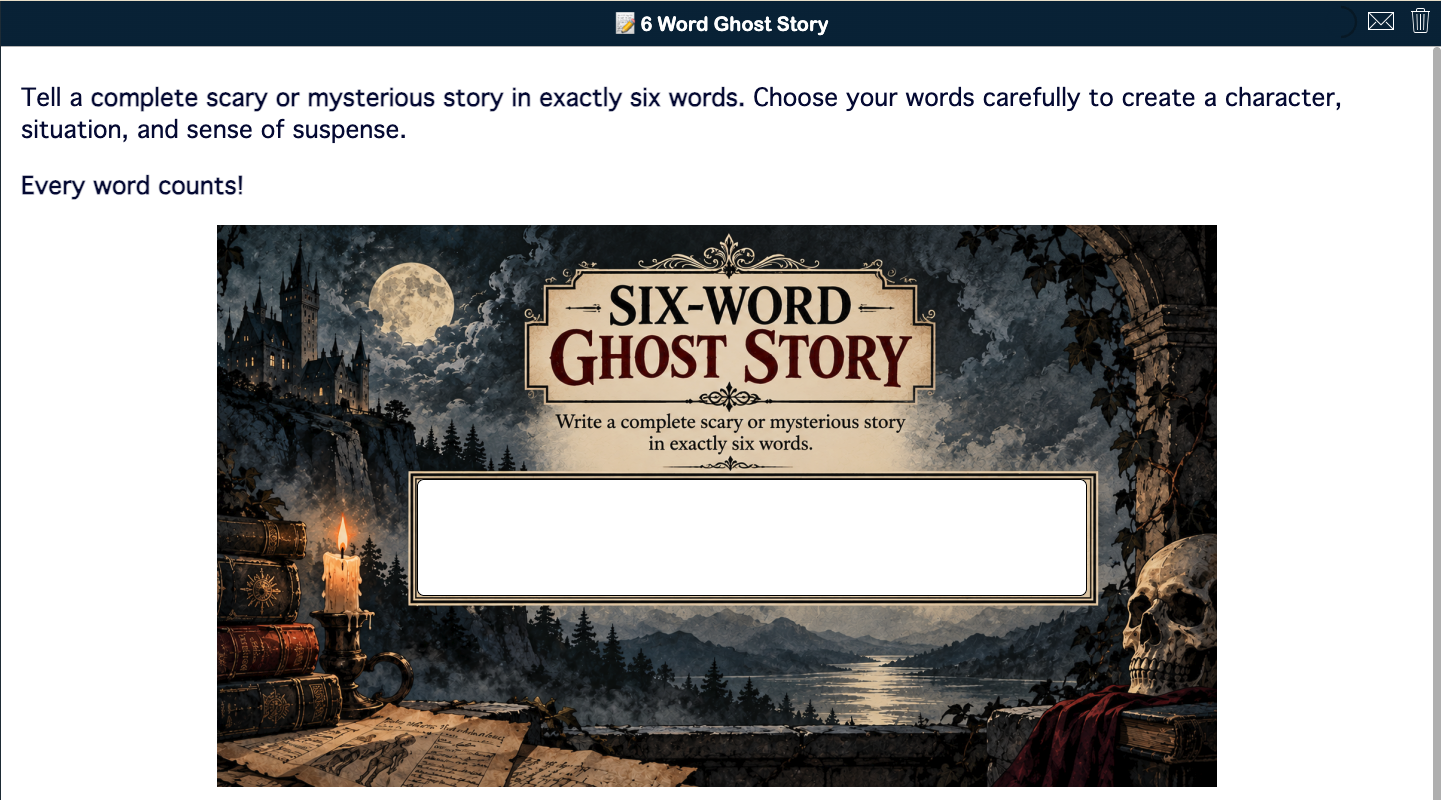
In 1816, during the famous "Year Without a Summer," Lord Byron challenged his companions at the Villa Diodati to write ghost stories. Among them was 18-year-old Mary Shelley, whose story would eventually become Frankenstein. Now it's your students' turn to take the challenge, with one additional constraint: tell the entire story in exactly six words.
Writing a six-word ghost story may be quick, but it requires students to make deliberate choices about word choice, imagery, mood, punctuation, and what they leave unsaid. In only six words, they need to suggest enough of a character, situation, conflict, or twist to let the reader imagine the rest.
Use the activity as a Halloween bellringer, Gothic literature writing prompt, learning station, collaborative challenge, or creative extension to a Frankenstein unit. Students can write individually or work together to debate which six words create the greatest impact. For a little friendly competition, turn it into a Spooky Story Showdown! Display two anonymous stories at a time and have students vote for the one that creates the most suspense, mystery, or fear. Ask students to explain why the winning story works before advancing it to the next round until you crown your class's Villa Diodati Champion.
💡 Teaching tip: Looking for more ways to bring Halloween into your lessons? Explore these ready-to-use Halloween lesson plans and the ultimate Halloween countdown calendar for the classroom for even more seasonal classroom ideas.
10. Spin a Gothic story with a Gothic Story Generator
| Category | Details | |
|---|---|---|
| 🎓 | Grade level | Grades 6-12 |
| ⭐️ | Best for | Gothic literature, creative writing, and story development |
| 🤝 | Interaction | Individual or pairs |
| ⏱️ | Time needed | 10-15 minutes to generate ideas; writing time varies |
| 🧩 | BookWidgets widget | Randomness |
Students spin four random wheels to reveal a character, setting, object, and conflict. The unexpected combinations provide a creative starting point, while students decide how to connect the elements and develop them into an original Gothic story.
Students can write in their notebooks or preferred word processing program, using Gothic conventions such as isolation, decay, mystery, the uncanny, heightened emotion, and atmospheric dread to shape their stories. Use the generator for a quick flash-fiction prompt, writing station, collaborative story challenge, or starting point for a longer creative-writing assignment.
To add another layer of challenge, pair the four spins with a storytelling technique. Ask students to write as an unreliable narrator, tell the story through letters or journal entries, or begin in medias res. For a collaborative twist, have one student write the opening before passing the story to a classmate to continue.

💡 Teaching tip: Random wheels can do much more than generate story elements. Explore 8 speaking activities using random emoji wheels and 25 creative lesson ideas using spinners and Randomness activities for more ways to bring chance, choice, and spontaneity into classroom activities.
Bring Frankenstein to life in your classroom
From Mary Shelley's Creature to the green, bolt-necked monster of Halloween pop culture, Frankenstein has certainly taken on a life of its own. (And yes, English teachers, we know: Frankenstein is Victor, not the Creature.)
That long afterlife is part of what makes Frankenstein so interesting to explore in the classroom. Students can wrestle with Shelley's questions about ambition, responsibility, isolation, and what it means to be human, while also considering how the story has been reimagined through movies, monsters, ghost stories, and popular culture.
Whether you're teaching the novel or simply borrowing a little Gothic inspiration for Halloween, these activities offer different ways to get students reading, thinking, creating, and making connections. Pick what works for your students, adapt it to your classroom, and bring Frankenstein to life in your own way.
Frequently asked questions about Frankenstein classroom activities
What are some good Frankenstein classroom activities?
Frankenstein classroom activities can include a complete novel study, close reading and annotation, reusable reading checks, character and setting review games, film analysis, Romantic poetry comparisons, and creative writing. Teachers can also connect the novel's Gothic legacy to Halloween with monster matching games, creature creation, six-word ghost stories, and Gothic story prompts.
How can I make a Frankenstein novel study more interactive?
Combine reading with activities that ask students to actively respond to and work with the text. Students can highlight and annotate passages, complete reading checks, zoom in on passages they find significant, review characters and locations through games, compare the novel with film adaptations and Romantic poetry, and respond through creative writing.
Can I use these Frankenstein activities without teaching the whole novel?
Yes. Many of the activities can stand on their own. The movie viewing checks can accompany a film or selected clips, while the matching games, Create a Creature activity, six-word ghost story, and Gothic Story Generator can be used as Halloween or Gothic literature activities without requiring students to read the complete novel.
What are some Frankenstein activities for Halloween?
For a Halloween connection, students can play Frankenstein-themed Pair Matching and Memory Games, design their own creature, write a six-word ghost story inspired by the Villa Diodati ghost-story challenge, or spin the Gothic Story Generator to create a character, setting, object, and conflict for an original Gothic story.
What grade levels are these Frankenstein activities for?
The activities span elementary through high school, depending on the activity. The complete Frankenstein novel study, close reading, film analysis, and Romantic poetry activities are designed primarily for secondary students, while the matching games, creature creation, and some Halloween writing activities can be adapted for younger learners.
Are these Frankenstein activities ready to use?
Yes. You can open and explore the activities directly from this post. Teachers with a BookWidgets account can duplicate the activities, customize them for their students and learning goals, and assign them through a link, QR code, or supported learning management system.
Can I use these Frankenstein activities in Google Classroom or another LMS?
Yes. BookWidgets activities can be shared through Google Classroom, Microsoft Teams, Canvas, Moodle, Schoology, and other learning management systems. Teachers can also share activities with students using a link or QR code, making the lessons easy to fit into different classroom workflows.
Do students need a BookWidgets account to complete these activities?
No. Students don't need a BookWidgets account or login. They simply complete the activities shared by their teacher, and their submissions are collected in the teacher's BookWidgets account, where the teacher can review their work and provide feedback.
Explore More with BookWidgets
Want to keep exploring what you can do with BookWidgets?
✔️ Sign up for upcoming free webinars and view recordings on the BookWidgets Teacher Academy.
✔️ Have a lesson idea to share? Submit it to the BookWidgets Lesson Lab for a chance to have your idea featured as we build it together and explore new possibilities for the lesson.
✔️ Follow BookWidgets on BlueSky and LinkedIn, and join our Facebook teacher community to exchange ideas and connect with educators from around the world.
✔️ I'd also love to connect with you! Follow me on BlueSky, Facebook, or LinkedIn for more classroom ideas and BookWidgets inspiration.


