
10+ Student Tools Designed to Boost Learning and Accessibility
 Dimitri Bongers —
In today’s digital classrooms, students benefit immensely when learning tools are not just interactive but also intuitive, accessible, and supportive. BookWidgets provides a suite of tools that enhance the learning experience, helping students focus, stay organized, and succeed. Let’s explore all the ways you can support your students needs with the right tools.
1. Students can star questions to prioritize or review later
The "Star Questions feature" allows students to mark specific questions in a quiz or worksheet for review. By clicking the star icon next to a question, students can later navigate directly to the items they want to revisit.
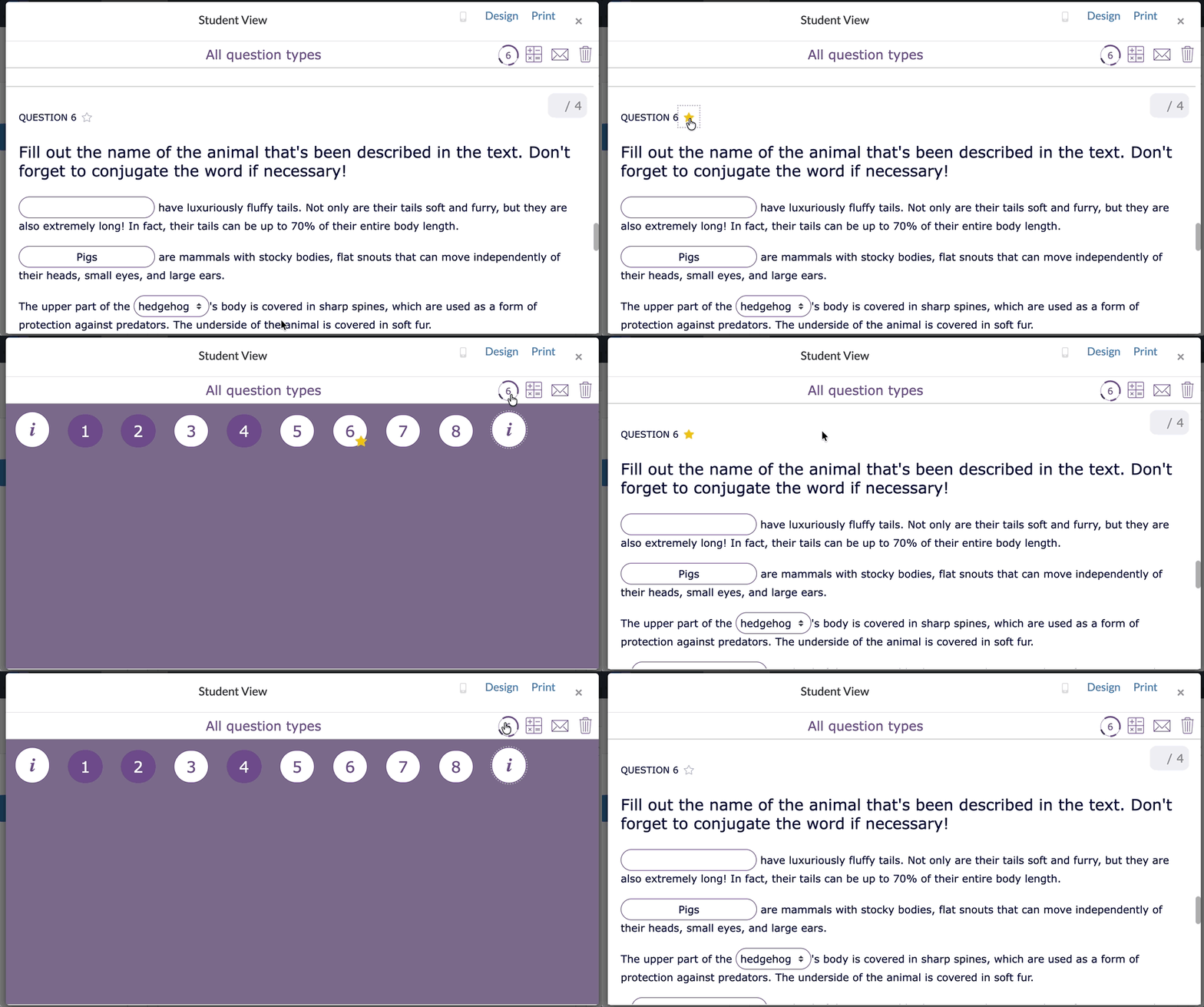
ℹ️ The Star Questions feature is enabled by default in every (Video) Quiz and (Split) Worksheet.
💡Pedagogical benefit: This empowers students to self-monitor their progress and strategically allocate time during assessments. Teachers can also view starred questions in real-time using the Live View, helping them identify which concepts students struggle with and provide timely guidance.
2. Text Selection and Text-to-Speech
Students can use the text-to-speech feature to read content aloud.
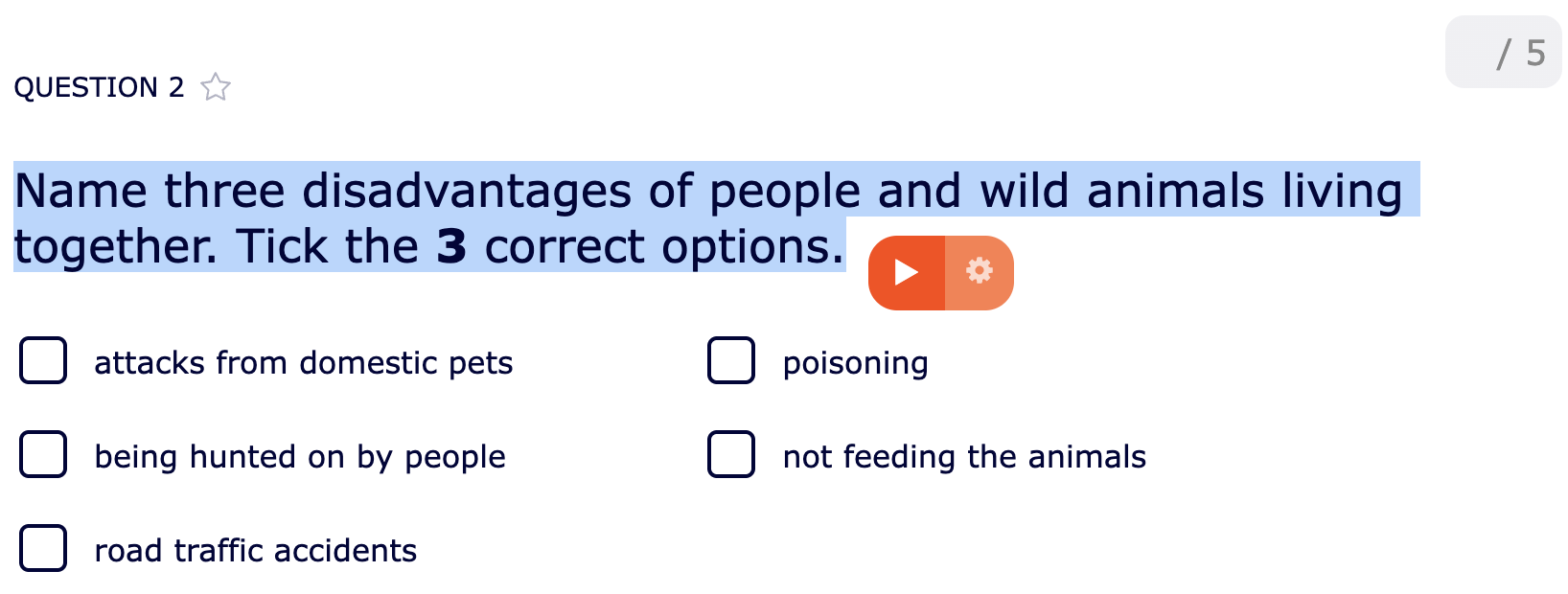
ℹ️ The Text Selection, and Highlighting, and Text-to-Speech can be set up for every (Video) Quiz and (Split) Worksheet via the General tab, under Text selection, highlighting, and text-to-speech.
💡Pedagogical benefit: Supports reading comprehension, and is especially helpful for students with dyslexia or other reading challenges. Highlighting also helps students focus on key information efficiently.
3. Text highlighting
With the new Text Highlighting feature, students can actively engage with content by highlighting important parts of texts directly within BookWidgets. This works both in resources and in question or instruction text, making close reading and comprehension much more interactive.
By allowing students to mark key sentences, unfamiliar words, or essential details, highlighting turns passive reading into an active learning process.
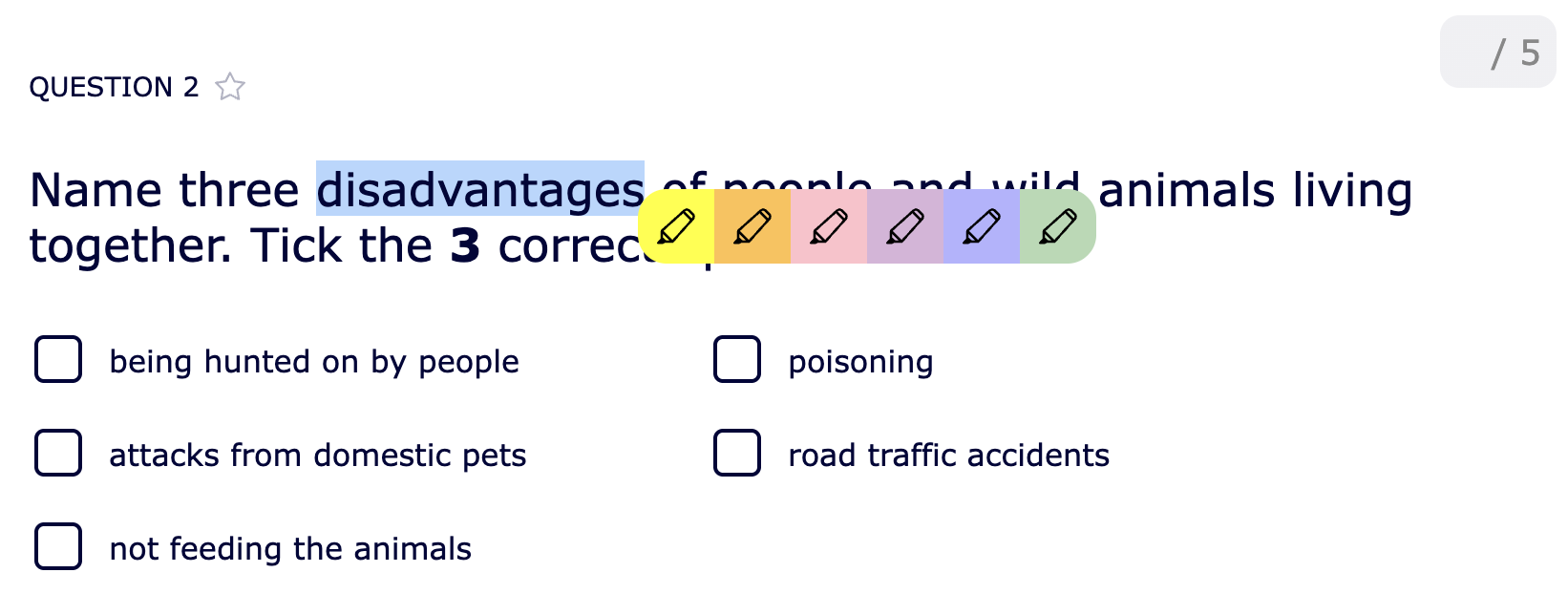
ℹ️ Text Highlighting can be enabled for every (Video) Quiz and (Split) Worksheet via the General tab, under Text selection, highlighting, and text-to-speech.
💡 Pedagogical benefit: Highlighting supports active reading strategies, helping students break down complex texts, analyze documents step by step, and better understand detailed instructions. It’s especially valuable for students who struggle with reading comprehension or need support organizing information. As a bonus, teachers can see exactly what students highlighted during correction, offering insight into how students process and interpret the material, and where they may need extra guidance.
4. Students Never Miss a Question thanks to Submission Warnings
BookWidgets automatically alerts students if they attempt to submit a quiz or worksheet without answering all questions.

ℹ️ The "Submission Warning feature" is enabled by default in every (Video) Quiz and (Split) Worksheet.
💡Pedagogical benefit: This encourages thoroughness and reduces careless mistakes, ensuring students complete their work fully before submission. It promotes responsibility and self-checking habits, which are essential for lifelong learning.
5. Stress-Free Time Management with the Timer (Exam Mode)
Teachers can enable a timer for (Video) Quizzes or (Split) Worksheets. After 10 seconds, the countdown is replaced by a clock icon to reduce stress, while students can still check the remaining time at any point.
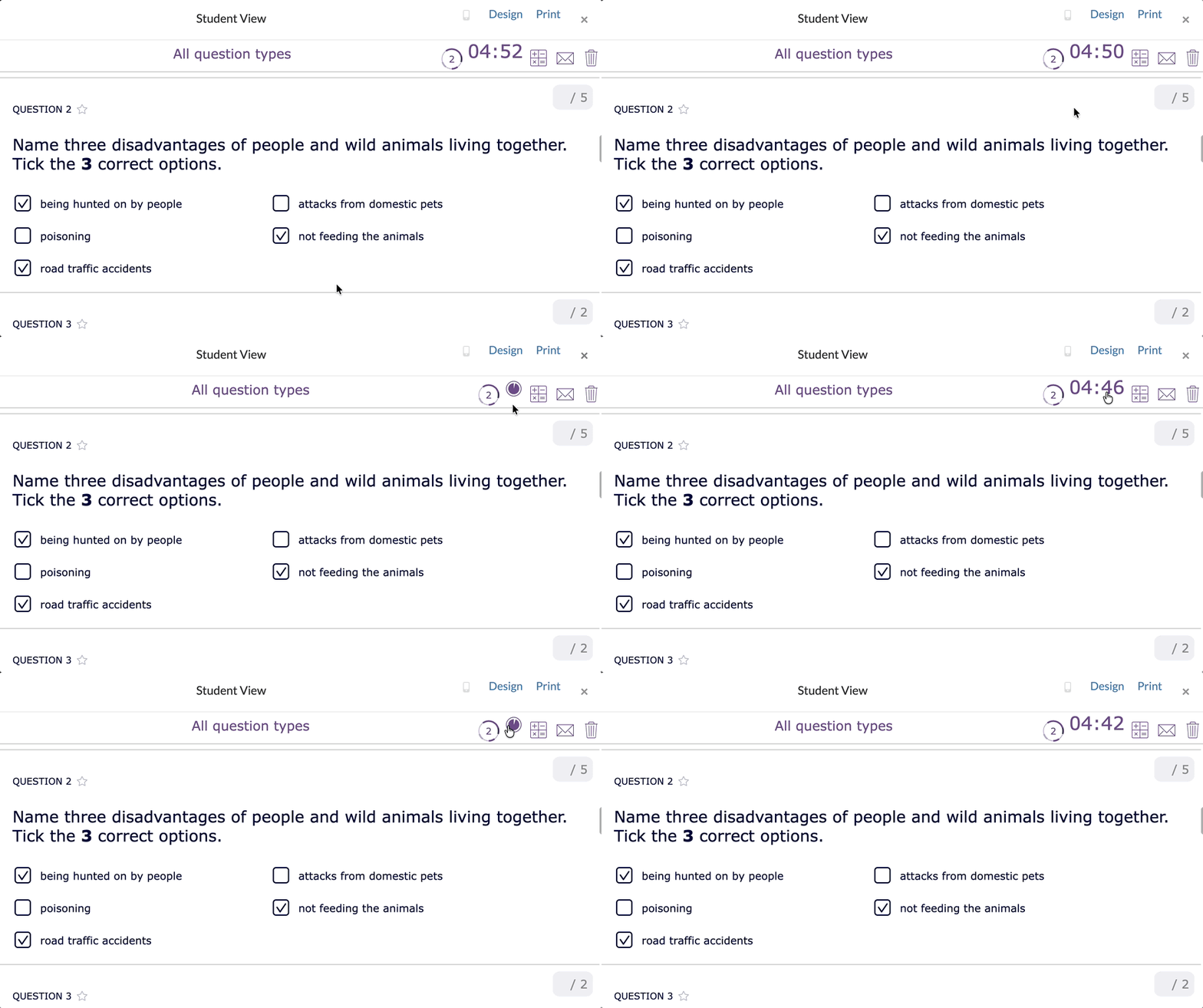
ℹ️ The Timer can be enabled in each (Video) Quiz and (Split) Worksheet by activating the "Exam Mode" on the Reporting tab.
💡Pedagogical benefit: Helps students manage their time effectively without feeling pressured, promoting a calm, focused environment for assessments.
6. Learn Through Listening with Audio Fragments
Teachers can add audio recordings to any question or almost any activity, including language-focused widgets like pair matching. For example, students learning a new language can hear the correct pronunciation of vocabulary words.

ℹ️ Audio Fragments can be added to each Question in a (Video) Quiz or (Split) Worksheet, and many other Widget types also have the possibilty to add audio. Good to know: an audio recording function is available within BookWidgets, so as a teacher, you don't need external tools to record your voice.
💡Pedagogical benefit: Supports auditory learners, reinforces pronunciation in language learning, and increases accessibility for students with reading difficulties.
7. Guided Support for Every Question with Hints
BookWidgets allows teachers to provide hints for questions. Hints can include text, audio, video, external resources, or a combination of these.
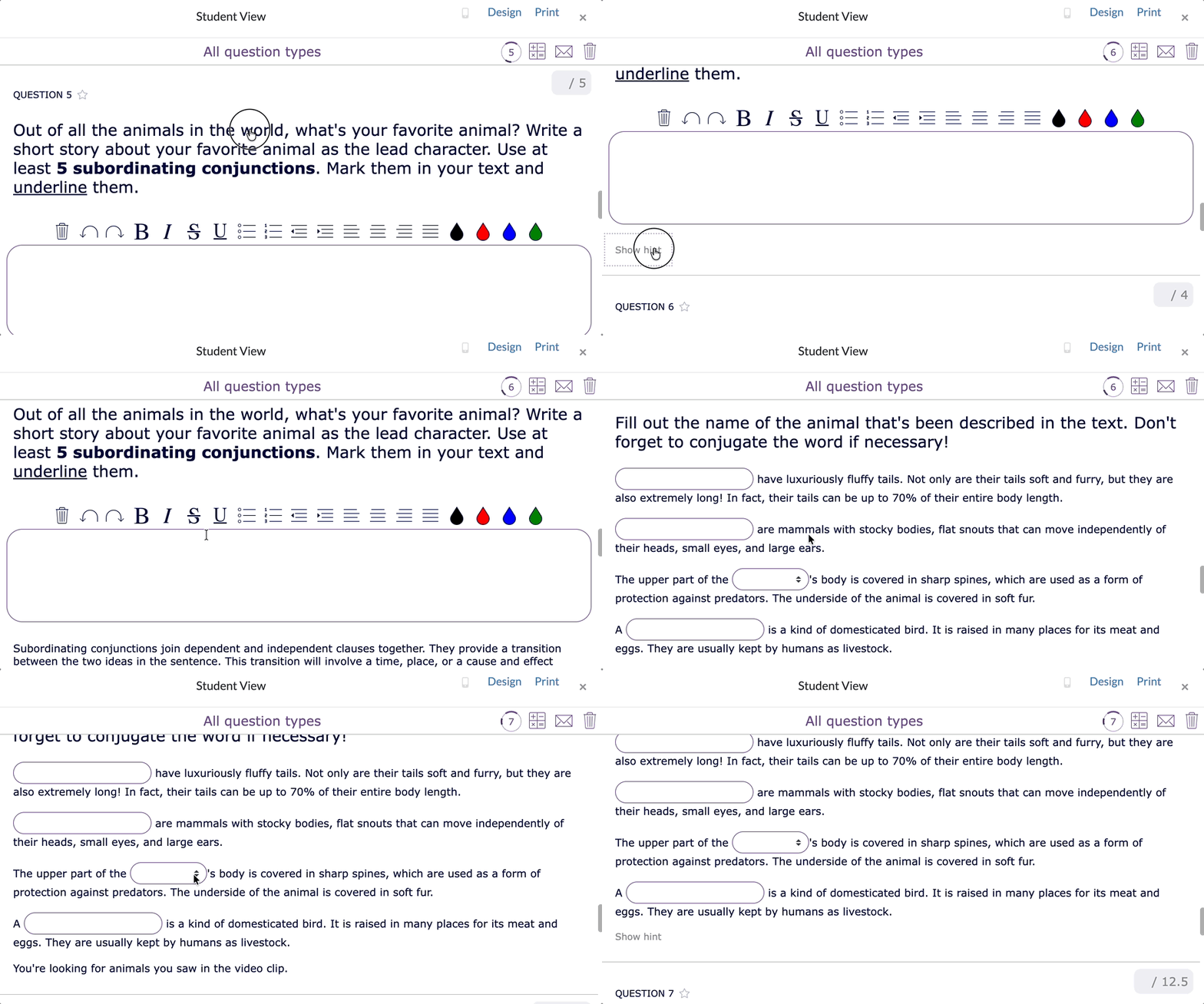
ℹ️ Hints can be added to each Question in a (Video) Quiz and (Split) Worksheet.
💡Pedagogical benefit: Students can access help when they need it, promoting independent learning while still providing scaffolding to overcome challenging questions.
8. Confident Writing with the Spell Check
Built-in spell check ensures that students can write without worrying about typos interfering with understanding or grading.

ℹ️ The Spell Check can be enabled for every (Video) Quiz and (Split) Worksheet via the General tab, under Spell Check
💡Pedagogical benefit: Encourages students to focus on content and ideas rather than spelling errors, boosting confidence and literacy skills.
9. Clear Guidance with the Instructions Feature
Every widget can include instructions in a pop-up window, available as text, audio, video, or external resources. Students can reopen instructions at any time by clicking the i-icon in the top-right corner.

ℹ️ Instructions can be set up for every widget type. For most of the widgets, you'll find the option on the General tab.
💡Pedagogical benefit: Provides clarity and reduces confusion, making students more independent and self-directed in their learning.
10. Brainstorm and Calculate Freely on a Scratchpad
The Scratchpad feature allows students to jot down ideas, perform rough calculations, or organize thoughts while working on a question. Paired with the Calculator, this becomes a powerful tool for problem-solving.
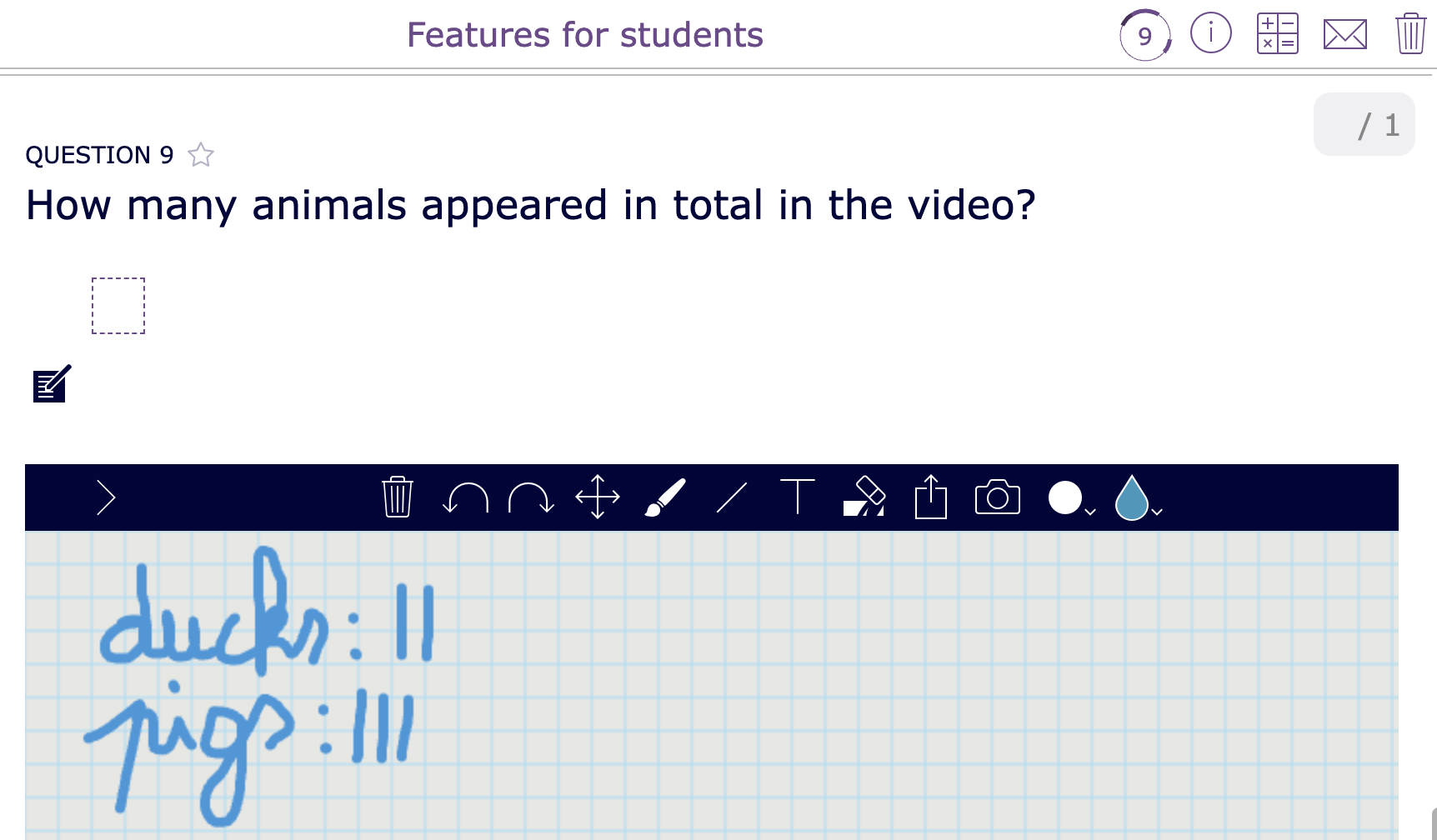
ℹ️ The Scratschpad can be enabled in each (Video) Quiz and (Split) Worksheet via the General tab, under Text Scratchpad.
💡Pedagogical benefit: Encourages strategic thinking, reduces cognitive load, and allows students to tackle complex problems in steps.
11. Typing Made Easy with the On-screen Keyboard
BookWidgets provides an on-screen keyboard for languages with accents (e.g., Spanish, French), making it easy to type characters that aren’t available on standard keyboards.
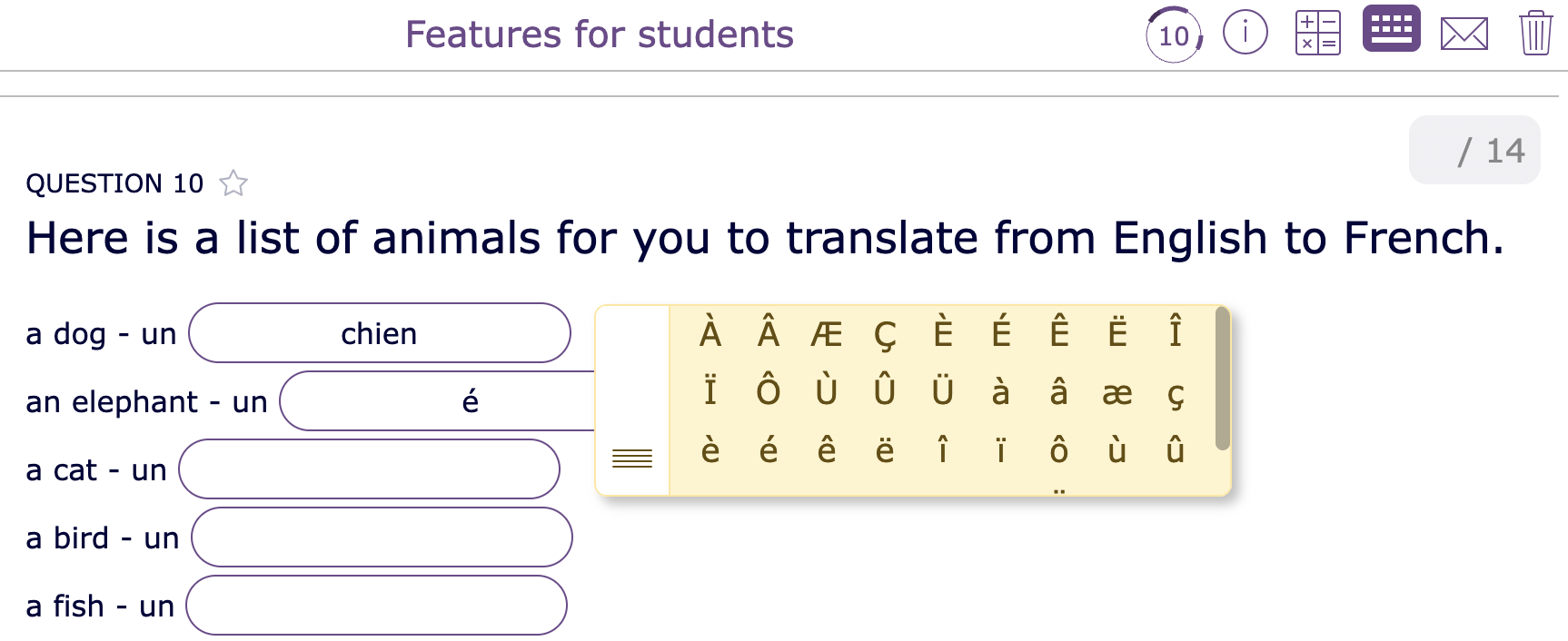
ℹ️ The On-screen Keyboard can be enabled in each (Video) Quiz and (Split) Worksheet via the General tab, under On-screen Keyboard.
💡Pedagogical benefit: Supports language learning, reduces frustration, and ensures students can type accurately in any language.
12. Personalized Learning Paths for students with the Planner and WebQuest
Teachers can create Planners or Webquests to guide students through structured learning paths at their own pace.
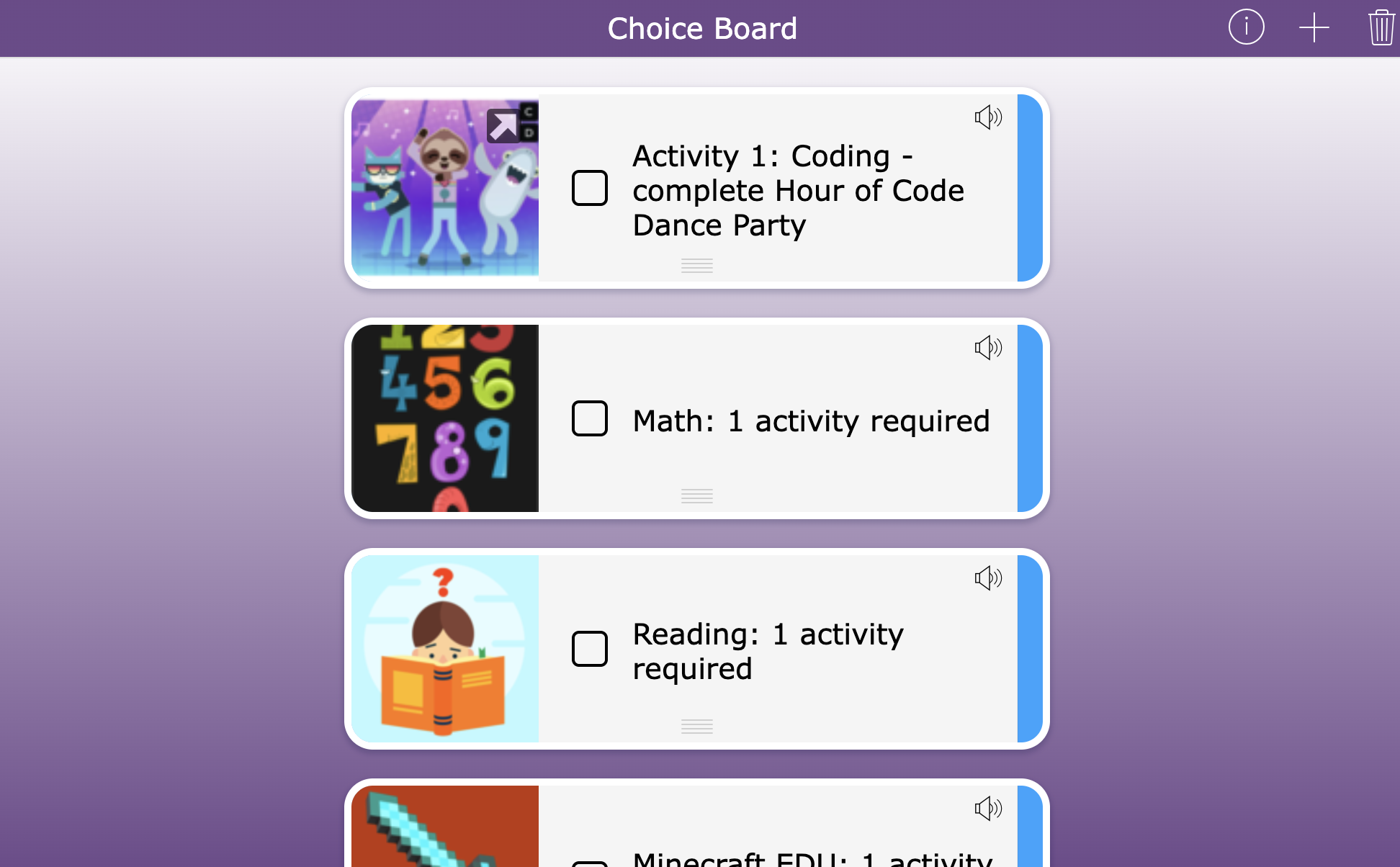
ℹ️ Read more about these widget types in our dedicated blog posts:
- WebQuest: 9 Steps for Teachers to Create the Ultimate Digital Lesson
- Planner: 20+ Helpful ways to bring more structure to your students' thinking
💡Pedagogical benefit: Encourages self-paced learning, promotes autonomy, and gives students a clear roadmap for achieving learning goals.
13. LMS Integrations for Seamless Access in Familiar Platforms
BookWidgets integrates with popular learning management systems like Microsoft Teams, Moodle, Canvas, Google Classroom, Smartschool, and more. Students don’t need to remember extra passwords or manually enter their names when submitting work. Assignments appear directly in the platforms they already use. In most integrations, students also receive feedback from the teacher for these BookWidgets assignments within the platform. Often the scores are also synchronized directly with their scorebook.
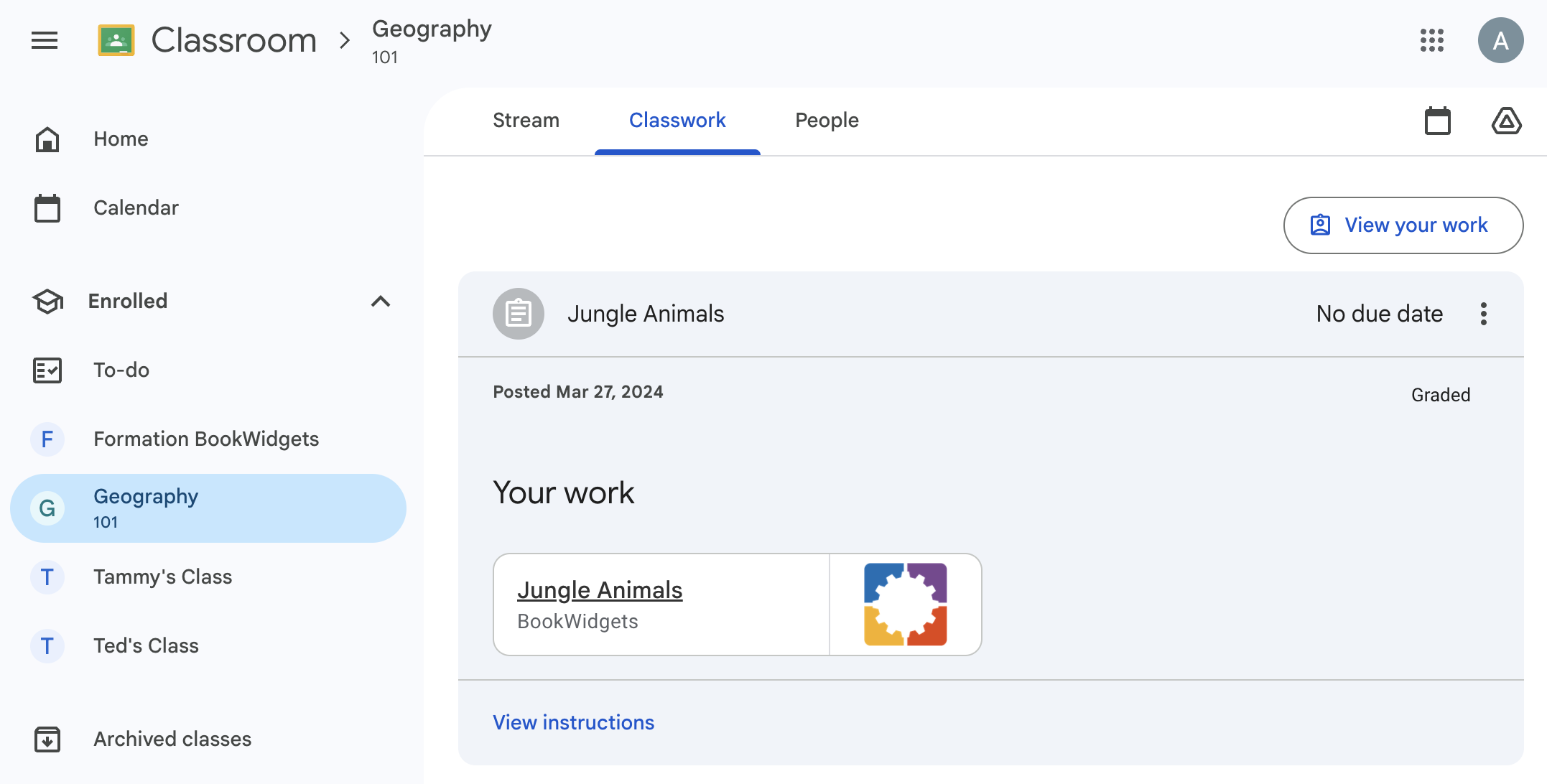
ℹ️ Learn more about BookWidget's integrations in thes LMS's in our dedicated tutorials.
💡Pedagogical benefit: Reduces technical barriers, allowing students to focus entirely on learning instead of navigating multiple tools.
Wrap-up
BookWidgets is more than just a digital worksheet tool; it’s a student-centered learning platform designed to remove barriers, encourage independence, and enhance accessibility. From highlighting and audio support to hints, timers, and seamless LMS integration, every feature has been thoughtfully designed with students in mind.
Which of these features work particularly well with your students? Or do you have any other tips? Be sure to let us know in our Teaching with BookWidgets Facebook group!


