
How to Transform Existing Lesson Materials with this Impressive AI Assistant
 Lucie Renard —
You probably already have plenty of useful teaching materials: tests, worksheets, course documents, PDFs, reading texts, and presentations.
So why start from scratch?
With the BookWidgets AI Assistant, you can use the materials you already have as the starting point for a new interactive activity. Upload your resource, explain what you want to turn it into, and let the AI Assistant help you build the widget.
New to BookWidgets? Learn more about it here.
In this post, we'll try two practical transformations:
- Turn an existing test into an interactive Quiz widget.
- Turn a PDF with learning content into a Flash Cards widget.
🎥 In this short 1-minute video, I'll show you how to upload existing teaching materials and transform them into a new interactive BookWidgets activity.
Transform Case Study 1: Turn an Existing Test into an Interactive Quiz
The situation
Imagine you already have a test you use with your students. It contains the questions, images, and exercises you need, but it isn't interactive yet.
Instead of rebuilding every question manually, upload the test to the AI Assistant and ask it to transform the questions into a BookWidgets Quiz.
In this example, we'll use an existing math test about the Pythagorean theorem.
| Step | Action | Teacher Tip or Prompt to use in the AI Assistant |
|---|---|---|
| 1 | Create a new Quiz widget and open the AI Assistant. | The AI Assistant can be opened in all widget types by clicking the magic wand in the upper right corner within the widget. Click the help button to learn more about the AI teacher guidelines and the actions the AI Assistant can take within the widget you're in. |
| 2 | Upload the existing test or worksheet to the AI Assistant. | If needed, export documents to a .docx or .pdf file first. |
| 3 | Ask the AI Assistant to transform the questions from your document into BookWidgets questions. ⚠️ Wait before moving on! We'll add some more instructions to our prompt. | "Transform the questions in the uploaded test into questions in this BookWidgets Quiz. Keep the original content and use the images from the document with the corresponding questions." You can also include this to your prompt: "Use the most appropriate BookWidgets question type for each question. Use automatically graded question types whenever that makes sense, but keep calculation questions that require reasoning as open questions." |
| 4 | Refine a question that needs more practice material. ⚠️ Wait before moving on! We'll add some more instructions to our prompt. | Navigate to a specific question type (I did this for the second fill-in-the-table question) and specify instructions "Add 5 calculations to this question so students can practice the same skill several times." |
| 5 | Add a supporting resource to the Quiz. ⚠️ Wait before moving on! We'll add some more instructions to our prompt. | "Add a resource containing a clear theoretical explanation of the Pythagorean theorem, including the formula and at least 3 worked example calculations." |
| 6 | If needed, ask to change Quiz settings. | "Include a scratchpad for all questions, provide clear instructions to students, enable text-highlighting for students, enable a scientific calculator, ..." |
💡 Teacher Tip: For cost-conscious use, it's better to include all actions in 1 elaborate prompt. Learn more about how to use the BookWidgets AI Assistant more cost-efficiently.
What did we transform? The result
The original test provided the content.
The AI Assistant helped turn that content into an interactive activity by:
- creating BookWidgets questions;
- choosing suitable question types;
- working with images from the original material;
- expanding exercises;
- and adding a supporting resource.
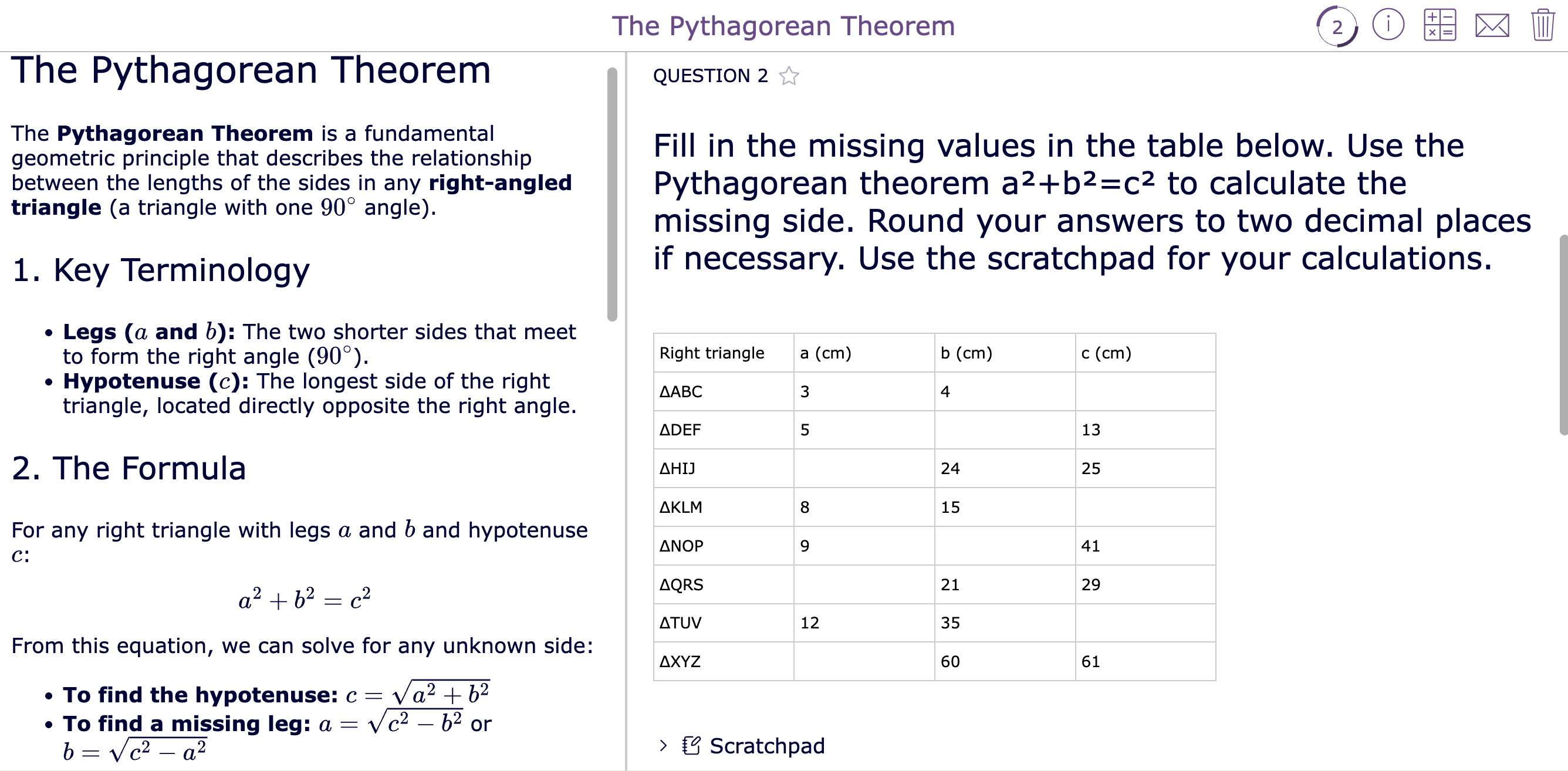
You still review the final Quiz and decide which changes belong in your lesson.
Transform Case Study 2: Turn a PDF research article into a Flash Cards Widget
The situation
Your starting material doesn't need to contain questions.
You might have a chapter, summary, study guide, or informational PDF containing the knowledge students need to learn.
In this example, we'll use a PDF about ecosystems and turn the most important concepts into a Flash Cards widget students can use for retrieval practice.
| Step | Action | Teacher Tip or Prompt to use in the AI Assistant |
|---|---|---|
| 1 | Create a new Flash Cards widget and open the AI Assistant. | The AI Assistant can be opened in all widget types by clicking the magic wand in the upper right corner within the widget. Click the help button to learn more about the AI teacher guidelines and the actions the AI Assistant can take within the widget you're in. |
| 2 | Upload the PDF you want the flashcards to be based on. | If needed, export documents to a .docx or .pdf file first. |
| 3 | Ask the AI Assistant to identify the most important concepts and turn them into flashcards, including adding fitting images. | "Analyze the uploaded PDF and identify the 20 most important terms, concepts, processes, or definitions students need to know. Base your suggestions only on the uploaded document. Create Flashcards based on those 20 concepts. Put the term or question on the front and a short, student-friendly (14-year-olds) explanation on the back. Also include images on the back of the cards that match the concept" |
What did we transform? The result
The PDF was never designed as an exercise. One source, a completely different activity.
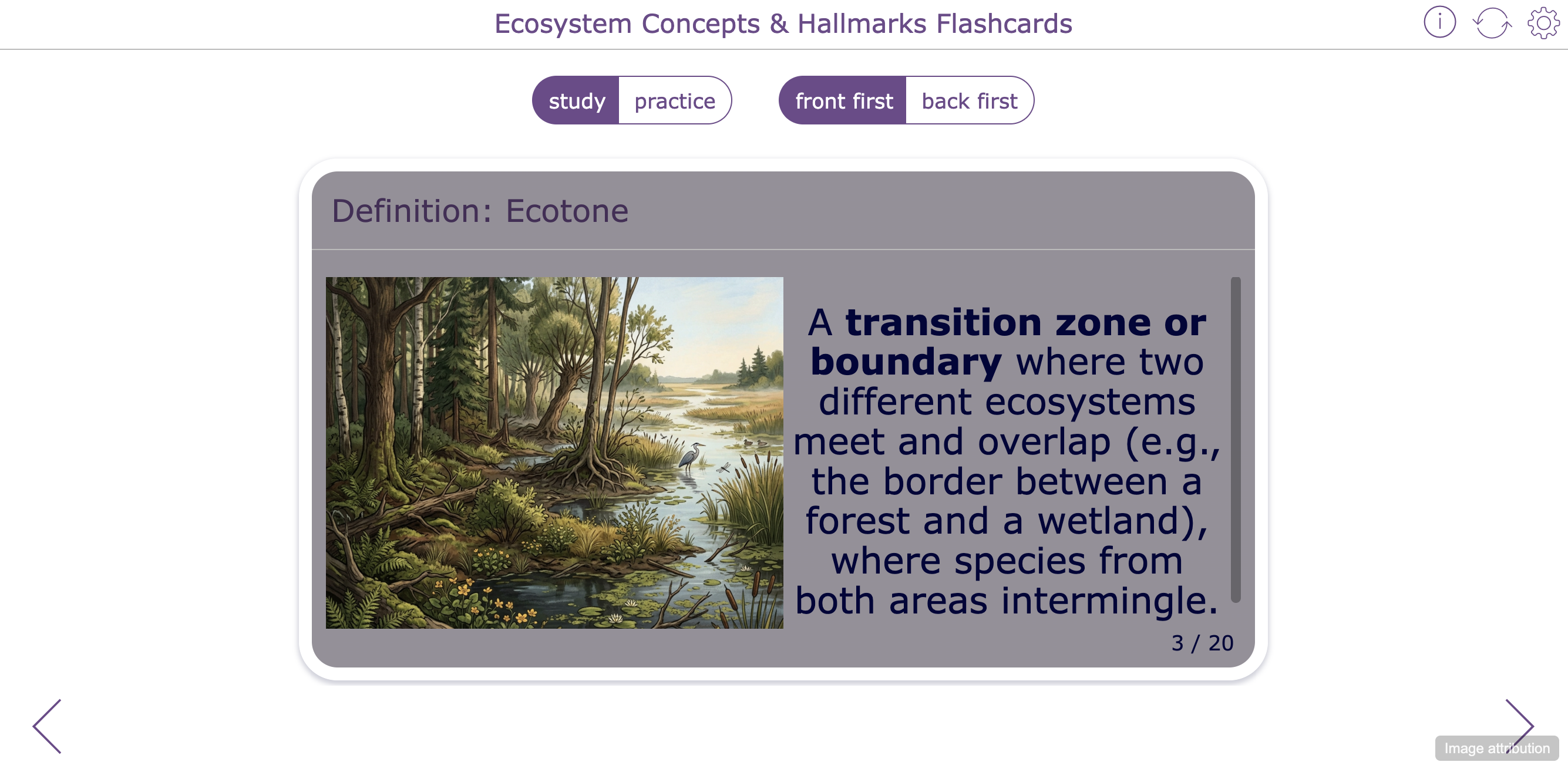
The AI Assistant helps you transform informational material into an activity students can practice with. Your existing teaching materials don't have to stay in their existing format.
Why Transform Existing Materials with the AI Assistant?
Teachers already have valuable lesson materials. The challenge is that many of those resources were created as static worksheets, PDFs, or paper tests. Transforming them with the BookWidgets AI Assistant allows you to keep the content you already trust while making it more interactive and useful in a digital learning environment.
Instead of rebuilding an activity question by question, the AI Assistant can help turn existing material into a BookWidgets activity with features such as:
- Interactive question types instead of only static or open questions;
- Automatic grading for suitable question types, reducing correction work;
- Instant feedback and rationales that students can receive after submitting their answers;
- More varied practice, by transforming content into quizzes with varied question types, Flashcards, games, or other widget types;
- Teacher options that shape how students complete the activity, such as answer visibility, retries, timing, question order, or other widget settings;
- Student help tools that can be enabled where useful, giving learners extra support while they work independently;
- Additional resources and explanations that support students while completing the activity;
- Easy adaptation of existing content, without having to recreate the original material manually;
- More opportunities for independent learning, as students can practice, receive feedback, and try again.
The biggest advantage is that you don't have to choose between your own trusted lesson materials and the interactive possibilities of BookWidgets. The AI Assistant helps you combine both.
Final Thoughts
Continue the BookWidgets AI Assistant Series:
- Create activities from scratch with AI
- Ideate lesson plans with AI
- Translate interactive lessons with AI
- Differentiate widgets with AI
BookWidgets didn't integrate AI simply because AI is everywhere. The BookWidgets AI Assistant is the result of an extensive development and testing process involving BookWidgets Certified Ambassadors, Trainers and Educators, educational stakeholders, UCLL Research & Expertise, and more than 100 test schools.
The goal of AI in BookWidgets isn't to make decisions for teachers. It's to give teachers a faster way to turn their own ideas, expertise, and lesson materials into engaging interactive learning experiences.
You bring the lesson. You know your students. You make the final decisions. The BookWidgets AI Assistant helps you build it.
And me? I'm Lucie from BookWidgets. Come say hi on LinkedIn 👋
Happy widgeting! 🚀
What is BookWidgets?
If you just started using BookWidgets, or this new possibility has you eager to learn more about BookWidgets, let me explain BookWidgets in 3 sentences:
- BookWidgets is an all-in-one interactive lesson builder for teachers that helps all teachers create interactive digital assignments and assessments (with a variety of 37 interactive question types.
- Teachers can share BookWidgets activities through their connected learning management systems, such as Google Classroom, Microsoft Teams, Canvas, Moodle, and many more, making digital activities easy to manage within their existing workflow.
- Student answers are collected and organized in a grading dashboard, where teachers can review work, give feedback, and evaluate performance efficiently.


