Get to Know The BookWidgets Ambassadors as They Reveal Their Favorite Classroom Activities - Part 3
 Chelsey Both —
I’m excited to introduce two more BookWidgets Ambassadors in the third part of our Ambassador blog post series. ❤️
We love sharing these stories because they show how educators around the world are using BookWidgets in creative and effective ways to make learning interactive, engaging, and meaningful. By highlighting their experiences, we aim to inspire other teachers, spark new ideas, and celebrate the dedication of these amazing ambassadors.
The stories featured in this series include:

Meet Lori Whitlow: Supporting STEM and Hands-On Learning with BookWidgets
Meet Lori Whitlow, an educator from the United States who brings structure and interactivity to her STEM, Woodworking, and Robotics classes with BookWidgets. Her Robotics courses include design and build, coding, programming, and electronics. Teaching high school full-time, she primarily uses BookWidgets with Canvas to integrate interactive assessments into project-based, hands-on lessons. She also brings that same creativity to her 1st grade Bible classes at church, where she designs multiple widgets for young learners.
By embedding images, audio, and read-aloud features into her widgets, she supports diverse learners and ensures that students with IEPs (Individualized Education Programs) and accommodations can participate in assessments alongside their peers. This approach allows more students to stay in the classroom during testing, improving instructional continuity and boosting student confidence. Widgets like Checklists and Video Quizzes help students stay organized, engaged, and on track during multi-day projects and instructional videos.
For Lori, BookWidgets is more than an assessment tool. It streamlines grading, delivers immediate feedback, and provides clear insights into student progress. After more than a decade of using and presenting BookWidgets at conferences, it remains a reliable, intuitive solution that empowers both teachers and students.
Let’s explore three widgets that Lori shared with us and see how she brings her lessons to life 👇
1. Hands-On Meets Interactive Theory
BookWidgets can be used to practice theory even in hands-on woodworking classes. This interactive Quiz from Lori on wood joints and fittings shows how students can actively engage with theoretical concepts rather than just reading textbooks, making learning more dynamic and meaningful.
"The grading and reporting tools have dramatically reduced my grading time while improving feedback quality. Students appreciate the immediate feedback on automatically graded questions,” Lori said.
This combination of efficiency and instant feedback benefits both teachers and learners, making theory practice more engaging and manageable.

💡 Pro Tip! If you want to learn how to review student work more efficiently, check out this webinar to see how the BookWidgets Reporting Dashboard can automate scoring and give you more time for personalized feedback.
2. Robotics Research Worksheet
Students explore how robotics impacts our world while using the internet to research answers to a variety of questions. Some require visiting specific websites, while others allow for independent searching, with students recording the URLs of their sources to practice responsible research and digital literacy.
The Worksheet widget makes it easy to combine automatically graded questions with ones that require manual review. This approach saves grading time while still encouraging students to think critically and articulate their own responses, creating a balance between efficiency and meaningful learning.

💡 Pro Tip: Are you interested in exploring how to craft and grade open-ended questions more efficiently? Make sure to check out this webinar, where we will provide you with practical strategies for integrating various response types.
3. Interactive Video Quiz on Hand Tool Maintenance
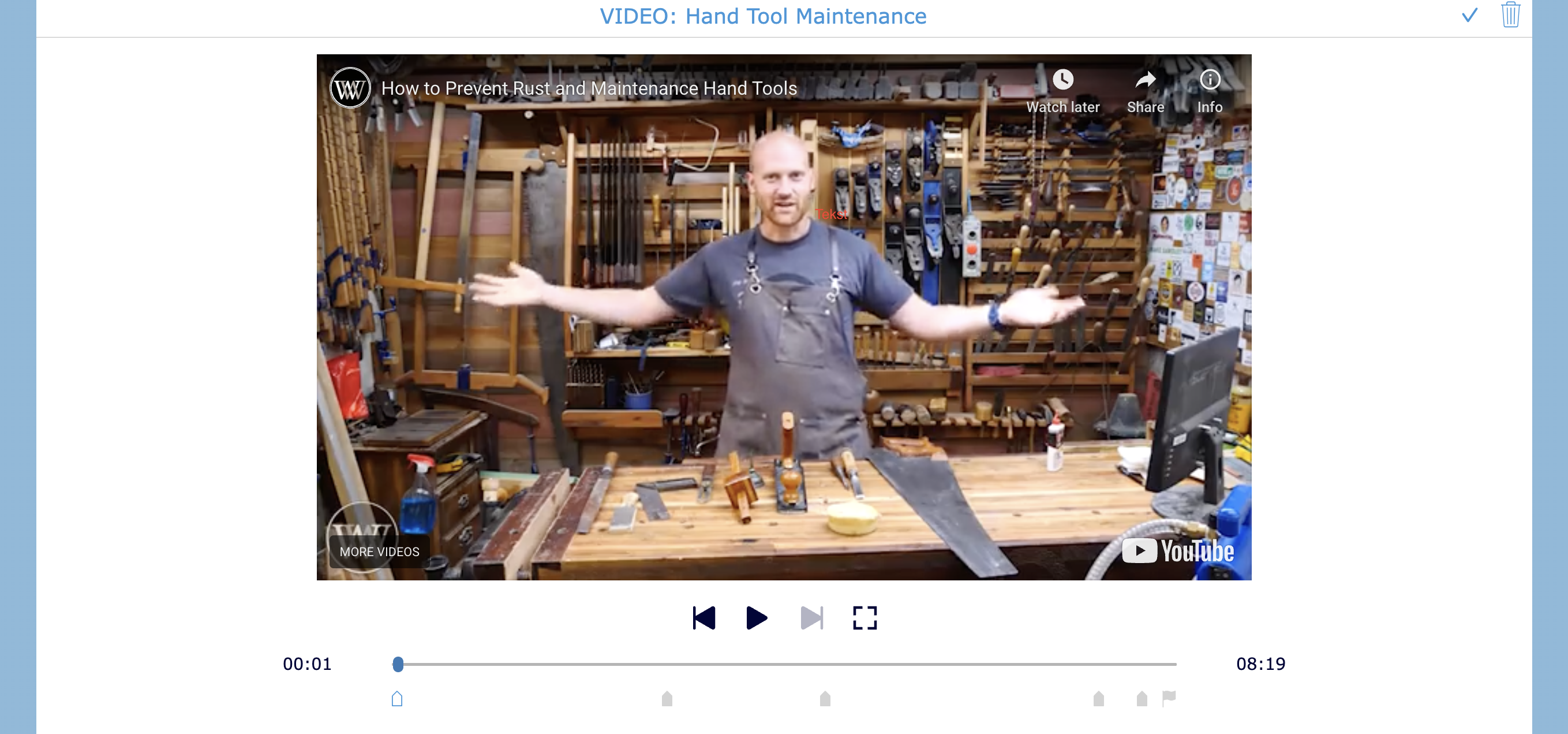
This activity is an interactive Video Quiz on hand tool maintenance, designed to let students work independently. Learners start by watching the video and answer questions at specific moments throughout, keeping them engaged and attentive.
Lori was able to select question types that best fit the learning goals of her lesson. The quiz encourages students to actively process the content as they watch, turning passive video watching into an interactive learning experience.
💡 Pro Tip! If you want to learn more about creating a Video Quiz, check out our blog post “10+ Powerful Ways to Use an Interactive Video Quiz in Your Classroom.” Not much of a reader? Watch our step-by-step video tutorial to see how to create a Video Quiz in BookWidgets from scratch.

Meet Alex Toyoda: Mastering TOEIC and English Skills with BookWidgets
Meet Alex Toyoda, an educator from Japan who teaches world languages at the university level. Over the past year, Alex has continued refining how he uses BookWidgets in his TOEIC (Test of English for International Communication) and English courses, aiming to move beyond simple repetition and help students grow their skills in meaningful ways. He creates interactive activities that integrate strategy training, vocabulary development, and grammar awareness while promoting positive washback, making test practice both authentic and instructive.
One of the most powerful features for Alex is the immediate feedback system. Students can see their results instantly, understand their mistakes, and even retake activities to reach a mastery threshold. This approach helps students build autonomy, confidence, and a deeper understanding of both language and test strategies. He also regularly shares his work at professional development sessions and conferences, inspiring colleagues with how digital tools can reshape the learning experience.
For Alex, BookWidgets has become more than a tool for test prep. It supports real learning, helping students develop skills that go beyond exams while keeping assessment practice engaging and purposeful.
Let’s explore 3 widget activities Alex created 👇
1. Discover What You Remember from the English Class
The first activity Alex shared with us is a worksheet. He created a widget focused on a specific chapter covered in his English course. The goal of the worksheet is to assess how well students have mastered the material. Using BookWidgets allows him to automatically calculate scores, provide instant feedback, and give students the opportunity to retake the worksheet if they don’t reach the 40-point passing threshold, which Alex set himself to reflect his learning goals.
In the original version of this widget, Alex added a timer to help students manage their time efficiently. After 10 seconds, the countdown is replaced by a clock icon to reduce stress, while students can still check the remaining time at any point. This feature makes assessment efficient, meaningful, and less stressful for learners. In the widget below, the timer has been disabled so you can explore the quiz at your own pace.

💡 Pro Tip: The timer can be activated in Exam Mode on the Reporting tab. If you want to learn more about the pedagogical benefits of the timer, check out this blog post, where you’ll also discover other tools designed to boost learning and accessibility.
2. High Beginner English Homework on Fruits and Vegetables
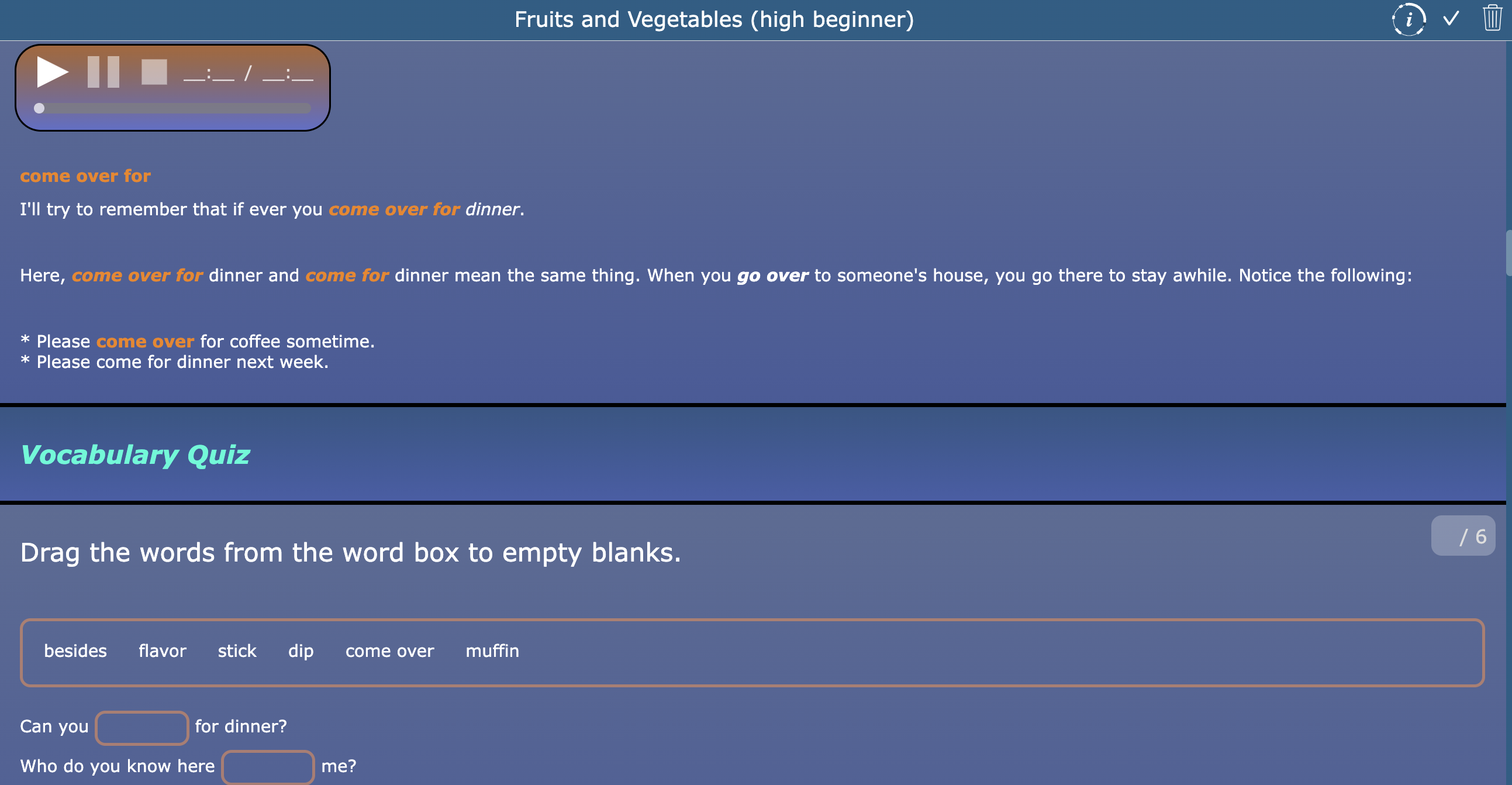
The next activity that Alex shared with us is a worksheet about fruits and vegetables. The worksheet is well structured, making it clear for students what they can expect. Alex divided the worksheet into different sections, including vocabulary, listening, dictation, and shadowing exercises. This worksheet is used as a homework assignment, allowing students to work independently while staying focused on the learning goals.
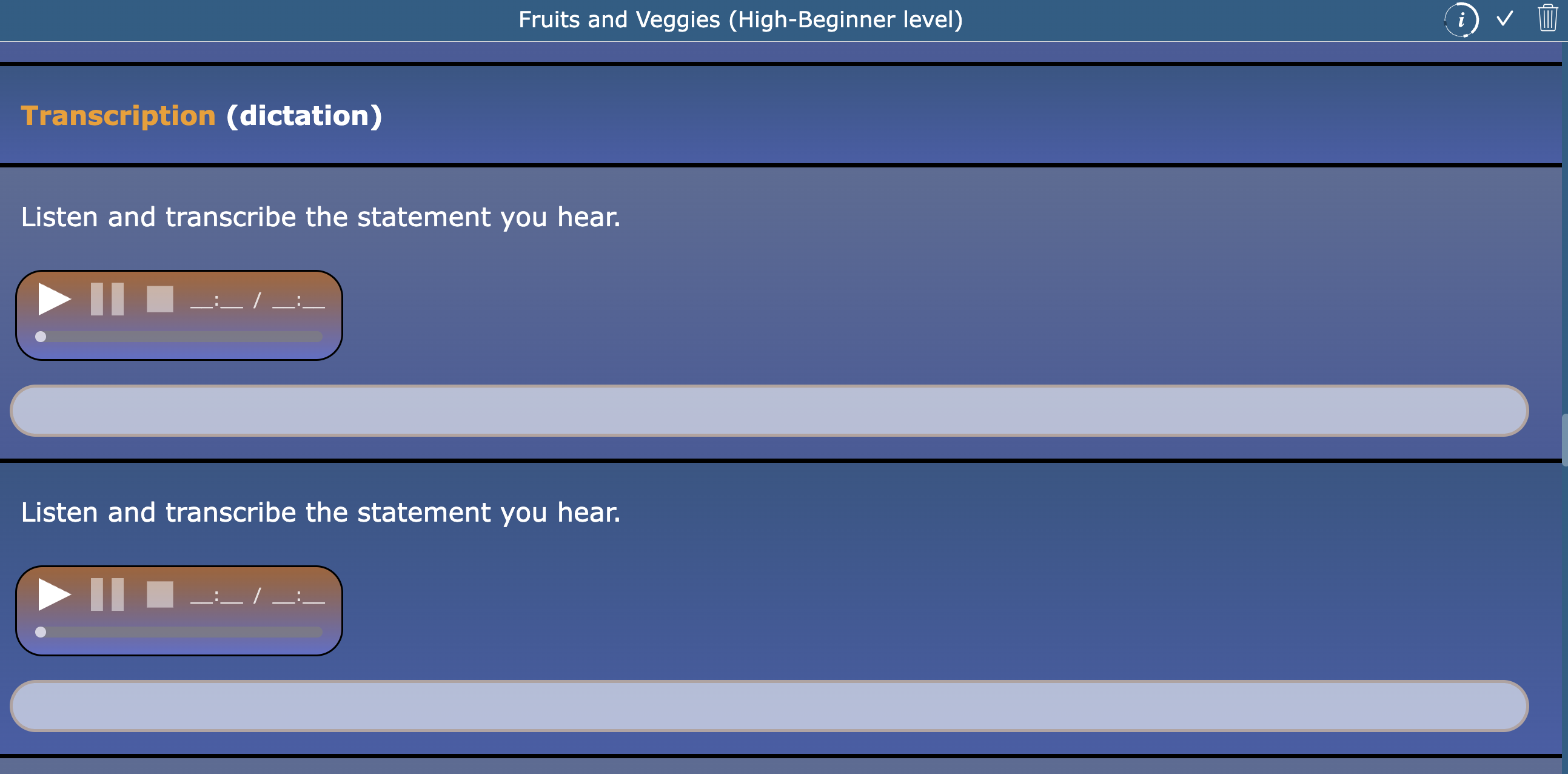
As mentioned in the introduction, Alex values immediate feedback for his students. This can also be seen in the dictation exercise within this worksheet. Students listen to an audio fragment and type the sentence they hear. When the sentence is spelled correctly, it turns green, giving students instant confirmation that they completed the task correctly. This helps students immediately recognize their progress while practicing listening and writing skills.
You can also notice that the design of this worksheet is consistent with the previous activity Alex shared. By using the same design structure, students know where to focus their attention and understand what is expected from them.
💡 Pro Tip: It might feel overwhelming to start using the design options in BookWidgets if you don’t know where to begin, but don’t worry. We are here to help. In this webinar, you will learn how to improve the look and feel of your activities and create more engaging, accessible learning experiences for your students.
3. In-Class English Listening Practice
The last activity shared with us is another worksheet, but this time Alex uses it as an in-class listening activity. Some of the questions are similar to those in the previous activity, but here the focus is placed more strongly on listening skills, making it ideal for classroom practice.
Alex made sure that not all questions are shown at the same time. This helps prevent students from feeling overwhelmed and gives them a clear structure to follow while completing the activity, allowing them to process the information step by step.
I really like how all the widgets that Alex shared with us are worksheets, yet they are used in different learning situations. This shows how flexible the Worksheet widget can be, allowing teachers to adapt activities depending on whether they want to support independent homework practice or guided in-class learning.
Wrap up
Our BookWidgets Ambassadors inspire us by showing how thoughtful use of technology can make classroom learning both effective and engaging. Their creativity and dedication highlight the power of sharing best practices for interactive learning and digital assessments. We hope these stories spark new ideas for your own classroom and encourage you to explore how BookWidgets can support meaningful learning experiences.
Stay connected and discover more tips, inspiration, and updates by following us on Bluesky, Instagram, and LinkedIn, or join our Facebook Teacher Community to exchange ideas with fellow educators.


