BookWidgets helps teachers bring chemistry lessons to life through interactive digital learning experiences. Students explore how matter behaves by working with substances, observing reactions, and understanding the role of chemical formulas in context. The activities can be adapted to different levels and cover topics such as elements, compounds, and mixtures. Teachers can use a variety of question types to encourage observation, analysis, and scientific reasoning.
These BookWidgets features help you adapt chemistry activities to your lesson objectives and students’ grades or needs.

The calculator allows teachers to strategically provide either a basic or scientific calculator for any activity. This supports students in solving chemistry-related calculations involving formulas, measurements, reactions, and experimental data.

The copy-paste restriction ensures that students can only copy and paste content within the widget itself. This helps prevent students from copying content from other websites and encourages them to create their own responses.
The equation editor helps students easily write chemical formulas and equations in a clear, visual way. It removes technical barriers when working with scientific notation and chemical representations. This supports accurate and structured expression of chemistry concepts.

Add hints to provide helpful rich-text or audio guidance that students can access if they need extra help with a specific question. This provides scaffolded support for independent learning by offering immediate assistance exactly when a student is unable to move forward.

Live monitoring empowers teachers to track student progress and recent interactions in real time as they engage with digital classroom activities. This feature is available for most widget types, providing immediate visibility into student performance to support timely, personalized intervention.

Multimedia integration transforms static assignments into dynamic experiences by adding images, audio, and video directly within questions or as side resources. This provides the necessary visual and auditory context to make every assignment more intuitive and relatable for students.

The on-screen keyboard provides students with a specialized digital interface for entering chemical formulas, scientific symbols, and other notation that are difficult to type with a standard keyboard. Learners can accurately complete chemistry activities requiring specialized characters and scientific notation.

By enabling random question selection, BookWidgets will select a given amount of questions from a larger question pool. This ensures that each student will receive a unique combination of questions.

Rich text instructions transform standard directions into clear, visually organized guides. By customizing fonts, colors, and layouts, teachers can highlight key information and ensure that students stay focused on the most important parts of the lesson. Students can call back the instructions at any time during their assignment.

The scratchpad allows students to draft notes, solve problems, or visualize ideas directly within an activity. Teachers have the flexibility to enable this feature for the entire widget or only for specific questions that need extra workspace.

Text highlighting allows students to mark essential information in questions and rich-text resources to improve focus and comprehension. Teachers can enable it to support active learning and focus during activities.

Text-to-speech support allows students to have text read aloud using their browser’s built-in text-to-speech. It helps teachers better support diverse learning needs while creating a more inclusive digital classroom experience.

Time limits keep students on track by displaying a live countdown timer during an activity. This ensures a consistent pace for the entire class and helps students develop essential time management skills during assessments.
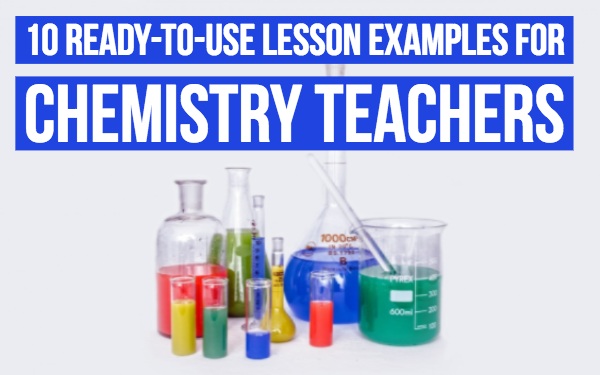
Check out these quick classroom ideas for using different BookWidgets activities to practice chemistry skills like understanding chemical reactions, working with formulas, and exploring substances and their properties.
Let students explore compound substances through a guided at-home experiment. This interactive Quiz walks them step by step as they mix milk and cola, answer questions throughout the investigation, and upload photos as evidence of each stage. At the end, they can check the correct answers to verify their observations and reinforce their understanding of the experiment.
Help students learn and reinforce lab equipment terminology with an interactive Crossword widget. Using the provided descriptions, they fill in the correct scientific terms, making this activity a flexible way to introduce a topic or revisit key concepts. Easily adapt the clues and answers to any chemistry topic or unit.
Keep every student involved while reviewing hazard symbols. This Randomness widget is ideal for activating prior knowledge, checking understanding, or revising safety concepts. Students identify the selected symbol before explaining its meaning and thinking of a product that displays it.
Strengthen students' understanding of pure substances and mixtures by having them sort images into the correct category. The Quiz widget is ideal for checking comprehension and can easily be expanded with additional examples or questions to suit your lesson objectives.
Discover how to assess chemistry concepts with specialized question types in a Quiz widget. This example showcases different question formats for topics such as writing chemical formulas and balancing chemical equations, giving you inspiration to create interactive quizzes tailored to your lessons.
Engage students in reviewing separation techniques with an interactive Word Search. Students must locate key terms on their own and then explain each technique, reinforcing both recognition and understanding. Students can submit explanations digitally when working individually or in groups, or discuss them as a class when the activity is completed together.
Support students in exploring the periodic table through a Hotspot Image activity. By clicking on elements, they discover their names and watch an explanation video about each specific element, helping them build their understanding of individual elements. This activity is ideal for introducing the periodic table or reinforcing students’ familiarity with elements during a chemistry unit.
Guide learners through an experiment investigating a chemical reaction that produces carbon dioxide gas. As they follow the steps in the Quiz, they answer structured questions based on what they observe during the experiment, including the data they collect and calculations they make. This connects hands-on experimentation with chemical reasoning.
Engage students in reviewing elements and their symbols with an interactive Memory Game. Students match element names with their correct symbols, helping them strengthen their knowledge of the periodic table in a fun and active way. Once all pairs are found, they are prompted to reflect by thinking of additional elements and symbols they know, reinforcing recall and extending their learning.
Discover a selection of blog posts with ready-to-use lesson ideas, tips, and classroom examples to support chemistry teaching with BookWidgets.